
1. Introduction
The Vicks SpeedRead Digital Thermometer (Model V912USV5) is designed to provide fast and accurate temperature readings for individuals of all ages, including babies, children, and adults. This device features an 8-second reading time and a Fever InSight® color-coded display for easy interpretation of results. It is suitable for oral, rectal, and underarm temperature measurement.
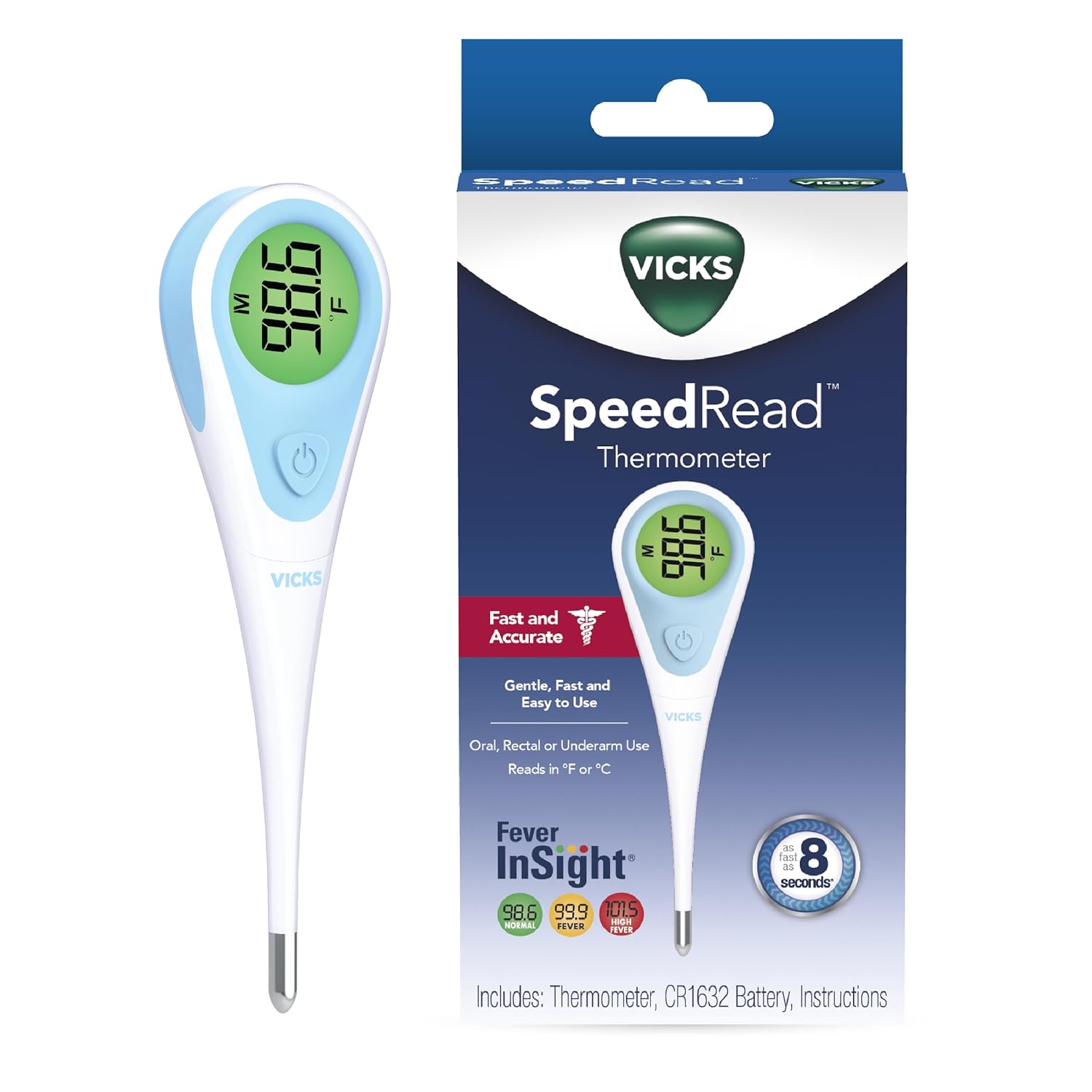
Image: The Vicks SpeedRead Digital Thermometer shown alongside its retail packaging.

Image: An adult gently checking a child's temperature using the Vicks SpeedRead Digital Thermometer, emphasizing trusted accuracy.
2. Setup
The Vicks SpeedRead Digital Thermometer comes with a battery pre-installed and is ready for immediate use after initial cleaning.
2.1 Initial Cleaning
Before first use and after each subsequent use, clean the thermometer probe as described in the 'Maintenance and Cleaning' section.
2.2 Power On/Off
Press the power button (U) to turn the thermometer on. A short beep will sound, and the display will show the last measured temperature for approximately 2 seconds, followed by 'Lo' and a flashing '°F' or '°C', indicating it is ready for measurement. The thermometer will automatically shut off after approximately 10 minutes of inactivity to conserve battery life.
3. Operating Instructions
The Vicks SpeedRead Digital Thermometer offers three methods for temperature measurement:

Image: Visual guide demonstrating the three primary methods for taking temperature: oral, underarm, and rectal.
3.1 Oral Temperature Measurement (Adults & Older Children)
- Ensure the thermometer is clean.
- Place the probe tip under the tongue as far back as comfortable.
- Close lips to hold the thermometer in place.
- Hold the thermometer until you hear a series of beeps (approximately 8 seconds), indicating the measurement is complete.
- Read the temperature displayed.
3.2 Rectal Temperature Measurement (Infants & Young Children)
- Ensure the thermometer is clean.
- Apply a water-soluble lubricant to the tip of the probe.
- Gently insert the probe tip no more than 0.5 inches (1.27 cm) into the rectum. Do not force the thermometer.
- Hold the thermometer in place until you hear a series of beeps (approximately 8 seconds).
- Read the temperature displayed.
3.3 Underarm (Axillary) Temperature Measurement (All Ages)
- Ensure the thermometer is clean.
- Place the probe tip in the center of the armpit.
- Ensure the arm is pressed firmly against the body to hold the thermometer in place.
- Hold the thermometer until you hear a series of beeps (approximately 8 seconds).
- Read the temperature displayed. Note: Underarm temperatures are typically 0.5°F to 1.0°F (0.3°C to 0.6°C) lower than oral temperatures.
3.4 Fever InSight® Color-Coded Display
The thermometer features a color-coded display to help interpret temperature readings quickly:
- Green Display: Indicates a normal temperature.
- Yellow Display: Signals a mild elevation in temperature.
- Red Display: Alerts to a high fever.
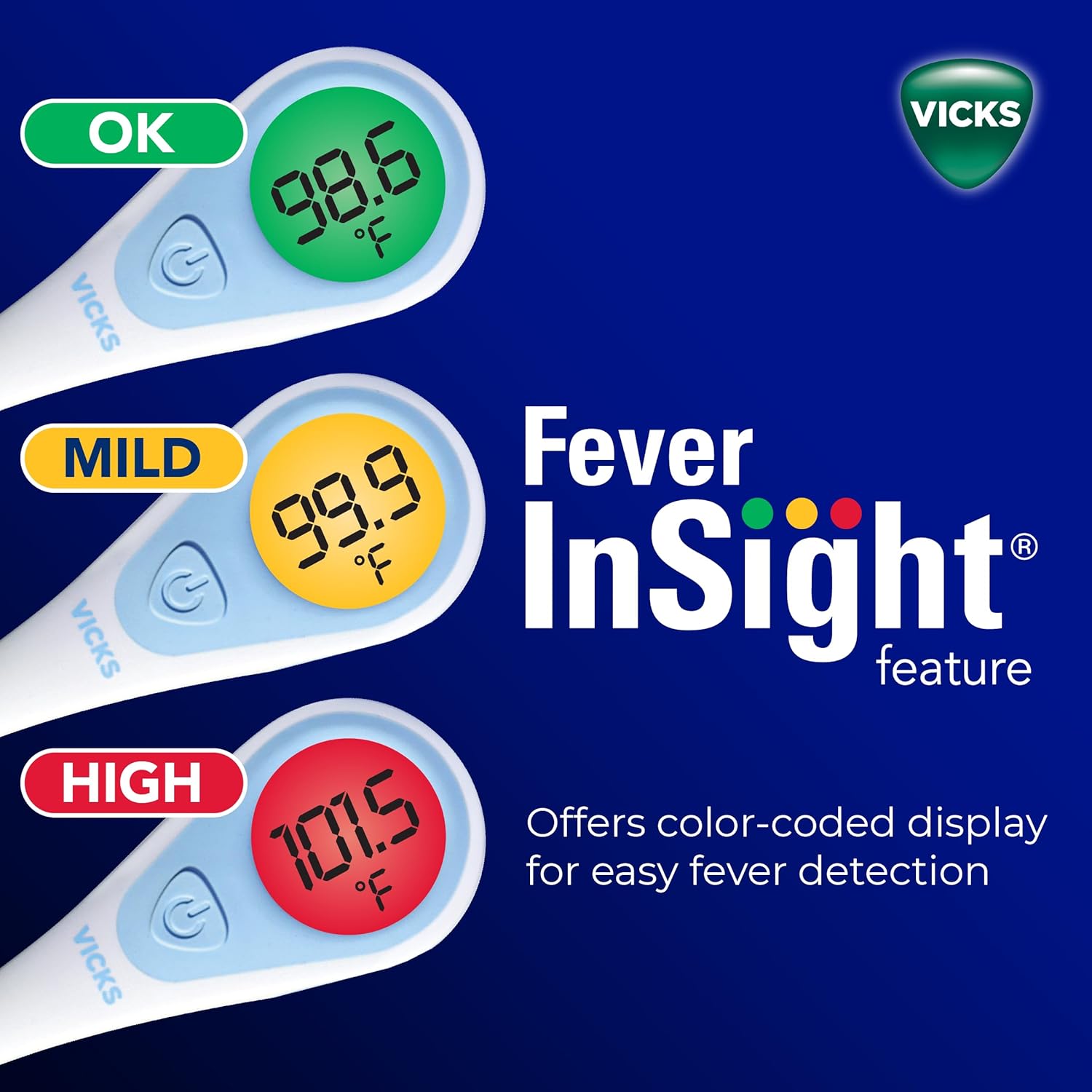
Image: The Fever InSight® feature illustrating how the display changes color (green, yellow, red) to indicate temperature status.
3.5 Recalling Last Reading
When the thermometer is turned on, it will automatically display the last measured temperature for approximately 2 seconds before entering measurement mode. This allows for easy recall of the previous reading.

Image: Two Vicks SpeedRead thermometers displaying different color-coded temperatures, highlighting the memory function.
4. Maintenance and Cleaning
4.1 Cleaning the Thermometer
The Vicks SpeedRead Digital Thermometer is water-resistant for easy cleaning. To clean:
- Wipe the probe and body of the thermometer with a soft cloth dampened with rubbing alcohol (70% isopropyl alcohol) or soap and water.
- For thorough cleaning, the thermometer can be rinsed under running water. Ensure the battery cap is securely closed if submerging.
- Do not boil the thermometer or clean with abrasive detergents.
- Allow the thermometer to air dry or wipe with a clean, dry cloth.

Image: Hands cleaning the Vicks SpeedRead Digital Thermometer under running water, demonstrating its waterproof feature for easy sanitation.
4.2 Battery Replacement
When the battery symbol appears on the display, the battery needs to be replaced. The thermometer uses a CR1632 battery.
- Locate the battery compartment cover at the end of the thermometer.
- Use a coin to twist the battery cover counter-clockwise to open.
- Carefully remove the old battery.
- Insert a new CR1632 battery with the positive (+) side facing up.
- Replace the battery cover and twist clockwise with a coin to secure it.
5. Troubleshooting
| Problem | Possible Cause | Solution |
|---|---|---|
| Thermometer does not turn on. | Dead battery. | Replace the battery (CR1632). |
| Inaccurate readings. | Improper placement of probe; thermometer not held steady; recent eating/drinking (oral). | Ensure correct measurement technique for the chosen method. Wait 30 minutes after eating or drinking before taking oral temperature. |
| Display shows 'Err'. | Measurement error; ambient temperature too high/low. | Ensure thermometer is used within its operating temperature range. Turn off and restart the thermometer. If error persists, contact customer support. |
| Display shows 'Lo'. | Temperature is below the measurable range. | This is normal when the thermometer is ready for use and the ambient temperature is low. Proceed with measurement. |
6. Specifications
- Model Number: V912USV5
- Product Dimensions: 4 x 4 x 7 inches; 1.45 ounces
- Measurement Range: Not explicitly stated, but typically 90.0°F - 109.9°F (32.0°C - 42.9°C)
- Accuracy: ±0.2°F (±0.1°C)
- Reading Time: As fast as 8 seconds
- Display Type: Digital, Color-Coded (Fever InSight®)
- Battery: 1 x CR1632 (included)
- Special Features: Water-resistant, Automatic Shut-off, Memory Recall
- Material: Plastic
- Product Care: Hand Wash Only

Image: The Vicks SpeedRead Digital Thermometer highlighting its dimensions and key features such as soft fever alarm, auto shut-off, large display, 1-year warranty, and included battery.
7. Warranty and Support
7.1 Limited Warranty
The Vicks SpeedRead Digital Thermometer is backed by a 1-year limited warranty from the date of purchase. This warranty covers defects in materials and workmanship under normal use. It does not cover damage resulting from misuse, accidents, or unauthorized modifications.
7.2 Customer Support
For warranty claims, technical assistance, or any questions regarding the operation of your Vicks SpeedRead Digital Thermometer, please refer to the contact information provided on the product packaging or visit the official Vicks website for support resources.


