
Introduction
This manual provides comprehensive instructions for the setup, operation, maintenance, and troubleshooting of your UPERFECT 2K 144Hz Portable Gaming Monitor 18" (UGame K118). Please read this manual thoroughly before using the product to ensure optimal performance and longevity.
What's in the Box
- 1 * 18″2K 144HZ Portable Monitor
- 1 * Mini HDMI to Standard HDMI Cable
- 2 * Type C to Type C Cable
- 1 * PD 30W Power Charger
- 1 * Smart Cover
Setup
The UPERFECT portable monitor is designed for easy setup. Follow these steps to get started:
- Positioning: Place the monitor on a stable surface using the included Smart Cover as a stand. The monitor also supports VESA mounting (75x75@M4) for wall or desktop arms.
- Power Connection: For optimal performance, especially at higher brightness and refresh rates, connect the monitor to the PD 30W Power Charger using one of the provided Type-C to Type-C cables.
- Device Connection: Connect your device (laptop, PC, game console, tablet, phone) to the monitor using either a Type-C to Type-C cable (for devices supporting video output over USB-C) or the Mini HDMI to Standard HDMI cable.
- Initial Brightness Adjustment: Upon first use, the monitor's brightness may be set low. Access the On-Screen Display (OSD) menu using the joystick/buttons on the side of the monitor to adjust brightness to your preference.

Note: Large screens need extra power for optimal performance; please keep it charged during use. If the screen flickers, ensure the external power adapter is connected.
Operating the Monitor
The monitor features an intuitive On-Screen Display (OSD) menu for various settings adjustments. Use the joystick/buttons located on the side of the monitor to navigate and select options.
OSD Menu Options:
- Picture: Adjust brightness, contrast, ECO mode, DCR, and sharpness.
- Color: Modify color temperature, hue, saturation, low blue light, and FreeSync settings.
- Audio: Control volume and mute settings for the built-in dual speakers.
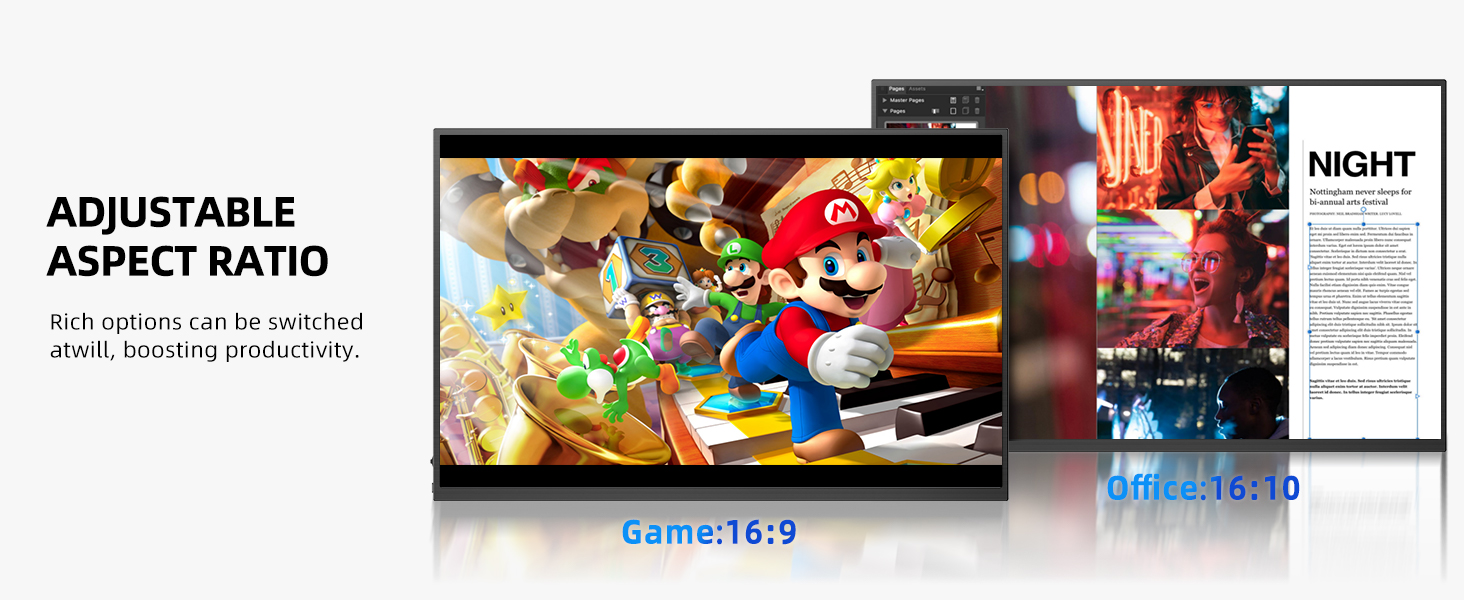
- Other: Select language, rotate display, enable/disable HDR, adjust aspect ratio, and reset to factory settings.
- Input: Manually select input source (Type-C1, Type-C2, Mini HDMI) or set to auto-select.
Key Features & Performance
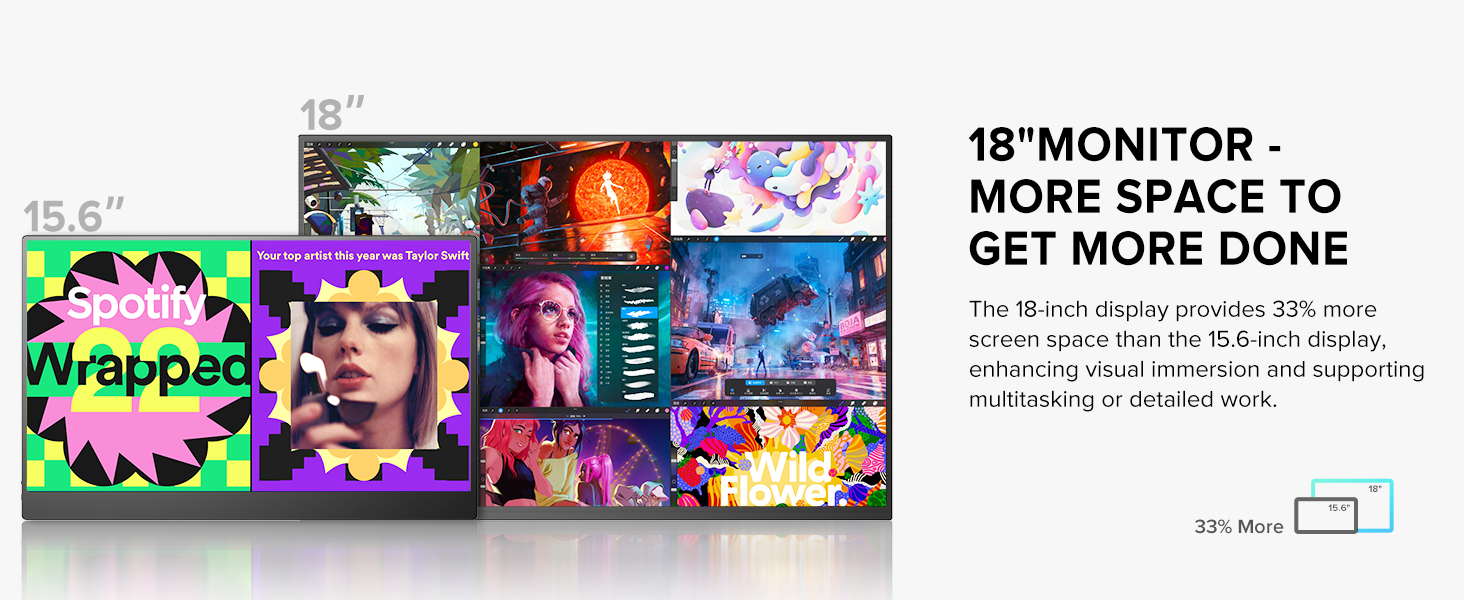
- 18" Large Screen & Eye-Friendly: Offers a spacious display for enhanced productivity and comfort. Features a blue light filter, anti-glare, and flicker-free design to reduce eye strain. Weighs just 2.3 lb with a slim 0.4-inch frame and 0.15-inch bezel.
- 2K 144 Hz Portable Gaming Monitor: 2560x1600 QHD resolution delivers sharp, immersive visuals. Enjoy smooth, lag-free gameplay with its 144 Hz refresh rate, AMD FreeSync, and HDR technology.
- 100% DCI-P3 Color Gamut IPS Matte Screen: Offers 178° wide viewing angles, reduced glare, and vibrant, accurate colors, ideal for design, photo editing, and multimedia.
- 400 Nits High Brightness: Images shine with sharp, vivid details even in bright settings.
- 92% Screen-to-Body Ratio: With 5mm bezels, the monitor provides an expansive viewing experience.


Connectivity
The UPERFECT monitor offers wide compatibility with various devices:
- 2 x Type-C Ports: For easy connection to laptops, PCs, tablets, and phones that support video output over USB-C.
- 1 x Mini HDMI Port: For connecting to game consoles, laptops, and other devices.
- 3.5mm Audio Jack: For connecting external headphones or speakers.

Usage Scenarios
The UPERFECT monitor enhances various activities:
- Enhanced Productivity: The 18-inch display provides 33% more screen space than 15.6-inch displays, enhancing visual immersion and supporting multitasking or detailed work.
- Gaming: Enjoy smooth, lag-free gameplay with 144Hz refresh rate, FreeSync, and HDR.
- Mobile Work & Travel: Weighing just 2.3 lb, it's highly portable for work on the go.
- Photo/Video Editing: 100% DCI-P3 color gamut ensures vibrant and accurate colors for creative tasks.
- Office & Meeting: Share your screen with colleagues during meetings to present reports and results, boosting efficiency.
- Distance Learning: A large screen can enhance learning efficiency and help protect eyes during extended study sessions.

Maintenance & Care
To ensure the longevity and optimal performance of your UPERFECT monitor, follow these general maintenance guidelines:
- Cleaning: Use a soft, lint-free cloth to gently wipe the screen. For stubborn smudges, slightly dampen the cloth with water or a screen-cleaning solution. Avoid harsh chemicals or abrasive materials.
- Handling: Always handle the monitor with care. Avoid dropping it or subjecting it to strong impacts.
- Storage: When not in use, store the monitor in its Smart Cover to protect it from dust and scratches. Store in a cool, dry place away from direct sunlight.
- Ventilation: Ensure proper airflow around the monitor to prevent overheating, especially during extended use.
Troubleshooting
If you encounter any issues with your UPERFECT monitor, refer to the following common troubleshooting tips:
- No Signal/Black Screen: Ensure all cables (Type-C, Mini HDMI) are securely connected to both the monitor and your device. Verify that your device's display output is enabled and configured correctly (e.g., extended display mode).
- Screen Flickering: This often indicates insufficient power. Connect the monitor to the included PD 30W Power Charger using a Type-C cable to provide stable power.
- Dim Display: By default, the monitor may power on with low brightness. Access the OSD menu and increase the brightness level. If still dim, ensure external power is connected.
- No Audio: Check the volume settings in the OSD menu and on your connected device. Ensure external speakers/headphones are properly connected to the 3.5mm audio jack if used.
- Incorrect Resolution/Refresh Rate: Adjust the resolution and refresh rate settings through your connected device's display settings (e.g., Windows Display Settings, macOS Display Preferences). The monitor supports up to 2560x1600 at 144Hz.
For further assistance, please contact UPERFECT customer service.
Specifications
| Attribute | Detail |
|---|---|
| Screen Size | 18 Inches |
| Resolution | 2560 x 1600 Pixels (QHD) |
| Refresh Rate | 144 Hz |
| Panel Type | IPS Matte Screen |
| Color Gamut | 100% DCI-P3 |
| Brightness | 400 Candela (Nits) |
| Aspect Ratio | 16:10 |
| Connectivity | 2 x Type-C, 1 x Mini HDMI, 1 x 3.5mm Audio Out |
| VESA Mount | 75x75@M4 |
| Item Weight | 2.42 pounds |
| Product Dimensions | 8.27 x 14.96 x 19.29 inches |
Warranty & Support
UPERFECT is committed to providing excellent customer service and product support:
- 30-Day Return Policy: If you are not satisfied with your purchase, you may return it within 30 days.
- 90-Day Exchange Policy: Products can be exchanged within 90 days of purchase.
- Lifetime Support: UPERFECT offers lifetime technical support for its products.
- 24/7 Customer Service: Customer service is available 24/7 to resolve issues within 8 hours.
For any inquiries or support needs, please refer to the contact information provided with your product documentation or visit the official UPERFECT website.


