
awei AWE000125
AWEI T26 Pro Wireless Ear Buds User Manual
Model: AWE000125 | Brand: AWEI
Introduction
This manual provides comprehensive instructions for the AWEI T26 Pro Wireless Ear Buds. Please read this manual carefully before using the product to ensure proper operation and to maximize your listening experience. Keep this manual for future reference.
Product Overview
Key Features:
- Hi-Fi Sound Quality: Equipped with 13mm speakers for immersive audio and clear call performance.
- Smart Touch Control: Intuitive controls for volume, track navigation, playback, and call management.
- Ergonomic IPX6 Waterproof Design: Lightweight, semi-in-ear design with IPX6 rating for dust and rain resistance.
- Bluetooth 5.3 Technology: Ensures stable, low-latency connection up to 10 meters.
- Long Battery Life: Up to 7 hours of continuous use per charge, with 36 hours total playtime using the 300mAh charging case.
Components:
- Left Ear Bud
- Right Ear Bud
- Charging Case
- USB Type-C Charging Cable
- User Manual

Figure 1: AWEI T26 Pro Wireless Ear Buds placed inside their charging case, showing the sleek black design and compact form factor.
Setup
1. Initial Charging:
- Before first use, fully charge the charging case and earbuds.
- Connect the provided USB Type-C cable to the charging port on the case and a power source (e.g., USB wall adapter, computer USB port).
- The indicator light on the charging case will show charging status. Once fully charged, the light will change or turn off.
- Place the earbuds into the charging case. They will begin charging automatically.
A full charge for the case takes approximately 1 hour. The earbuds provide 7 hours of playback, and the case extends total playtime to 36 hours.

Figure 2: Illustration of the AWEI T26 Pro charging case with a USB-C cable, highlighting the 300mAh charging case capacity, 6 hours single earbud endurance, and 24 hours total endurance. Note that the product's text description indicates up to 7 hours of single earbud use and 36 hours of total playtime with the charging case.
2. Pairing with a Device:
- Open the charging case. The earbuds will automatically enter pairing mode.
- On your device (smartphone, tablet, PC), enable Bluetooth.
- Search for "AWEI T26 Pro" in the list of available Bluetooth devices.
- Select "AWEI T26 Pro" to connect. Once connected, you will hear a confirmation tone.
- The earbuds will automatically reconnect to the last paired device when taken out of the case, if Bluetooth is enabled on the device.

Figure 3: Diagram illustrating the Bluetooth 5.3 technology, emphasizing stable connection up to 10 meters and automatic pairing after power on, ensuring low latency and high-speed transmission.
Operating Instructions
Touch Controls:
The AWEI T26 Pro earbuds feature smart touch controls on both the left and right earbuds. The induction areas allow for various functions:

Figure 4: A person demonstrating the use of smart touch controls on the AWEI T26 Pro earbuds, indicating the intuitive interaction for various functions.
| Action | Function |
|---|---|
| Single Tap (Left/Right) | Play/Pause Music, Answer/End Call |
| Double Tap (Right) | Next Song |
| Double Tap (Left) | Previous Song |
| Triple Tap (Left/Right) | Activate Voice Assistant |
| Long Press (2 seconds) | Reject Call |
| Long Press (Left/Right) | Volume Control (specific gesture not detailed, typically long press and hold for continuous adjustment or different taps for incremental) |
Note: Specific volume control gestures may vary. Refer to the product's quick start guide for precise details if not covered here.
Sound Quality:
The 13mm speakers with Titanium coated composite diaphragms are designed to deliver rich music details, clear treble, fuller midrange, and deeper bass for an immersive audio experience.
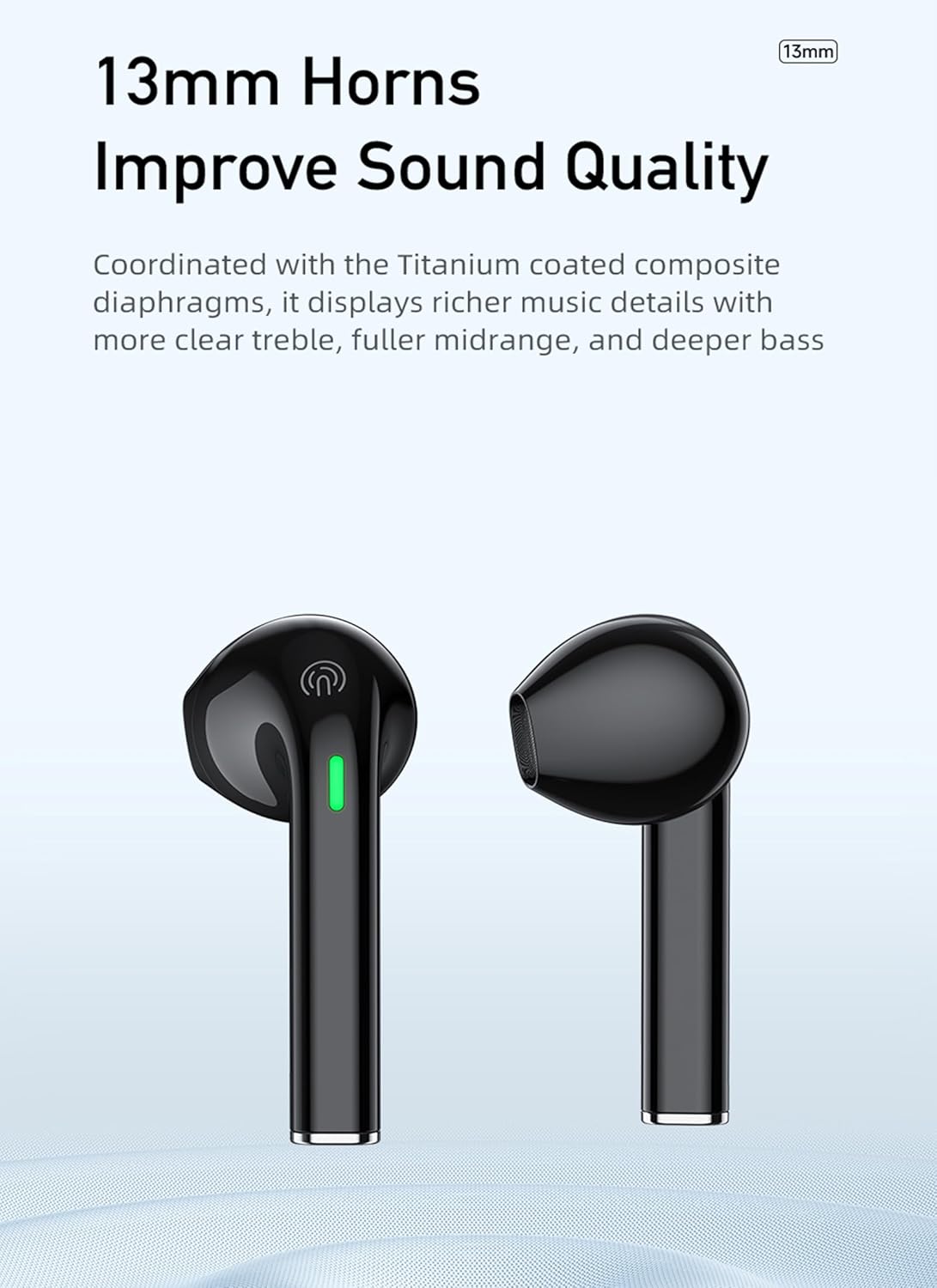
Figure 5: Close-up view of the AWEI T26 Pro earbuds, emphasizing the 13mm horns (speakers) that contribute to improved sound quality with clear treble, fuller midrange, and deeper bass.
Maintenance
Cleaning:
- Regularly clean the earbuds and charging case with a soft, dry, lint-free cloth.
- Do not use abrasive cleaners, alcohol, or chemical solvents.
- Gently remove any earwax or debris from the earbud tips and speaker mesh using a small, soft brush or cotton swab.
Storage:
- When not in use, always store the earbuds in their charging case to protect them and keep them charged.
- Store the device in a cool, dry place, away from extreme temperatures and direct sunlight.
Battery Care:
- To prolong battery life, avoid fully discharging the earbuds and charging case frequently.
- Charge the device regularly, even if not in frequent use, to prevent deep discharge.
Troubleshooting
| Problem | Possible Cause | Solution |
|---|---|---|
| Earbuds not pairing/connecting | Bluetooth off on device, earbuds not in pairing mode, out of range, interference. | Ensure Bluetooth is on. Place earbuds in case, close, then open to re-enter pairing mode. Move closer to device. Turn off other Bluetooth devices. |
| Only one earbud working | Low battery on one earbud, pairing issue, earbud not properly seated in case. | Place both earbuds in the charging case, close the lid, wait a few seconds, then open. Ensure both are charged. Re-pair if necessary. |
| No sound or low volume | Device volume too low, earbud volume too low, earbud dirty, connection issue. | Increase volume on both device and earbuds. Clean earbud speaker mesh. Reconnect earbuds. |
| Charging case not charging | Faulty cable/adapter, dirty charging port. | Try a different USB-C cable and power adapter. Clean the charging port gently. |
| Intermittent connection/audio drops | Interference, distance from device, low battery. | Move closer to your device. Ensure no strong Wi-Fi or other Bluetooth interference. Charge earbuds and case. |
Specifications
| Parameter | Detail |
|---|---|
| Product Name | HiFi TWS Earbuds |
| Brand | AWEI |
| Model | T26 Pro (AWE000125) |
| Bluetooth Version | 5.3 |
| Earbud Play Time | Up to 7 hours |
| Talk Time | 7 hours |
| Standby Time | 200 hours |
| Total Play Time (with charging case) | Up to 36 hours |
| Charging Case Battery Capacity | 300mAh / 3.7V |
| Earbud Battery Capacity | 35mAh / 3.7V (per earbud) |
| Charging Input | DC 5V (Type-C) |
| Charging Time (Case) | Approx. 1 hour |
| Transmission Distance | Up to 10 meters |
| Waterproof Rating | IPX6 |
| Speaker Size | 13mm |
| Package Dimensions | 14 x 9.3 x 4.3 cm |
| Item Weight (Package) | 120 Grams |
| ASIN | B0C7VZCX8R |
| Date First Available | 24 December 2023 |

Figure 6: A table summarizing the technical parameters of the AWEI T26 Pro, including model, Bluetooth version, standby time, talk time, play time, charging time, transmission distance, and battery capacities.
Warranty and Support
AWEI products typically come with a standard manufacturer's warranty. Please refer to the warranty card included in your product packaging or visit the official AWEI website for detailed warranty terms and conditions.
For technical support, troubleshooting assistance, or warranty claims, please contact AWEI customer service through their official channels. Contact information can usually be found on the product packaging or their official website.
Important: Do not attempt to disassemble or repair the product yourself, as this may void the warranty and cause damage.
Ask a question about this manual
Ask about setup, troubleshooting, compatibility, parts, safety, or missing instructions. Manuals+ will review the question and use this page’s manual context to help answer it.