
Introduction
Thank you for choosing the WLIVE 63-inch TV Stand with LED Lights. This manual provides detailed instructions for assembly, operation, maintenance, and troubleshooting to ensure safe and optimal use of your new entertainment center. Please read this manual thoroughly before assembly and retain it for future reference.

Image: The WLIVE 63-inch TV Stand in a living room, showcasing its design and integrated LED lighting.
Safety Information
WARNING: Failure to follow these safety instructions could result in injury or product damage.
- Assembly and usage instructions should be followed to prevent tip-overs and ensure electrical safety.
- Do not exceed the weight limit of 150 lbs on the desktop and 50 lbs per shelf.
- Keep the product away from water and heat sources.
- Keep the power cord away from high traffic areas and do not run the cord under rugs or carpets.
- Always unplug the product before cleaning or making any adjustments.
- Keep the product out of reach of children and pets.
- Ensure all connections are secure before placing items on the stand.
Package Contents
Before beginning assembly, verify that all parts listed below are present and undamaged. If any parts are missing or damaged, please contact WLIVE customer support.
A detailed list of all components and hardware is provided at the beginning of the assembly video below.
Setup and Assembly
Follow these steps carefully to assemble your WLIVE TV Stand. It is recommended to have a second person assist with assembly for safety and ease.
Assembly Video Guide
Video: A detailed step-by-step assembly guide for the WLIVE TV Stand. This video demonstrates the entire assembly process from unboxing to final setup.
For detailed written instructions, please refer to the included paper manual. Ensure all screws are tightened securely but do not overtighten.
Operating Instructions
LED Lighting System
Your WLIVE TV Stand features an integrated LED lighting system with customizable settings.
Video: Demonstration of the LED lighting system, showing various colors and modes controlled by the remote.
Remote Control Functions:
- Power Button: Turns the LED lights on or off.
- Color Buttons: Select from 20 main colors.
- Mode Buttons: Choose from 22 dynamic light modes (e.g., flash, strobe, fade, smooth).
- Brightness Buttons (+/-): Adjust the brightness level (5 levels available).
- Speed Buttons (+/-): Adjust the speed of dynamic modes.
Ensure the remote control has a working CR2025 battery (not included) and is pointed towards the LED receiver for optimal functionality. The remote has a range of approximately 15 meters.

Image: Visual guide to the LED remote control and the range of colors and modes available for the TV stand's lighting.
Design Features
Stable Structure and Design
The WLIVE TV Stand is engineered for stability and durability, featuring a robust metal frame and thoughtful design elements.

Image: Visual representation of the back and side X-frame design, sturdy metal frame construction, and 360-degree adjustable feet for stability.
- X-Frame Design: Provides enhanced structural integrity and prevents wobbling.
- Sturdy Metal Frame: Constructed with 15mm thickened metal steel for long-lasting support.
- Adjustable Feet: Allows for leveling the stand on uneven surfaces, protecting your floors and ensuring stability.
Maintenance
- Cleaning: Wipe the surfaces with a dry, soft cloth. Avoid using harsh chemicals or abrasive cleaners, as these can damage the finish.
- Dusting: Regularly dust the stand to prevent buildup.
- Hardware Check: Periodically check all screws and connections to ensure they remain tight. Retighten if necessary to maintain stability.
- LED Lights: If LED lights malfunction, first check the remote control battery. If issues persist, contact customer support.
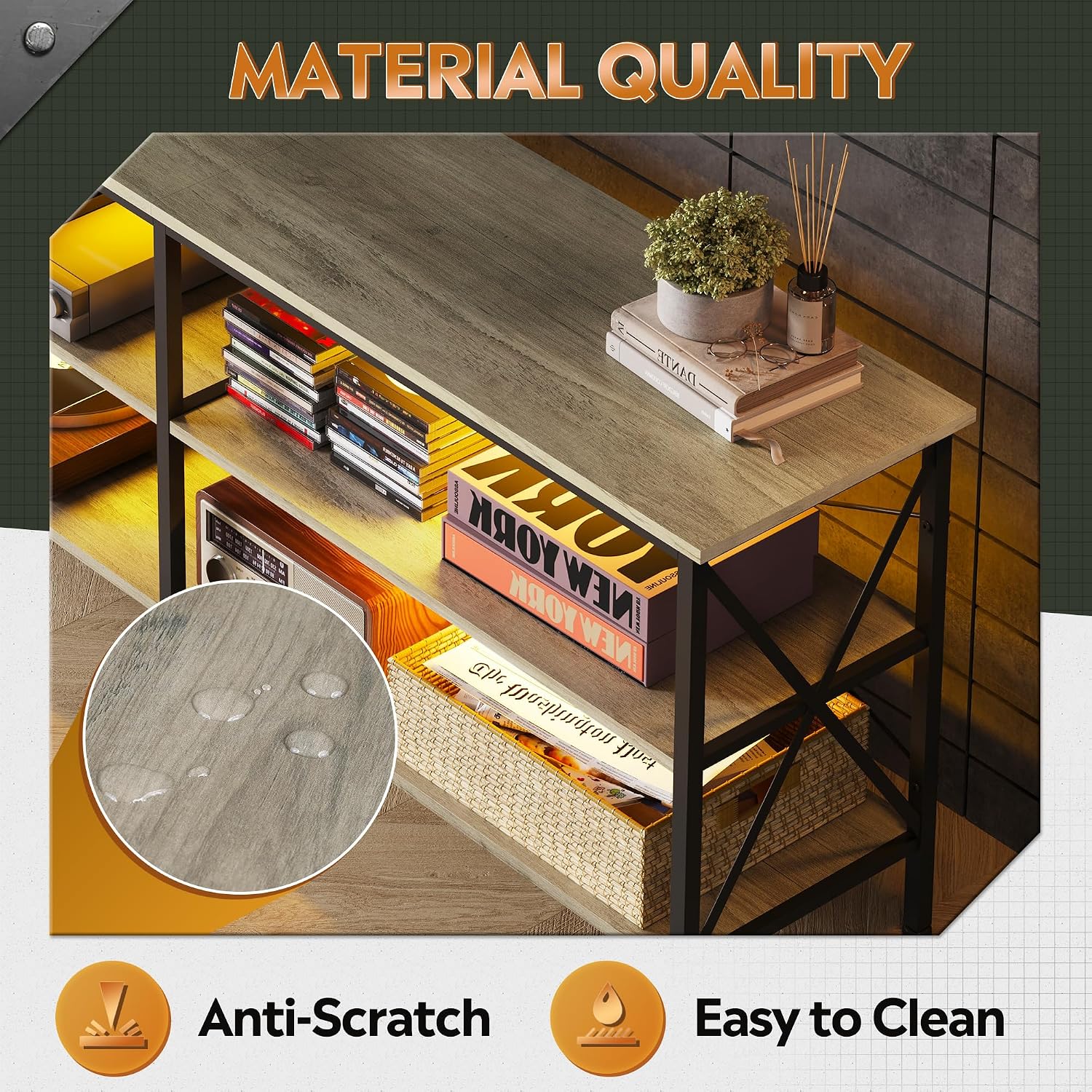
Image: Illustration of the durable, scratch-resistant, and easy-to-clean surface material of the TV stand.
Troubleshooting
LED Lights Not Working
- Check Remote Battery: The remote control requires a CR2025 battery (not included). Replace the battery if the lights are unresponsive.
- Line of Sight: Ensure there is a clear line of sight between the remote and the LED receiver.
- Power Connection: Verify that the LED power adapter is securely plugged into a working power outlet and connected to the LED strip.
Stand Instability
- Tighten Screws: Ensure all assembly screws are fully tightened.
- Adjustable Feet: Use the adjustable feet at the bottom of the stand to level it on uneven floors.
- Weight Distribution: Ensure weight is evenly distributed and not exceeding the maximum load capacity.
Specifications
| Feature | Detail |
|---|---|
| Brand | WLIVE |
| Model Number | ADSG034HX |
| Material | Engineered Wood, Metal Frame |
| Color | Greige |
| Product Dimensions (D x W x H) | 14.17"D x 62.99"W x 24.02"H |
| Compatible TV Size | Up to 70 inches |
| Desktop Weight Capacity | 150 lbs |
| Shelf Weight Capacity | 50 lbs per shelf |
| Number of Shelves | 3 |
| LED Lights | 20 colors, 22 dynamic modes, 5 brightness levels |
| Assembly Required | Yes |

Image: Detailed product dimensions and maximum weight capacities for the desktop and shelves.
Warranty Information
WLIVE products typically come with a manufacturer's warranty covering defects in materials and workmanship. For specific warranty details, including duration and coverage, please refer to the warranty card included with your product or visit the official WLIVE website. Keep your purchase receipt as proof of purchase.
Customer Support
If you encounter any issues or have questions regarding your WLIVE TV Stand, please contact WLIVE customer support. Contact information can usually be found on the product packaging, in the included manual, or on the official WLIVE website.
For online support, you may visit the WLIVE Store on Amazon.


