1. Introduction
This manual provides essential information for the proper installation, operation, and maintenance of your Redragon RGPS-750W 80+ Gold 750 Watt ATX Fully Modular Power Supply. Please read this manual thoroughly before installation and retain it for future reference.
2. Safety Information
- Ensure the power supply is disconnected from the main power outlet before installation or maintenance.
- Do not open the power supply unit. High voltages are present inside, posing a risk of electric shock.
- Install the power supply in a well-ventilated area to prevent overheating.
- Use only the modular cables provided with this power supply. Using incompatible cables may damage the unit or connected components.
- Keep the power supply away from water, moisture, and extreme temperatures.
3. Package Contents
Verify that all items are present in the package:
- Redragon RGPS-750W Power Supply Unit
- AC Power Cord
- Set of Flat Black Fully Modular Cables
- Mounting Screws
- Cable Ties
- User Manual

Image: The Redragon RGPS-750W Power Supply unit shown alongside its retail packaging.

Image: A diagram illustrating the various types of modular cables included with the power supply, such as SATA, IDE/Molex, PCIe, ATX 12V, and ATX 24-Pin connectors.
4. Product Overview
The Redragon RGPS-750W is an 80 Plus Gold certified fully modular ATX power supply designed for reliable and efficient performance in PC systems. Key features include:
- 80 Plus Gold Certification: Ensures high energy efficiency, reducing heat generation and operating costs.
- 100% Japanese Capacitors: Provides enhanced reliability and durability for stable power delivery.
- Zero RPM Mode Fan: The cooling fan operates only when the internal temperature reaches 60℃, maintaining silent operation under low loads.
- Compact 160mm Size: Designed to fit a wide range of PC cases, facilitating easier installation and improved cable management.
- RGB Lighting: Features up to 9 RGB modes with 26 selected colors to customize your system's aesthetics.
- Comprehensive Protections: Includes OVP (Over Voltage Protection), OCP (Over Current Protection), OPP (Over Power Protection), OTP (Over Temperature Protection), UVP (Under Voltage Protection), and SCP (Short Circuit Protection) for system safety.
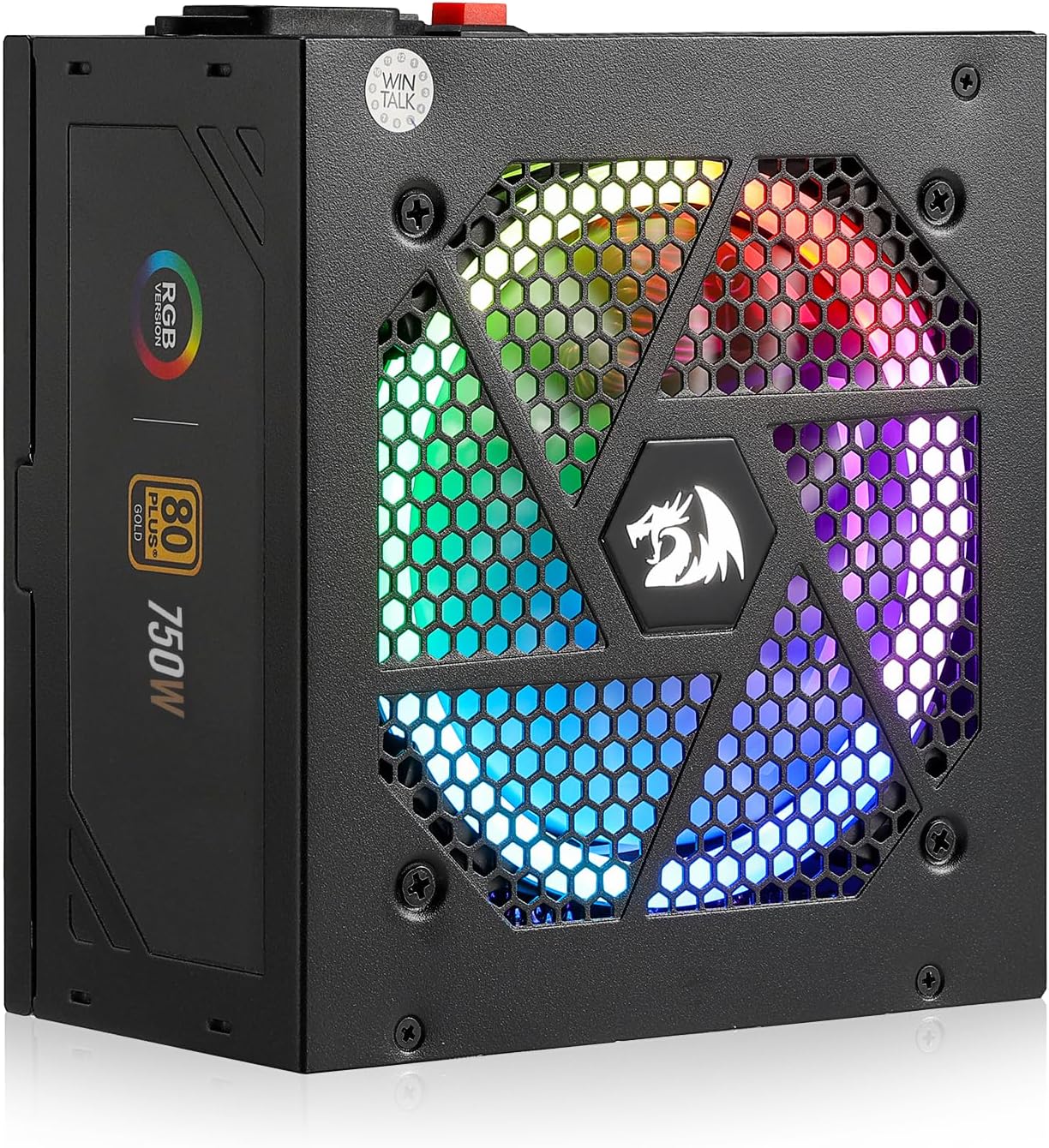
Image: The Redragon RGPS-750W Power Supply, showcasing its RGB illuminated fan and compact design.
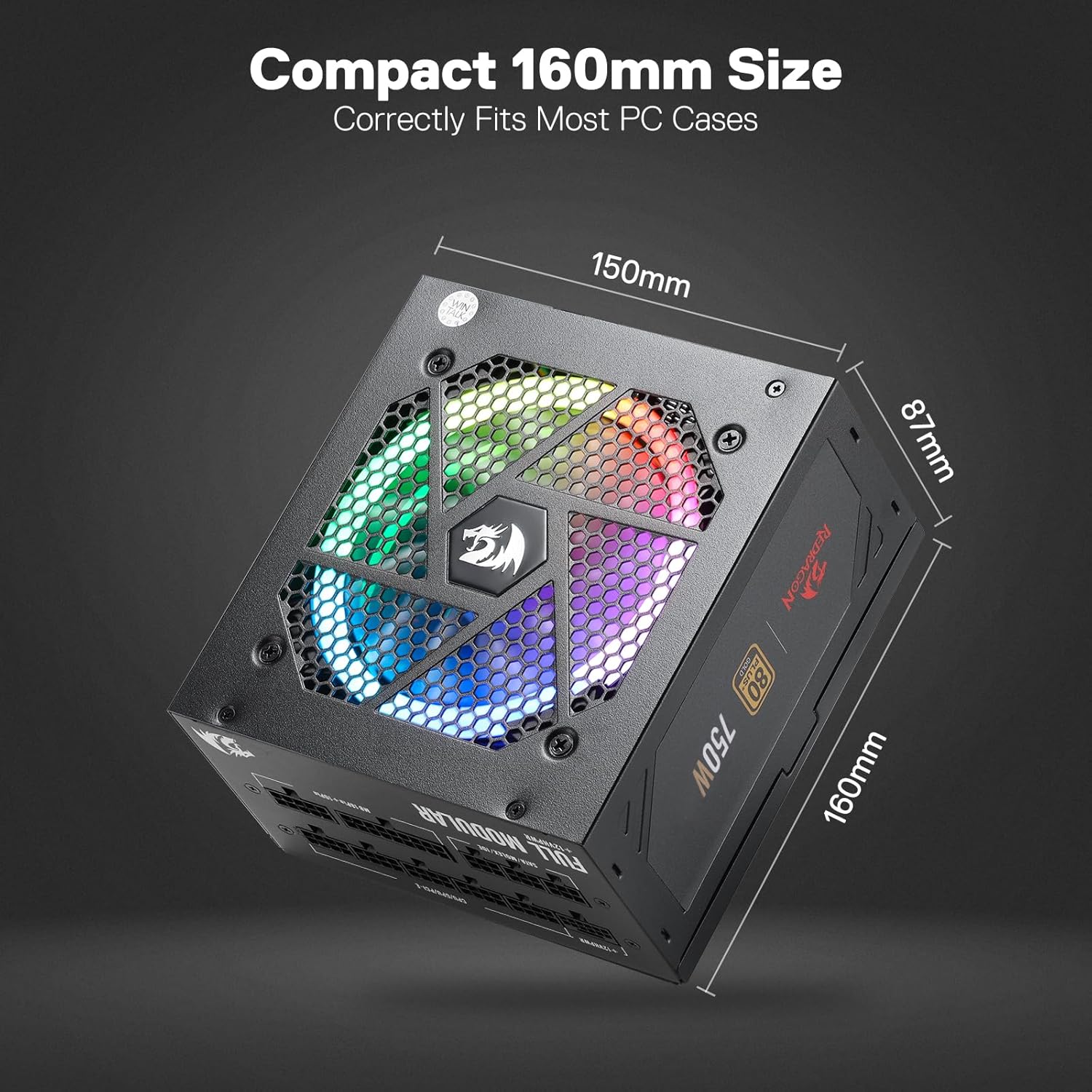
Image: The Redragon RGPS-750W Power Supply with its compact dimensions (150mm x 87mm x 160mm) highlighted.
5. Setup
5.1. Physical Installation
- Prepare Your Case: Ensure your PC case is powered off and unplugged. Remove the side panel to access the power supply mounting area.
- Mount the Power Supply: Slide the Redragon RGPS-750W into the designated power supply bay in your PC case. Secure it with the provided mounting screws.
- Connect Modular Cables: Identify the necessary cables for your motherboard (24-pin ATX, 8-pin CPU), graphics card (PCIe), and storage devices (SATA, IDE/Molex). Plug these cables firmly into the corresponding ports on the power supply unit.
- Connect to Components: Route the connected modular cables through your case's cable management channels and connect them to your motherboard, graphics card, and storage devices. Ensure all connections are secure.
- Connect AC Power: Once all internal connections are made, connect the AC power cord to the power supply and then to a wall outlet.
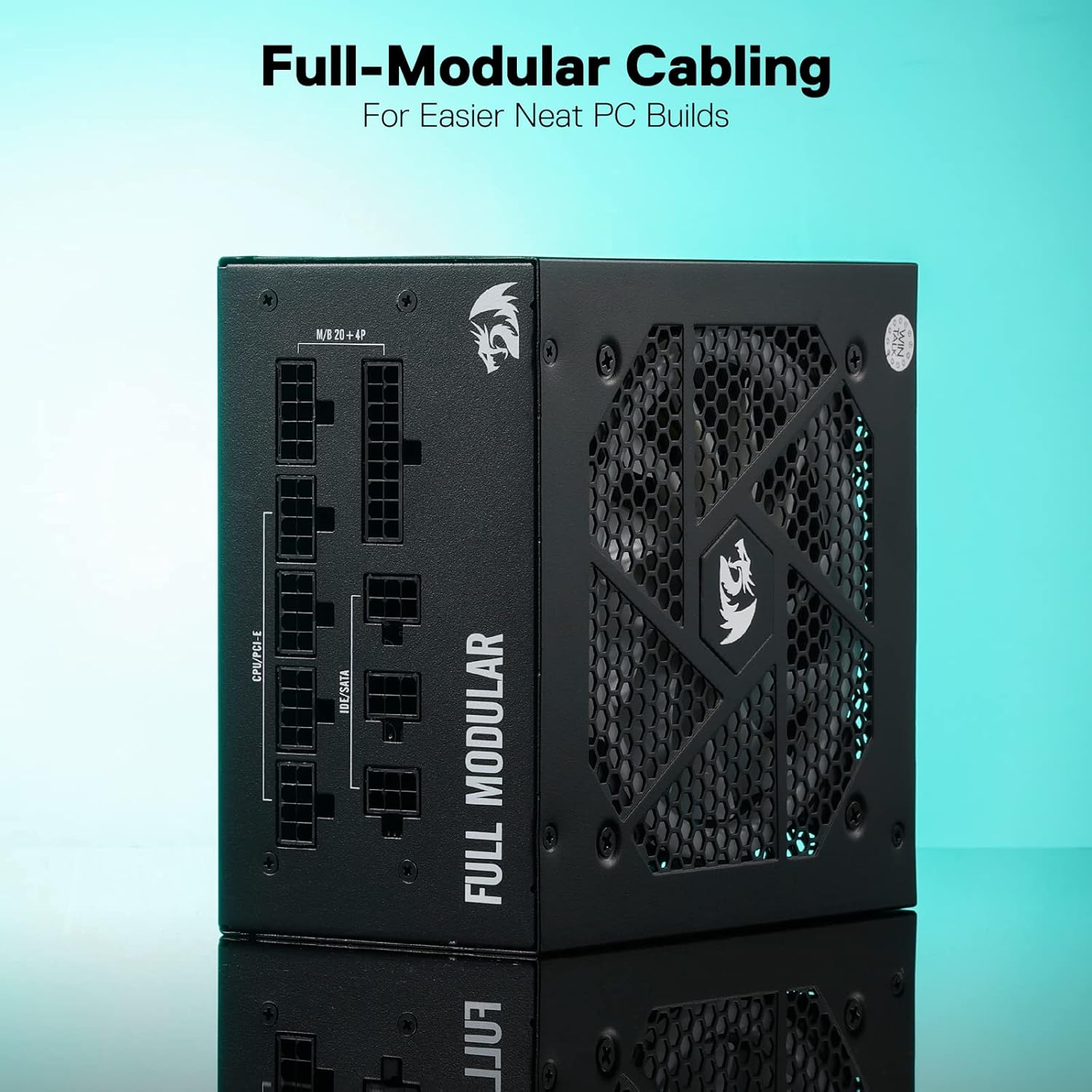
Image: The fully modular interface of the Redragon RGPS-750W Power Supply, showing labeled ports for various cable types.
5.2. Cable Management
Utilize the flat black fully modular cables and included cable ties to organize your wiring. Proper cable management improves airflow within your case and enhances the overall aesthetic.
6. Operating Instructions
6.1. Powering On/Off
After completing the installation, flip the main power switch on the back of the power supply to the 'ON' position. You can then power on your PC using the case's power button.
6.2. RGB Lighting Control
The power supply features an RGB fan with multiple lighting modes. A dedicated button on the unit allows you to cycle through up to 9 RGB modes and 26 selected colors. Long-press the button to turn off the lighting.
6.3. Zero RPM Fan Mode
The RGPS-750W is equipped with a Zero RPM Mode fan. This feature ensures the fan remains off under low loads (when the internal temperature is below 60℃) for silent operation. The fan will automatically activate when the temperature rises, providing necessary cooling.
7. Maintenance
- Cleaning: Periodically clean the exterior of the power supply and the fan grille to prevent dust buildup, which can impede airflow and cooling performance. Use a soft, dry cloth or compressed air. Ensure the unit is powered off and unplugged before cleaning.
- Airflow: Ensure adequate airflow around the power supply within your PC case. Avoid blocking intake or exhaust vents.
- Cable Inspection: Occasionally inspect all connected cables for any signs of wear, damage, or loose connections.
8. Troubleshooting
- No Power:
- Check if the AC power cord is securely connected to both the power supply and the wall outlet.
- Ensure the main power switch on the back of the power supply is in the 'ON' position.
- Verify all modular cables are correctly and firmly seated in the power supply and connected components.
- Test the wall outlet with another device to ensure it is functional.
- Fan Not Spinning:
- The power supply features a Zero RPM Mode. The fan will not spin under low loads or temperatures below 60℃. This is normal operation.
- If the system is under heavy load and the fan is still not spinning, ensure there are no obstructions to the fan. If the issue persists, contact support.
- System Instability/Crashes:
- Ensure your power supply wattage is sufficient for all your components.
- Check all power connections for looseness.
- If issues persist, it may indicate a fault with the power supply or other components. Contact support.
9. Specifications
| Feature | Detail |
|---|---|
| Model Name | RGPS-750W |
| Item Model Number | PSU006 |
| Wattage | 750 Watts |
| 80 Plus Certification | Gold |
| Form Factor | ATX |
| Modular Type | Fully Modular |
| Capacitors | 100% Japanese Capacitors |
| Cooling Method | Air (Zero RPM Mode Fan) |
| RGB Modes | Up to 9 modes (26 colors) |
| Product Dimensions (L x W x H) | 11.81 x 7.87 x 4.72 inches |
| Item Weight | 4.62 pounds (2.1 Kilograms) |
| Compatible Devices | PC |
| Protections | OVP, OCP, OPP, OTP, UVP, SCP |

Image: A graph illustrating the efficiency of the power supply across different load percentages, confirming its 80 Plus Gold certification.

Image: A close-up view of the 100% Japanese capacitors (400V/680UF) used in the Redragon RGPS-750W, highlighting their industrial-grade quality for maximum reliability.
10. Warranty and Support
The Redragon RGPS-750W Power Supply typically comes with a 5-year warranty. For specific warranty terms, conditions, and to access technical support, please refer to the official Redragon website or contact their customer service directly.
For further assistance, visit the Redragon Store on Amazon.


