
1. Introduction
This manual provides essential information for the installation, operation, and maintenance of your Redragon PSU017 1000W ATX 3.0 Platinum Fully Modular Power Supply. Designed for high-performance gaming systems, this power supply delivers stable and efficient power to your components. Please read this manual thoroughly before installation and retain it for future reference.

2. Important Safety Information
Always observe the following safety precautions to prevent injury or damage to your equipment:
- Do not open the PSU casing. High voltages are present inside, even when the unit is unplugged.
- Ensure the power supply is disconnected from the AC outlet before installation or handling.
- Install the PSU in a well-ventilated area, away from heat sources, direct sunlight, and moisture.
- Use only the modular cables provided with this power supply. Using incompatible cables may cause damage.
- This product is designed for use in computer systems only. Do not use it for any other purpose.
- Ensure proper grounding of your computer system.
- Keep out of reach of children.
3. Package Contents
Verify that all items are present in your package:
- Redragon PSU017 1000W ATX 3.0 Platinum Power Supply Unit
- AC Power Cord
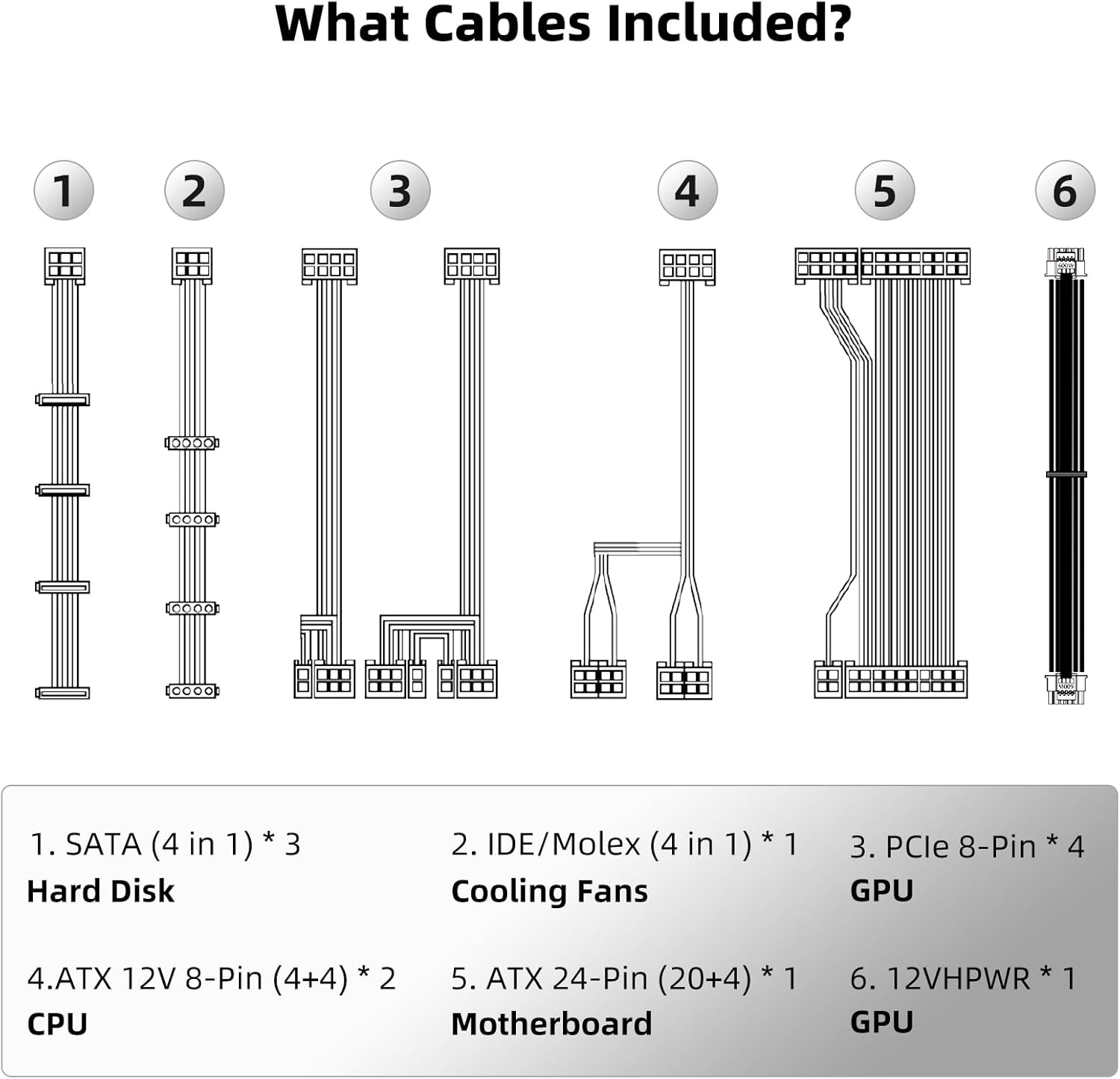
- Modular Cable Set:
- 3 x SATA Cables (4 connectors each)
- 1 x IDE/Molex Cable (4 connectors)
- 4 x PCIe 8-Pin Cables (for GPU)
- 2 x ATX 12V 8-Pin (4+4) Cables (for CPU)
- 1 x ATX 24-Pin (20+4) Cable (for Motherboard)
- 1 x 12VHPWR Cable (for high-performance GPUs)
- Mounting Screws
- User Manual
4. Installation Guide
4.1. Physical Installation
- Prepare your system: Ensure your computer is powered off and unplugged from the wall outlet.
- Remove old PSU (if applicable): Disconnect all cables from your old power supply and remove it from the chassis.
- Mount the new PSU: Carefully slide the Redragon PSU017 into the power supply bay of your computer case. Secure it with the provided mounting screws. Ensure the fan is facing the correct direction for optimal airflow (typically facing downwards if your case has a bottom vent, or upwards if it's a top-mounted PSU).
4.2. Cable Connection
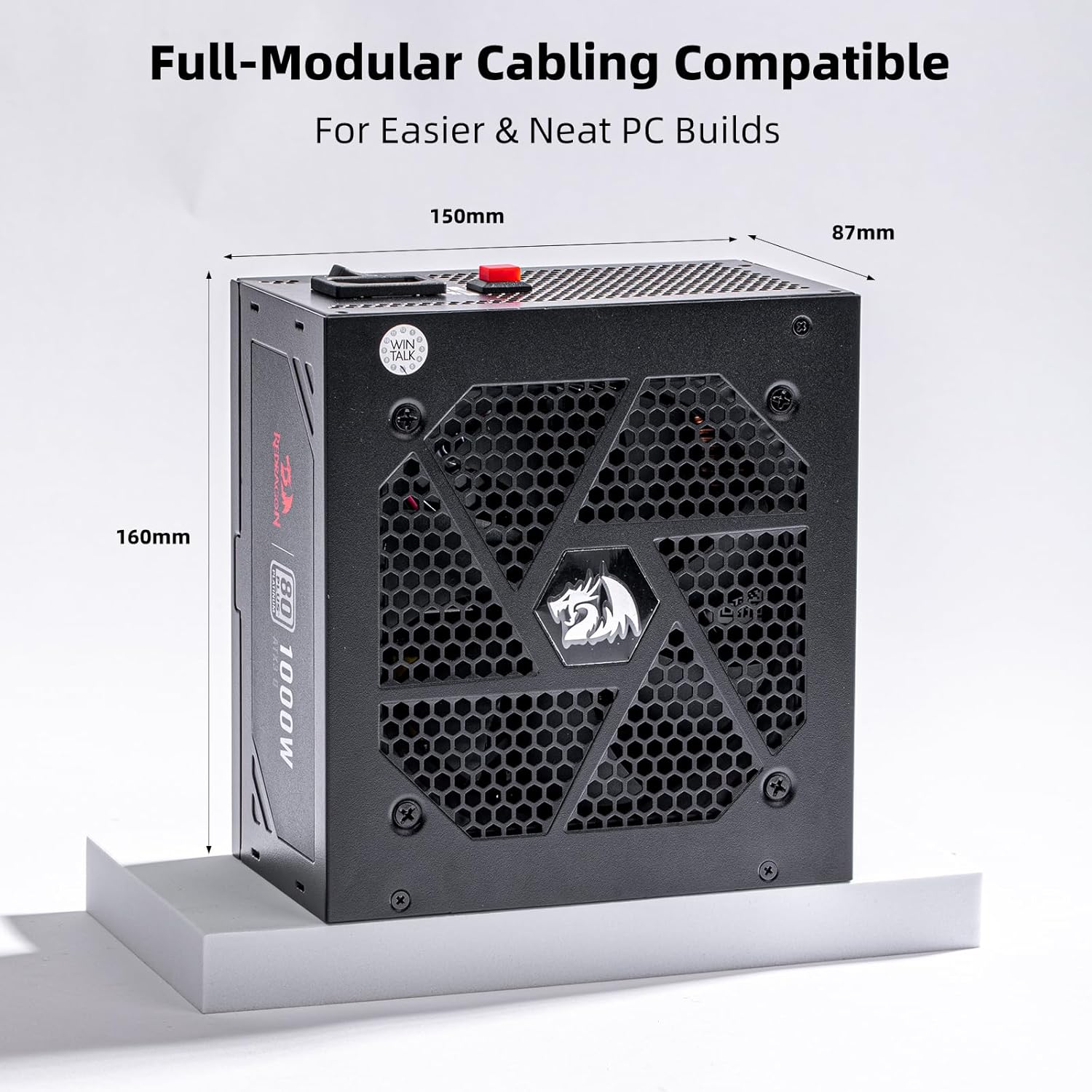
The Redragon PSU017 is fully modular, allowing you to connect only the necessary cables for a cleaner build and improved airflow.
- Connect the 24-Pin ATX Motherboard Cable: Connect the large 24-pin cable to the corresponding port on your motherboard.
- Connect CPU Power Cables: Connect the 8-pin (4+4) ATX 12V CPU power cables to the CPU power connectors on your motherboard. Modern motherboards may require one or two such connectors.
- Connect GPU Power Cables: For your graphics card, use the appropriate PCIe 8-pin cables or the 12VHPWR cable for compatible NVIDIA 40-series GPUs. Ensure all required power connectors on your GPU are populated.
- Connect SATA and Peripheral Cables: Connect SATA cables to your SSDs, HDDs, and optical drives. Use IDE/Molex cables for any other peripherals requiring this connection type.
- Organize Cables: Utilize your case's cable management features to route cables neatly, improving airflow and aesthetics.

5. Operation
5.1. Powering On/Off
- After all cables are securely connected, plug the AC power cord into the PSU and then into a wall outlet.
- Flip the power switch on the back of the PSU to the 'ON' position.
- Press the power button on your computer case to start your system.
- To power off, shut down your computer through the operating system, then flip the PSU power switch to 'OFF' and unplug the AC cord.
5.2. Zero RPM Fan Mode
The Redragon PSU017 features a Zero RPM fan mode. The cooling fan will remain off when the power supply load is low (typically below 60°C internal temperature) to ensure silent operation. The fan will automatically activate when the load increases, maintaining optimal temperatures.

5.3. RGB Lighting Control
If your PSU model includes RGB lighting, it can typically be controlled via a button located on the back of the unit. Press this button to cycle through various lighting effects or to turn the lighting off.
6. Maintenance
- Cleaning: Periodically clean the exterior of the PSU and its fan grille with a soft, dry cloth. For deeper cleaning, use compressed air to remove dust from the fan and vents. Always ensure the PSU is powered off and unplugged before cleaning.
- Cable Management: Regularly check cable connections to ensure they are secure and not obstructing airflow.
- Storage: If storing the PSU, keep it in a cool, dry place, away from direct sunlight and extreme temperatures.
7. Troubleshooting
If you encounter issues with your power supply, refer to the following common problems and solutions:
| Problem | Possible Cause | Solution |
|---|---|---|
| System does not power on. | PSU switch is off, AC cable loose, faulty power outlet, incorrect cable connections. | Ensure PSU switch is ON. Check AC cable connection. Test power outlet. Verify all modular cables are correctly and securely connected to both the PSU and components. |
| System powers on but immediately shuts down. | Overload, short circuit, component malfunction, overheating. | Check for any loose components or short circuits. Ensure total system wattage does not exceed PSU capacity. Verify proper cooling and ventilation. Consult a professional if issues persist. |
| Fan is not spinning. | Zero RPM mode active, fan malfunction. | This is normal under low load due to Zero RPM mode. If the system is under load and the fan still doesn't spin, ensure no obstructions. If it remains off under heavy load, contact support. |
| Unusual noises from PSU. | Loose screws, coil whine, fan obstruction. | Ensure PSU is securely mounted. Check for any cables or debris obstructing the fan. If it's a persistent high-pitched noise (coil whine), it's often harmless but can be a characteristic of some PSUs. |
8. Technical Specifications
| Feature | Specification |
|---|---|
| Model Number | PSU017 (GC-PS017) |
| Brand | Redragon |
| Wattage | 1000 Watts |
| 80 PLUS Certification | Platinum |
| Form Factor | ATX |
| PFC | Active PFC |
| Capacitors | 100% Japanese Capacitors (105°C rated) |
| Modularity | Fully Modular |
| ATX Standard | ATX 3.0 |
| PCIe Standard | PCIe 5.0 Ready (with 12VHPWR cable) |
| Cooling Method | Air (with Zero RPM Fan Mode) |
| Input Voltage | 100-240Vac |
| Protections | OVP, OCP, OPP, OTP, UVP, SCP |
| Product Dimensions (L x W x H) | 11.81 x 7.87 x 4.72 inches (300 x 200 x 120 mm) |
| Item Weight | 6.82 pounds (3.1 kg) |


9. Warranty and Support
The Redragon PSU017 1000W ATX 3.0 Platinum Power Supply comes with a 5-year warranty from the date of purchase, covering defects in materials and workmanship under normal use. This warranty does not cover damage caused by misuse, accident, modification, or unauthorized repair.
For technical support, warranty claims, or further assistance, please visit the official Redragon website or contact their customer service department. Keep your proof of purchase for warranty validation.

