
HOCO PH52 Plus Metal Grey
Hoco PH52 Plus Metal Rotating Laptop Holder User Manual
Model: PH52 Plus Metal Grey | Brand: HOCO
Introduction
The Hoco PH52 Plus is a versatile metal rotating laptop and tablet holder designed to enhance your ergonomic setup and viewing experience. Constructed from durable aluminum alloy and silica gel, this stand provides stable support for devices ranging from 9.7 to 15.6 inches, with a bearing capacity of up to 4.5 kg. Its rotating base and adjustable arm make it ideal for various scenarios, including home office use, desktop organization, live broadcasting, and media consumption.
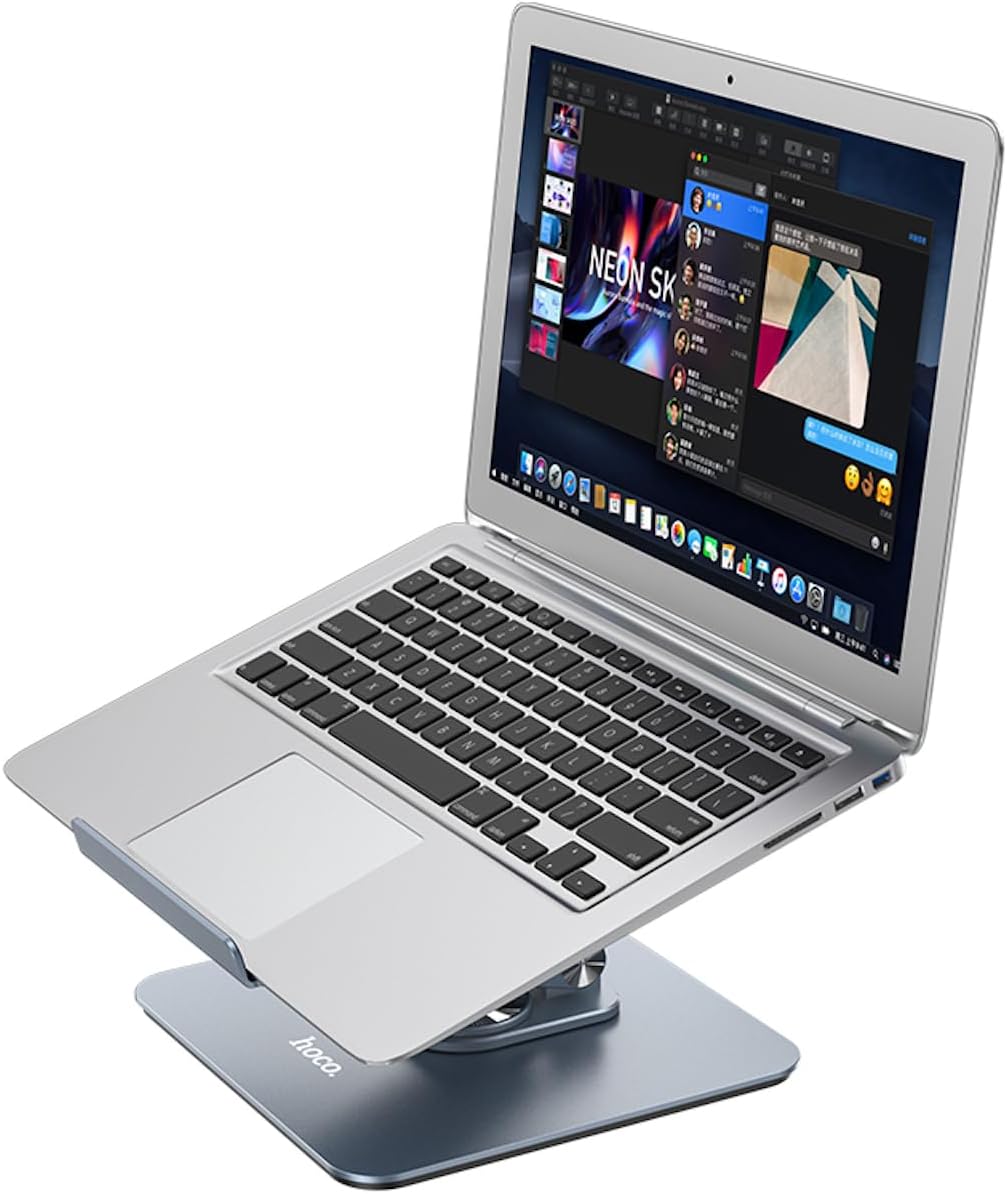
Figure 1: The Hoco PH52 Plus Laptop Holder in use with a laptop, demonstrating its elevated and angled position for improved ergonomics.
Product Features
- Premium Material: Constructed from high-quality aluminum alloy and silica gel for durability and stability.
- Surface Finish: Features a sandblasted and oxidized surface for a sleek, metal grey appearance and enhanced resistance.
- Wide Compatibility: Suitable for tablets and laptops ranging from 9.7 to 15.6 inches.
- Robust Support: Designed to support devices up to 4.5 kg (approximately 9.9 lbs).
- 360-Degree Rotation: Equipped with a smooth rotating base for easy screen sharing and angle adjustments.
- Adjustable Height and Angle: Allows for customizable viewing angles and ergonomic positioning.
- Foldable Design: Compact and portable for easy storage and transport.
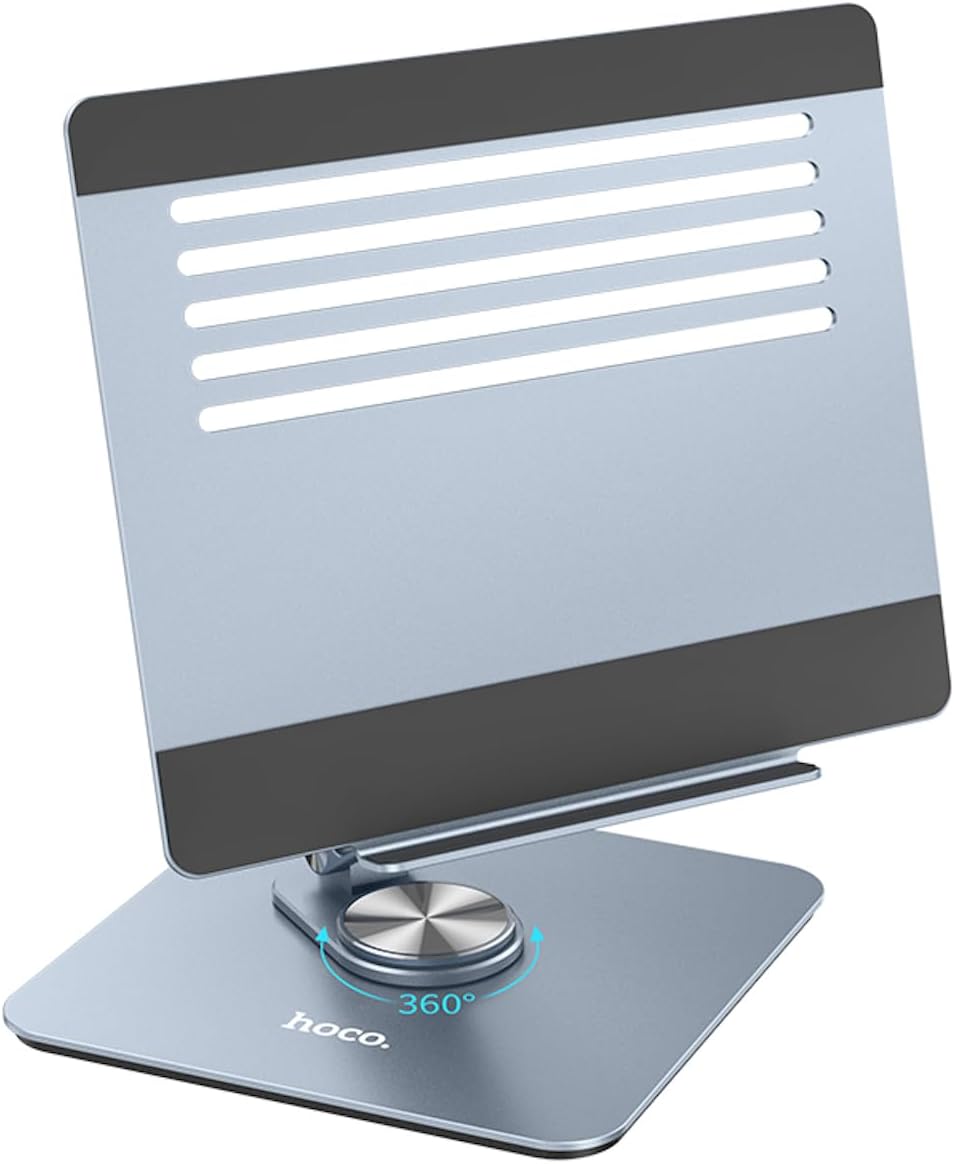
Figure 2: Close-up view of the Hoco PH52 Plus base, highlighting the 360-degree rotation feature for flexible viewing.
Setup Instructions
- Unpack the Holder: Carefully remove the Hoco PH52 Plus from its packaging.
- Place on a Stable Surface: Position the holder on a flat, stable, and non-slip surface, such as a desk or table.
- Unfold the Stand: Gently unfold the stand to its desired height and angle. The hinges are designed to hold their position firmly.
- Place Your Device: Carefully place your laptop or tablet onto the top platform of the holder. Ensure the device is centered and rests securely on the silicone pads to prevent slipping.
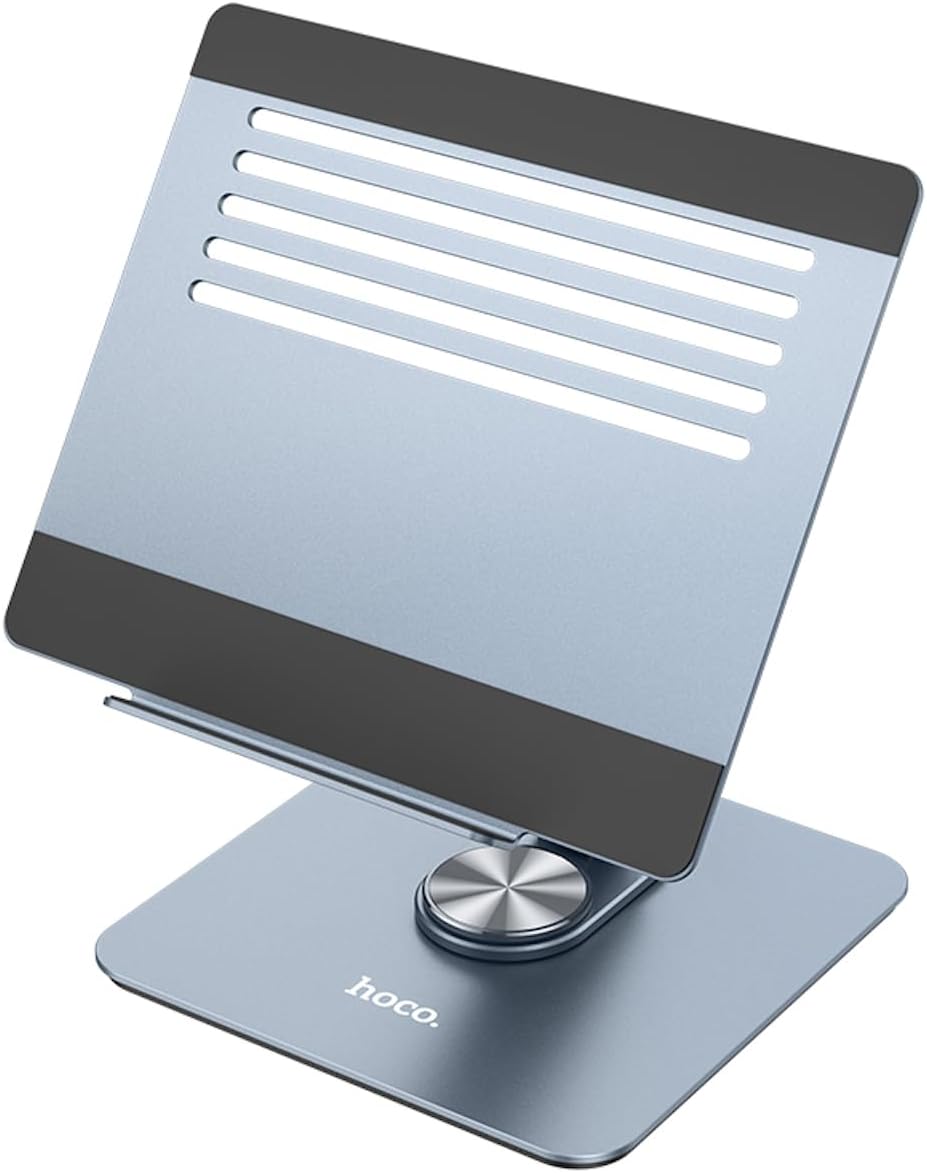
Figure 3: The Hoco PH52 Plus stand in an open position, illustrating its adjustable arm and stable base.
Operating Instructions
- Adjusting Height and Angle: To adjust the viewing height and angle, gently hold the base of the stand with one hand and adjust the upper arm and platform with the other. The friction hinges will maintain the set position.
- Rotating the Stand: The base of the PH52 Plus features a 360-degree rotating mechanism. To rotate your device, simply turn the top platform or the device itself while it is on the stand. This allows for easy screen sharing or viewing from different angles without moving the entire stand.
- Folding for Storage: When not in use, the stand can be folded flat for compact storage. Gently fold the upper arm down towards the base until it is fully collapsed.

Figure 4: The Hoco PH52 Plus supporting a tablet, showcasing its versatility for various device types.
Maintenance and Care
- Cleaning: Wipe the stand with a soft, damp cloth to remove dust and smudges. Avoid using abrasive cleaners or solvents, as they may damage the surface finish.
- Storage: Store the stand in a clean, dry place when not in use. Its foldable design allows for convenient storage in drawers or bags.
- Avoid Overloading: Do not exceed the maximum bearing capacity of 4.5 kg to prevent damage to the stand or your device.
- Handle with Care: While durable, avoid dropping the stand or subjecting it to excessive force, which could affect its structural integrity.

Figure 5: The Hoco PH52 Plus in its fully folded configuration, demonstrating its compact form factor for storage and portability.
Troubleshooting
| Problem | Possible Cause | Solution |
|---|---|---|
| Stand feels unstable or wobbly. | Uneven surface; device not centered; device too heavy. | Ensure the stand is on a flat, stable surface. Center your device on the platform. Verify device weight does not exceed 4.5 kg. |
| Difficulty adjusting angle/height. | Hinges are stiff (normal for new products); improper handling. | Apply gentle, steady force. The hinges are designed to be firm to hold position. Do not force beyond natural range of motion. |
| Device slipping on the platform. | Silicone pads are dirty; device not properly seated. | Clean the silicone pads with a damp cloth. Ensure your device is fully seated on the pads. |
Specifications
| Attribute | Detail |
|---|---|
| Model Number | PH52 Plus Metal Grey |
| Brand | HOCO |
| Material | Aluminum Alloy + Silica Gel |
| Surface Technology | Sand blasting + Oxidation |
| Product Dimensions (L x W x H) | 250 x 215 x 66 mm (folded) |
| Weight | 1215g (1.21 kg) |
| Compatible Device Sizes | 9.7 - 15.6 inches (Tablets and Laptops) |
| Maximum Bearing Capacity | 4.5 kg |
| Color | Metal Grey |
| Applicable Scenarios | Home office, desktop, live broadcast, drama pursuit |
Warranty and Support
HOCO products are manufactured to high quality standards. For information regarding warranty coverage, technical support, or service inquiries, please refer to the warranty card included with your purchase or visit the official HOCO website. Please retain your proof of purchase for any warranty claims.
Ask a question about this manual
Ask about setup, troubleshooting, compatibility, parts, safety, or missing instructions. Manuals+ will review the question and use this page’s manual context to help answer it.