1. Introduction
This manual provides detailed instructions for the proper use and maintenance of your boAt Airdopes Max Truly Wireless Earbuds. Please read this manual thoroughly before using the product to ensure optimal performance and longevity.
What's in the Box
- 1 x boAt Airdopes Max Truly Wireless Earbuds
- 1 x Charging Case
- 1 x USB Type-C Charging Cable
- 2 x Additional Earbuds (pairs of different sizes)
- 1 x User Manual
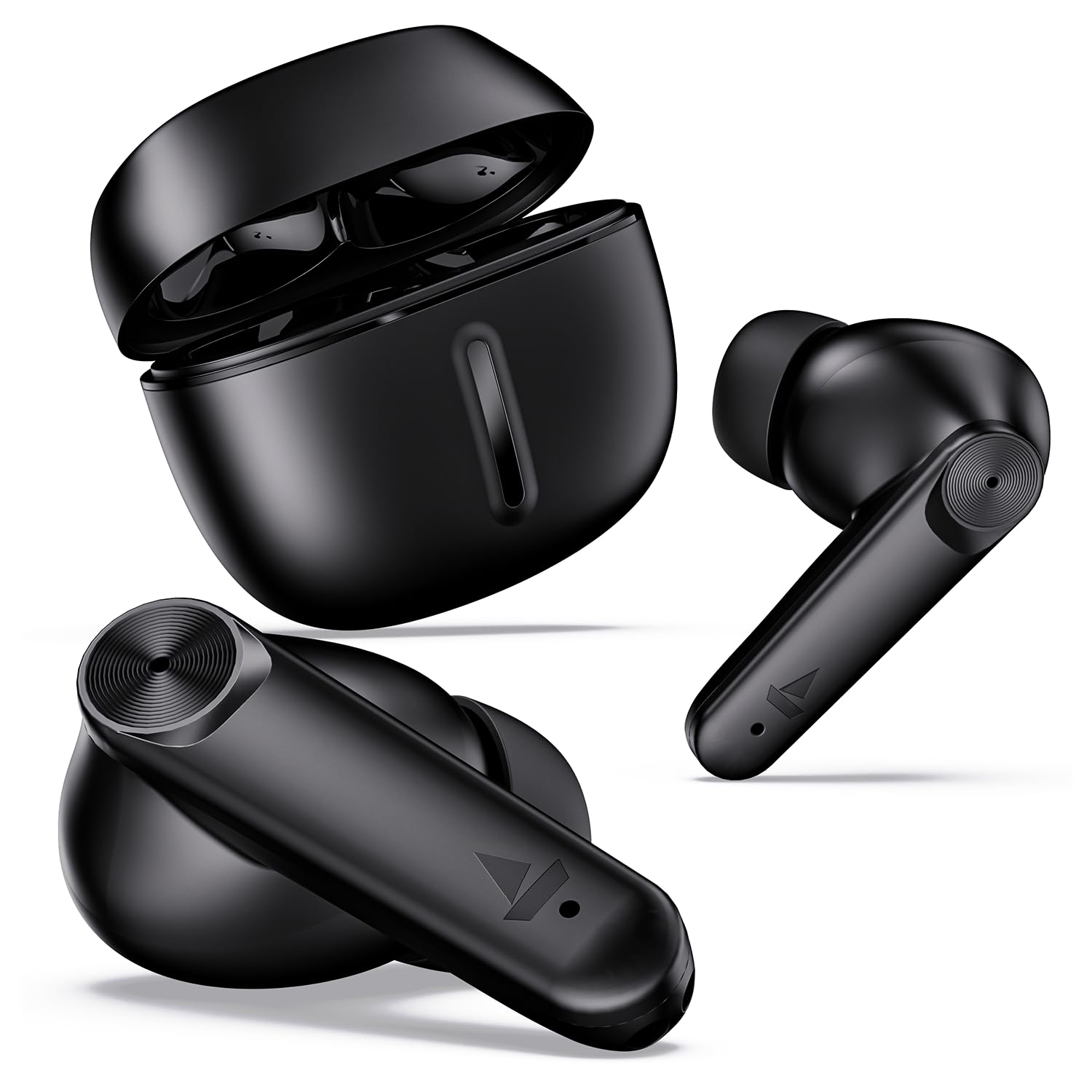
2. Setup
2.1 Charging the Earbuds and Case
Before initial use, fully charge the Airdopes Max. Connect the provided USB Type-C cable to the charging port on the case and to a power source. The LED indicator on the case will show charging status. A full charge ensures up to 100 hours of total playback time with the charging case.
- ASAP Charge: A 5-minute charge provides approximately 60 minutes of playback.

2.2 Pairing with a Device
- Open the lid of the charging case. The earbuds will automatically power on and enter pairing mode (indicated by a flashing LED on one earbud).
- Enable Bluetooth on your device (smartphone, tablet, laptop).
- Search for available Bluetooth devices and select "Airdopes Max" from the list.
- Once connected, a voice prompt will confirm successful pairing.
Insta Wake 'n' Pair (IWP) Technology: The earbuds connect instantly to your previously paired device as soon as you open the charging case lid.

3. Operating Instructions
3.1 Touch Controls
The Airdopes Max features intuitive touch controls on each earbud for managing audio playback, calls, and voice assistants.
| Function | Action |
|---|---|
| Play/Pause Music | Single tap on either earbud |
| Next Track | Double tap on the right earbud |
| Previous Track | Double tap on the left earbud |
| Answer/End Call | Single tap on either earbud |
| Reject Call | Long press on either earbud |
| Activate Voice Assistant | Triple tap on either earbud |
| Toggle BEAST Mode | Long press on the right earbud (specific gesture may vary, refer to product guide for exact details) |
3.2 BEAST Mode (Low Latency)
Activate BEAST Mode for a low-latency audio experience, ideal for gaming. This mode reduces audio delay to approximately 50ms, synchronizing audio with on-screen action.

3.3 Voice Assistants
The Airdopes Max supports single-touch activation for Google Assistant and Siri, allowing hands-free control of your device.
4. Maintenance
4.1 Cleaning
- Gently wipe the earbuds and charging case with a soft, dry, lint-free cloth.
- Do not use harsh chemicals, cleaning solvents, or strong detergents.
- Clean the charging contacts on both the earbuds and the case regularly to ensure proper charging.
4.2 Water Resistance
The earbuds are rated IPX5 for water and sweat resistance. This means they can withstand splashes and light rain, making them suitable for workouts. They are not designed for submersion in water.

4.3 Storage
Store the earbuds in their charging case when not in use to protect them and keep them charged. Avoid storing them in extreme temperatures or high humidity.
5. Troubleshooting
If you encounter issues with your Airdopes Max, refer to the following common solutions:
| Problem | Possible Solution |
|---|---|
| Earbuds not pairing | Ensure earbuds are charged. Turn off and on Bluetooth on your device. Forget "Airdopes Max" from your device's Bluetooth list and re-pair. |
| Only one earbud working | Place both earbuds back in the case, close the lid, wait a few seconds, then open again. Ensure both earbuds are charged. |
| No sound | Check device volume. Ensure earbuds are connected. Try re-pairing. |
| Charging issues | Ensure charging cable is securely connected. Clean charging contacts on earbuds and case. Try a different charging cable or power source. |
| Touch controls unresponsive | Ensure earbuds are clean and dry. Restart the earbuds by placing them in the case and taking them out. |
6. Specifications
| Feature | Detail |
|---|---|
| Model Name | Airdopes Max |
| Connectivity | Bluetooth v5.3 |
| Bluetooth Range | 10 Metres |
| Total Playtime | Up to 100 Hours (with charging case) |
| Audio Latency | 50ms (BEAST Mode) |
| Drivers | 13mm Dynamic Drivers |
| Microphones | Quad Mics with ENx™ Tech |
| Charging Interface | USB Type-C |
| Water Resistance | IPX5 |
| Control Type | Touch Control, Volume Control |
| Voice Assistant | Google Assistant, Siri |
| Item Weight | 45 Grams |
| Material | Plastic, Rubber |
7. Warranty and Support
7.1 Warranty Information
The boAt Airdopes Max comes with a 1-Year Limited Warranty from the date of purchase. This warranty covers manufacturing defects. Please retain your proof of purchase for warranty claims.
7.2 Customer Support
For any support, service, or warranty-related queries, please contact boAt customer service through their official website or the contact details provided with your product packaging.


