
1. Introduction
Thank you for choosing the LIGE Smart Watch. This device is designed to enhance your daily life with its advanced features, including Bluetooth calling, comprehensive health tracking, and various smart functions. Please read this manual carefully to understand how to operate your new smartwatch and ensure optimal performance.
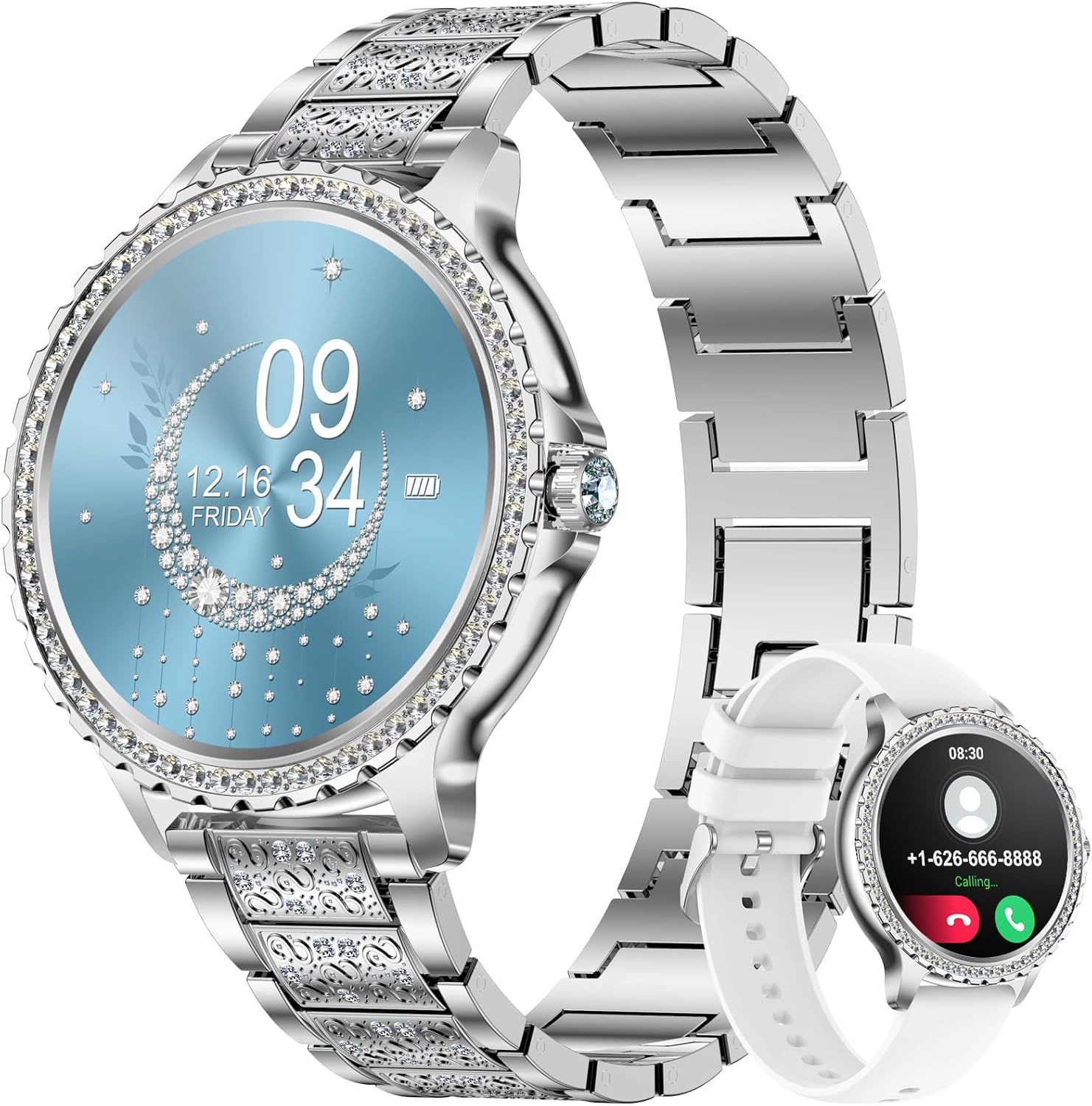
Image 1: The LIGE Smart Watch, showcasing its elegant design with a silver band and a vibrant blue watch face. A smaller image of the watch with a white silicone band is also visible.
2. Package Contents
Please check the package contents upon opening to ensure all items are present:
- LIGE Smart Watch (Model: BW1845E-MC-CA-ZDQ)
- Magnetic Charging Cable
- User Manual
3. Setup
3.1 Initial Charging
Before first use, fully charge your smartwatch. Connect the magnetic charging cable to the charging points on the back of the watch and plug the USB end into a standard USB power adapter (not included).
3.2 App Download and Pairing (FitCloudPro)
To unlock the full potential of your LIGE Smart Watch, download the 'FitCloudPro' app on your smartphone. The app is compatible with Android 4.4 and above, and iOS 8.4 and above.
- Turn on your phone's Bluetooth.
- Scan the QR code below or search for 'FitCloudPro' in your phone's app store (Google Play Store for Android, Apple App Store for iOS) to download the app.
- Open the 'FitCloudPro' app and follow the on-screen instructions to register or log in.
- In the app, navigate to the 'Device' section and select 'Add Device'. The app will search for your smartwatch. Select your watch (e.g., 'LIGE Smart Watch' or a similar name) to pair.

Image 2: Visual guide demonstrating the two-step Bluetooth pairing process. The top row shows connecting the watch to the FitCloudPro app via QR code or app store download. The bottom row illustrates connecting the watch for call functions.
App Download Link: http://fitcloud.hetangsmart.com/qrcode/_cn/
3.3 Bluetooth Call Function Pairing
For the call function, a second Bluetooth connection is required:
- On your smartwatch, swipe down from the top of the screen to access the quick settings. Ensure the 'Audio' or 'Call' icon (often represented by a headphone icon) is turned on.
- On your smartphone, go to your Bluetooth settings.
- Search for and connect to a device named 'Watch Call' or similar.
- Once connected, you can make and receive calls directly from your smartwatch.
4. Operating Instructions
4.1 Basic Navigation
- Touch Screen: Swipe left/right, up/down to navigate through menus and functions. Tap to select.
- Side Button: Typically used to return to the home screen, turn the screen on/off, or access the main menu.
4.2 Bluetooth Calls and Message Notifications
Once paired, your smartwatch allows for convenient communication:
- Make/Receive Calls: Directly dial numbers or answer incoming calls from your wrist. The watch features a built-in microphone and speaker.
- Message Alerts: Receive notifications from various apps such as Facebook, WhatsApp, Instagram, and Twitter directly on your watch. Notifications are displayed on your wrist and alerted by vibrations.

Image 3: This image illustrates the Bluetooth call functionality, showing the keypad for dialing, an active call screen, and the option to tap for voice assistant.

Image 4: This visual highlights the multiple communication features, including Bluetooth phone calls with call receive/dial, call records, and address book, as well as message notifications from various social media platforms.
4.3 Health Monitoring
The LIGE Smart Watch is equipped with advanced sensors to help you monitor your health:
- Heart Rate Monitor: Tracks your heart rate throughout the day.
- Sleep Quality Tracker: Provides detailed heart rate charts and comprehensive analysis of your sleep patterns (deep sleep, light sleep, awake time) to help improve sleep quality.
- Blood Pressure & Blood Oxygen (SpO2): Monitor these vital signs directly from your wrist.
- Body Temperature: Measures your body temperature.
- Female Assistant: Dedicated features for female health tracking.

Image 5: This image demonstrates the heart rate and sleep monitoring capabilities. The top section shows real-time heart rate data on the watch and a connected phone displaying health metrics. The bottom section illustrates the sleep tracking function, showing sleep duration and quality on the watch face while worn during sleep.

Image 6: This image focuses on the health management features, showing the back of the smartwatch with its sensors and various watch faces displaying different health metrics such as body temperature, heart rate, blood pressure, blood oxygen, and sleep data.

Image 7: This visual emphasizes the daily health and fitness tracking capabilities, showing the smartwatch alongside a phone displaying detailed steps, kilometers, and calorie data. Icons for various health metrics (heart rate, blood pressure, blood oxygen, weather, drink reminder) and sports modes are also presented.
4.4 Sports Modes
The smartwatch supports 20 different sports modes to track your workouts accurately:
- Walking
- Running
- Cycling
- Rope Skipping
- Badminton
- Yoga
- Tennis
- Crunches
- And 12 more modes...
It tracks key metrics such as steps, distance (km), and calories burned.

Image 8: This image highlights the 20 sports modes feature, showing a woman running and various icons representing different activities like walking, running, cycling, and yoga. The watch and its companion app display tracked fitness data such as distance, calories, and steps.
4.5 Watch Faces & Customization
Personalize your smartwatch with over 100 watch styles available through the app. You can also create custom watch faces using your own photos.

Image 9: This image showcases the extensive collection of over 200 watch faces available for customization. It also illustrates the DIY feature, allowing users to set their own photos as watch backgrounds via the app.

Image 10: This visual emphasizes the wide array of over 100 watch faces and the DIY customization option, allowing users to personalize their smartwatch display.
4.6 Other Multifunctional Features
Your LIGE Smart Watch includes many other practical features:
- Weather Forecast
- Music Playback Control
- Camera Remote Control (Shutter)
- Alarm Clock
- Stopwatch
- Find Your Phone
- Calculator
- Brightness Adjustment
- Password Lock
- Sedentary Reminder
- Drink Reminder
- Voice Assistant

Image 11: This image showcases the multi-functional aspects of the smartwatch, displaying features like message notifications, music control, and weather. It also presents a comprehensive grid of icons for various functions including telephone, call records, voice assistant, activity records, messages, heart rate, blood pressure, sleep, weather, music, timer, stopwatch, find phone, password, alarm clock, workout, blood oxygen, and female assistant.

Image 12: This visual highlights the practical and multi-functional smart assistant features, presenting a wide array of icons for functions such as coded lock, weather, find phone, pedometer, sports modes, sleep, message reminder, phone call, heart rate, blood pressure, music player, shutter, sedentary reminder, DIY watchface, IP67 waterproof, blood oxygen, alarm clock, timer, stopwatch, and voice assistant.
5. Maintenance
5.1 Charging
To maintain battery health, use the provided magnetic charging cable. Avoid using damaged cables or non-certified chargers. Do not leave the watch charging for extended periods after it is fully charged.
5.2 Water Resistance
The LIGE Smart Watch is rated IP67 waterproof. This means it is resistant to splashes, rain, and brief immersion in water. It is not suitable for swimming, diving, or hot showers/saunas as steam can damage the device.
5.3 Cleaning
Wipe the watch and strap regularly with a soft, dry cloth. If necessary, use a slightly damp cloth and then dry thoroughly. Avoid using harsh chemicals or abrasive materials.
6. Troubleshooting
If you encounter issues with your smartwatch, try the following steps:
- Watch not turning on: Ensure the watch is fully charged.
- Cannot pair with phone: Ensure Bluetooth is enabled on your phone and the watch. Restart both devices and try pairing again. Make sure you are connecting to both the main watch Bluetooth and the 'Watch Call' Bluetooth for full functionality.
- Notifications not received: Check app permissions in your phone settings to ensure 'FitCloudPro' has access to notifications. Also, verify notification settings within the 'FitCloudPro' app.
- Inaccurate health data: Ensure the watch is worn snugly on your wrist, not too tight or too loose. Clean the sensors on the back of the watch.
- Short battery life: Reduce screen brightness, turn off unnecessary features, and limit frequent screen wake-ups.
7. Specifications
| Feature | Specification |
|---|---|
| Model Number | BW1845E-MC-CA-ZDQ |
| Screen Size | 1.32 inches |
| Battery Type | Lithium Polymer (1 included) |
| Compatibility | Android 4.4 and above, iOS 8.4 and above |
| Water Resistance | IP67 |
| Manufacturer | LIGE |
8. Warranty and Support
Your LIGE Smart Watch comes with a 24-month quality guarantee. If you experience any quality-related issues or have questions regarding the product, please contact the seller or LIGE customer support. We are committed to providing a satisfactory solution within 24 hours.


