
1. Introduction
Thank you for choosing the GNMN V7 Bluetooth Headphones. These wireless earbuds are designed to provide a high-fidelity audio experience with comfort and durability, suitable for various activities including sports and daily use. This manual provides detailed instructions on how to set up, operate, and maintain your earbuds to ensure optimal performance.

Image 1.1: GNMN V7 Bluetooth Headphones and Charging Case.
2. Package Contents
Please check the package for the following items:
- Wireless Earbuds (Left and Right)
- Charging Case
- USB-C Cable
- Eartips (S, M, L sizes)
- User Manual
3. Product Overview
3.1 Earbud Components
Each earbud features an ergonomic design with a secure earhook for stability during physical activity. The touch control area allows for easy management of music and calls.

Image 3.1: Earbud design highlighting secure earhooks and three eartip sizes (S, M, L) for a customized fit.
3.2 Charging Case
The charging case protects your earbuds and provides additional battery life. It features a digital LED display to show the remaining battery percentage of the case and the charging status of each earbud.

Image 3.2: The charging case displaying battery levels for the case and individual earbuds.
4. Setup
4.1 Charging the Earbuds and Case
Before first use, fully charge both the earbuds and the charging case.
- Place the earbuds into the charging case. Ensure they are correctly seated; the LED indicators on the earbuds will light up.
- Connect the USB-C cable to the charging port on the case and the other end to a USB power adapter (not included) or a computer's USB port.
- The digital display on the charging case will show the battery percentage. When fully charged, the display will indicate 100%.
A single charge provides up to 8 hours of playback, and the charging case extends total playback time to approximately 48 hours.
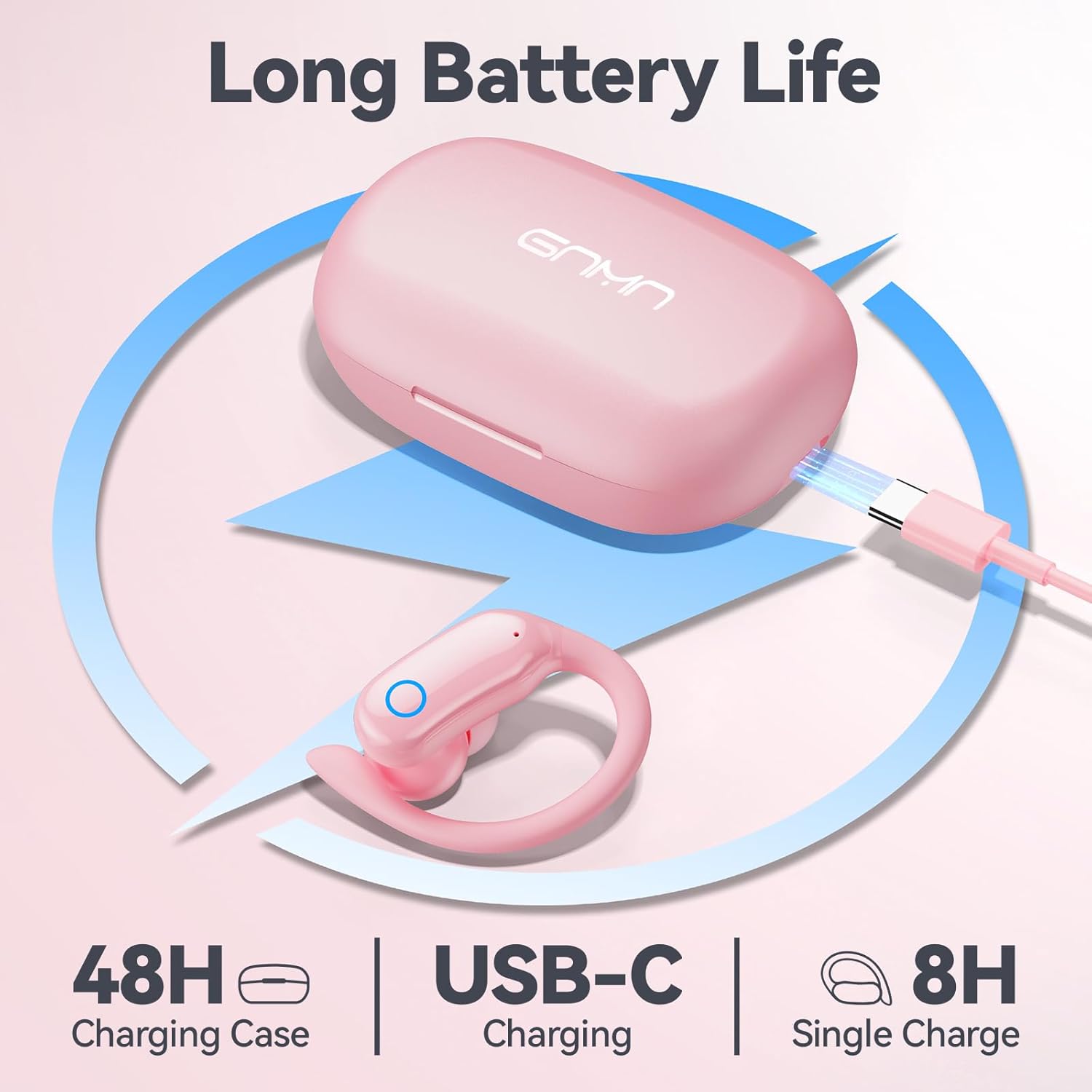
Image 4.1: Charging the GNMN V7 earbuds and case using the provided USB-C cable.
4.2 Pairing with Your Device
The earbuds feature one-step auto-pairing for convenience.
- Ensure your device's Bluetooth is enabled.
- Open the charging case and take out both earbuds. They will automatically enter pairing mode.
- On your device, search for Bluetooth devices and select "V7" from the list.
- Once connected, you will hear a confirmation prompt, and the earbuds will be ready for use.
The earbuds will automatically reconnect to the last paired device when taken out of the case, provided Bluetooth is enabled on the device.

Image 4.2: Illustrates the one-step auto-pairing process with a smartphone showing "V7" in the Bluetooth device list.
4.3 Wearing the Earbuds
For optimal sound quality and comfort, choose the correct eartip size and ensure a secure fit.
- Select the eartips (S, M, L) that best fit your ear canals. A snug fit improves bass response and noise isolation.
- Place the earbud into your ear, then gently rotate it to position the earhook over your ear for a stable and comfortable fit.
5. Operating Instructions
5.1 Touch Controls
The GNMN V7 earbuds feature sensitive touch controls on each earbud. The specific functions are as follows:
| Action | Left Earbud | Right Earbud |
|---|---|---|
| Play/Pause | Single Tap | Single Tap |
| Next Track | Double Tap | Double Tap |
| Previous Track | Triple Tap | Triple Tap |
| Volume Up | Press and Hold | N/A |
| Volume Down | N/A | Press and Hold |
| Answer/End Call | Single Tap | Single Tap |
| Reject Call | Press and Hold | Press and Hold |
| Activate Voice Assistant | Quadruple Tap | Quadruple Tap |

Image 5.1: The touch-sensitive area on the earbud for controlling functions.
5.2 Sound Quality
The earbuds are equipped with 11mm speaker driver units and an in-ear structure to deliver hi-fi sound with strong bass, clear mids, and bright treble. The large chamber acoustic design helps balance air pressure for optimal audio performance.

Image 5.2: Exploded view of the earbud's internal components, showcasing the 11mm dynamic driver and biological fiber composite diaphragm.
6. Maintenance
6.1 Cleaning
Regular cleaning helps maintain sound quality and hygiene.
- Use a soft, dry, lint-free cloth to wipe the earbuds and charging case.
- For eartips, remove them from the earbuds and clean with a mild soap solution, then rinse thoroughly and dry completely before reattaching.
- Do not use abrasive cleaners, alcohol, or chemical sprays.
6.2 Storage
When not in use, store the earbuds in their charging case to protect them from dust and damage.
6.3 Water Resistance (IPX7)
The earbuds are IPX7 waterproof, meaning they can withstand immersion in water up to 1 meter for 30 minutes. This protects them from sweat and rain. Note: The charging case is not waterproof. Avoid exposing the charging case to liquids.
7. Troubleshooting
If you encounter any issues, please refer to the following common problems and solutions:
| Problem | Possible Solution |
|---|---|
| Earbuds not pairing | Ensure earbuds are charged. Turn off and on your device's Bluetooth. Forget "V7" from your device's Bluetooth list and re-pair. |
| Only one earbud working | Place both earbuds back into the charging case, close the lid, then open and take them out again. Ensure both are charged. |
| No sound | Check device volume and earbud volume. Ensure earbuds are connected to the correct device. |
| Charging case not charging | Ensure the USB-C cable is properly connected to both the case and the power source. Try a different cable or power adapter. |
| Touch controls unresponsive | Ensure your fingers are clean and dry. Restart the earbuds by placing them in the case and taking them out. |
8. Specifications
| Feature | Detail |
|---|---|
| Model Name | V7 |
| Connectivity Technology | Bluetooth |
| Wireless Communication Technology | True Wireless |
| Bluetooth Version | 5.3 |
| Audio Driver Type | Dynamic Driver (11mm) |
| Battery Life (Earbuds) | Up to 8 hours (single charge) |
| Total Playback Time (with Case) | Up to 48 hours |
| Charging Port | USB-C |
| Water Resistance Level | IPX7 (Earbuds only) |
| Control Type | Touch Control |
| Ear Placement | Over Ear (with earhooks) |
| Compatible Devices | Smartphones, TV, Computers, Laptops, Smart Watches |
| Product Dimensions | 1.38 x 1.42 x 2.32 inches |
| Item Weight | 5.1 ounces |
9. Safety Information
- Do not disassemble or modify the product.
- Keep away from extreme temperatures, humidity, and corrosive materials.
- Avoid prolonged exposure to high volume levels to prevent hearing damage.
- Dispose of the product and batteries responsibly according to local regulations.
10. Warranty and Support
GNMN products are designed and manufactured to the highest quality standards. For warranty information or technical support, please refer to the contact details provided on the product packaging or the official GNMN website. Please retain your proof of purchase for warranty claims.


