
Shutao STC-3028
STC-3028 24V Temperature & Humidity Controller User Manual
Model: STC-3028 (13443ST-1)
Brand: Shutao
Product Overview
The STC-3028 is a versatile 24V temperature and humidity controller designed for precise environmental management. It features a dual digital display for simultaneous monitoring of temperature and humidity, making it ideal for applications such as incubators, terrariums, and other controlled environments. This device supports both heating/cooling and humidifying/dehumidifying functions.
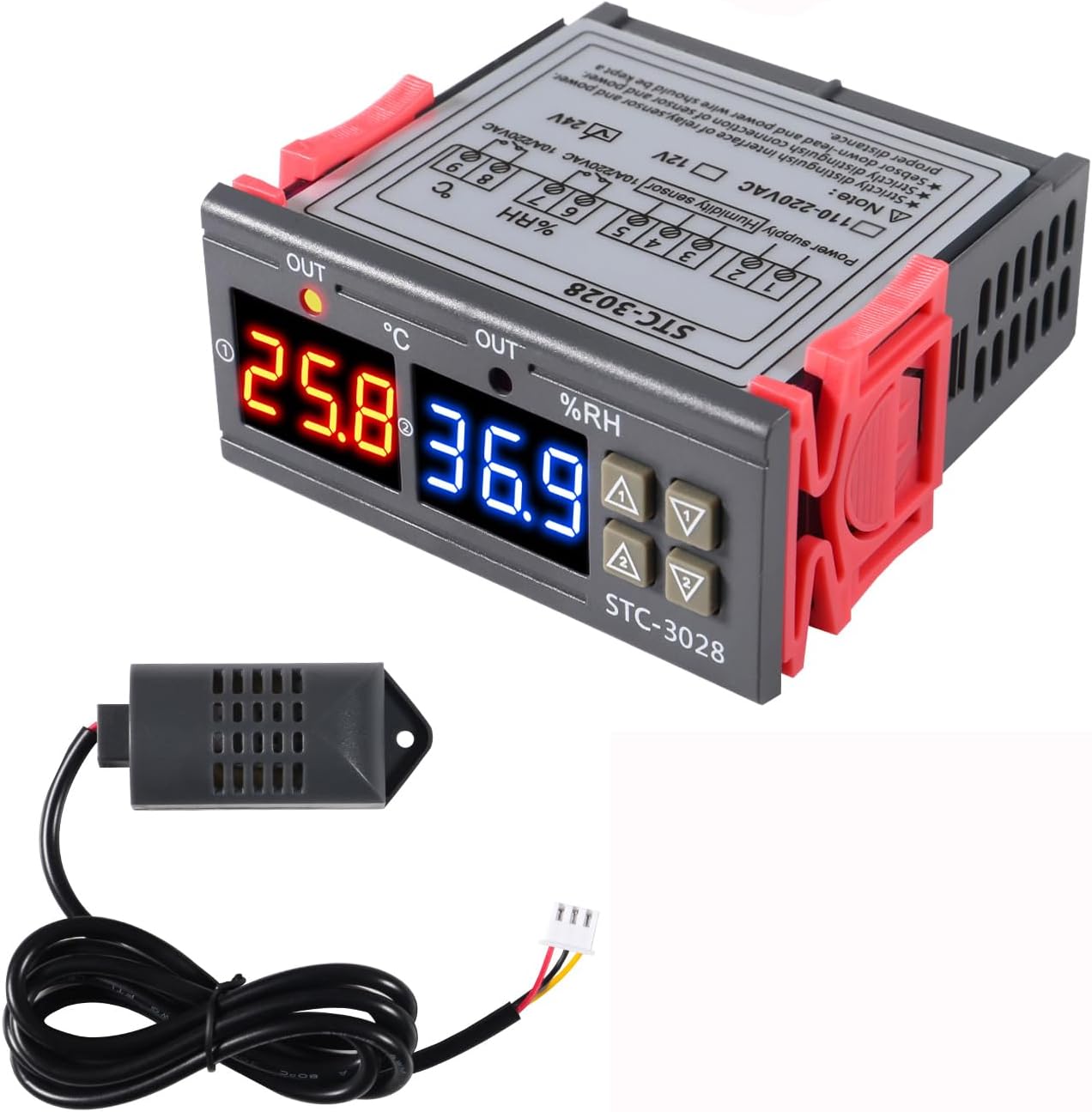
Image: The STC-3028 controller unit with its integrated temperature and humidity sensor. The controller features a dual digital display showing temperature in red and humidity in blue.
Technical Specifications
| Specification | Value |
|---|---|
| Input Voltage | AC 24V |
| Measuring Temperature Range | -50°C to +110°C |
| Measuring Humidity Range | 00%RH to +100%RH |
| Temperature Accuracy | ±1°C |
| Humidity Accuracy | ±0.1%RH |
| Relay Output Contact Capacity | 10A/240VAC |
| Display Type | Digital |
| Material | Plastic |
| Dimensions (L x W x H) | 75mm x 85mm x 27mm (approx. 2.95in x 3.34in x 1.06in) |
| Item Weight | 0.48 ounces (approx. 0.03 lbs) |
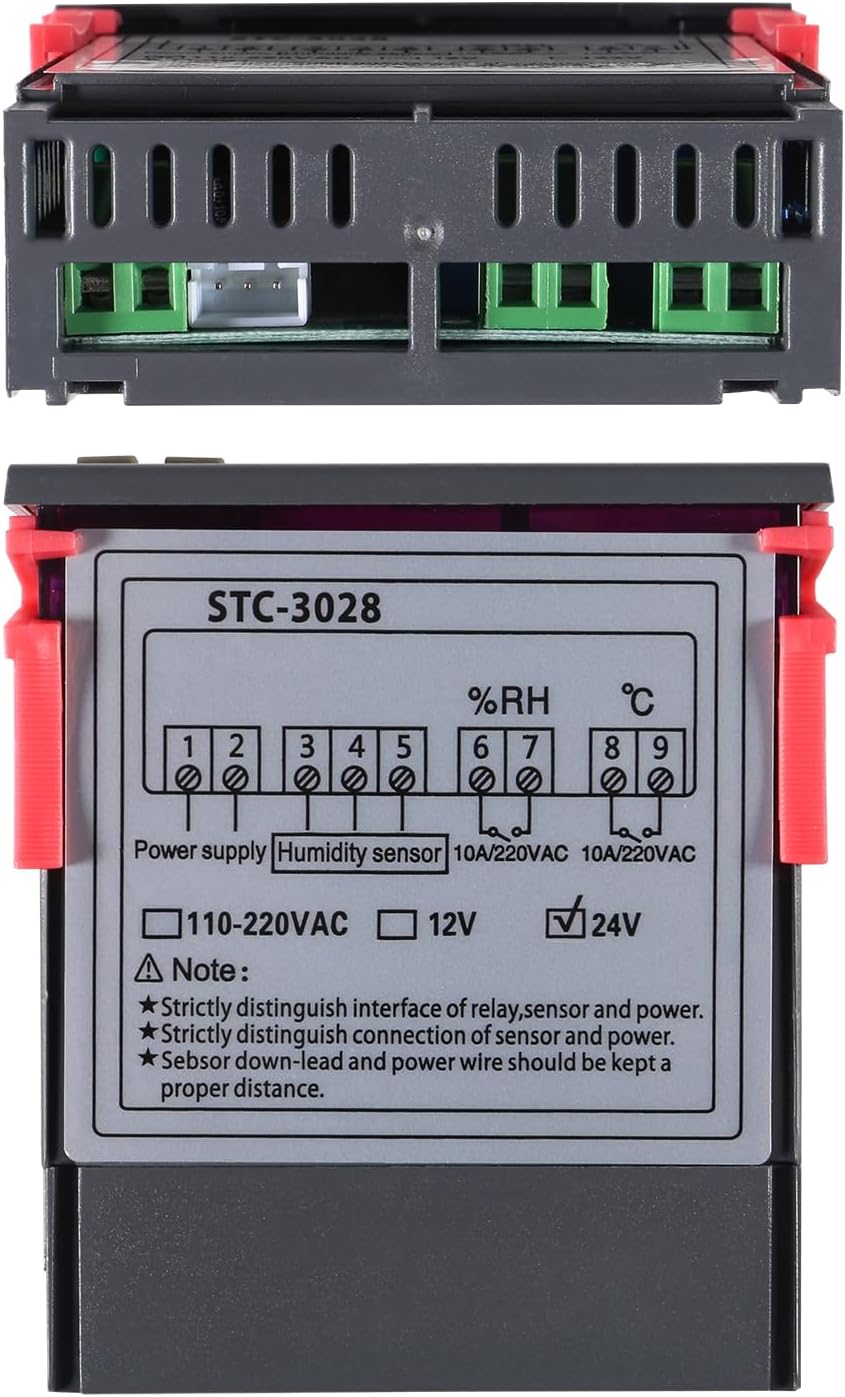
Image: Diagram showing the dimensions of the STC-3028 controller: 75mm (2.95 inches) length, 85mm (3.34 inches) width, and 27mm (1.06 inches) height.
Package Contents
The package includes the following items:
- 1 x STC-3028 Temperature and Humidity Controller
- 1 x Integrated Sensor (for temperature and humidity measurement)
Setup and Installation
Wiring Diagram
Proper wiring is crucial for the safe and correct operation of the STC-3028 controller. Refer to the diagram below for connection details.
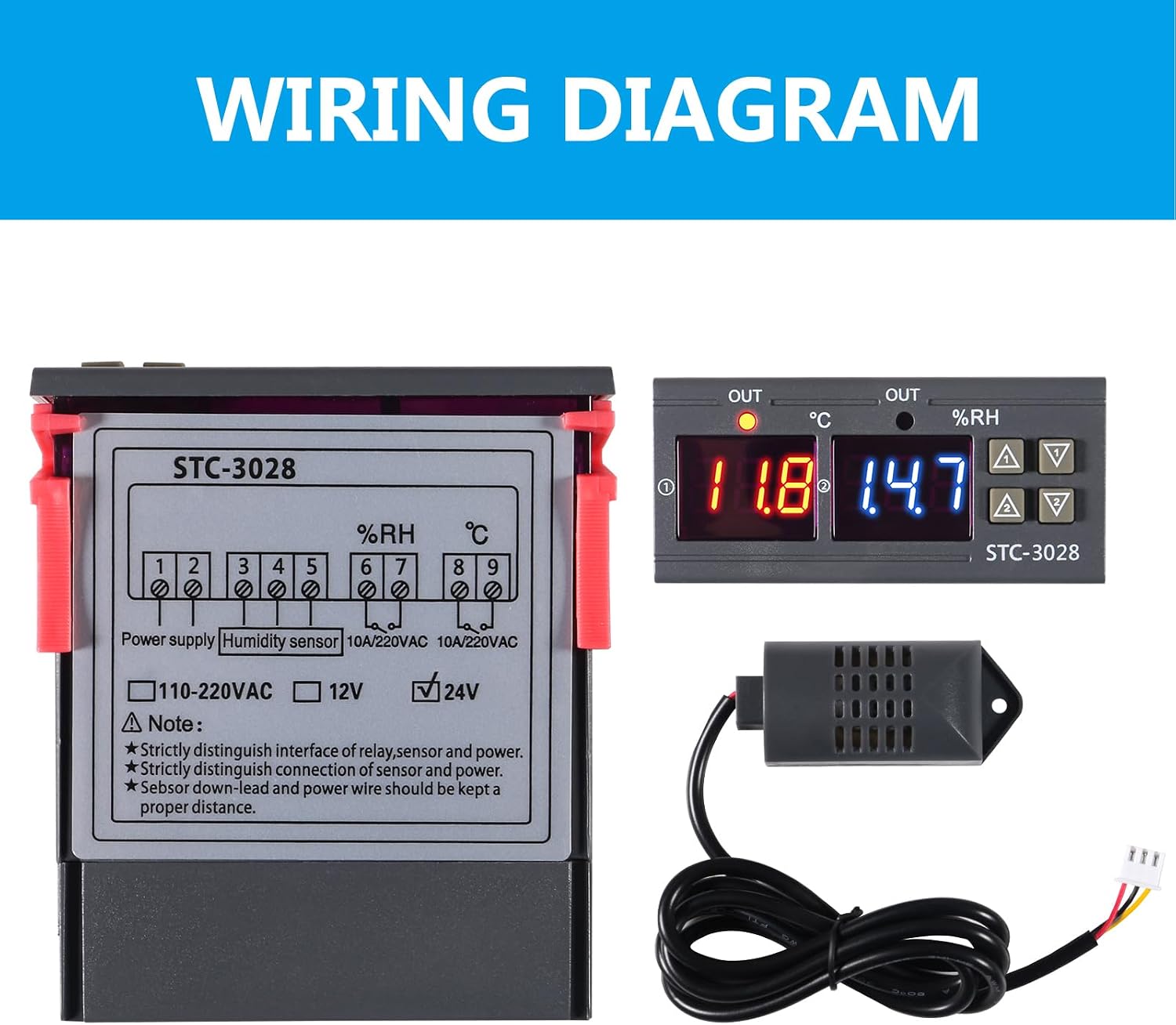
Image: A visual representation of the STC-3028 wiring diagram. It shows terminals for power supply (1-2), humidity sensor (3-5), and output relays for temperature (6-7) and humidity (8-9). The diagram also indicates voltage options (110-220VAC, 12V, 24V) and important notes regarding distinguishing interfaces and maintaining proper wire distance.
Important Notes:
- Strictly distinguish the interface of the relay, sensor, and power supply.
- Strictly distinguish the connection of the sensor and power supply.
- The sensor down-lead and power wire should be kept a proper distance apart to avoid interference.
- Ensure the correct voltage (24V) is supplied as indicated on the unit.
Mounting
The STC-3028 is designed for panel mounting. Ensure adequate space for ventilation, especially around the heat dissipation grids on the sides of the unit.
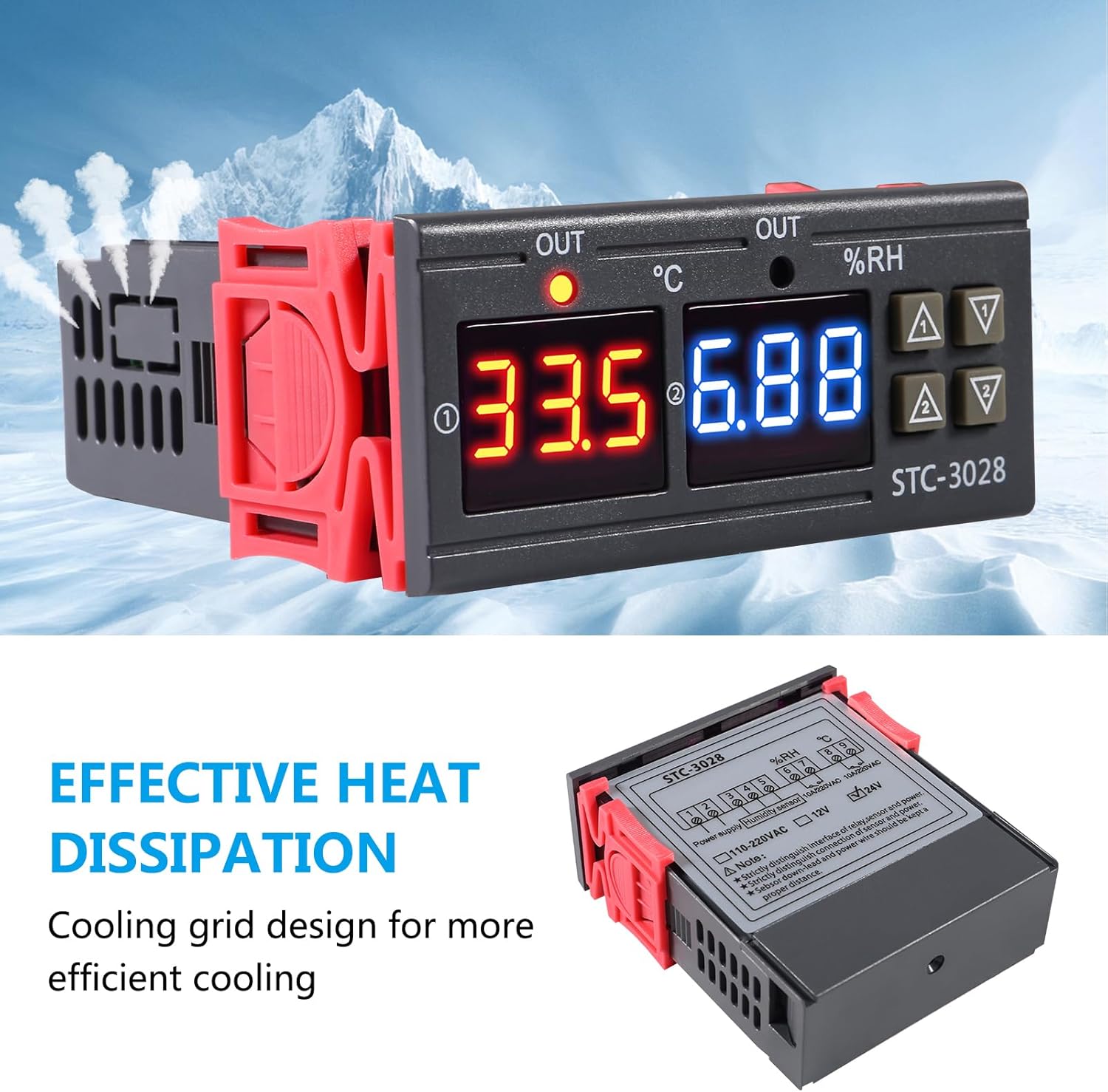
Image: The STC-3028 controller with a visual representation of air flowing through its side vents, indicating effective heat dissipation. The image highlights the cooling grid design for efficient cooling.
Operating Instructions
Setting Startup Temperature/Humidity
- Press the "up" button once to display the current starting temperature or humidity setting.
- Long press the "up" button for approximately 3 seconds until the display flashes.
- Use the "up" and "down" keys to adjust the desired starting temperature or humidity value.
- The setting will automatically save after a few seconds of inactivity or by pressing another button.
Setting Stop Temperature/Humidity
- Press the "down" button once to display the current stop temperature or humidity setting.
- Long press the "down" button for approximately 3 seconds until the display flashes.
- Use the "up" and "down" keys to adjust the desired stop temperature or humidity value.
- The setting will automatically save after a few seconds of inactivity or by pressing another button.
Temperature/Humidity Correction (Calibration)
To correct or calibrate the temperature and humidity readings:
- Press the "up" and "down" buttons simultaneously.
- Follow the on-screen prompts to adjust the offset for temperature or humidity. Refer to the product's advanced settings for detailed calibration procedures if available.
Maintenance
- Cleaning: Regularly wipe the unit with a soft, dry cloth. Do not use abrasive cleaners or solvents.
- Sensor Care: Keep the integrated sensor clean and free from dust or debris to ensure accurate readings. Avoid exposing the sensor to extreme physical shock or moisture beyond its operating range.
- Ventilation: Ensure the ventilation grids on the sides of the unit are not obstructed to allow for proper heat dissipation.
- Power Disconnection: Always disconnect power before performing any maintenance or wiring adjustments.
Troubleshooting
| Problem | Possible Cause | Solution |
|---|---|---|
| Display shows "LLL" or "HHH" | Sensor error, sensor disconnected, or reading out of range. | Check sensor connection. Ensure sensor is within operating temperature/humidity range. Replace sensor if damaged. |
| Unit does not power on | No power supply, incorrect voltage, or faulty wiring. | Verify power connection and ensure 24V AC supply. Check wiring according to the diagram. |
| Output relay not activating | Settings incorrect, or relay faulty. | Review startup and stop settings. Ensure the measured value is outside the set range to trigger the relay. Check relay wiring. |
| Inaccurate readings | Sensor dirty, sensor interference, or needs calibration. | Clean the sensor. Ensure sensor wires are kept separate from power wires. Perform temperature/humidity correction. |
Warranty and Support
For warranty information and technical support, please contact Shutao customer service. Keep your purchase receipt as proof of purchase.
Contact information may be available on the product packaging or the manufacturer's official website.
Ask a question about this manual
Ask about setup, troubleshooting, compatibility, parts, safety, or missing instructions. Manuals+ will review the question and use this page’s manual context to help answer it.