1. Introduction
Thank you for purchasing the Audiocrazy AC-BM101 Portable AM/FM Bluetooth Radio. This device is designed to provide high-quality audio reception and playback, offering both traditional AM/FM radio functionality and modern Bluetooth connectivity. Its portable design allows for versatile use in various environments, powered by either AC or batteries. Please read this manual thoroughly before using the product to ensure proper operation and to maximize its lifespan.
2. Important Safety Information
- Do not expose the radio to rain, moisture, or extreme temperatures.
- Avoid placing the radio near heat sources such as radiators, heat registers, stoves, or other apparatus (including amplifiers) that produce heat.
- Use only attachments/accessories specified by the manufacturer.
- Unplug this apparatus during lightning storms or when unused for long periods of time.
- Refer all servicing to qualified service personnel. Servicing is required when the apparatus has been damaged in any way, such as power-supply cord or plug is damaged, liquid has been spilled or objects have fallen into the apparatus, the apparatus has been exposed to rain or moisture, does not operate normally, or has been dropped.
- Dispose of batteries properly according to local regulations.
3. Package Contents
Please check the package carefully to ensure all items are present and in good condition:
- Audiocrazy AC-BM101 Portable AM/FM Bluetooth Radio
- Power Cord
- Power Adapter
- User Manual (this document)
4. Product Overview
Familiarize yourself with the components and controls of your Audiocrazy AC-BM101 radio.
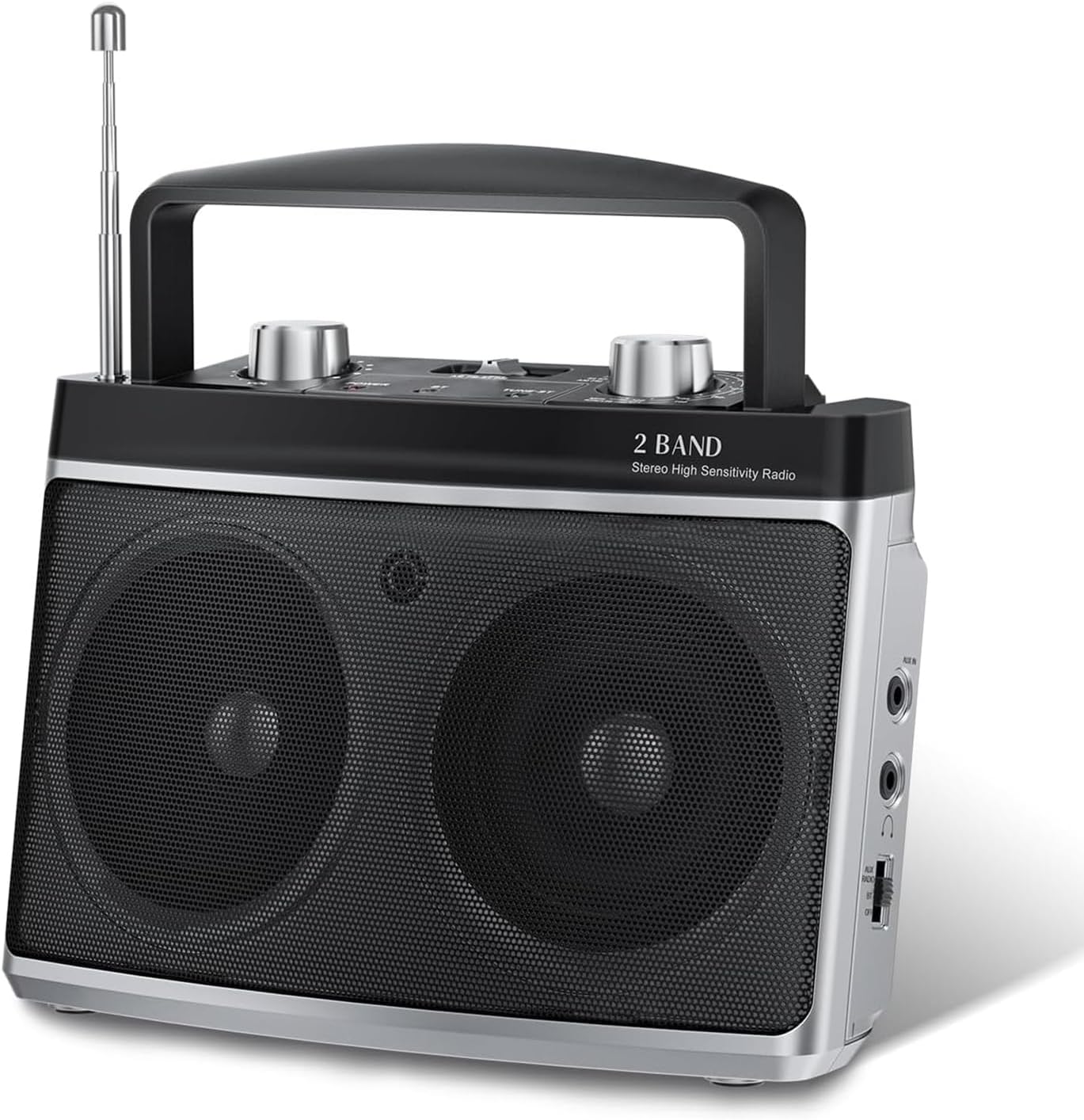
Figure 4.1: Front view of the Audiocrazy AC-BM101 radio, showing the dual speakers, tuning knob, volume knob, and extended telescopic antenna.
4.1 Front and Top Panel Controls
- Telescopic Antenna: For FM reception. Extend fully for best signal.
- Volume Knob (VOL): Adjusts the audio output level.
- Tuning Knob: Used to select AM or FM radio frequencies.
- AM/FM/BT Switch: Selects between AM radio, FM radio, or Bluetooth mode.
- Frequency Display: Shows the current radio frequency.
- Speakers: Dual speakers for stereo sound output.

Figure 4.2: Detailed view of the main control knobs and switches on the top panel.
4.2 Side and Rear Panel Ports
- AUX In Port: 3.5mm input for connecting external audio devices.
- Headphone Jack: 3.5mm output for private listening.
- AC Power Input: For connecting the power adapter.
- Battery Compartment: Holds 2 x D-size batteries (not included) for portable use.
5. Setup
5.1 Powering the Radio
Your Audiocrazy AC-BM101 radio can be powered by either AC (wall outlet) or DC (batteries).
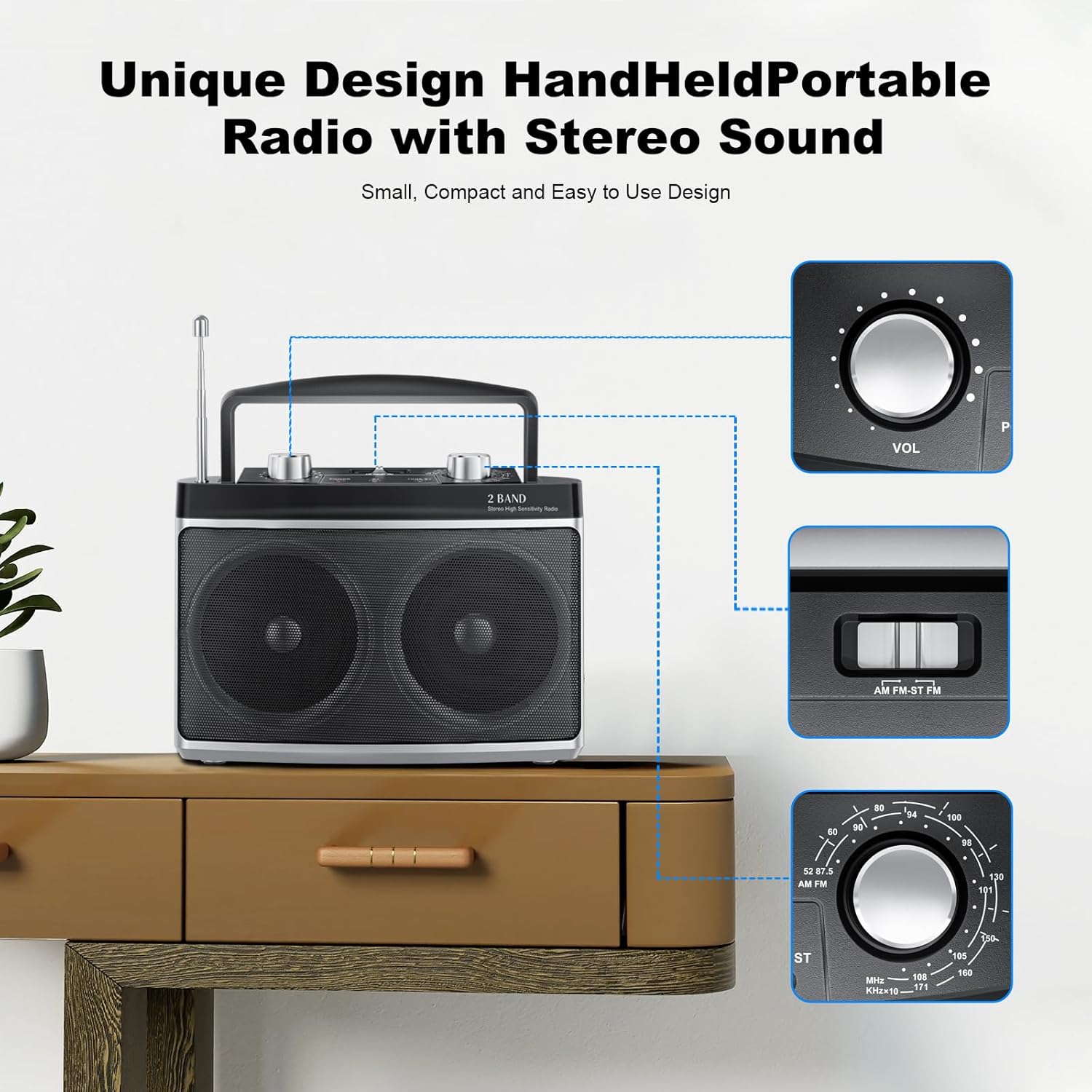
Figure 5.1: Powering options: AC plug-in and DC battery operation.
AC Power (Wall Outlet):
- Insert the power cord into the AC Power Input port on the back of the radio.
- Plug the other end of the power cord into a standard AC wall outlet (120V/60Hz).
- The radio is now ready for use with AC power.
DC Power (Batteries):
- Open the battery compartment cover on the back of the radio.
- Insert 2 x D-size batteries (not included), ensuring correct polarity (+/-) as indicated inside the compartment.
- Close the battery compartment cover securely.
- The radio is now ready for portable use with battery power.
Note: When both AC power and batteries are connected, the radio will prioritize AC power. Remove batteries if the radio will not be used for an extended period to prevent leakage.
5.2 Antenna Setup
- For FM reception, fully extend the telescopic antenna. Adjust its direction for optimal signal reception.
- For AM reception, the radio uses a built-in ferrite bar antenna. Rotate the entire radio for best AM signal reception.
6. Operating Instructions
6.1 Power On/Off and Volume Control
- To turn on the radio, rotate the Volume Knob (VOL) clockwise until you hear a click.
- Adjust the volume by rotating the Volume Knob (VOL) clockwise to increase or counter-clockwise to decrease.
- To turn off the radio, rotate the Volume Knob (VOL) counter-clockwise until you hear a click.
6.2 AM/FM Radio Operation
- Slide the AM/FM/BT switch to the "AM" or "FM" position.
- For FM, extend the telescopic antenna. For AM, position the radio for best reception.
- Rotate the Tuning Knob to scan for radio stations. The frequency display will show the selected frequency.
- Fine-tune the knob for clear reception.
6.3 Bluetooth Operation
Connect your Bluetooth-enabled device to the radio for wireless audio streaming.

Figure 6.1: The radio supports Bluetooth connectivity and features a 3.5mm headphone jack for private listening.
- Slide the AM/FM/BT switch to the "BT" (Bluetooth) position. The radio will enter pairing mode, indicated by an audible prompt or indicator light (if present).
- On your Bluetooth-enabled device (e.g., smartphone, tablet), enable Bluetooth and search for available devices.
- Select "AC-BM101" (or similar name) from the list of found devices to pair.
- Once paired, you can play audio from your device through the radio's speakers.
6.4 AUX Input Operation
Use the AUX input to connect non-Bluetooth audio devices.
- Connect one end of a 3.5mm audio cable (not included) to the AUX In port on the radio.
- Connect the other end of the audio cable to the headphone jack or audio output of your external device (e.g., MP3 player, CD player).
- Ensure the AM/FM/BT switch is not in the "BT" position. The radio will automatically switch to AUX mode when a cable is inserted.
- Play audio from your external device. Adjust volume on both the radio and the external device as needed.
6.5 Headphone Use
For private listening, connect standard 3.5mm headphones (not included) to the Headphone Jack on the radio. The internal speakers will automatically mute when headphones are connected.
7. Maintenance
- Cleaning: Wipe the radio with a soft, dry cloth. Do not use abrasive cleaners, waxes, or solvents.
- Storage: If storing the radio for an extended period, remove the batteries to prevent leakage and store in a cool, dry place.
- Antenna Care: Handle the telescopic antenna gently to avoid bending or breaking.
8. Troubleshooting
| Problem | Possible Cause | Solution |
|---|---|---|
| No power | Power cord not connected; Batteries dead or incorrectly inserted; Volume knob off. | Ensure power cord is securely plugged in. Replace batteries or check polarity. Rotate volume knob clockwise to turn on. |
| Poor radio reception | Antenna not extended/positioned correctly; Weak signal area; Interference. | Fully extend FM antenna and adjust direction. For AM, rotate the radio. Move radio to a different location away from electronic devices. |
| Bluetooth not connecting | Radio not in BT mode; Device Bluetooth off; Device too far; Already paired to another device. | Slide switch to BT. Ensure Bluetooth is enabled on your device. Move device closer to radio. Disconnect from other Bluetooth devices. |
| No sound from AUX input | AUX cable not fully inserted; External device volume too low; Radio not in AUX mode. | Ensure AUX cable is fully inserted into both devices. Increase volume on external device. Ensure BT mode is off. |
9. Specifications
| Feature | Detail |
|---|---|
| Model Number | AC-BM101 |
| Brand | Audiocrazy |
| Product Dimensions | 7.32 x 3.38 x 5.35 inches (18.59 x 8.59 x 13.59 cm) |
| Item Weight | 1.83 pounds (0.83 kg) |
| Color | Silver |
| Tuner Technology | AM/FM |
| Frequency Range | FM: 87-108 MHz, AM: 520-1710 KHz |
| Connectivity Technology | Bluetooth 5.0, Auxiliary (3.5mm) |
| Special Features | Portable, Stereo Sound with Dual Speakers, Headphone Jack |
| Power Source | AC Power Supply / DC Battery (2 x D-size batteries, not included) |
| Included Components | Radio unit, Power Cord, Power Adapter |
10. Warranty and Support
Audiocrazy products are designed for reliability and performance. For specific warranty details, please refer to the warranty card included with your purchase or contact Audiocrazy customer support.
If you encounter any issues or have questions regarding your AC-BM101 radio, please contact our customer support team for assistance. Contact information can typically be found on the product packaging or on the official Audiocrazy website.


