
Introduction
Thank you for choosing the Hoco ES50 Rima Air Conduction Sports Bluetooth Headset. This manual provides detailed instructions on how to set up, operate, and maintain your new headset. Please read this manual thoroughly before using the product to ensure proper functionality and longevity.
The Hoco ES50 features Bluetooth V5.0 connectivity, an ear-hook design for comfortable wear, and air conduction sound technology, allowing you to enjoy audio while remaining aware of your surroundings. It offers up to 6 hours of use time and up to 120 hours of standby time, making it ideal for sports and daily activities.
Product Overview
Familiarize yourself with the components and design of your Hoco ES50 headset.
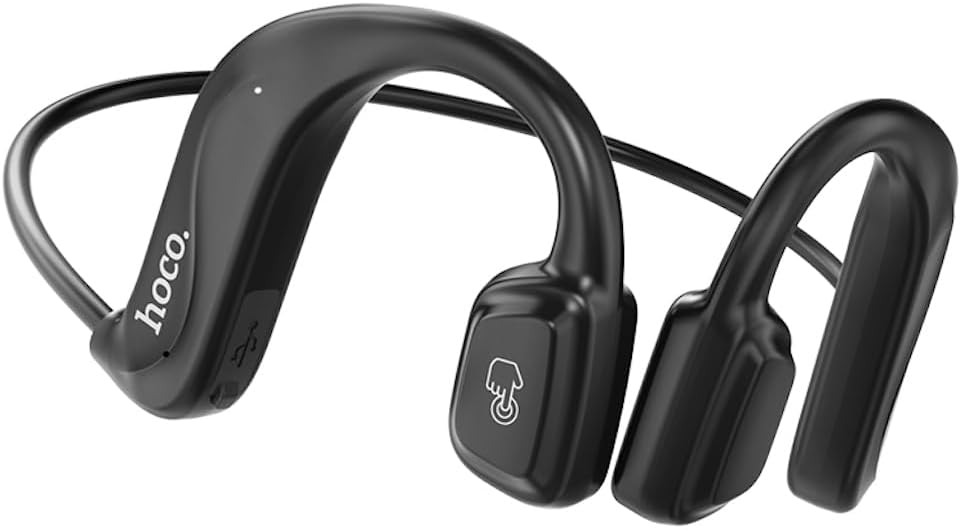
Figure 1: Front view of the Hoco ES50 headset, showcasing the ear-hook design and main control area with the 'hoco.' logo and a touch-sensitive button icon.
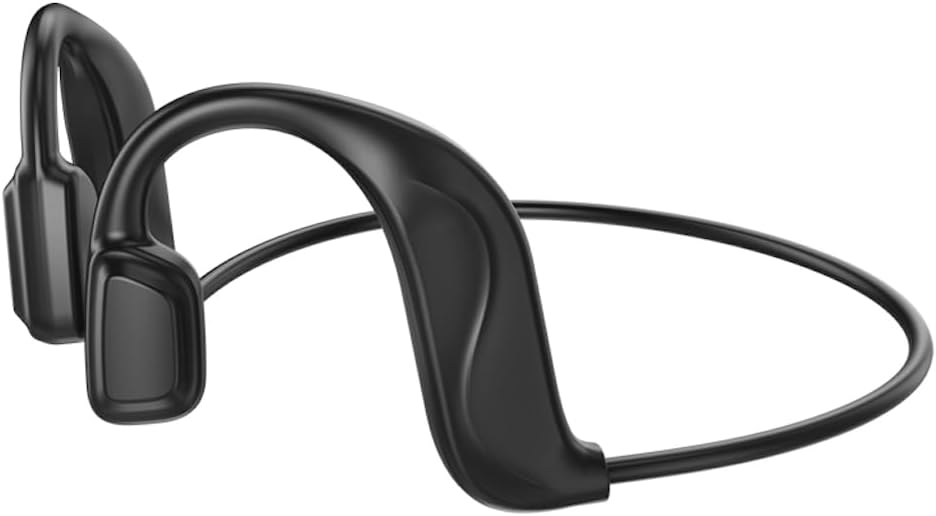
Figure 2: Rear view of the Hoco ES50 headset, highlighting the flexible neckband connecting the two ear units.
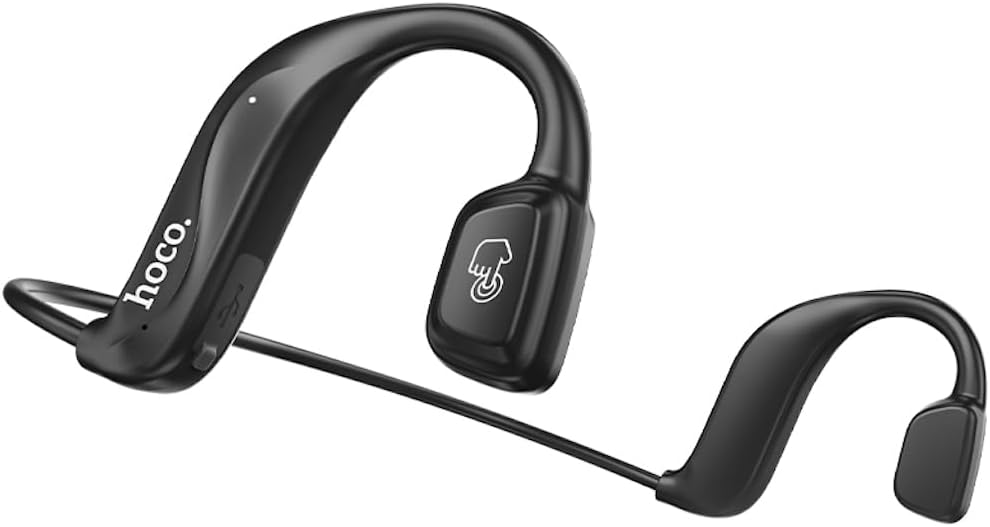
Figure 3: Angled view of the Hoco ES50 headset, showing the ergonomic shape designed to fit comfortably around the ear.

Figure 4: Close-up view of the main ear unit, detailing the 'hoco.' branding, charging port, and indicator light.

Figure 5: The Hoco ES50 headset being worn by a person, demonstrating its discreet and secure fit during use.

Figure 6: Retail packaging of the Hoco ES50 headset, showing product features and branding.
Setup
1. Charging the Headset
Before first use, fully charge the headset. The battery capacity is 140mAh, and a full charge takes approximately 2 hours.
- Connect the charging cable (included) to the charging port on the headset.
- Connect the other end of the cable to a USB power source (e.g., computer USB port, wall adapter).
- The indicator light will show charging status (refer to product specific light behavior, usually red for charging, blue/off for full).
- Once fully charged, disconnect the charging cable.
2. Bluetooth Pairing
Pair your Hoco ES50 headset with your Bluetooth-enabled device (smartphone, tablet, etc.).
- Ensure the headset is turned off.
- Press and hold the multi-function button on the headset until the indicator light flashes red and blue alternately, indicating pairing mode.
- On your device, go to Bluetooth settings and turn Bluetooth on.
- Search for available devices. You should see "Hoco ES50" or a similar name appear in the list.
- Select "Hoco ES50" to connect. Once connected, the indicator light on the headset will typically stop flashing and remain solid blue or turn off.
- If prompted for a password, enter "0000" (four zeros).
Note: The headset will automatically attempt to reconnect to the last paired device when powered on, if the device's Bluetooth is active and within range.
Operating Instructions
Power On/Off
- Power On: Press and hold the multi-function button for approximately 3 seconds until you hear a power-on prompt and the indicator light flashes.
- Power Off: Press and hold the multi-function button for approximately 5 seconds until you hear a power-off prompt and the indicator light turns off.
Music Playback
- Play/Pause: Press the multi-function button once.
- Next Track: Double-click the multi-function button.
- Previous Track: Triple-click the multi-function button.
Call Management
- Answer/End Call: Press the multi-function button once during an incoming call or active call.
- Reject Call: Press and hold the multi-function button for approximately 2 seconds during an incoming call.
- Redial Last Number: Double-click the multi-function button when not on a call.
Voice Assistant
To activate your device's voice assistant (Siri, Google Assistant, etc.):
- Press and hold the multi-function button for approximately 1 second (or as per specific model instruction) until you hear a prompt.
Note: When not connected to a device, double-clicking the multi-function button will produce a beep sound, indicating a voice prompt switch function.
Maintenance
Proper care and maintenance will extend the lifespan of your Hoco ES50 headset.
Cleaning
- Wipe the headset with a soft, dry, lint-free cloth.
- Do not use abrasive cleaners, solvents, or aerosol sprays.
- Avoid getting moisture into any openings.
Storage
- Store the headset in a cool, dry place away from direct sunlight and extreme temperatures.
- When not in use for extended periods, charge the headset periodically (e.g., once every three months) to maintain battery health.
Troubleshooting
If you encounter issues with your Hoco ES50 headset, refer to the following common problems and solutions:
| Problem | Possible Cause | Solution |
|---|---|---|
| Headset does not power on. | Low battery. | Charge the headset fully. |
| Cannot pair with device. | Headset not in pairing mode; Bluetooth off on device; device too far. | Ensure headset is in pairing mode (flashing red/blue). Turn on Bluetooth on your device. Move device closer to headset. Forget previous pairings on device and try again. |
| No sound or low volume. | Volume too low on headset or device; headset not connected; audio source issue. | Increase volume on both headset and connected device. Ensure headset is properly connected. Try playing audio from a different source. |
| Intermittent connection or static. | Interference; device too far; low battery. | Move closer to your device. Avoid strong electromagnetic interference. Charge the headset. |
| Voice prompt switch beep when not connected. | This is a feature, not a problem. | This indicates the voice prompt switch function is active when the headset is not connected to a device. |
If the problem persists, please contact customer support.
Specifications
| Model Name | ES50 |
| Brand | HOCO |
| Connectivity Technology | Wireless (Bluetooth) |
| Wireless Communication Technology | Bluetooth 5.0 (Chip: BK 3266) |
| Battery Capacity | 140mAh |
| Charging Time | Approximately 2 hours |
| Talk/Music Time | Up to 6 hours |
| Standby Time | Up to 120 hours |
| Headphones Ear Placement | In Ear (Air Conduction, Ear-hook design) |
| Headphones Form Factor | In Ear |
| Noise Control | None |
| Headphones Jack | No Jack |
| Color | Black |
| Included Components | Ear Cushions |
| Manufacturer | HOCO |
| Country of Origin | China |
| Item Model Number | ES50 Black |
| ASIN | B0C5KQDBQ8 |
| Package Dimensions | 18.4 x 14.1 x 4.4 cm; 21 g |
Warranty and Support
HOCO products are manufactured to the highest quality standards. For information regarding warranty coverage, please refer to the warranty card included with your product or visit the official HOCO website.
For technical support, troubleshooting assistance, or service inquiries, please contact HOCO customer support through their official channels. Keep your purchase receipt and product model number (ES50) handy when contacting support.
Online Resources: For the latest information, FAQs, and support, please visit the official HOCO website.

