
1. Introduction and Overview
This manual provides detailed instructions for the GOLD Pro FN-B08 Wireless Sports Bluetooth Earphones. Designed for maximum comfort and stability, these earphones are ideal for various activities, including sports, work, and daily tasks. Featuring an open-ear, ear-hook design, they allow you to enjoy audio while remaining aware of your surroundings, promoting safety and preventing discomfort often associated with in-ear designs.
2. Package Contents
Please verify that all items listed below are included in your package:
- GOLD Pro FN-B08 Wireless Sports Bluetooth Earphones
- Charging Case
- USB Type-C Charging Cable
- Extra Ear Tips (if applicable to the specific design)
- User Manual (this document)
The GOLD Pro FN-B08 earphones neatly stored within their compact charging case, alongside the product packaging, illustrating the complete set.
3. Product Features
- Maximum Comfort: Constructed with high-quality materials for extended comfortable wear.
- Open-Ear Design: Allows external sounds to be heard, promoting situational awareness and protecting eardrums.
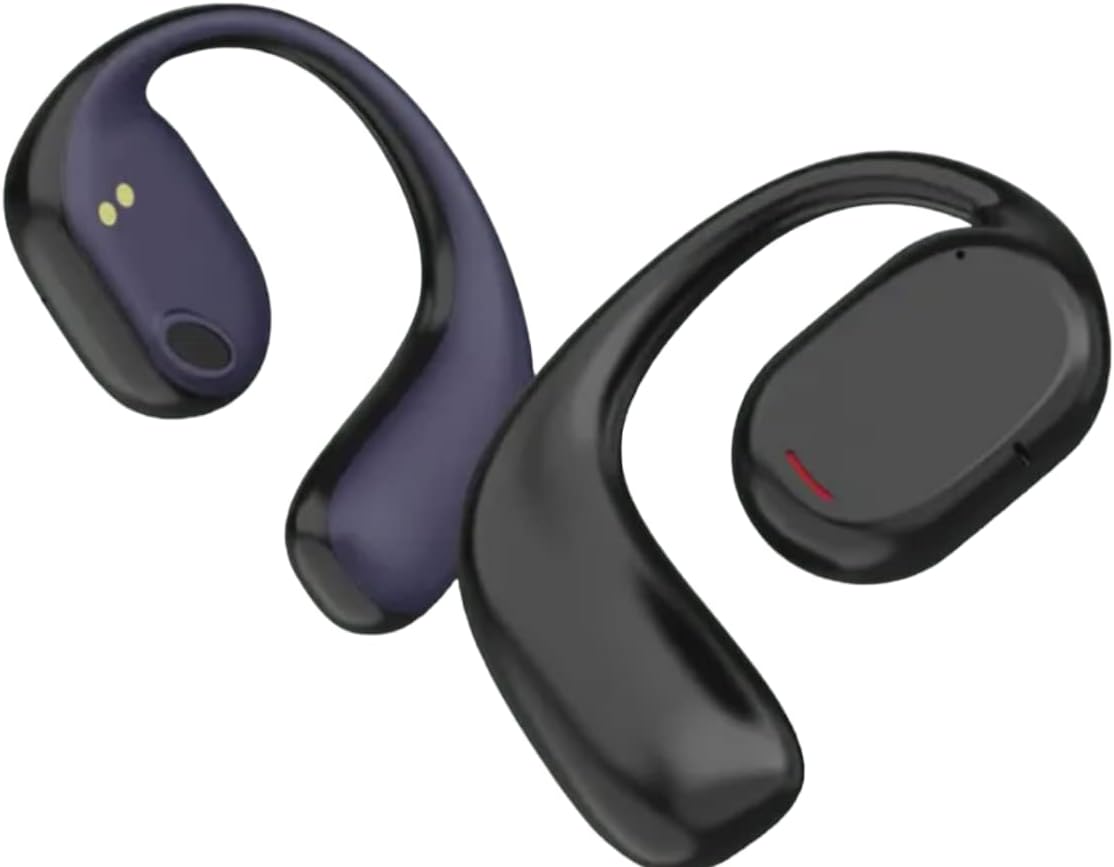
- Stable Ear-Hook Fit: Ergonomic design ensures the earphones remain securely in place during any activity.
- Practicality: Suitable for home, gym, or work, keeping your hands free.
- Advanced Bluetooth v5.3: Provides a stable and efficient wireless connection.
- Long Battery Life: Up to 120 hours standby time, 6 hours talk time, and 5 hours music playback.
- Quick Charging: Fully charges in approximately 1.5 hours.
- Durable Charging Case: Rubberized case with zipper closure and a digital battery level display.
- Water and Sweat Resistant: Designed to withstand sweat and light splashes, ideal for sports.

A detailed view of the GOLD Pro FN-B08 earphones, showcasing the flexible ear-hook and the main earpiece with its charging contacts.
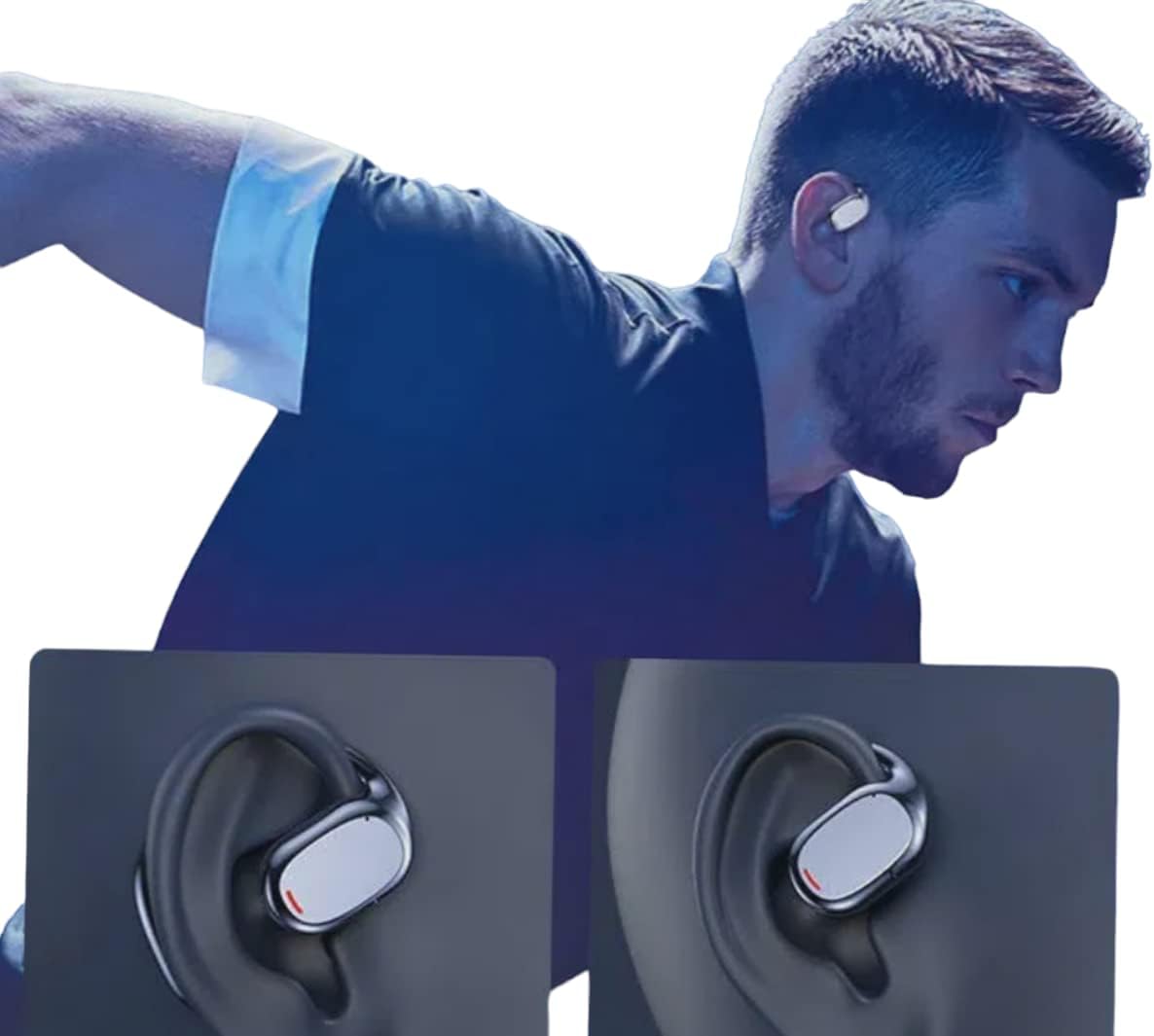
An individual wearing the GOLD Pro FN-B08 earphones, demonstrating their secure and comfortable fit during physical activity.
4. Setup
4.1 Initial Charging
Before first use, fully charge the earphones and their charging case. Connect the provided USB Type-C cable to the charging port on the case and a compatible USB power source. The digital display on the case will indicate the battery level during charging.
4.2 Bluetooth Pairing
- Remove both earphones from the charging case. They will automatically power on and enter pairing mode.
- On your smartphone, tablet, or other Bluetooth-enabled device, go to the Bluetooth settings.
- Search for available devices and select 'FN-B08' from the list.
- Once connected, you will hear an audible confirmation, and the earphones are ready for use.
5. Operating Instructions
5.1 Power On/Off
- Power On: The earphones automatically power on when removed from the charging case.
- Power Off: Place the earphones back into the charging case to automatically power them off and begin charging.
5.2 Music Playback
- Play/Pause: Tap once on either the left or right earphone.
- Next Track: Double-tap the right earphone.
- Previous Track: Double-tap the left earphone.
5.3 Call Management
- Answer/End Call: Tap once on either the left or right earphone.
- Reject Call: Press and hold either earphone for 2 seconds.
6. Maintenance
- Cleaning: Use a soft, dry cloth to clean the earphones and charging case. Avoid using liquids, solvents, or abrasive cleaners.
- Storage: Always store the earphones in their charging case when not in use to protect them from damage and keep them charged.
- Water Resistance: The earphones are designed to be resistant to sweat and light splashes (e.g., light rain). They are not waterproof and should not be submerged in water or exposed to heavy rain or direct water jets. Ensure the charging port is dry before charging.
- Temperature: Avoid exposing the earphones to extreme temperatures (hot or cold) or high humidity.
7. Troubleshooting
- Earphones not pairing:
- Ensure both earphones are fully charged.
- Place earphones back in the case, then remove them again to re-enter pairing mode.
- Disable and re-enable Bluetooth on your device.
- Try pairing with a different device to rule out device-specific issues.
- No sound:
- Check the volume level on both your connected device and the earphones.
- Ensure the earphones are properly connected to your device via Bluetooth.
- Short battery life:
- Ensure earphones are fully charged before each use.
- Battery life can vary based on volume levels and usage patterns. High volume typically consumes more power.
- Earphones not charging:
- Ensure the charging cable is securely connected to both the case and the power source.
- Check if the charging contacts on the earphones and inside the case are clean and free of debris.
- Try using a different USB Type-C cable or power adapter.
8. Specifications
| Model | FN-B08 |
| Brand | GOLD |
| Connectivity Technology | Bluetooth v5.3 |
| Wireless Transmission Distance | Up to 5 meters |
| Charging Time | Approximately 1.5 hours |
| Music Playback Time | Up to 5 hours |
| Talk Time | Up to 6 hours |
| Standby Time | Up to 120 hours |
| Impedance | 32 ohms |
| Driver Unit | 9mm |
| Frequency Response | 20-20000 Hz |
| Sensitivity | -81dB ± 3dB |
| Product Weight | 200 g |
| Product Dimensions | 20 x 15 x 10 cm |
| Style | Sporty, Open-Ear Ear-Hook |
| Control Method | Remote (Touch Controls) |
9. Warranty and Support
9.1 Warranty Information
This product comes with a standard manufacturer's warranty. Please refer to your purchase documentation or contact your retailer for specific warranty terms and conditions, including duration and coverage details.
9.2 Customer Support
For technical assistance, troubleshooting, or any other customer service inquiries, please contact your retailer or the manufacturer directly. Have your product model number (FN-B08) and proof of purchase ready when contacting support.


