
Ctronics CTIPC-690C
Ctronics 2.5K 4MP Solar Security Camera CTIPC-690C User Manual
Model: CTIPC-690C
1. Introduction
This manual provides detailed instructions for the installation, operation, and maintenance of your Ctronics 2.5K 4MP Solar Security Camera, model CTIPC-690C. Please read this manual thoroughly before using the product to ensure proper functionality and safety. This camera features 2.5K 4MP resolution, solar power, wireless connectivity, pan-tilt-zoom (PTZ) capabilities, color night vision, PIR human detection, two-way audio, and an IP66 waterproof rating.
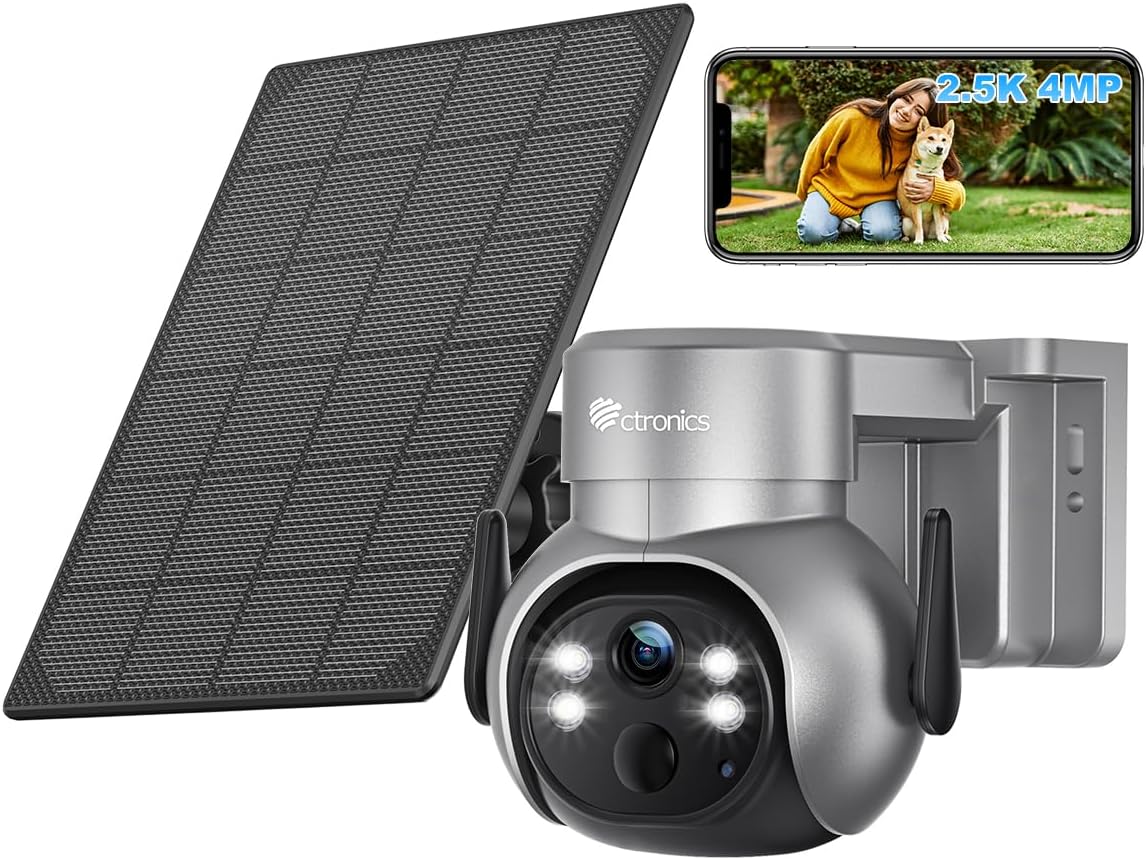
Figure 1: Ctronics 2.5K 4MP Solar Security Camera with solar panel and a smartphone displaying live view.
2. Product Overview
The Ctronics CTIPC-690C is a versatile outdoor security camera designed for comprehensive surveillance. Key features include:
- High Resolution: 2.5K 4MP (2560x1440P) video for clear imaging.
- Solar Powered: Equipped with a solar panel for continuous charging, ensuring non-stop operation.
- Wireless Connectivity: Wi-Fi enabled for flexible placement without network cables.
- PTZ Functionality: 355° pan and 95° tilt with 4X digital zoom to cover wide areas.
- Color Night Vision: Provides full-color video even in low-light conditions.
- PIR Human Detection: Advanced motion detection reduces false alarms by focusing on human shapes.
- Two-Way Audio: Built-in microphone and speaker for remote communication.
- Weatherproof: IP66 rated for outdoor use in various weather conditions.
3. Setup
3.1 Physical Installation
The camera can be mounted on a wall or ceiling. Ensure the mounting location provides a clear view and sufficient sunlight for the solar panel.
- Choose a Location: Select a sturdy surface for mounting. Consider the camera's field of view and the solar panel's exposure to direct sunlight.
- Mount the Bracket: Use the provided screws and anchors to securely attach the mounting bracket to the chosen surface.
- Attach the Camera: Secure the camera to the mounted bracket. Adjust the angle as needed.
- Install the Solar Panel: Mount the solar panel in a location that receives maximum direct sunlight throughout the day. Connect the solar panel cable to the camera's charging port.

Figure 2: Examples of wall and ceiling installation for the Ctronics camera, highlighting its IP66 waterproof rating.

Figure 3: A person installing the Ctronics solar security camera on an exterior wall.
3.2 Powering the Camera
The camera is powered by a rechargeable battery and continuously charged by the solar panel.
- Ensure the solar panel is connected correctly and positioned to receive adequate sunlight.
- For initial setup or if the battery is depleted, you may need to charge the camera using a standard USB power adapter (not included).
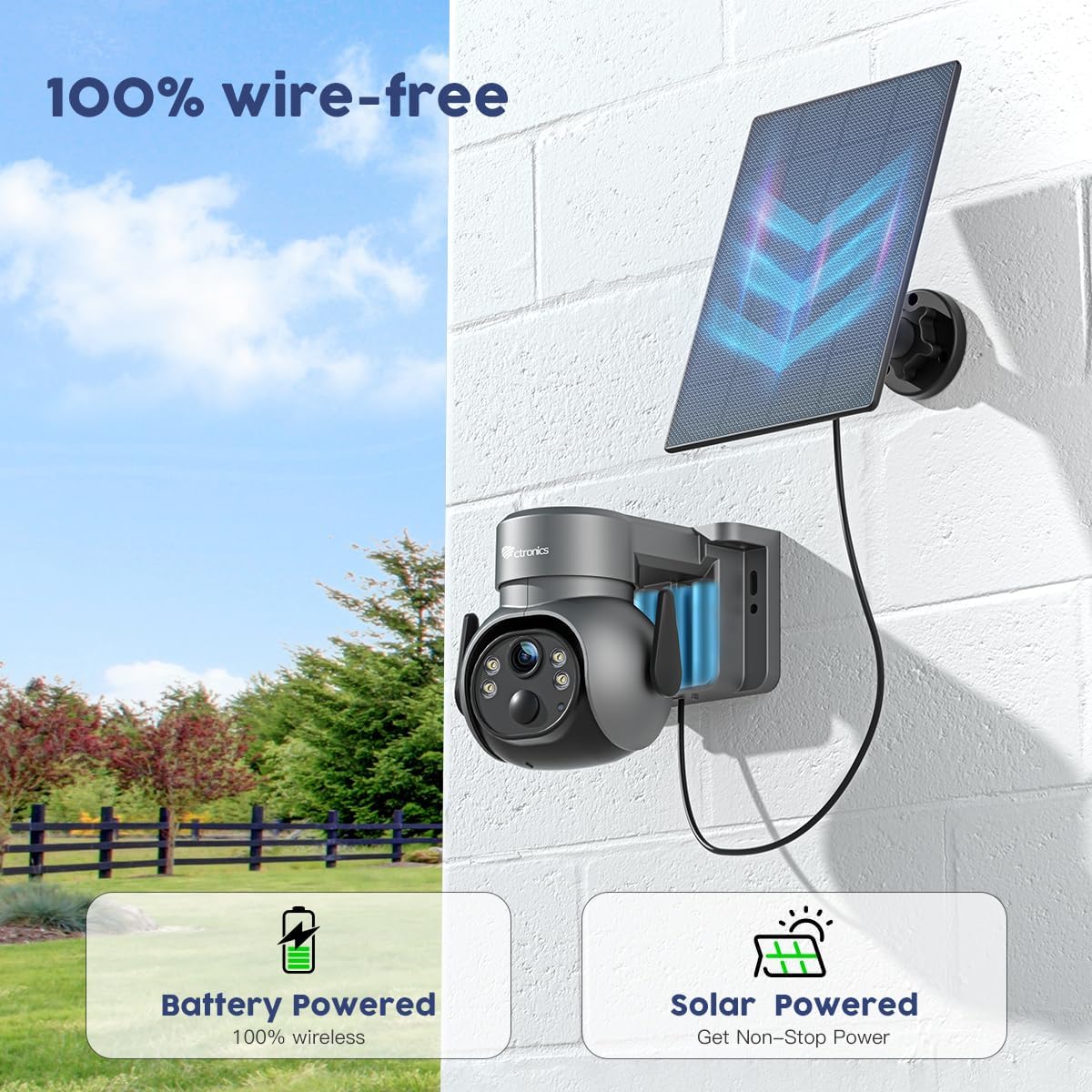
Figure 4: The Ctronics camera demonstrating its 100% wire-free operation, powered by its internal battery and a connected solar panel.
3.3 App Installation and Network Connection
Download the Ctronics app from your smartphone's app store (iOS or Android). Follow the in-app instructions to connect the camera to your Wi-Fi network.
- Download and install the Ctronics app.
- Create an account or log in.
- Tap 'Add Device' and follow the on-screen prompts to pair your camera with the app and connect it to your 2.4GHz Wi-Fi network.
4. Operating Instructions
4.1 Live View and Video Quality
Access the live feed from your camera through the Ctronics app. The camera provides 2.5K 4MP (2560x1440P) resolution for clear monitoring.

Figure 5: Visual comparison demonstrating the clarity of 2.5K 4MP resolution compared to lower resolutions.
4.2 Pan, Tilt, and Digital Zoom
Use the controls within the Ctronics app to remotely adjust the camera's viewing angle. The camera supports 355° horizontal pan and 95° vertical tilt, along with 4X digital zoom.
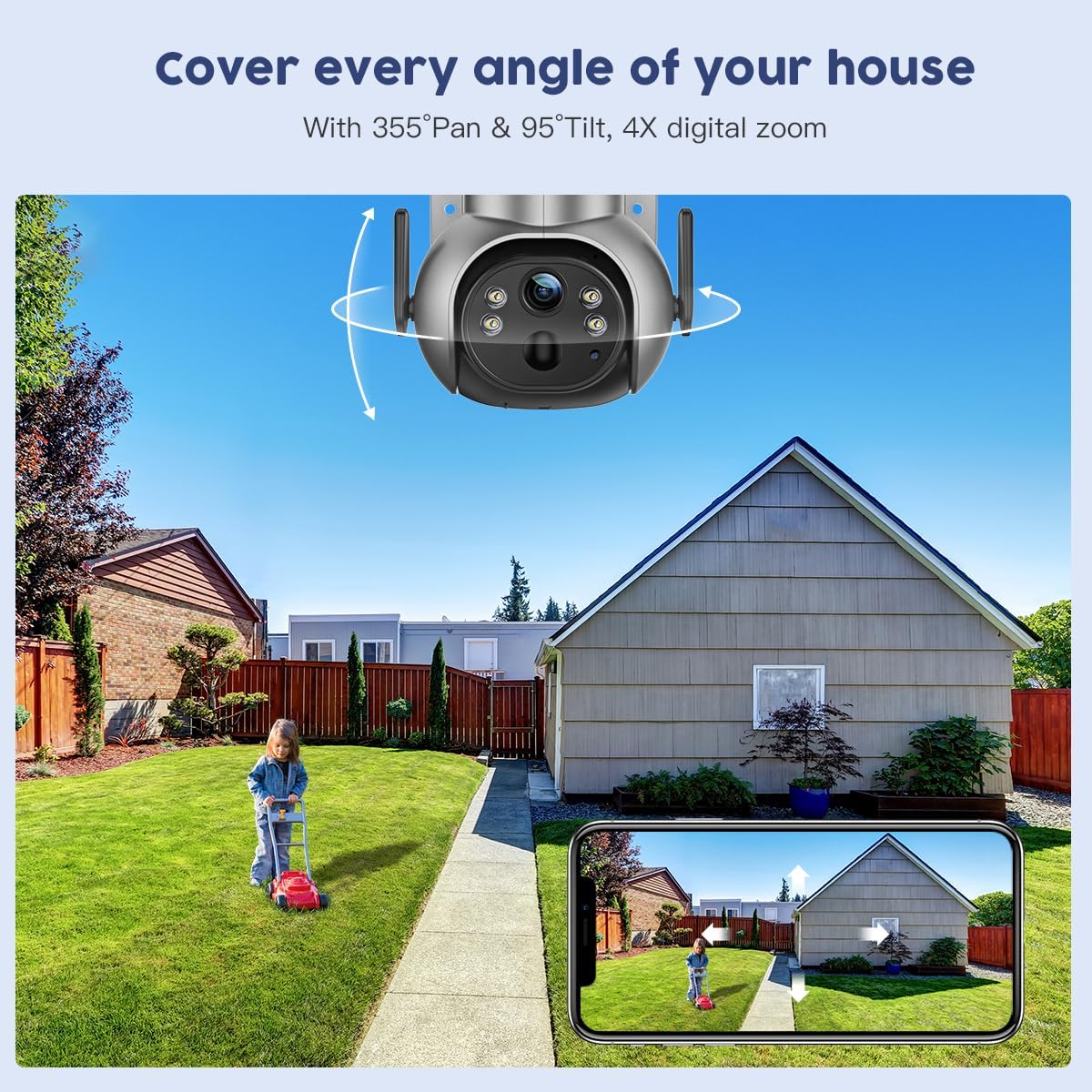
Figure 6: The Ctronics camera illustrating its extensive pan and tilt capabilities to cover a wide area.

Figure 7: An example of the 4X digital zoom feature, allowing closer inspection of details.
4.3 Color Night Vision
The camera is equipped with advanced night vision technology, providing clear, full-color video even in very low light conditions.

Figure 8: The camera's color night vision in action, illuminating a dark outdoor scene.
4.4 PIR Human Detection
The Passive Infrared (PIR) sensor detects human movement, reducing false alarms from pets or inanimate objects. When human motion is detected, the camera will send an alert to your smartphone.

Figure 9: An alert notification on a smartphone indicating human detection by the camera.
4.5 Two-Way Audio
Utilize the built-in microphone and speaker to communicate with individuals near the camera, such as delivery personnel or visitors.

Figure 10: The two-way audio feature allowing remote communication via the smartphone app.
4.6 Recording and Playback
The camera supports local storage via a TF card (up to 128GB, not included) and cloud storage options. Recorded events can be reviewed through the app.

Figure 11: Location of the TF card slot on the camera for local storage.

Figure 12: The Ctronics Cloud interface for reviewing recorded events.
5. Maintenance
5.1 Cleaning the Solar Panel
Regularly clean the surface of the solar panel to ensure maximum charging efficiency. Dust, dirt, or debris can reduce its performance.
- Use a soft, damp cloth to wipe the solar panel.
- Avoid abrasive cleaners or harsh chemicals.
5.2 Weather Resistance
The camera has an IP66 rating, meaning it is protected against dust ingress and powerful water jets. While designed for outdoor use, avoid submerging the camera in water.

Figure 13: The camera operating reliably in rainy conditions, demonstrating its IP66 waterproof rating and operational temperature range.
6. Troubleshooting
| Problem | Possible Cause | Solution |
|---|---|---|
| Camera not powering on | Low battery; Solar panel not charging | Charge the camera via USB; Ensure solar panel is clean and in direct sunlight. |
| Cannot connect to Wi-Fi | Incorrect Wi-Fi password; Camera too far from router; Only 5GHz Wi-Fi available | Verify password; Move camera closer to router; Ensure you are connecting to a 2.4GHz network. |
| Frequent false alarms | PIR sensitivity too high; Non-human motion triggering alerts | Adjust PIR sensitivity in the app; Ensure human detection is enabled. |
| No recording to TF card | TF card full or not inserted correctly; Card not formatted | Check TF card insertion; Format card in app; Replace if full or corrupted. |
For further assistance, please contact Ctronics customer support.
7. Specifications
| Feature | Detail |
|---|---|
| Model Number | CTIPC-690C |
| Video Capture Resolution | 4 MP (2.5K) |
| Connectivity Protocol | Wi-Fi (2.4GHz) |
| Power Source | Battery Powered, Solar Powered |
| Battery Power | 5000 Milliampere Hour (mAh) |
| Pan/Tilt Range | 355° Pan, 95° Tilt |
| Digital Zoom | 4X |
| Night Vision | Color Night Vision |
| Detection | PIR Human Detection |
| Audio | Two-Way Audio |
| International Protection Rating | IP66 |
| Storage Options | TF Card (up to 128GB), Cloud Storage |
| Product Dimensions | 6.69 x 4.72 x 1.18 inches |
| Item Weight | 2.24 pounds |
8. Warranty and Support
For warranty information, technical support, or any inquiries regarding your Ctronics product, please refer to the official Ctronics website or contact their customer service directly. Contact details are typically provided on the product packaging or within the Ctronics app.
Related documentsCTIPC-690C


Ask a question about this manual
Ask about setup, troubleshooting, compatibility, parts, safety, or missing instructions. Manuals+ will review the question and use this page’s manual context to help answer it.