
Soundcore Rave Neo 2
Soundcore Anker Rave Neo 2 Portable Speaker User Manual
Model: Rave Neo 2 (A33A1)
Introduction
This manual provides instructions for the Soundcore Anker Rave Neo 2 Portable Speaker. It covers setup, operation, maintenance, and troubleshooting to ensure optimal performance and longevity of your device.
Package Contents
- Soundcore Rave Neo 2 Portable Speaker
- Power Cable
Note: Other accessories may be sold separately.
Controls and Indicators
Familiarize yourself with the speaker's buttons and ports for proper operation.

Image description: Front view of the Soundcore Rave Neo 2 portable speaker with active, colorful LED lights and a blue carrying strap.
Button Functions
- Power Button: Press and hold for 2 seconds to power on/off.
- Bluetooth Button: Press to enter Bluetooth pairing mode.
- Volume Up/Down Buttons: Adjust audio volume.
- Play/Pause Button: Control audio playback.
- Light Mode Button: Cycle through various light effects.
- BassUp Button: Activate or deactivate BassUp technology for enhanced bass.
- PartyCast Button: Initiate PartyCast pairing for multi-speaker connection.
Ports
- USB-C Charging Port: For charging the speaker.
- USB-A Port: For charging external devices.
Charging Your Speaker
Before first use, fully charge the speaker.
- Connect the provided power cable to the USB-C charging port on the speaker and to a compatible power adapter (not included).
- The charging indicator will show charging status.
- A full charge provides approximately 18 hours of playtime.
Image description: Close-up of the speaker's charging port, typically located under a protective flap (represented by the main product image as no specific port image is available).
Setup
Bluetooth Pairing
- Power on the Soundcore Rave Neo 2 speaker.
- The Bluetooth indicator will flash, indicating it is ready for pairing.
- On your mobile device, enable Bluetooth and select "Soundcore Rave Neo 2" from the list of available devices.
- Once connected, the Bluetooth indicator will glow solid.
PartyCast 2.0 (Wireless Stereo Pairing)
Connect multiple Soundcore PartyCast 2.0 compatible speakers for synchronized audio and light shows.
- Ensure all speakers are powered on.
- On the primary speaker, press the PartyCast button. The indicator will flash.
- On the secondary speakers, press the PartyCast button. They will connect to the primary speaker.
- Once connected, the PartyCast indicators on all speakers will glow solid.

Image description: Several Soundcore Rave Neo 2 speakers wirelessly connected, demonstrating the PartyCast 2.0 feature.
Soundcore App Control
Download the Soundcore app from your device's app store to unlock additional features, customize EQ settings, light modes, and access party games.
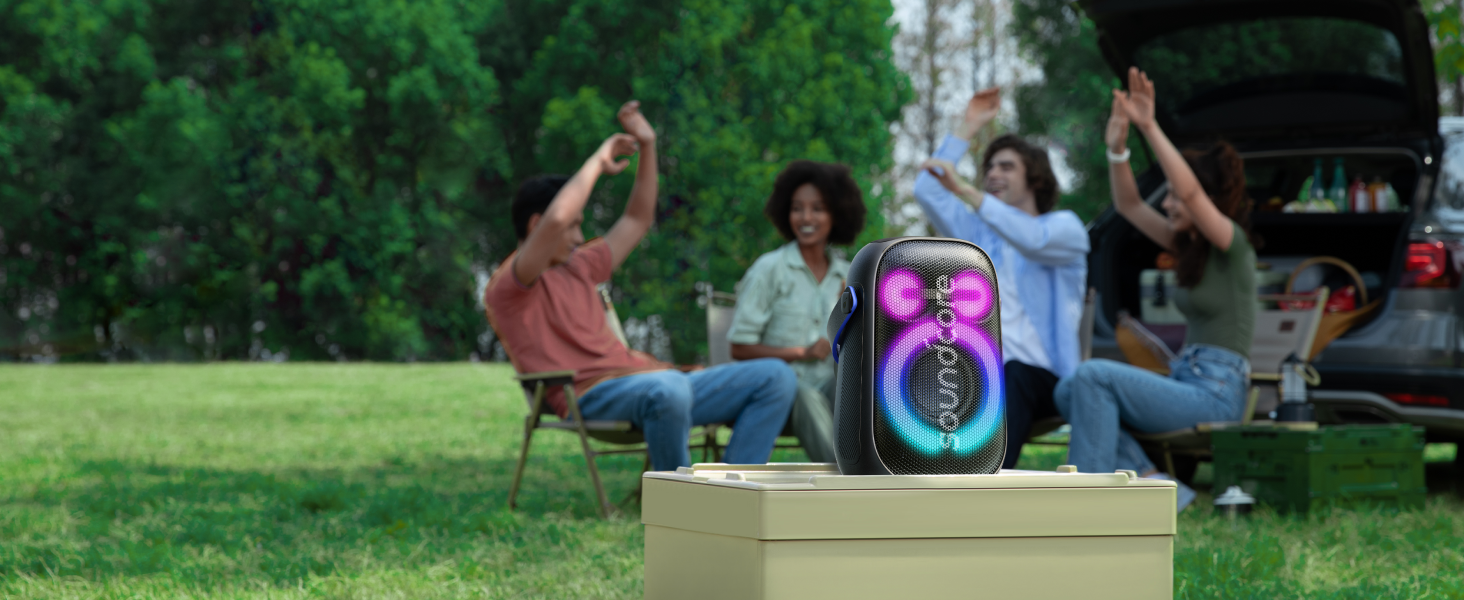
Image description: A smartphone displaying the Soundcore app interface, showing options for EQ and light customization.
Operation
Power On/Off
Press and hold the power button for 2 seconds to turn the speaker on or off.
Audio Playback
After connecting via Bluetooth, play audio from your device. Use the Play/Pause button to control playback and Volume Up/Down buttons to adjust volume.
Light Show
Press the Light Mode button to cycle through various integrated light effects that synchronize with your music.

Image description: The Soundcore Rave Neo 2 speaker displaying its dynamic light show in a low-light environment.
BassUp Technology
Press the BassUp button to activate or deactivate the BassUp feature, which enhances low-frequency audio for a more powerful bass experience.
Waterproof Functionality (IPX7)
The speaker is IPX7 waterproof, meaning it can be submerged in up to 1 meter of water for 30 minutes. Ensure all port covers are securely closed before exposure to water. The speaker is designed to float on water.

Image description: The Soundcore Rave Neo 2 speaker floating on the surface of water, demonstrating its IPX7 waterproof rating.
Maintenance
Cleaning
Use a soft, damp cloth to clean the speaker's exterior. Do not use abrasive cleaners or solvents.
Storage
Store the speaker in a cool, dry place away from direct sunlight and extreme temperatures.
Troubleshooting
Speaker will not power on.
- Ensure the battery is charged. Connect the speaker to a power source and try again.
Cannot pair with Bluetooth device.
- Ensure the speaker is in Bluetooth pairing mode (indicator flashing).
- Move the speaker closer to your device.
- Forget "Soundcore Rave Neo 2" from your device's Bluetooth list and try pairing again.
Audio distortion or low volume.
- Adjust the volume on both the speaker and your connected device.
- Ensure the speaker is not obstructed.
- Check EQ settings in the Soundcore app.
PartyCast connection issues.
- Ensure all speakers are PartyCast 2.0 compatible.
- Place speakers within close proximity during pairing.
- Reset Bluetooth connections on all speakers and try PartyCast pairing again.
Specifications
| Feature | Detail |
|---|---|
| Brand | Soundcore |
| Model Name | Rave Neo 2 |
| Speaker Maximum Output Power | 80 Watts |
| Connectivity Technology | Bluetooth |
| Water Resistance Level | IPX7 Waterproof |
| Playtime | 18 Hours |
| Control Method | App |
| Product Dimensions | 7.8"D x 11.8"W x 6.1"H |
| Item Weight | 1.76 pounds (800 Grams) |
| Included Components | Power Cable |
| Batteries | 4 Lithium Ion batteries (included) |
| Maximum Range | 15 Meters |
| Audio Output Mode | Stereo |
| Woofer Diameter | 4 Inches |
| Tweeter Diameter | 2 Inches |
| Frequency Response | 53 Hz |
| Supported Internet Services | Spotify, Apple Music, Amazon Music, other Bluetooth-compatible services |
Safety Information
- Do not expose to extreme temperatures.
- Do not disassemble or modify the device.
- Keep away from children.
- Use only specified chargers/cables.
- Ensure port covers are sealed when near water.
For detailed safety guidelines, refer to the official Soundcore website.
Warranty and Support
The Soundcore Rave Neo 2 Portable Speaker comes with a limited warranty. For warranty details, technical support, or customer service, please visit the official Soundcore website or contact their customer support.
Related documentsRave Neo 2


Ask a question about this manual
Ask about setup, troubleshooting, compatibility, parts, safety, or missing instructions. Manuals+ will review the question and use this page’s manual context to help answer it.