1. Introduction
Thank you for purchasing the Retekess TR636 Boombox CD Player. This versatile audio system combines a CD player, AM/FM radio, Bluetooth connectivity, USB playback, and AUX input, offering a comprehensive listening experience. Designed for both indoor and portable use, it can be powered by AC or batteries. This manual provides detailed instructions for setup, operation, and maintenance to ensure optimal performance and longevity of your device.

Image 1.1: The Retekess TR636 Boombox CD Player shown with its remote control, highlighting its compact design and various input options.
2. Package Contents
Please check the package carefully to ensure all items are present and in good condition.
- 1x Retekess TR636 CD radio
- 1x AC power cable
- 1x Remote control
- 1x English manual

Image 2.1: Visual representation of the items included in the Retekess TR636 package: the boombox, AC power cable, remote control, and user manual.
3. Product Features
- Bluetooth Connectivity: Seamlessly connect your phone, tablet, or other Bluetooth-enabled devices for wireless audio streaming.
- Powerful Stereo Speakers: Equipped with two built-in speakers for a smooth and immersive stereo audio experience across all modes.
- Multi-functional Remote Control: Easily switch between CD, USB, AUX, and Radio modes, set AB repeat, program functions, and activate the sleep timer. Note: The remote does not support power on/off or volume adjustment.
- Multiple Playback Modes: Supports CD/CDR/CD-RW/MP3/WMA formats. Also features USB and AUX input for versatile music playback.
- AM/FM Stereo Tuner: Tune into your favorite radio stations for news, sports, and talk shows.
- Dual Power Options: Operates on AC power (cable included) for indoor use or 4 C batteries (not included) for portability.
- 3.5mm Headphone Jack: Enjoy private listening without disturbing others.
- User-Friendly Operation: Designed with clearly labeled, easy-to-use buttons suitable for all ages.
- Power-Off Memory Function: Retains adjusted settings even after the device is powered off and rebooted (for CD and USB modes).

Image 3.1: Illustration showing the full-range stereo sound output from the Retekess TR636, emphasizing its audio capabilities across CD, Radio, USB, and AUX modes.
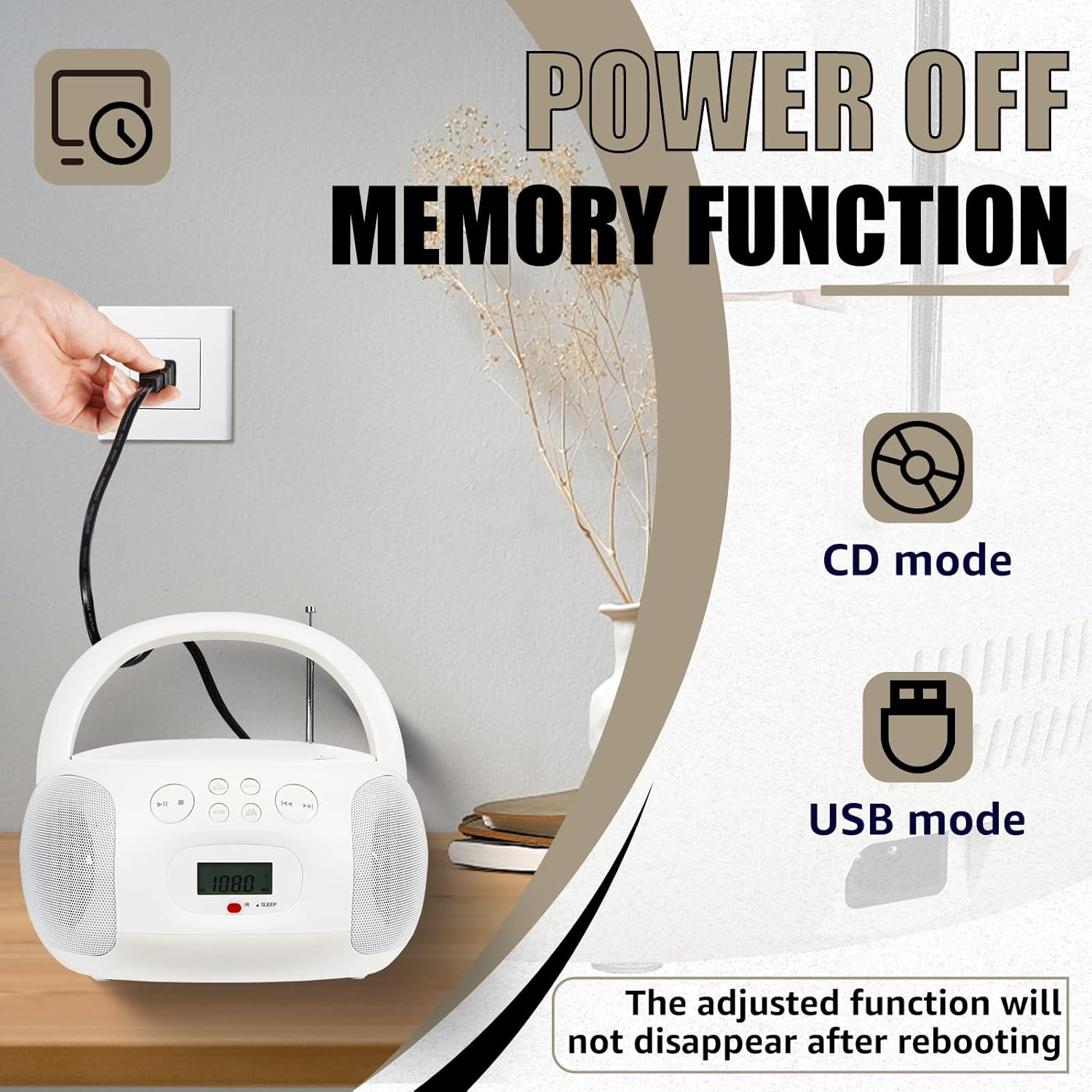
Image 3.2: Depiction of the power-off memory function, indicating that settings for CD and USB modes are retained after power cycles.
4. Setup
4.1 Power Supply
The Retekess TR636 offers two power options:
- AC Power: Connect the included AC power cable to the AC IN jack on the back of the unit and plug the other end into a standard wall outlet.
- Battery Power: For portable use, open the battery compartment on the bottom of the unit and insert 4 "C" size batteries (not included), ensuring correct polarity (+/-).
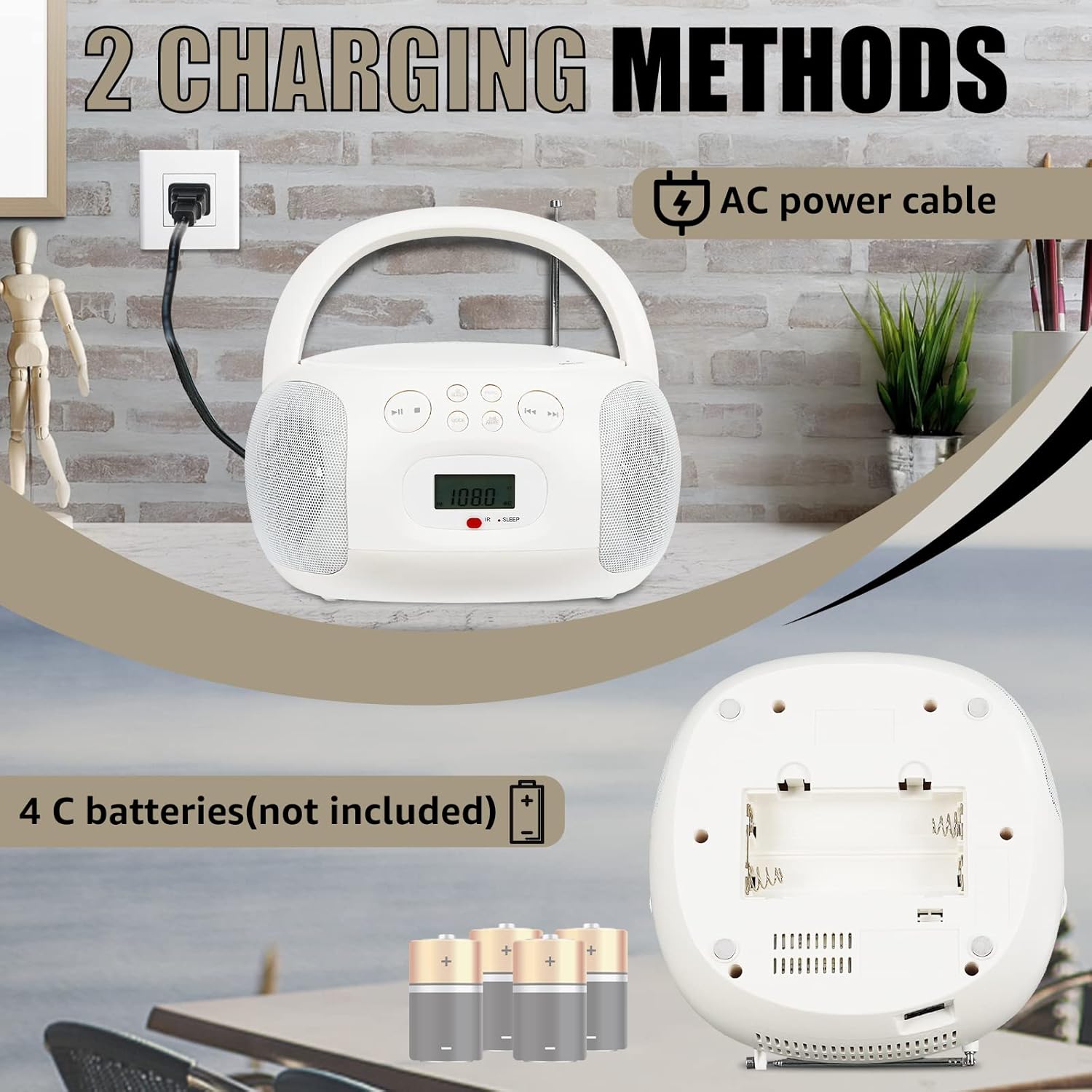
Image 4.1: Visual guide demonstrating the two charging methods: connecting via AC power cable and inserting 4 C batteries into the compartment.
4.2 Antenna Adjustment
For optimal FM radio reception, fully extend the telescopic antenna. For AM reception, the unit has a built-in ferrite bar antenna, so simply rotate the unit for the best signal.
4.3 Remote Control Battery Installation
Insert 2 AAA batteries (not included) into the remote control, observing the correct polarity.
5. Operating Instructions
5.1 Basic Controls
Familiarize yourself with the buttons on the unit and the remote control. The main functions include Power, Mode, Play/Pause, Stop, Skip/Search, Volume, and Tuning.

Image 5.1: Overview of the multi-functional remote control, illustrating its various buttons for mode selection, playback control, and sleep timer.
5.2 CD Playback
- Open the CD compartment cover.
- Place a CD (CD/CDR/CD-RW/MP3/WMA format) onto the spindle with the label side facing up.
- Close the CD compartment cover.
- Press the MODE button until "CD" mode is selected.
- The CD will begin playing automatically. Use the Play/Pause, Stop, and Skip/Search buttons for control.
- Use the REPEAT button on the remote to cycle through repeat modes (e.g., repeat one, repeat all).
- Use the PROG button on the remote to program a custom playback order.

Image 5.2: A hand demonstrating the process of inserting a CD into the boombox's CD compartment.

Image 5.3: Visual representation of song play mode options including random play, list play, and single cycle, available during CD or USB playback.
5.3 Radio Operation (AM/FM)
- Press the MODE button until "RADIO" mode is selected.
- Press the AM/FM button on the unit or remote to switch between AM and FM bands.
- Use the TUNING knob or the TUNING +/- buttons on the remote to manually tune to your desired station.
- For better FM reception, extend the telescopic antenna. For AM, rotate the unit.

Image 5.4: The boombox receiving FM/AM radio signals, indicating its capability to tune into various broadcasts.
5.4 Bluetooth Pairing
- Press the MODE button until "BT" or "Bluetooth" mode is selected. The display will show "BT" and a blinking Bluetooth icon, indicating it's ready for pairing.
- On your Bluetooth-enabled device (smartphone, tablet, etc.), enable Bluetooth and search for available devices.
- Select "TR636" from the list of devices.
- Once paired, the Bluetooth icon on the boombox display will stop blinking and remain solid. You can now stream audio wirelessly from your device.

Image 5.5: A smartphone connecting to the Retekess TR636 via Bluetooth 5.0, illustrating the wireless audio streaming capability.
5.5 USB Playback
- Insert a USB flash drive (up to 64GB, containing MP3/WMA files) into the USB port on the unit.
- Press the MODE button until "USB" mode is selected.
- The unit will automatically detect and begin playing audio files from the USB drive.
- Use the Play/Pause, Stop, and Skip/Search buttons for control.

Image 5.6: The boombox connected to a USB flash drive, demonstrating its USB/AUX player mode and highlighting the maximum supported USB capacity.
5.6 AUX Input
- Connect an external audio device (e.g., smartphone, MP3 player, computer) to the AUX IN jack on the unit using a 3.5mm audio cable (not included).
- Press the MODE button until "AUX" mode is selected.
- Audio from the connected device will now play through the boombox speakers. Control playback from your external device.
5.7 Sleep Timer
The sleep timer allows the unit to automatically turn off after a set period. Press the SLEEP button on the remote control repeatedly to cycle through available sleep times (e.g., 15, 30, 45, 60, 90 minutes, OFF).

Image 5.7: The boombox displaying the sleep timer setting, indicating its automatic shut-off feature.
6. Maintenance
- Cleaning: Use a soft, dry cloth to clean the exterior of the unit. Do not use abrasive cleaners or solvents.
- CD Lens Care: If CD playback issues occur, use a commercially available CD lens cleaner disc to clean the laser lens.
- Storage: When not in use for extended periods, remove batteries and store the unit in a cool, dry place away from direct sunlight and extreme temperatures.
- Ventilation: Ensure proper ventilation around the unit to prevent overheating. Do not block ventilation openings.
7. Troubleshooting
| Problem | Possible Cause | Solution |
|---|---|---|
| No power | AC cable not connected; Batteries depleted or incorrectly inserted. | Ensure AC cable is securely plugged in. Replace batteries or check polarity. |
| No sound | Volume too low; Mute function active; Incorrect mode selected. | Increase volume. Press MUTE button on remote. Select correct input mode (CD, Radio, BT, USB, AUX). |
| CD skips or doesn't play | CD is dirty, scratched, or inserted incorrectly; Lens is dirty. | Clean or replace CD. Reinsert CD correctly. Use a CD lens cleaner. |
| Poor radio reception | Antenna not extended (FM); Unit position (AM); Weak signal. | Fully extend FM antenna. Rotate unit for AM. Try moving the unit to a different location. |
| Bluetooth not pairing | Boombox not in BT mode; Device Bluetooth off; Device too far. | Ensure boombox is in BT mode. Enable Bluetooth on your device. Move device closer to the boombox. |
| Remote control not working | Batteries depleted or incorrectly inserted; Obstruction between remote and unit. | Replace remote batteries, check polarity. Remove any obstructions. Ensure remote is pointed at the unit's IR sensor. |
8. Specifications
| Feature | Detail |
|---|---|
| Brand | Retekess |
| Model Number | F9270B |
| Product Dimensions | 8.54 x 8.31 x 4.49 inches |
| Item Weight | 2.67 pounds |
| Connectivity Technology | Auxiliary, Bluetooth, USB |
| Color | White |
| Speaker Type | Built-In |
| Power Source | AC (cable included), 4 x C batteries (not included) |
| Supported CD Formats | CD/CDR/CD-RW/MP3/WMA |
| Headphone Jack | 3.5mm Standard |
9. Warranty and Support
Retekess products are designed for reliability and performance. For any questions, technical support, or warranty inquiries regarding your Retekess TR636 Boombox CD Player, please contact Retekess customer service.
You can find contact information and further support resources on the official Retekess website or through your original point of purchase. Please have your model number (F9270B) and purchase details ready when contacting support.


