
1. Introduction
Thank you for choosing the ACEFAST M2 Sparkling Series 20000mAh 30W Power Bank. This manual provides essential information for the safe and efficient use of your device. Please read it carefully before use and retain it for future reference.
The ACEFAST M2 Power Bank is a high-capacity portable charger designed to provide fast and reliable power to your electronic devices on the go. Featuring a transparent design, 20000mAh capacity, and 30W fast charging capabilities, it is an ideal companion for smartphones, tablets, and other USB-powered gadgets.
2. Safety Information
- Do not expose the power bank to extreme temperatures (above 60°C or below 0°C), direct sunlight, or fire.
- Avoid dropping, impacting, or disassembling the device.
- Keep the power bank away from water, moisture, and corrosive liquids.
- Do not use the power bank if it is damaged, swollen, or leaking.
- Use only certified charging cables and adapters.
- Keep out of reach of children.
- Dispose of the power bank according to local regulations; do not dispose of it with household waste.
3. Package Contents
- ACEFAST M2 Sparkling Series 20000mAh 30W Power Bank
- USB Charging Cable (Type-C)
- User Manual
4. Product Overview
The ACEFAST M2 Power Bank features a transparent casing, allowing a glimpse into its internal components. It is equipped with a digital display to show the remaining battery percentage and charging status.

Image: The ACEFAST M2 Power Bank showcasing its transparent design in various colors (grey, pink, purple, green).
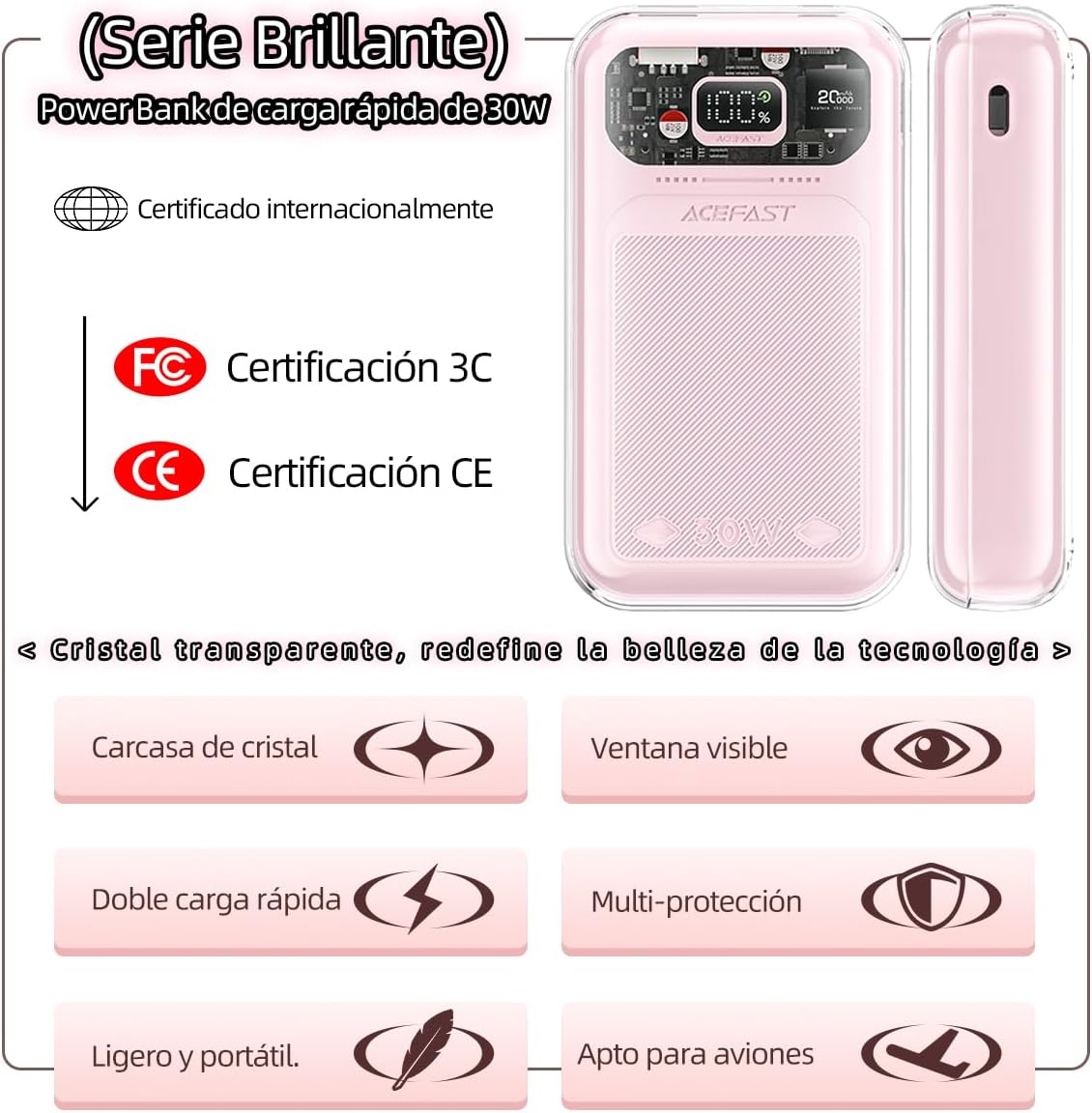
Image: Key features of the ACEFAST M2 Power Bank, including 30W fast charging, international certifications (FC, CE), transparent crystal casing, visible window, dual fast charging, multi-protection, lightweight and portable design, and suitability for air travel.
Ports and Indicators:
- USB-C Port: Used for both charging the power bank and charging external devices. Supports 30W fast charging.
- USB-A Port: Used for charging external devices. Supports up to 22.5W fast charging.
- Digital Display: Shows the current battery percentage and charging status.
5. Setup
Initial Charging of the Power Bank:
- Before first use, fully charge your ACEFAST M2 Power Bank.
- Connect the provided USB-C cable to the USB-C port on the power bank.
- Connect the other end of the USB-C cable to a compatible wall charger (not included). For optimal charging speed, use a 30W or higher power adapter.
- The digital display will show the charging progress. The power bank is fully charged when the display shows 100%.

Image: Comparison showing the ACEFAST M2 Power Bank's 30W fast input charging, allowing it to fully recharge in 2-3 hours, significantly faster than common power banks (3-4 hours).
6. Operating Instructions
Charging External Devices:
- Connect your device's charging cable to either the USB-C or USB-A output port on the power bank.
- Connect the other end of the cable to your device.
- The power bank will automatically begin charging your device. The digital display will show the remaining battery percentage.
- To stop charging, simply disconnect your device from the power bank.

Image: Illustrates the fast input and output charging capability of the ACEFAST M2 Power Bank, demonstrating 3X faster charging for connected devices.
Understanding the Digital Display:
- The large number indicates the remaining battery percentage of the power bank.
- A lightning bolt icon or similar indicator may appear when the power bank is actively charging a device or being recharged itself.
7. Maintenance
- Cleaning: Wipe the power bank with a soft, dry cloth. Do not use abrasive cleaners or solvents.
- Storage: Store the power bank in a cool, dry place away from direct sunlight and extreme temperatures. For long-term storage, charge the power bank to approximately 50-70% every three months to maintain battery health.
- Battery Care: To prolong battery life, avoid fully discharging the power bank frequently.
8. Troubleshooting
Common Issues and Solutions:
- Power bank not charging:
- Ensure the charging cable is securely connected to both the power bank and the wall adapter.
- Try a different USB-C cable or wall adapter.
- Check if the wall adapter is functioning correctly.
- Device not charging from power bank:
- Ensure the power bank has sufficient charge.
- Check if the charging cable connecting the device to the power bank is working and securely connected.
- Try a different output port (USB-C or USB-A).
- Some devices may require a specific charging protocol; ensure compatibility.
- Slow charging:
- Ensure you are using a fast-charging compatible cable and device.
- For recharging the power bank, use a 30W PD (Power Delivery) compatible wall adapter.
Built-in Safety Protections:
The ACEFAST M2 Power Bank is equipped with multiple safety features to ensure safe operation:
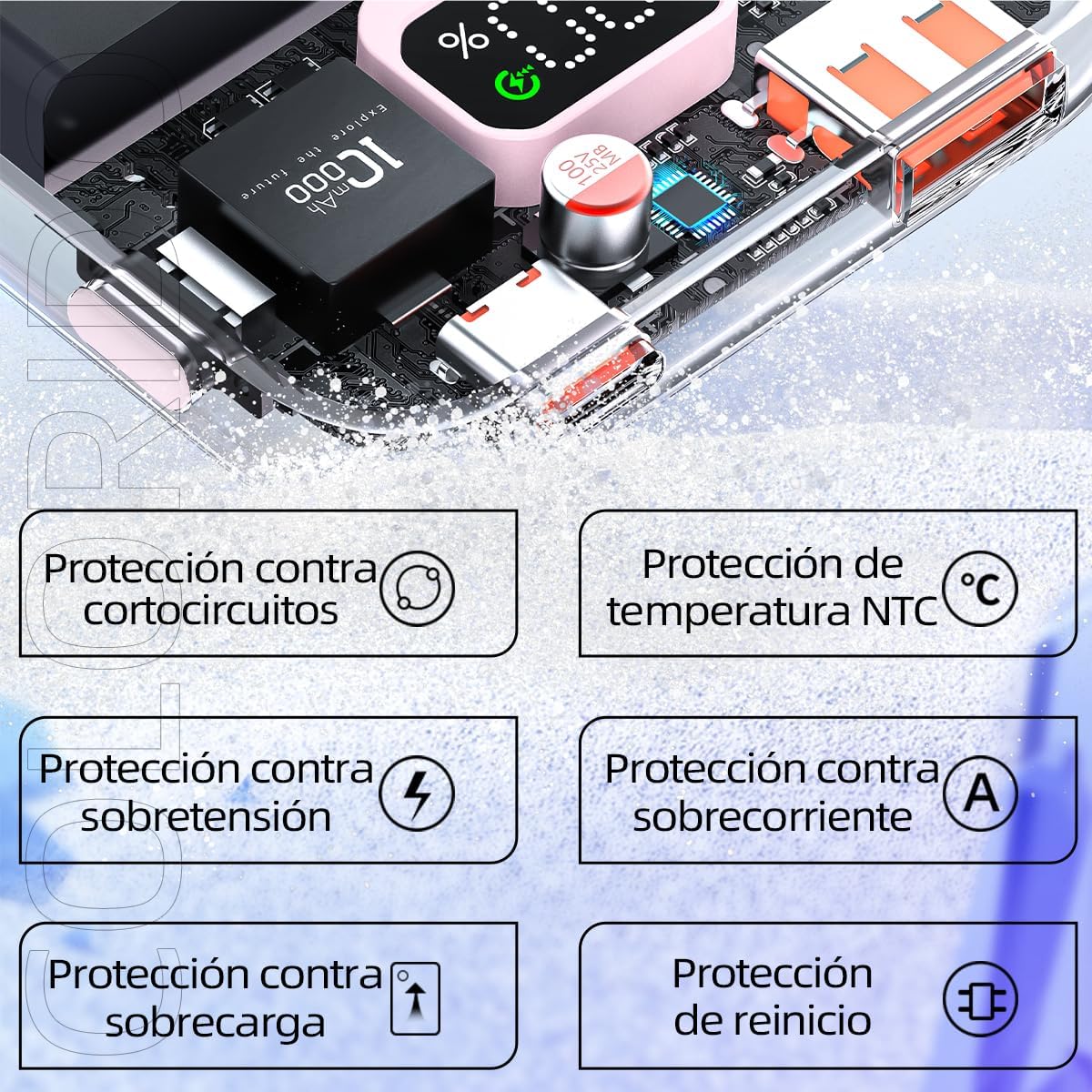
Image: Diagram illustrating the various safety protections integrated into the ACEFAST M2 Power Bank, including short-circuit protection, NTC temperature protection, over-voltage protection, over-current protection, overcharge protection, and reset protection.
- Short-circuit Protection: Prevents damage from short circuits.
- NTC Temperature Protection: Monitors and regulates internal temperature to prevent overheating.
- Over-voltage Protection: Safeguards against excessive voltage input/output.
- Over-current Protection: Protects against excessive current flow.
- Overcharge Protection: Prevents battery damage from overcharging.
- Reset Protection: Allows the device to recover from abnormal states.
9. Specifications

Image: Detailed specifications table for the ACEFAST M2 Power Bank, including brand, model, capacity, material, dimensions, weight, and input/output power for USB-C and USB-A ports.
| Feature | Specification |
|---|---|
| Brand | ACEFAST |
| Model | M2 |
| Capacity | 20000mAh |
| Material | Fireproof PC + ABS |
| Dimensions | 129 x 74 x 31 mm |
| Weight | 373g |
| USB-C1 Input | 5V/3A, 9V/3A, 12V/2.5A, 15V/2A, 20V/1.5A (Max 30W) |
| USB-C1 Output | 5V/3A, 9V/3A, 12V/2.5A, 15V/2A, 20V/1.5A (PPS: 3.3V-11V/3A, 3.3V-16V/2A) |
| USB-A1 Output | 4.5V/5A, 5V/4.5A, 5V/3A, 9V/2A, 12V/1.5A (Max 22.5W) |
| Special Feature | Slim Design, Transparent Casing |
| Recommended Use | Smartphone, Tablet, USB-powered devices |

Image: Details on USB-C and USB-A port compatibility, showing support for various fast charging protocols like Apple 2.4A, Samsung 5V2A, DCP, QC3.0/QC4+, AFC, FCP, SCP, PD2.0/PD3.0. Data tested in ACEFAST laboratory.

Image: Illustrates the compact size of the ACEFAST M2 Power Bank, showing it is approximately 35% smaller than an iPhone 14 Pro Max, highlighting its portability.
10. Warranty and Support
ACEFAST products are designed and manufactured to the highest quality standards. For information regarding warranty coverage, technical support, or customer service, please refer to the warranty card included in your package or visit the official ACEFAST website.
Please retain your proof of purchase for warranty claims.

