
ieGeek ZS-GX7S
ieGeek Wireless Indoor Camera ZS-GX7S User Manual
Model: ZS-GX7S | Brand: ieGeek
1. Introduction
This manual provides detailed instructions for the setup, operation, and maintenance of your ieGeek Wireless Indoor Camera ZS-GX7S. This device is designed to enhance home security, monitor babies, or keep an eye on pets with its 1080P video, two-way audio, and motion detection capabilities. Please read this manual thoroughly before use to ensure proper functionality and safety.
2. Package Contents
Verify that all items are present in your package:
- Wireless Indoor Camera (x2)
- Stand (x2)
- Nuts
- Screws
- USB C Power Cable (x2)
3. Product Overview
The ieGeek ZS-GX7S is a compact, battery-powered indoor security camera offering a range of features for comprehensive monitoring.

Figure 3.1: ieGeek Wireless Indoor Camera ZS-GX7S
Key Features:
- 1080P Full HD Video: Provides clear, high-definition video resolution.
- Wire-Free Operation: Built-in 2400mAh rechargeable battery for flexible placement without power cables.
- Advanced Night Vision: Equipped with 850nm infrared lights for clear vision up to 30 feet in low light or total darkness.
- PIR Motion Detection & AI Human Shape Detection: Reduces false alarms by distinguishing human movement from pets or other objects.
- Two-Way Audio: Built-in microphone and speaker for real-time communication.
- Built-in Siren: Manual siren function to deter intruders.
- Multiple Recording Modes: Supports motion event recording and 24/7 continuous recording (requires constant power).
- Local & Cloud Storage: Supports Micro SD card up to 128GB (not included) and ieGeek Cloud storage options.
- Amazon Alexa Compatibility: Integrate with Alexa for voice control and live view on compatible devices.

Figure 3.2: ieGeek ZS-GX7S Feature Overview
4. Setup
4.1 Charging the Camera
Before initial use, fully charge the camera using the provided USB-C power cable. A full charge can provide up to 90 days of battery life under typical usage (30-40 triggers per day).

Figure 4.1: Camera Battery Life
4.2 App Installation and Camera Pairing
- Download the ieGeek Cam APP from your smartphone's app store (iOS or Android).
- Register for an account and log in.
- Follow the in-app instructions to add your camera. This typically involves scanning a QR code on the camera and connecting it to your 2.4GHz Wi-Fi network.
- Ensure your phone and camera are near your Wi-Fi router during the initial setup for a stable connection.
Video 4.2: Demonstrates the ieGeek Wireless Indoor Camera ZS-GX7S, highlighting its compact size, flexible placement options, 1080P resolution, PIR sensor, two-way audio, and battery life. It also shows the simple app interface and various installation methods.

Figure 4.3: Easy Installation Steps
4.3 Camera Placement
The compact and wire-free design allows for versatile placement. You can place it on a flat surface, or use the included stand and adhesive pads/screws to mount it on a wall, ceiling, or shelf.

Figure 4.4: Flexible Camera Placement Options

Figure 4.5: Using the Camera as a Mobile Device
5. Operating the Camera
5.1 Live View and Video Quality
Access the live feed from your camera through the ieGeek Cam APP. The camera provides crystal-clear 1080P Full HD video. You can digitally zoom in on the live view for more detail.

Figure 5.1: 1080P Day and Night Vision
Night Vision:
The camera automatically switches to night vision mode in low light conditions, utilizing two 850nm infrared lights to provide clear black and white images up to 30 feet.
5.2 Two-Way Audio
Use the built-in microphone and speaker to communicate with family, pets, or visitors directly through the ieGeek Cam APP. This feature allows for real-time interaction.
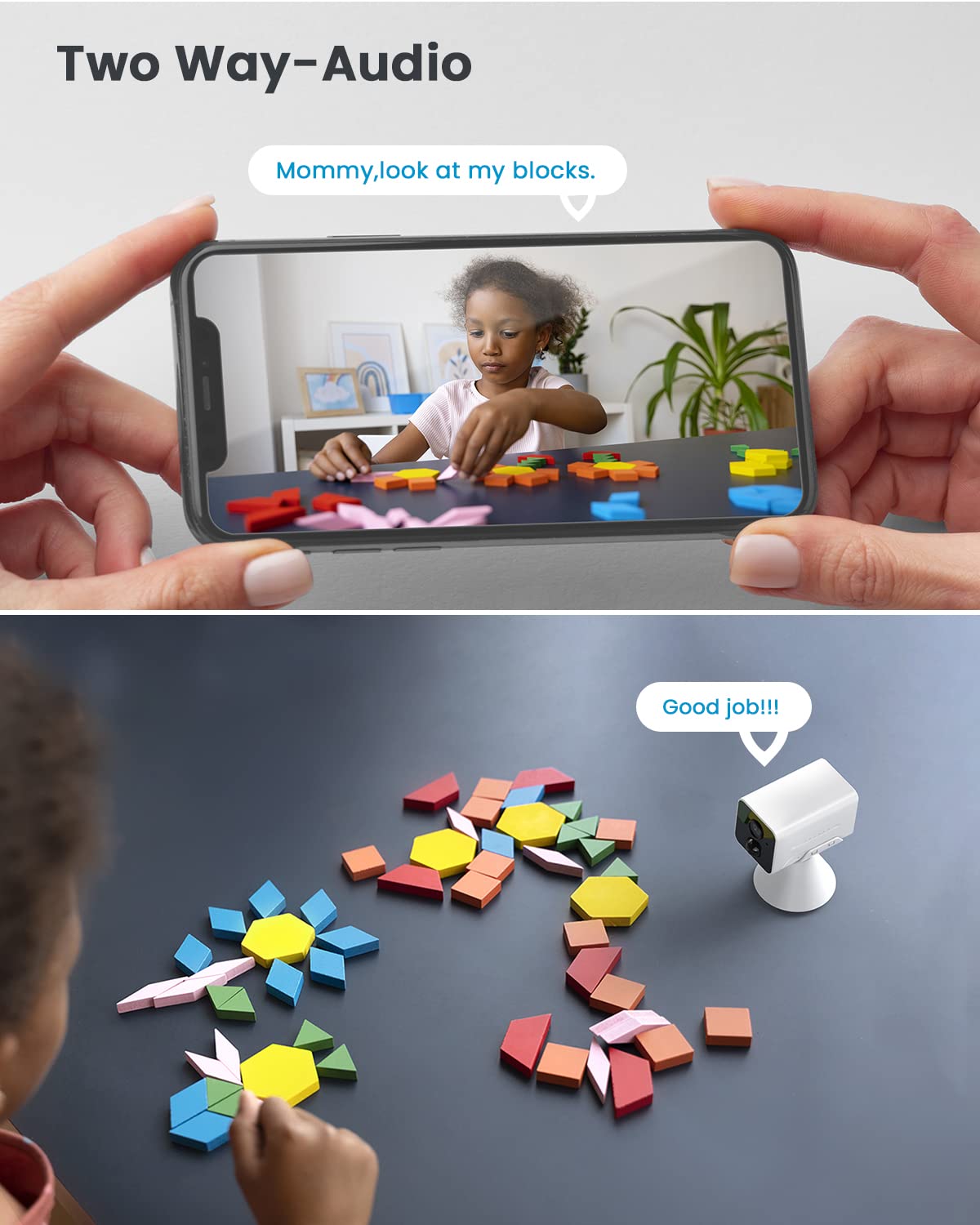
Figure 5.2: Two-Way Audio Functionality
5.3 Motion Detection and Alerts
The camera features a PIR sensor combined with AI human shape detection to accurately identify human movement and minimize false alarms from pets or environmental changes. When motion is detected, you will receive instant notifications on your phone.
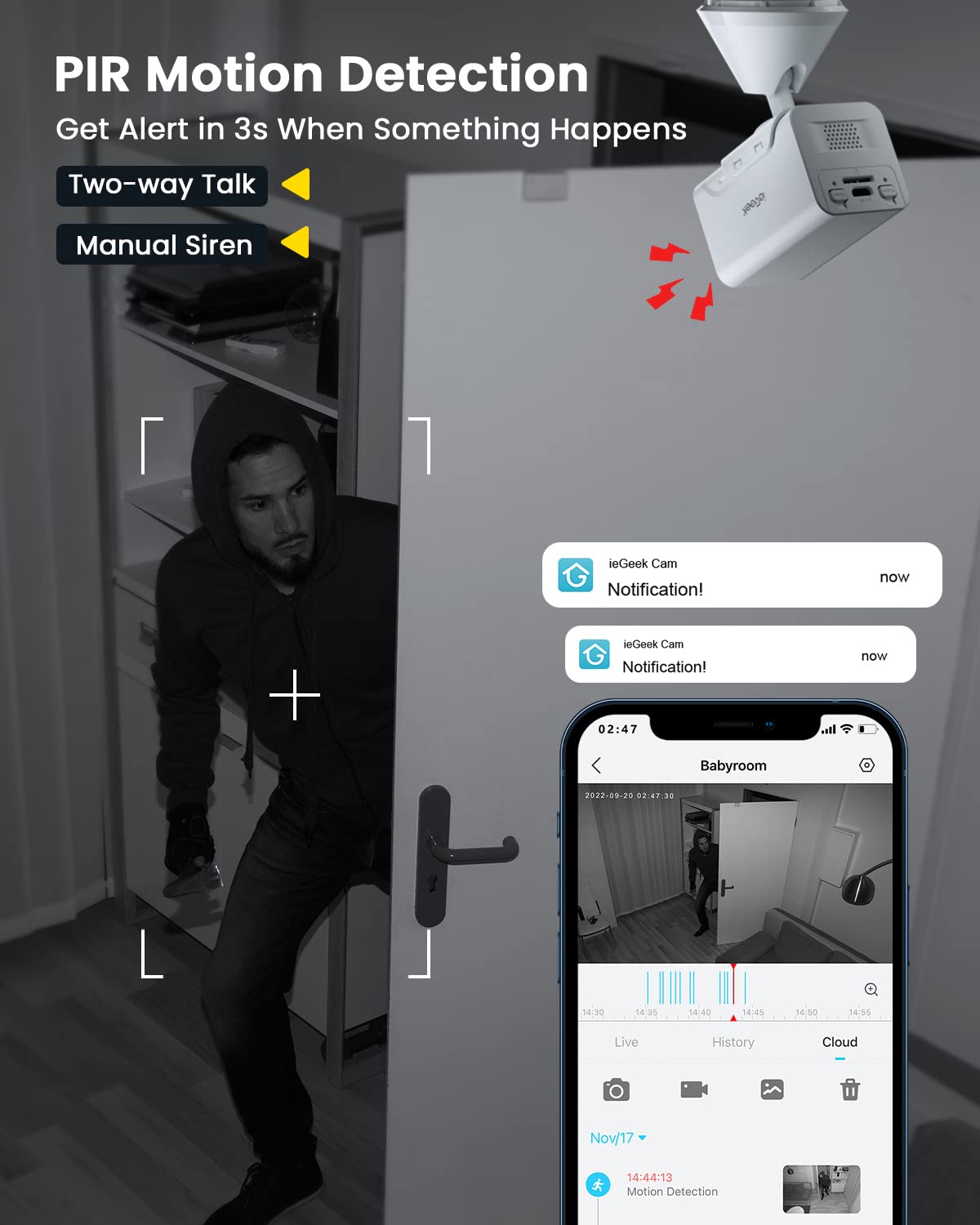
Figure 5.3: PIR Motion Detection and Instant Notifications
Customization:
You can customize the alarm plan, detection area, and sensitivity (levels 1-10) within the app to suit your specific monitoring needs.

Figure 5.4: AI Human Shape Detection

Figure 5.5: Customizable Detection Area

Figure 5.6: Setting Alarm Schedules
5.4 Recording Modes
- Motion Event Recording: The default mode, where the camera records only when motion is detected, conserving battery life.
- 24/7 Continuous Recording: For constant monitoring, this mode requires the camera to be continuously plugged into a power source.

Figure 5.7: Recording Modes
5.5 Storage Options
Recorded videos can be stored in two ways:
- Local Storage: Insert a Micro SD card (up to 128GB, not included) into the camera for local storage of recordings.
- ieGeek Cloud: Optional cloud storage service for secure backup of your video footage.

Figure 5.8: Local and Cloud Storage
5.6 Smart Home Integration (Alexa)
The ieGeek ZS-GX7S camera is compatible with Amazon Alexa. You can use voice commands to view the live feed on compatible Alexa-enabled smart displays.

Figure 5.9: Alexa Integration
5.7 App Interface Overview
The ieGeek Cam APP provides a user-friendly interface for managing your camera, viewing live feeds, accessing recordings, and sharing access with family members.

Figure 5.10: ieGeek Cam App Main Interface

Figure 5.11: Multi-Camera Live View

Figure 5.12: Shared Access Feature
6. Maintenance
6.1 Battery Management
The camera is equipped with a 2400mAh rechargeable battery. To maximize battery life, ensure the camera is fully charged periodically. Battery performance may vary based on usage frequency, temperature, and recording settings.
6.2 Cleaning
Gently wipe the camera lens and body with a soft, dry cloth. Avoid using harsh chemicals or abrasive materials that could damage the device.
7. Troubleshooting
- Camera not connecting to Wi-Fi:
- Ensure your Wi-Fi network is 2.4GHz. The camera does not support 5GHz Wi-Fi.
- Check Wi-Fi signal strength at the camera's location using the app's network diagnostic tool.
- Restart your Wi-Fi router and the camera.
- Ensure the camera is within range of your Wi-Fi router.
- Frequent false motion alerts:
- Adjust the motion detection sensitivity in the app.
- Utilize the AI human shape detection feature to filter out non-human movements.
- Define specific detection zones to exclude areas with frequent irrelevant movement.
- Poor video quality:
- Ensure the camera lens is clean.
- Check your Wi-Fi connection speed and stability.
- Battery draining quickly:
- Reduce motion detection sensitivity or frequency of alerts.
- If using 24/7 continuous recording, ensure the camera is plugged into a power source.
- Extreme temperatures can affect battery performance.

Figure 7.1: Ensuring Stable Connection
8. Specifications
| Feature | Detail |
|---|---|
| Model Number | ZS-GX7S |
| Video Capture Resolution | 1080p |
| Power Source | Battery Powered (2400mAh Lithium Ion) |
| Connectivity Protocol | Wi-Fi (2.4GHz only) |
| Controller Type | Amazon Alexa, App |
| Mounting Type | Wall Mount, Self-Adhesive |
| Viewing Angle | 120 Degrees |
| Night Vision Range | 30 Feet |
| Alert Type | Audio and Motion |
| Storage | Micro SD (up to 128GB), Cloud Storage |
| Item Dimensions (L x W x H) | 2.36 x 1.5 x 3.46 inches |
| Item Weight | 11.1 ounces (315 Grams) |
| Indoor/Outdoor Usage | Indoor |
| UPC | 734931274123 |
9. Warranty and Support
ieGeek provides the following support for your product:
- 2-Year Quality Guarantee: Your product is covered by a 2-year warranty.
- 30-Day Free Returns Policy: Refer to the retailer's return policy for details.
- 24/7 Professional After-sales Team: For any questions or assistance, please contact ieGeek support.
After-Sales Email: service@iegeek.com

Figure 9.1: ieGeek After-Sales Support
Related documentsZS-GX7S


Ask a question about this manual
Ask about setup, troubleshooting, compatibility, parts, safety, or missing instructions. Manuals+ will review the question and use this page’s manual context to help answer it.