
1. Introduction
This manual provides detailed instructions for the installation, operation, and maintenance of your CCYLEZ Reverse Hitch Camera. This device is designed to assist with vehicle maneuvering, offering a 150° wide-angle view, night vision capabilities, and app control for various vehicles including cars, RVs, trucks, and trailers.
2. Safety Information
- Always ensure the camera is securely mounted before vehicle operation.
- Do not attempt to disassemble or modify the camera, as this may void the warranty and cause damage.
- Keep the camera and its components away from extreme temperatures and direct sunlight for prolonged periods.
- While the camera is waterproof, avoid submerging it in water for extended durations.
- Use only the provided charging cable or a certified equivalent to prevent damage to the battery.
3. Package Contents
Please verify that all items are present in your package:
- CCYLEZ Reverse Hitch Camera
- Adjustable Mounting Bracket
- USB Charging Cable
- Magnetic Base
- Adhesive Base
- Mounting Hardware (screws, adhesive pads)

Image 3.1: Main camera unit with adjustable mount and USB charging cable.

Image 3.2: Included mounting accessories, showing magnetic and adhesive base options.
4. Setup
4.1 Charging the Camera
Before first use, fully charge the camera's built-in rechargeable battery. Connect the provided USB charging cable to the camera's USB-C port and to a standard USB power source (e.g., car charger, wall adapter, computer USB port).
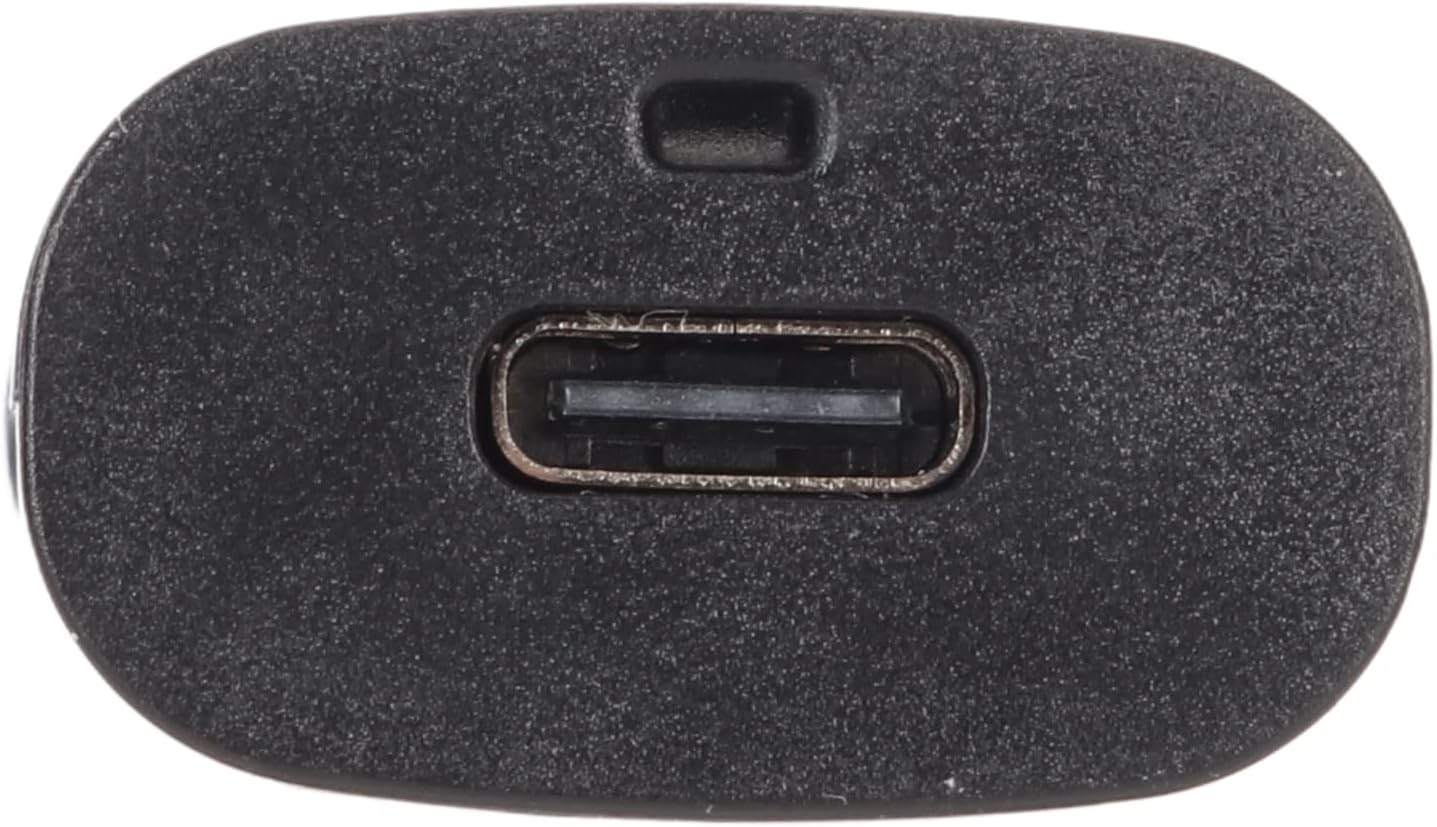
Image 4.1: The USB-C charging port located on the camera.
4.2 App Installation
Download the companion application for your smartphone. Search for the official CCYLEZ camera app on the Apple App Store (for iOS devices) or Google Play Store (for Android devices).
4.3 Camera Connection to Smartphone
- Ensure the camera is powered on using the ON/OFF switch.
- On your smartphone, navigate to your Wi-Fi settings.
- Locate and connect to the camera's built-in Wi-Fi network. This network does not require an external internet connection.
- Open the CCYLEZ camera app. The app should automatically detect and connect to the camera.

Image 4.2: Example of the camera's live feed displayed on a smartphone via the app.
4.4 Mounting the Camera
The camera offers versatile mounting options:
- Magnetic Base: Attach the magnetic base to a suitable metallic surface on your vehicle (e.g., hitch receiver, bumper). Ensure the surface is clean and flat for optimal adhesion.
- Adhesive Base: For non-metallic surfaces or more permanent installation, use the adhesive base. Clean the desired mounting area thoroughly before applying the adhesive.
Once the base is secured, attach the camera to the adjustable mounting bracket and position it to achieve the desired viewing angle. The camera is suitable for various vehicles, including cars, RVs, trucks, and trailers.

Image 4.3: Camera mounted on a vehicle, demonstrating its use with a truck and trailer.

Image 4.4: Camera mounted on an RV, illustrating its application for recreational vehicles.
5. Operation
5.1 Power On/Off
Locate the ON/OFF switch on the side of the camera. Slide the switch to the 'ON' position to power on the device. Slide it to 'OFF' to power down.

Image 5.1: Side view of the camera, highlighting the ON/OFF switch and memory card slot.
5.2 App Control and Live View
Once connected via Wi-Fi, open the CCYLEZ app on your Android or iOS device. The app provides a live video feed from the camera, allowing you to monitor your surroundings in real-time. You can also access various settings and features through the app interface.
5.3 Recording and Taking Pictures
The camera supports recording video and capturing still images. You can initiate these functions directly from the camera's physical button or through the controls within the mobile application. The camera supports memory card storage (up to 32GB, memory card not included) or cloud storage options.
5.4 Infrared Night Mode
Equipped with 4 infrared LED lights, the camera automatically activates night mode in low-light conditions. This feature ensures clear visibility for reversing and monitoring even in darkness.

Image 5.2: Front view of the camera, detailing the lens and infrared LED lights for night vision.
5.5 Motion and Voice Detection
The camera features motion and voice detection capabilities. When a moving object or sound is detected, the camera will send an alert notification to your connected smartphone. It will also capture three photos and transfer them to the app, while the recorded video will be saved to the memory card (this feature requires activation within the app settings).
6. Maintenance
- Cleaning: Use a soft, damp cloth to clean the camera lens and body. Avoid abrasive cleaners or solvents.
- Waterproofing: The camera is designed to be waterproof, allowing for use in various weather conditions. However, ensure the USB-C port cover is securely closed when not charging to maintain water resistance.
- Storage: When not in use for extended periods, store the camera in a cool, dry place.
7. Troubleshooting
| Issue | Possible Cause / Solution |
|---|---|
| Cannot connect to camera via app. | Ensure camera is powered on. Verify your phone's Wi-Fi is connected to the camera's direct Wi-Fi network. Try temporarily disabling mobile data on your phone if connection issues persist. |
| Short battery life. | The camera's internal battery is designed for short-term use. For extended operation, consider connecting the camera to an external power source (e.g., vehicle's USB port or power bank) via the USB-C cable. |
| Missing magnetic base or mounting tools. | Carefully check all packaging materials. If parts are genuinely missing, contact customer support. |
| No backup lines/grid lines displayed. | This model of camera may not feature on-screen backup grid lines. Refer to the product specifications for confirmed features. |
| Poor image quality at a distance. | For optimal performance, especially over longer distances (e.g., with a long trailer), using the standard definition setting in the app may provide a more stable connection and clearer image. |
8. Specifications
| Feature | Detail |
|---|---|
| Brand Name | CCYLEZ |
| Model Number | CCYLEZ6gc1f9gdrn |
| Item Weight | 4 ounces |
| Package Dimensions | 5.2 x 3.58 x 1.77 inches |
| Lens Angle | 150° Wide Angle |
| Night Vision | 4 Infrared LED Lights |
| Connectivity | Direct Wi-Fi (App Control for Android/iOS) |
| Storage Support | Memory Card (up to 32GB, not included) or Cloud Storage |
| Special Features | Motion Detection, Voice Detection, Waterproof Design |
9. Warranty and Support
For warranty information and customer support, please refer to the documentation included with your purchase or visit the official CCYLEZ website. Keep your purchase receipt as proof of purchase for any warranty claims.