
Introduction
The Philips Air Performer 7000 Series (Model AMF765/30) is a versatile 2-in-1 device designed to purify the air and provide cooling. It effectively removes 99.97% of invisible particles and automatically adjusts its performance to maintain optimal air quality and comfort in your environment.
This manual provides essential information for the safe and efficient use of your Philips Air Performer. Please read it thoroughly before operating the device and retain it for future reference.
Important Safety Information
Before using the appliance, read this user manual and the important information leaflet carefully and save them for future reference.
- Ensure the voltage indicated on the appliance matches the local mains voltage before connecting.
- Do not operate the appliance if the plug, power cord, or the appliance itself is damaged.
- Keep the appliance out of reach of children.
- Do not block the air inlets or outlets.
- Always unplug the appliance before cleaning or replacing filters.
- Use only original Philips replacement filters.
Product Overview
The Philips Air Performer combines advanced air purification with a powerful fan for cooling. It features a multi-layer filtration system and smart sensing technology.

Image: The Philips Air Performer 7000 Series device, showcasing its sleek design and integrated display.
Key Features:
- Purifies rooms up to 70 m².
- HEPA and Activated Carbon filter system.
- Clean Air Delivery Rate (CADR) of 270 m³/hour.
- Connects to the Air+ app for smart control.
- Sleep mode with ultra-quiet operation.
Setup
- Unpacking: Carefully remove the appliance and all packaging materials. Retain packaging for potential future transport.
- Filter Installation:
The filters are typically pre-installed but may have protective packaging. Open the filter compartment (usually at the base or back) and remove any plastic wrapping from the HEPA and Activated Carbon filters. Insert them correctly according to the markings.

Image: An exploded view showing the multi-layer filtration system of the Philips Air Performer, including HEPA and activated carbon filters.
- Placement: Place the appliance on a stable, level surface, ensuring at least 20 cm (8 inches) of clear space around the air inlets and outlets for optimal airflow.
- Power Connection: Plug the power cord into a grounded electrical outlet.
- App Connection (Optional): Download the Philips Air+ app from your device's app store. Follow the in-app instructions to connect your Air Performer for remote control and monitoring.
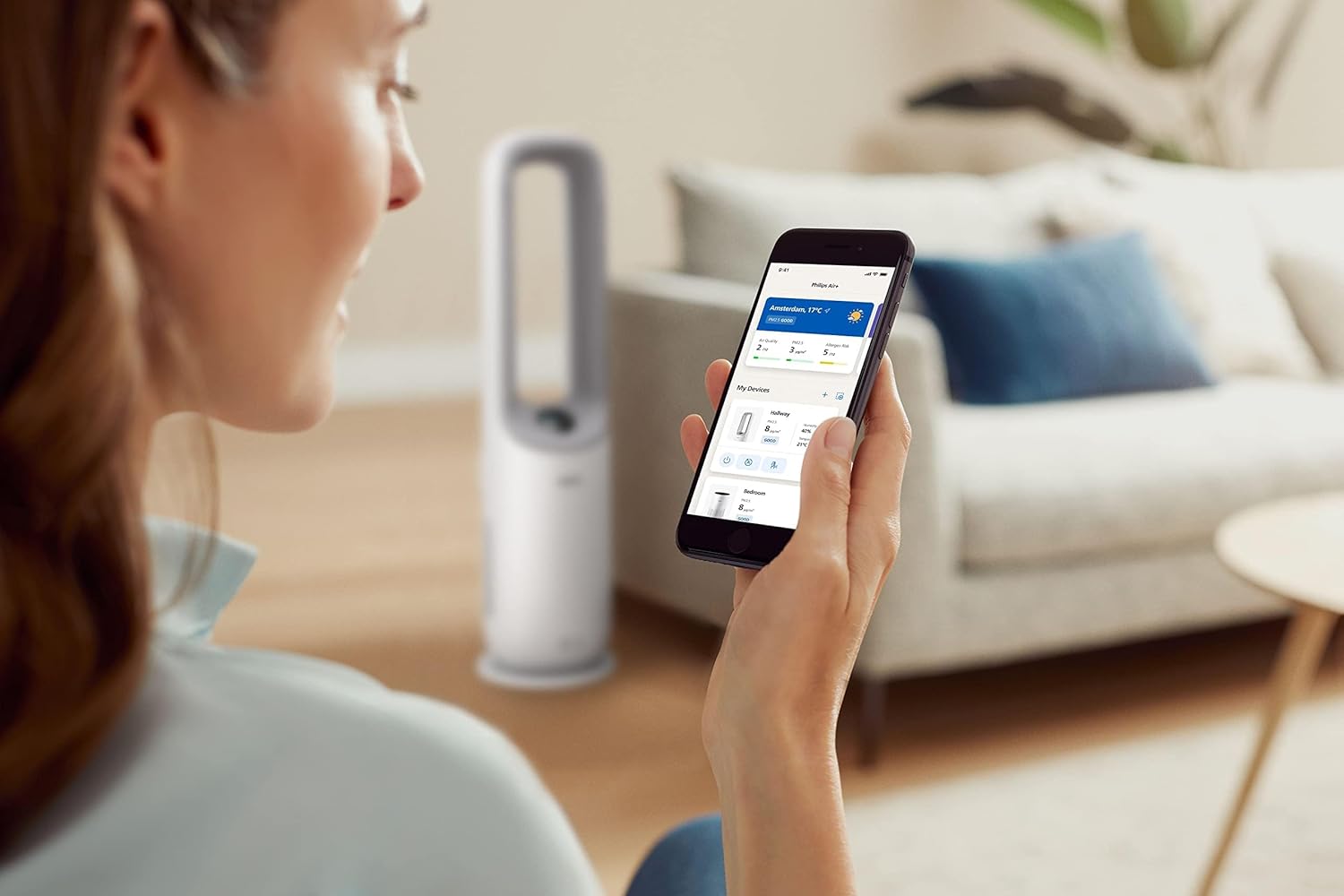
Image: A user interacting with the Philips Air+ mobile application, demonstrating remote control capabilities for the Air Performer.
Operating Instructions
Power On/Off
Press the power button on the device or in the Air+ app to turn the appliance on or off.
Operating Modes
- Auto Mode: The appliance automatically adjusts fan speed and purification settings based on detected air quality.
- Manual Fan Speed: Adjust the fan speed manually using the control panel or app.
- Sleep Mode: Reduces fan speed and dims display lights for quiet operation during sleep.

Image: The Philips Air Performer operating in a dimly lit bedroom, highlighting its quiet sleep mode feature.
Airflow Direction
The device may feature oscillation or adjustable airflow direction. Use the control panel or app to set the desired airflow for cooling.

Image: The Philips Air Performer emitting a powerful stream of purified and cooled air, demonstrating its fan function.
Smart Sensing and Coverage
The Air Performer continuously monitors air quality using advanced sensors, automatically adjusting its operation to maintain optimal conditions. Its design ensures efficient air circulation, purifying and cooling rooms up to 70 m².

Image: The Philips Air Performer using a red laser to detect airborne particles, illustrating its smart sensing capabilities.
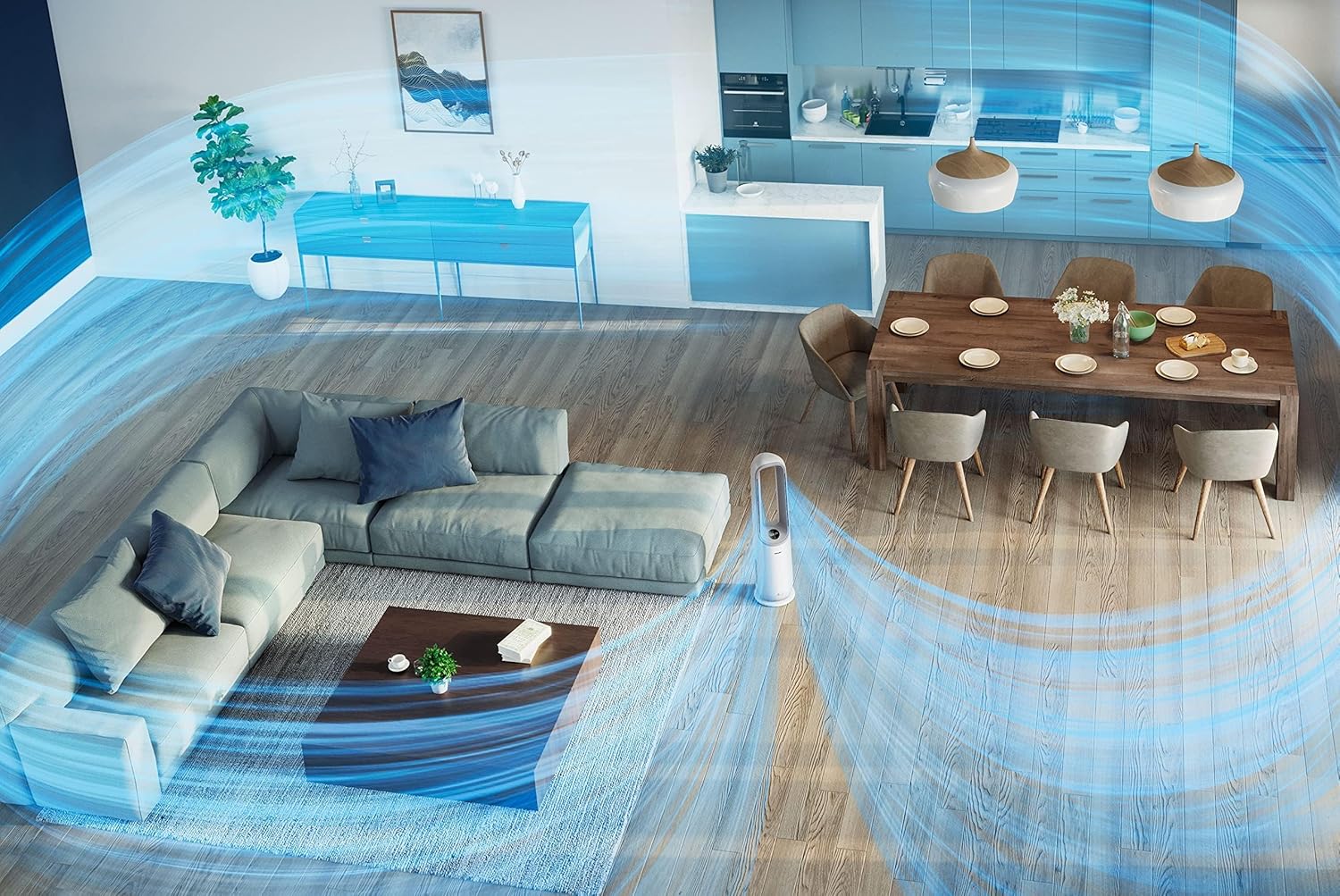
Image: An aerial view of a living space showing the Philips Air Performer effectively circulating purified air across the entire room.
Maintenance
Cleaning the Appliance
- Always unplug the appliance before cleaning.
- Wipe the exterior with a soft, dry cloth. Do not use abrasive cleaners or solvents.
- Clean the air inlet and outlet grilles with a soft brush or vacuum cleaner.
Filter Replacement
The appliance will indicate when filters need replacement. Refer to the Air+ app or the device display for filter status.
- Turn off and unplug the appliance.
- Open the filter access panel.
- Remove the used filters and dispose of them properly.
- Unpack new Philips original filters and insert them into the appliance.
- Close the filter access panel.
- Plug in the appliance and reset the filter lifetime counter (if applicable, follow on-screen or app instructions).
Note: Filter lifespan varies based on usage and air quality. Only use genuine Philips replacement filters to ensure optimal performance.
Troubleshooting
| Problem | Possible Cause | Solution |
|---|---|---|
| Appliance does not turn on. | Not plugged in; power outage; damaged cord. | Check power connection; verify power supply; inspect cord for damage. |
| Poor air purification performance. | Filters are dirty or incorrectly installed. | Check filter status; clean or replace filters; ensure correct installation. |
| Fan not providing sufficient cooling. | Fan speed too low; blocked air outlets. | Increase fan speed; ensure clear path for airflow. |
| Appliance is noisy. | Filters are very dirty; foreign object inside. | Replace filters; check for and remove any obstructions. |
| Cannot connect to Air+ app. | Bluetooth/Wi-Fi off; incorrect pairing steps. | Ensure Bluetooth/Wi-Fi is enabled; restart app and appliance; follow app pairing instructions carefully. |
Specifications
| Feature | Detail |
|---|---|
| Model Number | AMF765/30 |
| Product Dimensions | 34.1 x 34.1 x 115.2 cm |
| Item Weight | 7.3 kg |
| Filter Type | HEPA, Activated Carbon |
| Clean Air Delivery Rate (CADR) | 270 m³/hour |
| Room Size (CADR) | Up to 70 m² |
| Power Source | Corded Electric |
| Control Method | App, Remote Control |
| Color | White |
| Assembly Required | No |
| Batteries Required | No |
Warranty and Support
This Philips Air Performer (Model AMF765/30) comes with a 2-year manufacturer's warranty. Please retain your proof of purchase for warranty claims.
For technical support, troubleshooting assistance, or to purchase replacement parts and filters, please visit the official Philips website or contact Philips customer service in your region. You can find contact information on the Philips website or in the warranty card included with your product.
Online Support: www.philips.com/support


