Introduction

Image: The OQIMAX Digital Alarm Clock with its vibrant LED display.
This manual provides detailed instructions for the setup, operation, and maintenance of your OQIMAX Digital Alarm Clock. Please read this manual thoroughly before using the product to ensure proper function and longevity.

Image: The clock in various environments, demonstrating its versatility.
Package Contents
- OQIMAX Digital Alarm Clock
- USB Charging Cable
- User Manual

Image: The OQIMAX Digital Alarm Clock, USB cable, and user manual as found in the product packaging.
Product Features
- Large 6.3-inch LED display with colorful digits.
- Displays time (12/24H format), date, and temperature (Celsius/Fahrenheit).
- Adjustable brightness with three levels and an anti-interference night mode.
- Smart voice control for screen activation when powered by batteries.
- Snooze function with adjustable repeat time (1-60 minutes).
- Three alarm modes: Monday-Friday, Monday-Saturday, and Everyday.
- Dual power options: USB cable (display always on) or 3x AAA batteries (power-saving mode, display turns off after 15 seconds, voice-activated).
- Automatic memory function for clock settings during power loss (when using batteries).

Image: Visual representation of the clock's multifunctional capabilities.
Setup
Powering the Device
The OQIMAX Digital Alarm Clock can be powered in two ways:
- USB Power (Recommended for continuous display): Connect the provided USB cable to the clock's USB port and plug the other end into a 5V/1A or 5V/2A USB power adapter (not included) or a powered USB port. The display will remain continuously lit.
- Battery Power (Power-saving mode): Insert 3 AAA batteries (not included) into the battery compartment. In this mode, the display will automatically turn off after approximately 15 seconds to conserve power. The display can be activated by voice command (e.g., a clap) or by touching the clock.
When using battery power, the clock will automatically save your settings in case of power interruption.

Image: Illustration of the two power options and their display behavior.
Operating Instructions
Button Functions
The clock features several buttons for control:
- UP: Adjusts values upwards, switches temperature unit.
- DOWN: Adjusts values downwards.
- LIGHT/SNOOZE: Activates snooze, adjusts brightness.
- MODE: Cycles through display modes (Time, Date, Temperature), enters setting mode.
- ALARM: Enters alarm setting mode.

Image: Top view of the clock showing the control buttons.
Setting Time and Date
- Press and hold the MODE button to enter time setting mode. The hour digits will flash.
- Use the UP or DOWN buttons to adjust the hour.
- Press MODE again to move to minute setting. Use UP or DOWN to adjust minutes.
- Continue pressing MODE to cycle through setting year, month, and day, adjusting each with UP or DOWN.
- After setting the date, press MODE to exit setting mode.
- To switch between 12-hour and 24-hour format, press and hold MODE, then press UP or DOWN when the hour is flashing.

Image: Visual guide for setting the clock's time.
Setting the Alarm
- Press and hold the ALARM button to enter alarm setting mode. The alarm hour digits will flash.
- Use the UP or DOWN buttons to adjust the alarm hour.
- Press ALARM again to move to minute setting. Use UP or DOWN to adjust alarm minutes.
- Press ALARM again to select the alarm mode:
- 1-5: Alarm sounds Monday to Friday.
- 1-6: Alarm sounds Monday to Saturday.
- 1-7: Alarm sounds everyday.
- Press ALARM to confirm and exit alarm setting.

Image: The three available alarm modes for the clock.
Snooze Function
When the alarm sounds, press the LIGHT/SNOOZE button to activate the snooze function. The alarm will pause and sound again after the set snooze interval. The snooze duration can be adjusted from 1 to 60 minutes during alarm setup.
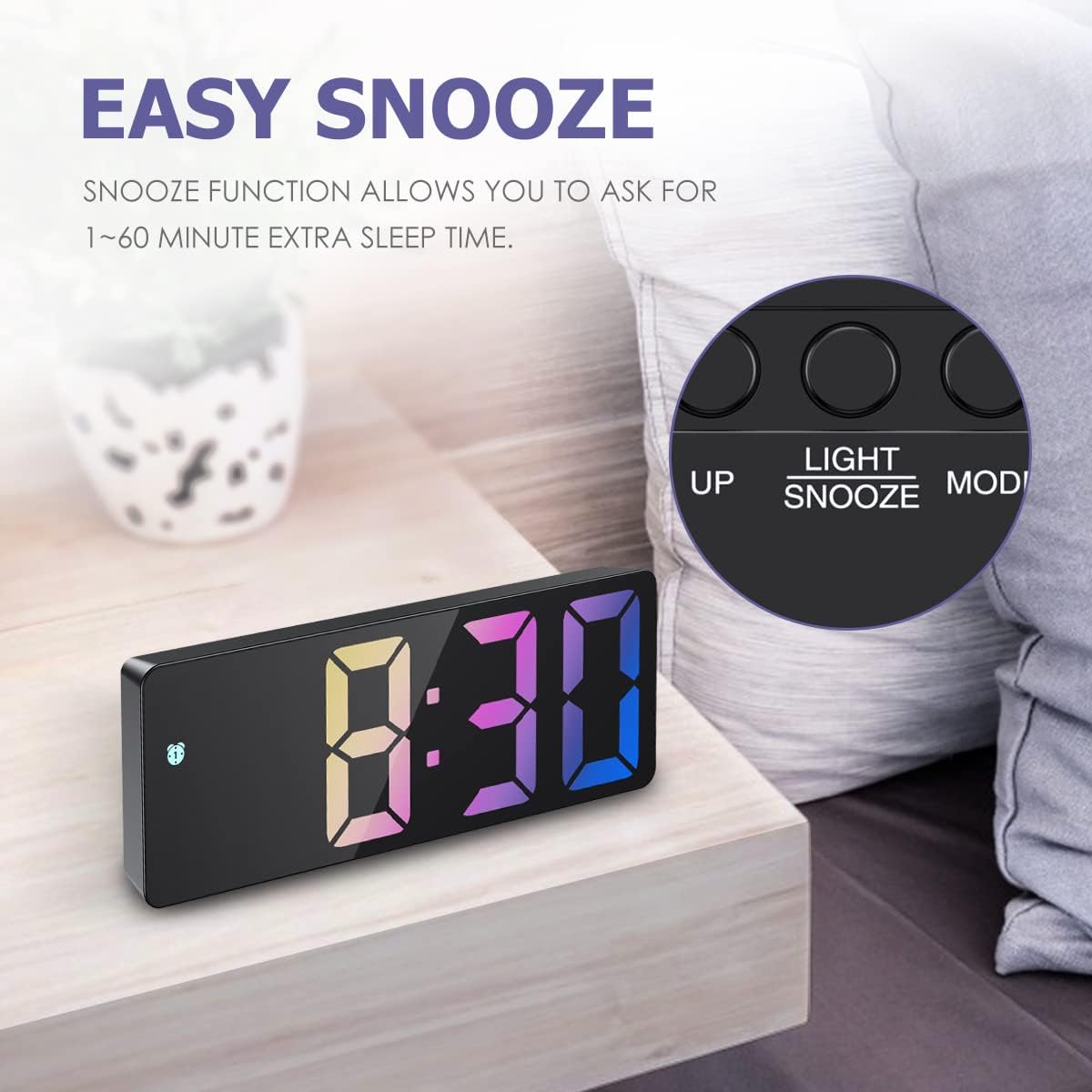
Image: The clock with the snooze button highlighted.
Adjusting Brightness
The clock offers three levels of brightness. Press the LIGHT/SNOOZE button (when not in alarm mode) to cycle through bright, medium, and low brightness settings. The clock also features an anti-interference night mode, allowing the display to be turned off completely if desired.

Image: Examples of the clock's display at different brightness settings.
Voice Control (Battery Mode Only)
When the clock is powered by AAA batteries, the display will enter power-saving mode and turn off after 15 seconds. To activate the display, make a sound louder than 90 dB, such as a clap, or gently tap the clock. The display will light up for a few seconds.

Image: Demonstrating how to activate the display using touch or sound in battery-saving mode.
Temperature Display
The clock displays real-time temperature. To switch between Celsius (℃) and Fahrenheit (℉), press the UP button when the temperature is displayed.
Maintenance
- Clean the clock with a soft, dry cloth. Do not use abrasive cleaners or solvents.
- Avoid exposing the clock to extreme temperatures, direct sunlight, or high humidity.
- If using batteries, replace them when the display becomes dim or unresponsive. Remove batteries if the clock will not be used for an extended period.
Troubleshooting
| Problem | Solution |
|---|---|
| Display is off or dim. |
|
| Clock does not memorize time when unplugged (USB). | This is normal behavior for USB power. Insert 3 AAA batteries (not included) to enable the memory function and power-saving display mode when USB power is disconnected. |
| Cannot set the alarm or time. | Ensure you are pressing and holding the correct button (MODE for time, ALARM for alarm) to enter the setting mode. Follow the steps precisely. |
| Temperature unit is incorrect. | Press the UP button when the temperature is displayed to switch between Celsius (℃) and Fahrenheit (℉). |
Specifications
| Feature | Detail |
|---|---|
| Brand | OQIMAX |
| Model Number | WA33B&C |
| Dimensions (L x W x H) | 16 x 3.81 x 6 cm (6.3 x 1.5 x 2.36 inches) |
| Weight | 160 grams |
| Display Type | Digital LED |
| Display Color | Colorful Digits |
| Power Source | USB (5V/1A-2A) or 3x AAA Batteries (not included) |
| Special Features | Alarm, Snooze, Adjustable Brightness, Voice Control, Temperature Display, Date Display |
| Material | Wood (Note: Product appearance suggests plastic/mirror finish) |
Warranty and Support
For warranty information or technical support, please refer to the contact details provided with your purchase or visit the official OQIMAX website. Keep your purchase receipt as proof of purchase.


