
Geevon 238667
Geevon Weather Station User Manual
Model: 238667
Brand: Geevon
Introduction
This user manual provides comprehensive instructions for the Geevon Wireless Indoor Outdoor Thermometer Hygrometer Weather Station, Model 238667. This device features a touch LCD display, measures indoor and outdoor temperature and humidity, calculates dew point and heat index, and includes an alarm clock with adjustable backlight. Please read this manual thoroughly before operating the device to ensure proper use and longevity.

Figure 1: Geevon Weather Station main unit and wireless outdoor sensor.
What's in the Box
- Weather Thermometer (Main Unit)
- Outdoor Sensor (1 included, supports up to 3)
- USB Cable
- User Instructions (This Manual)
Product Overview
Main Unit Display Features
The main unit features a 5.9-inch color LCD touchscreen display that provides a clear overview of all relevant weather data and settings.

Figure 2: Labeled display features including time, calendar, date, moon phase, outdoor temperature & humidity, indoor temperature & humidity, future weather forecast, and touch buttons (Mode/Alarm, Channel, Temp Alert, Down, Up).
Back of the Main Unit
The rear of the main unit houses the battery compartment, DC 5.0V input, and a hanging hole for wall mounting.

Figure 3: Product details on the back, showing the SNZ/LIGHT button, hanging hole, 3 AAA battery compartment (batteries not included), DC 5.0V input (USB cable included), and bracket.
Dimensions
The main unit measures approximately 5.5 inches (14cm) in width and 4.3 inches (11cm) in height, with a depth of 0.9 inches (2.5cm). The outdoor sensor measures approximately 1.5 inches (4cm) in width and 4.7 inches (12cm) in height.
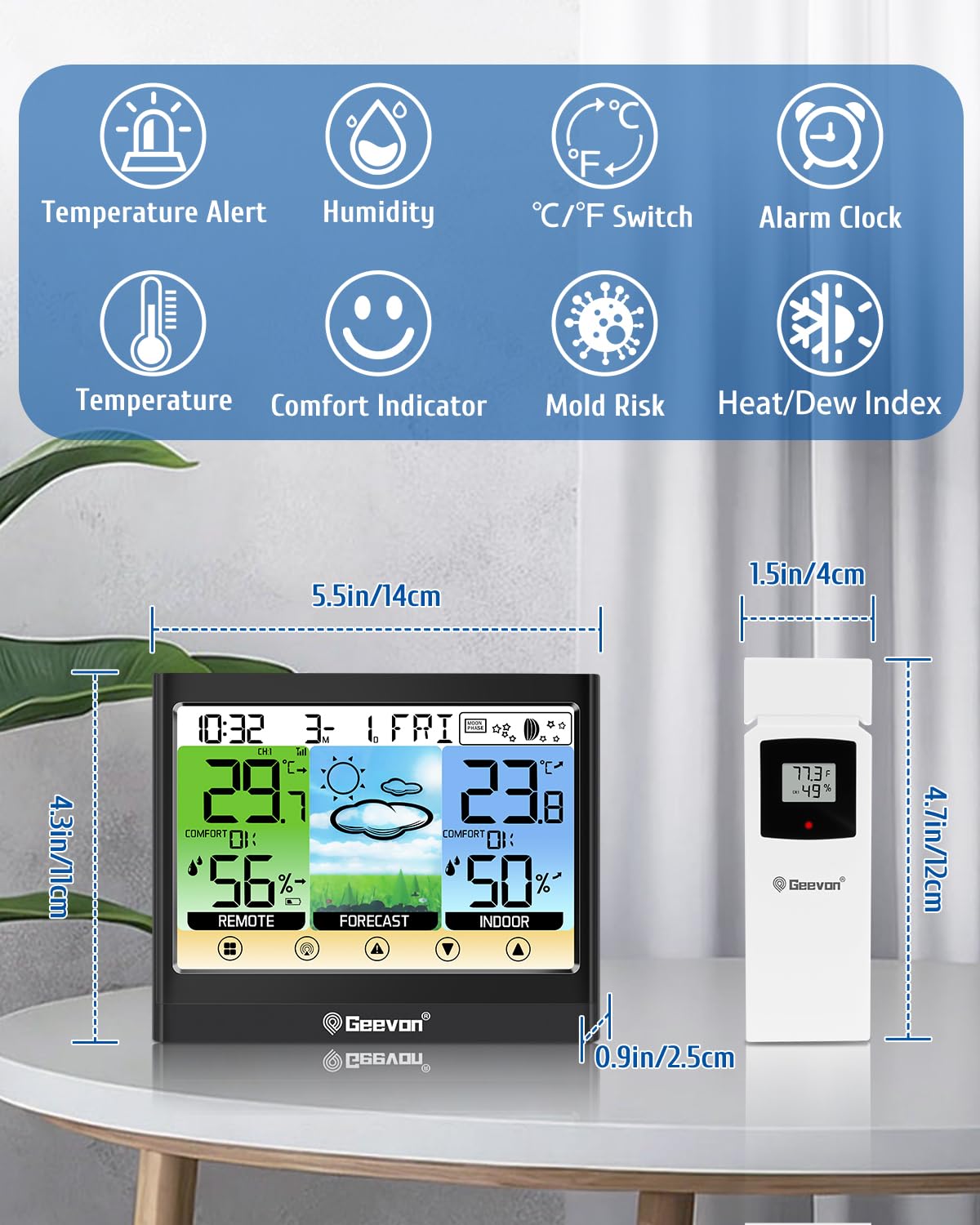
Figure 4: Visual representation of the main unit and outdoor sensor dimensions, along with icons for key features like Temperature Alert, Humidity, °C/°F Switch, Alarm Clock, Temperature, Comfort Indicator, Mold Risk, and Heat/Dew Index.
Setup
Powering the Units
The main unit can be powered by either the included USB cable for continuous backlight or by 3 AAA batteries (not included) for portable use with a 10-second backlight duration per touch. The outdoor sensor requires 2 AAA batteries (not included).
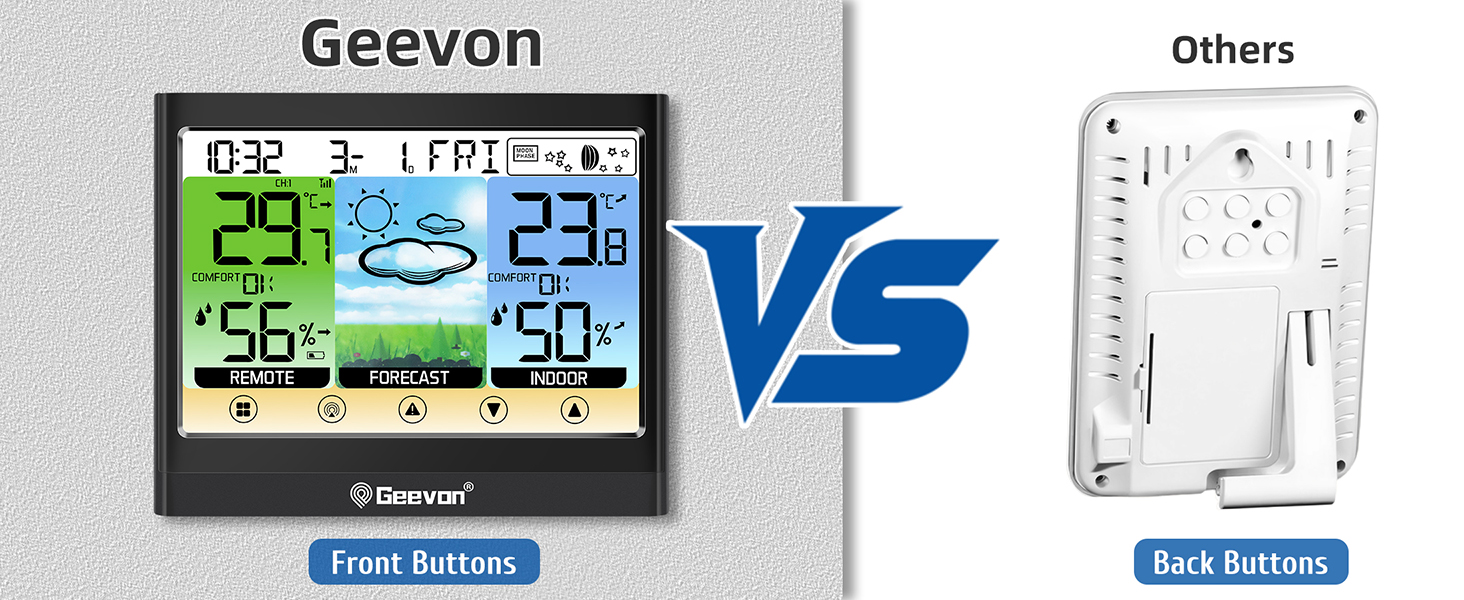
Figure 5: Illustration of the two power modes: continuous backlight when plugged in via USB cable, and 10-second backlight when powered by batteries only.
Outdoor Sensor Placement
Place the outdoor sensor in a location that is protected from direct sunlight and rain, yet within the 200ft/60m wireless transmission range of the main unit. The sensor is IPX4 splash-proof, but prolonged exposure to harsh weather should be avoided.

Figure 6: The weather station main unit placed indoors, receiving wireless signals from the outdoor sensor mounted on the exterior of a building, demonstrating the 200ft/60m wireless transmission range.

Figure 7: The outdoor sensor's 60-meter transmission range in an open area and its IPX4 splash-proof rating, with a recommendation to avoid direct sunlight and rain.
Pairing the Sensor
Upon inserting batteries into both the main unit and the outdoor sensor, they should automatically pair. If pairing does not occur, ensure both units are within range and try re-inserting batteries or pressing the reset button on the sensor (if available).
Connecting Multiple Sensors
The weather station supports up to 3 wireless outdoor sensors. To switch between sensor channels or add additional sensors, use the "Channel" touch button on the main unit. Additional sensors are sold separately.

Figure 8: The weather station can be placed on a desk using its built-in bracket or mounted on a wall using the hanging hole. It also supports both 12-hour and 24-hour time formats.
Video 1: An overview of the Geevon Weather Station, demonstrating its features including dew point and heat index display, adjustable backlight, simultaneous indoor/outdoor temperature and humidity measurement, 200ft wireless range, support for up to 3 remote sensors, and max/min records with trend arrows.
Operating Instructions
Display Information
The main display shows the following information:
- Time and Date: Current time and date.
- Moon Phase: Current moon phase indicator.
- Indoor Temperature & Humidity: Readings from the main unit.
- Outdoor Temperature & Humidity: Readings from the connected outdoor sensor(s).
- Future Weather Forecast: 12-24 hour forecast based on atmospheric pressure changes.
- Comfort Indicator: Displays comfort levels based on indoor temperature and humidity.

Figure 9: The weather station provides a future 12-hour weather forecast, showing icons for various weather conditions such as sunny, cloudy, overcast, rainy, and snowy.
Adjusting Backlight
When powered by the USB cable, the backlight can be adjusted to 3 levels (High, Low, Off) for continuous illumination. When running on batteries, the backlight will illuminate for 10 seconds after a touch.

Figure 10: The display backlight can be adjusted to three levels (100%, 50%, 0%) when plugged in via USB cable, allowing for continuous illumination.
Dew Point & Heat Index
Press the "UP" button on the main unit to cycle through the display modes to show Dew Point and Heat Index, providing more detailed environmental information.

Figure 11: The weather station can display both Heat Index and Dew Point, providing additional environmental data.
Customizable Hi/Lo Alerts
Set high and low temperature and humidity alerts to be notified of extreme conditions. This feature helps in maintaining a comfortable and healthy environment.

Figure 12: The weather station features a temperature alert function, notifying users when temperatures exceed or fall below set thresholds.
Max/Min Records
The device automatically records the maximum and minimum temperature and humidity values for the past 24 hours, allowing you to track environmental trends.

Figure 13: Graphs illustrating the past 24 hours' maximum and minimum temperature and humidity records, providing a historical overview of environmental conditions.
Alarm Clock Functions
The weather station includes an alarm clock with a 5-minute snooze function. Press the "SNZ/LIGHT" button for snooze. To turn off the alarm, press any button except "SNZ/LIGHT".

Figure 14: Instructions for using the digital alarm clock with a 5-minute snooze function (press "SNZ/LIGHT" button) and how to turn off the alarm (press any button except "SNZ/LIGHT").
Comfort Level and Mold Risk
The display includes a comfort indicator to show if the current indoor environment is comfortable, dry, or wet. It also indicates mold risk based on humidity levels.

Figure 15: The weather station displays the Air Comfort Level, indicating whether the environment is comfortable, dry, or wet.

Figure 16: The weather station also provides a Mold Risk indicator, helping users monitor humidity levels to prevent mold growth.
Maintenance
Battery Replacement
Replace batteries in the main unit (3 AAA) and outdoor sensor (2 AAA) when the low battery indicator appears on the display. Ensure correct polarity when inserting new batteries.
Cleaning
Wipe the main unit and sensor with a soft, damp cloth. Do not use abrasive cleaners or immerse the units in water.
Sensor Care
Although the outdoor sensor is IPX4 splash-proof, it is recommended to place it in a sheltered location to prolong its lifespan and ensure accurate readings, away from direct sunlight and heavy rain.
Troubleshooting
| Problem | Possible Cause | Solution |
|---|---|---|
| No display on main unit | Batteries are dead or incorrectly inserted; USB cable not connected or faulty. | Check battery polarity and replace if necessary. Ensure USB cable is securely connected to a working power source. |
| Outdoor reading not displayed or inaccurate | Sensor out of range; sensor batteries dead; interference; sensor not paired. | Move sensor closer to the main unit. Replace sensor batteries. Avoid placing near large metal objects or electronics. Re-pair the sensor by re-inserting batteries in both units. |
| Backlight not continuous | Unit is running on batteries only. | Plug in the USB cable for continuous backlight. |
| Touch buttons unresponsive | Temporary software glitch; dirty screen. | Restart the unit by removing and re-inserting batteries. Clean the touchscreen surface. |
Specifications
| Feature | Detail |
|---|---|
| Model Number | 238667 |
| Product Dimensions (Main Unit) | 1 x 5.5 x 4.5 inches (approx. 2.5 x 14 x 11.4 cm) |
| Weight | 11.2 ounces (approx. 317.5 grams) |
| Main Unit Power Source | 3 AAA batteries (not included) or USB cable (included) |
| Outdoor Sensor Power Source | 2 AAA batteries (not included) |
| Display Type | 5.9" Color LCD Touchscreen |
| Backlight | 3-level adjustable (High-Low-Off) with USB power; 10-second with battery power |
| Wireless Transmission Range | Up to 200ft / 60m (in open area) |
| Supported Sensors | Up to 3 wireless outdoor sensors (1 included) |
| Temperature Range (Indoor) | 14°F ~ 122°F (-10°C ~ 50°C) |
| Temperature Range (Outdoor) | -40°F ~ 158°F (-40°C ~ 70°C) |
| Temperature Accuracy | +/- 2°F |
| Humidity Range | 1% ~ 99% RH |
| Special Features | Dew Point, Heat Index, Mold Risk, Comfort Indicator, Max/Min Records, Customizable Hi/Lo Alerts, Alarm Clock, Moon Phase, Weather Forecast |
| Material | ABS, Glass, Metal, Plastic |
Warranty and Support
Geevon offers a 30-day money-back guarantee and a 12-month warranty for this product. Additionally, lifetime consulting services are available for any questions or issues you may encounter.
For support, please contact Geevon Electronics directly. Refer to the contact information provided with your purchase or visit the official Geevon website for assistance.
Related Documents - 238667
 |
Geevon 8664 Wireless Indoor/Outdoor Weather Station User Manual Comprehensive user manual for the Geevon 8664 Wireless Indoor/Outdoor Weather Station, covering features, setup, operation, troubleshooting, and maintenance. Learn how to use your weather station for accurate temperature, humidity, and weather forecasting. |
 |
Smart Color Display Weather Station with Touch Keys User Manual User manual for the Geevon Smart Color Display Weather Station (Model No: 208667), detailing features, setup, operation, and troubleshooting for indoor and outdoor temperature, humidity, weather forecasting, and alarm functions. |
 |
Smart Color Weather Station User Manual - Model 246250 Comprehensive user manual for the Geevon Smart Color Weather Station (Model 246250), detailing setup, operation, features, troubleshooting, and specifications for indoor/outdoor temperature and humidity monitoring, weather forecasts, and alarms. |
 |
GEEVON COLOR WEATHER STATION W238647 User Manual User manual for the GEEVON COLOR WEATHER STATION (Item No. W238647), providing specifications, setup, operation, and safety instructions for indoor/outdoor temperature, humidity, and weather forecasting. |
 |
Geevon W2186113 Touch Screen Weather Station User Manual User manual for the Geevon W2186113 wireless touch screen weather station. Learn how to set up, operate, and troubleshoot your indoor/outdoor thermometer and hygrometer. |
 |
Smart Color Display Weather Station with Touch Keys User Manual Comprehensive user manual for the Geevon Smart Color Display Weather Station (Model No: 208667), covering setup, operation, features, troubleshooting, and temperature/humidity monitoring. |
Ask a question about this manual
Ask about setup, troubleshooting, compatibility, parts, safety, or missing instructions. Manuals+ will review the question and use this page’s manual context to help answer it.