
1. Introduction
Thank you for choosing Keepsmile LED Strip Lights. This manual provides essential information for the safe and effective installation, operation, and maintenance of your LED strip lights. Please read these instructions thoroughly before use and retain them for future reference.
2. Package Contents
Verify that all components listed below are present in your package:
- LED Strip Lights (2 rolls, typically 15 meters each for a total of 30 meters)
- Remote Control
- Power Adapter
- Controller Box
- Connectors (if applicable for joining strips)
- User Manual (this document)
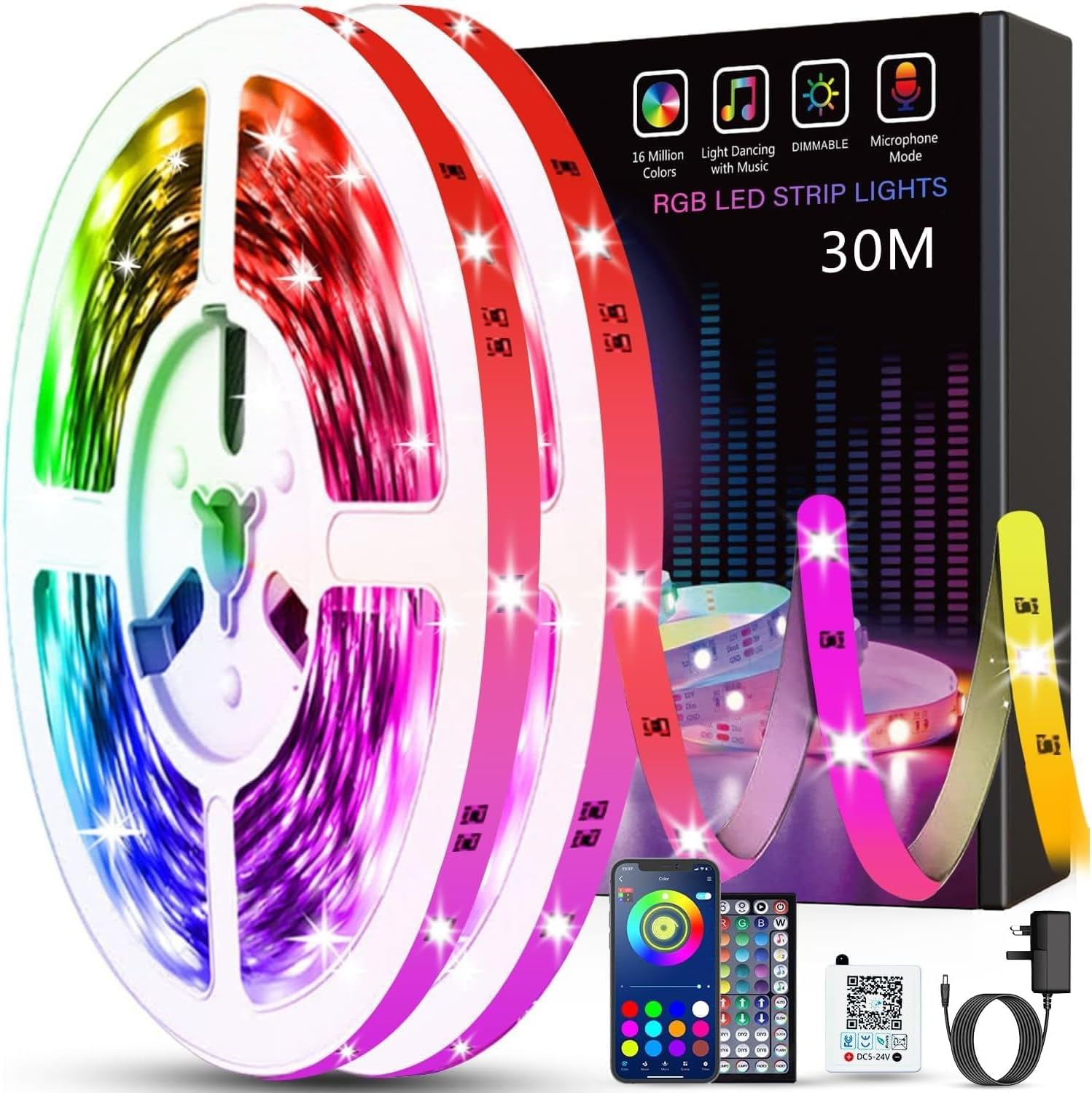
Image 2.1: Overview of Keepsmile LED Strip Lights package contents, showing the light rolls, remote, power adapter, and controller.
3. Safety Information
- Ensure the power adapter voltage matches your local power supply.
- Do not connect the LED strip to the power supply while it is still rolled up, as this may cause overheating.
- Avoid bending the LED strip at sharp angles (less than 90 degrees) to prevent damage to the circuit board.
- Do not expose the LED strip or power adapter to water or moisture. This product is intended for indoor use unless otherwise specified.
- Keep out of reach of children.
- If any part of the product is damaged, discontinue use immediately and contact customer support.
4. Setup and Installation
Follow these steps for proper installation of your LED strip lights:
- Prepare the Surface: Clean the desired installation surface thoroughly. Ensure it is dry, smooth, and free of dust or grease for optimal adhesive performance.
- Measure and Cut (Optional): If shortening the strip is necessary, measure the required length. The LED strip can be cut at designated points, usually marked with a scissor icon or copper pads. Note: The section of the strip cut off from the main power source will not function independently unless reconnected with appropriate connectors and a separate power supply.
- Apply the Strip: Peel off the protective backing from the adhesive tape on the back of the LED strip. Carefully press the strip onto the prepared surface, ensuring firm contact along its entire length.
- Connect Components:
- Connect the LED strip to the controller box. Ensure the arrows on the strip and controller align.
- Connect the power adapter to the controller box.
- Plug the power adapter into a suitable electrical outlet.
- Download the App (Optional for Smart Control): For advanced control features, download the Keepsmile app. Scan the QR code located on the white controller box or visit http://app.ks-keepsmile.com/scanApp.
- Pair via Bluetooth: Once the app is installed, enable Bluetooth on your smartphone. Open the app, and it should automatically detect your LED strip lights for pairing. Follow the on-screen instructions to complete the connection.

Image 4.1: Examples of LED strip light installation in a home environment, illustrating control options via Bluetooth app and remote.

Image 4.2: Instructions for downloading the control app by scanning the QR code on the controller box, alongside various app interface views.
5. Operating Instructions
Your Keepsmile LED Strip Lights can be controlled using the included remote control or the dedicated smartphone app.
5.1. Remote Control Operation
The 44-key remote control allows for basic and advanced functions:
- Power Button: Turn the lights On/Off.
- Brightness Adjustment: Increase or decrease the light intensity.
- Color Selection: Choose from a variety of preset static colors.
- DIY Colors: Create and save custom colors.
- Mode Selection: Cycle through various dynamic modes such as flash, strobe, fade, and smooth transitions.
- Speed Adjustment: Control the speed of dynamic modes.
5.2. Smartphone App Operation
The Keepsmile app provides comprehensive control and additional features:
- Color Palette: Access a full spectrum of 16 million colors via a color wheel.
- Dynamic Modes: Select from a wider range of dynamic and static lighting effects.
- Music Sync Mode: The lights will change color and intensity in rhythm with music played through your phone's microphone or selected from your device.
- Microphone Mode: Lights react to ambient sounds detected by your phone's microphone.
- Timer Function: Schedule the lights to turn on or off at specific times.
- Brightness Control: Fine-tune the brightness level.

Image 5.1: App interface showcasing features such as Music+Mic, Dynamic+Static modes, Color Palette, and Timer Mode for Keepsmile Smart LED Strip Lights.

Image 5.2: Remote control functionality for adjusting brightness and selecting various modes, emphasizing ease of use and product longevity.
6. Maintenance
- Cleaning: Gently wipe the LED strip with a dry, soft cloth to remove dust. Do not use liquid cleaners or abrasive materials.
- Storage: If storing the lights for an extended period, ensure they are clean and dry. Store them in a cool, dry place away from direct sunlight.
- Adhesive: The adhesive is designed for strong adherence. If re-installation is required, new adhesive tape may be necessary.
7. Troubleshooting
If you encounter issues with your Keepsmile LED Strip Lights, refer to the following common problems and solutions:
| Problem | Possible Cause | Solution |
|---|---|---|
| Lights do not turn on. | No power, incorrect connection, faulty adapter. | Check power outlet. Ensure all connections (strip to controller, controller to adapter, adapter to wall) are secure and correctly aligned (check arrows). Test with another power source if possible. |
| Remote control not working. | Battery depleted, remote out of range, IR sensor blocked. | Replace remote battery. Ensure remote is pointed directly at the controller box's IR sensor. Remove any obstructions. |
| App cannot connect to lights. | Bluetooth off, app not paired, interference. | Ensure Bluetooth is enabled on your device. Restart the app and try pairing again. Move closer to the controller box. Ensure no other devices are actively connected to the lights. |
| Lights show incorrect colors or only certain colors. | Incorrect connection, faulty controller. | Verify the connection between the LED strip and controller, ensuring arrows are aligned. If the issue persists, the controller may be faulty. |
| Lights flicker or dim unexpectedly. | Loose connection, insufficient power, damaged strip. | Check all connections for looseness. Ensure the power adapter is providing adequate power. Inspect the strip for any visible damage. |
8. Specifications
- Brand: Keepsmile
- Model Number: 24-3535-01
- Color: Multicolored (RGB)
- Voltage: 24 Volts
- Power: 24 Watts
- Item Weight: Approximately 290 grams
- Package Dimensions: 17 x 13.4 x 5.4 cm
- Connectivity: Bluetooth, IR Remote Control
- Software Updates Guaranteed Until: Information not available
- Spare Parts Availability: Information not available
9. Warranty and Support
Keepsmile products are designed for reliability and performance. For warranty information, technical support, or assistance with any issues not covered in this manual, please refer to the contact information provided with your purchase or visit the official Keepsmile website.