
BTHFST BWL
BTHFST Queen Bed Frame User Manual
Model: BWL | Brand: BTHFST
1. Product Overview
This manual provides instructions for the assembly, operation, and maintenance of your BTHFST Queen Bed Frame. This upholstered platform bed features a storage headboard, integrated LED lighting, and a convenient charging station.

Image 1.1: The BTHFST Queen Bed Frame in dark grey linen fabric, showcasing the LED lights under the bed and in the headboard, along with the integrated charging station.
- Integrated LED Lighting: RGB light strips on the headboard and under the bed, controllable via mobile app or remote control. Offers over 60,000 colors, dynamic modes, music synchronization, microphone mode, and timing functions.
- Charging Station: Built-in power strip on the headboard with 2 AC outlets (125V/12A) and 2 USB ports (5V/2.1A - 1 USB-A, 1 USB-C) for convenient device charging.
- Storage Headboard: Features open storage shelves, a hidden storage compartment, and small fabric pockets on both sides for organizing personal items.
- Sturdy Construction: Designed with 12 sturdy wooden slats, 2 metal supports, and 9 support legs (3 middle legs are height adjustable) to support up to 880 lbs. No box spring required.
- Material: Dark grey linen fabric upholstery, skin-friendly, breathable, and hard-wearing.
2. Safety Information
Please read and understand all safety warnings before assembly and use. Failure to follow these instructions may result in injury or product damage.
- Do not use near water or in excessively damp environments. Keep all electrical components dry.
- Assemble the bed frame carefully to avoid injury from sharp edges or moving parts.
- Do not exceed the maximum weight limit of 880 lbs (approximately 400 kg).
- Always follow the assembly instructions precisely to prevent instability or collapse of the bed frame.
- Ensure all connections for the charging station and LED lights are secure before use.
- Keep children and pets away from small parts during assembly.
3. Package Contents
Verify that all components are present and undamaged before beginning assembly. If any parts are missing or damaged, please contact customer support.
| Item | Quantity |
|---|---|
| Bed Frame | 1 |
| Storage Headboard | 1 |
| LED Light Strips | 3 |
| Remote Control | 1 |
| Power Strip (Charging Station) | 1 |
| Wood Slats | 12 |
| Assembly Kit (Hardware & Tools) | 1 |
| Instructions Manual | 1 |
4. Assembly Instructions
The bed frame is designed for straightforward assembly. All parts are numbered, and a detailed assembly manual is included in the package. It is recommended to have two people for assembly, though it can be done by one person.
- Unpack and Identify Parts: Carefully unpack all components and lay them out. Refer to the included parts list and diagrams to identify each piece. Ensure all hardware from the assembly kit is present.
- Assemble the Bed Frame Base: Follow the step-by-step instructions in the manual to connect the side rails, footboard, and center support beams. Ensure all bolts are securely tightened.
- Attach Support Legs: Install the 9 support legs, including the 3 height-adjustable middle legs. Adjust the middle legs as needed to ensure even support.
- Install Wood Slats: Position the 12 wooden slats across the bed frame. The slats feature a Velcro design for quick and secure attachment to the bed frame, ensuring a noise-free and stable mattress foundation.
- Assemble the Storage Headboard: Follow the specific instructions for assembling the storage headboard. This typically involves attaching the shelves and securing the headboard to the main bed frame.
- Install LED Light Strips: Carefully attach the 3 LED light strips to the designated areas on the headboard and under the bed frame. Ensure they are securely adhered.
- Connect Charging Station: Install the power strip into its designated slot on the headboard. Connect the power strip to a wall outlet.
- Final Check: Double-check all connections and ensure all bolts are tightened. Place your mattress on the assembled frame.
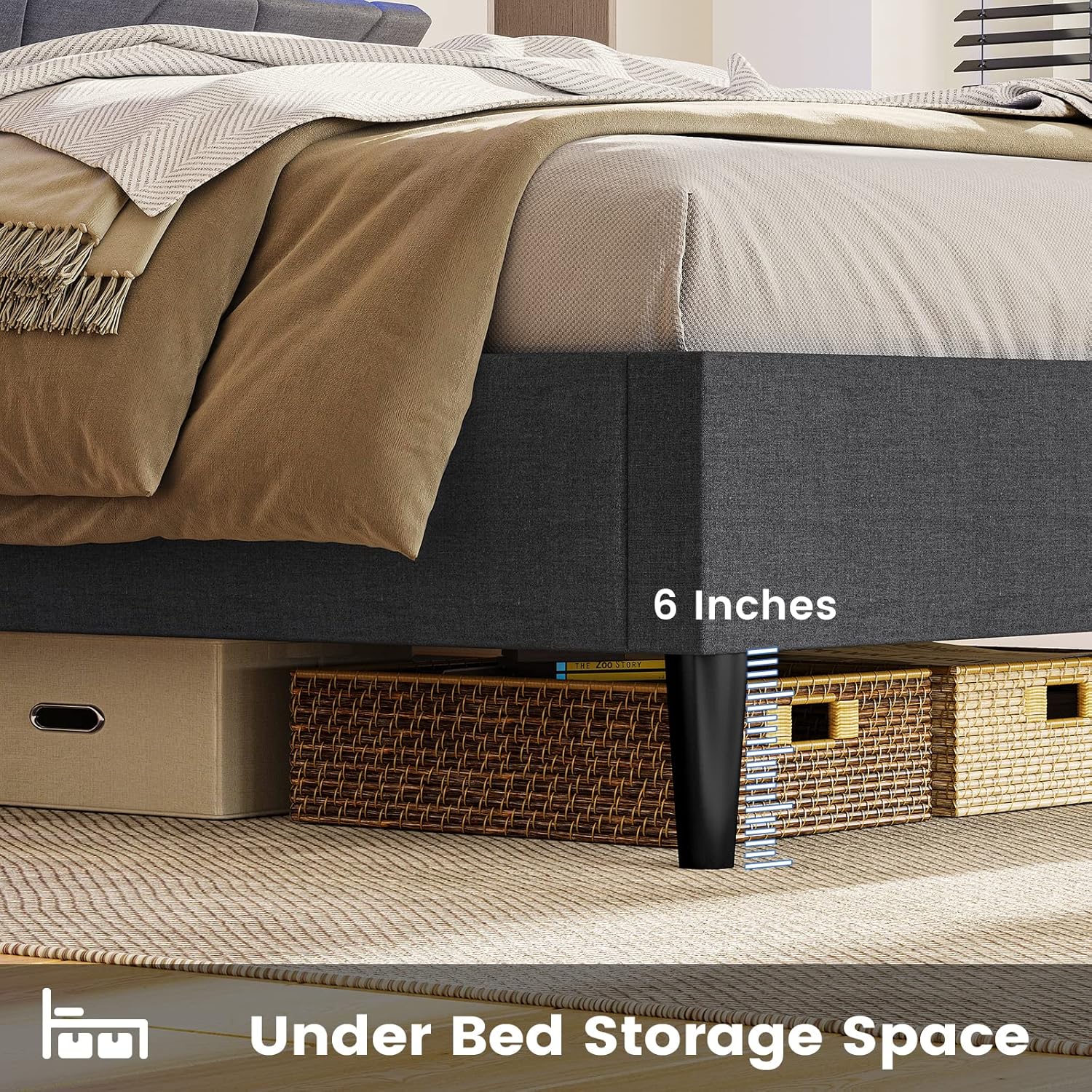
Image 4.1: Detailed view of the bed frame's sturdy construction, highlighting the 9 support legs, 2 steel slats, 12 wood slats, and the Velcro design for easy assembly and noise reduction.

Image 4.2: A close-up demonstrating the quick-setup system where Velcro strips attach the wooden slats to the bed frame for secure and easy installation.
5. Operating Instructions
5.1. LED Lighting System
The integrated RGB LED lights can be controlled via a dedicated remote control or a mobile application.
- Power On/Off: Use the power button on the remote or in the app to turn the lights on or off.
- Color Selection: Choose from over 60,000 colors using the color wheel in the app or preset color buttons on the remote.
- Brightness Adjustment: Adjust the light intensity using the brightness controls.
- Dynamic Modes: Select from various pre-programmed dynamic lighting effects (e.g., fading, jumping, flashing).
- Music Mode: Activate music mode to synchronize the lights with audio played through your device's microphone or the app.
- Microphone Mode: Lights react to ambient sounds detected by your phone's microphone when using the app.
- Timing Function: Set schedules for the lights to turn on or off automatically at specific times.

Image 5.1: The bed frame illuminated by RGB LED lights, with an overlay showing the remote control and mobile application interface for controlling colors, dynamic modes, music synchronization, microphone mode, and timing functions.

Image 5.2: A series of screenshots illustrating the mobile application interface for controlling the LED lights, including color selection, dynamic modes, music mode, microphone mode, and timing functions.
5.2. Charging Station
The headboard features a built-in power strip for convenient charging of electronic devices.
- AC Outlets: Two 125V/12A AC outlets are available for standard plugs.
- USB Ports: One USB-A (5V/2.1A) and one USB-C (5V/2.1A) port are provided for charging compatible USB devices.
- Usage: Simply plug your device's charging cable into the appropriate port. Ensure the bed frame's power cord is connected to a functional wall outlet.

Image 5.3: A close-up view of the integrated charging station on the headboard, showing two AC outlets, one USB-A port, and one USB-C port, with devices actively charging.
6. Maintenance
Proper care will extend the life and appearance of your bed frame.
- Fabric Care: The linen fabric upholstery should be dry cleaned only. For minor spills, gently blot with a clean, dry cloth. Avoid harsh chemicals or abrasive cleaners.
- Dusting: Regularly dust the headboard shelves and frame surfaces with a soft, dry cloth.
- Hardware Check: Periodically check all bolts and screws to ensure they remain tight. Re-tighten if necessary to maintain stability and prevent squeaking.
- Electrical Components: Ensure the charging station and LED light connections are free from dust and debris. Do not attempt to repair electrical components yourself; contact qualified personnel if issues arise.
7. Troubleshooting
This section addresses common issues you might encounter. For problems not listed here, please contact customer support.
| Problem | Possible Cause | Solution |
|---|---|---|
| LED lights not working | Loose connection, remote battery dead, app not connected. | Check all LED strip connections. Replace remote battery. Ensure mobile app is correctly paired via Bluetooth. |
| Charging station not providing power | Power cord unplugged, wall outlet not functional, device cable faulty. | Ensure the bed frame's power cord is securely plugged into a working wall outlet. Test the wall outlet with another device. Try a different charging cable for your device. |
| Bed frame is squeaking or unstable | Loose bolts, uneven support legs, slats not properly seated. | Re-tighten all assembly bolts. Adjust the height of the middle support legs to ensure even contact with the floor. Verify all wooden slats are correctly placed and secured by the Velcro. |
| Headboard storage shelves are loose | Assembly screws not fully tightened. | Ensure all screws securing the headboard shelves are fully tightened according to the assembly manual. |
8. Specifications
| Feature | Detail |
|---|---|
| Model Number | BWL |
| Size | Queen |
| Product Dimensions (L x W x H) | 84.6" x 60.4" x 45.8" |
| Color | Dark Grey-linen Fabric |
| Weight Capacity | Up to 880 lbs |
| Charging Station | 2 AC Outlets (125V/12A), 1 USB-A Port (5V/2.1A), 1 USB-C Port (5V/2.1A) |
| LED Lights | RGB, App & Remote Control, 60,000+ colors, Dynamic/Music/Mic modes, Timing function |
| Headboard Features | Storage shelves, hidden storage space, small fabric pockets |
| Box Spring Required | No |
| Assembly Required | Yes |
| Product Care | Dry Clean Only |

Image 8.1: Dimensional diagram of the Queen bed frame, indicating its length (84.6"), width (60.4"), headboard height (45.8"), and under-bed clearance (6.3"), along with a prominent display of its 880 lbs weight capacity.
9. Warranty and Support
For warranty information, please refer to the documentation included with your purchase or contact the manufacturer directly. If you encounter any issues or have questions regarding your BTHFST Queen Bed Frame, please reach out to our customer support team.
Manufacturer: BTHFST
Contact: Refer to the contact information provided in your purchase documentation or visit the official BTHFST brand store on Amazon for support options: BTHFST Amazon Store
Ask a question about this manual
Ask about setup, troubleshooting, compatibility, parts, safety, or missing instructions. Manuals+ will review the question and use this page’s manual context to help answer it.