
Introduction
Thank you for purchasing the Kisonli G12A Classic Retro Wooden Wireless Bluetooth Speaker. This manual provides essential information for the safe and efficient operation of your device. Please read it thoroughly before use and retain it for future reference.
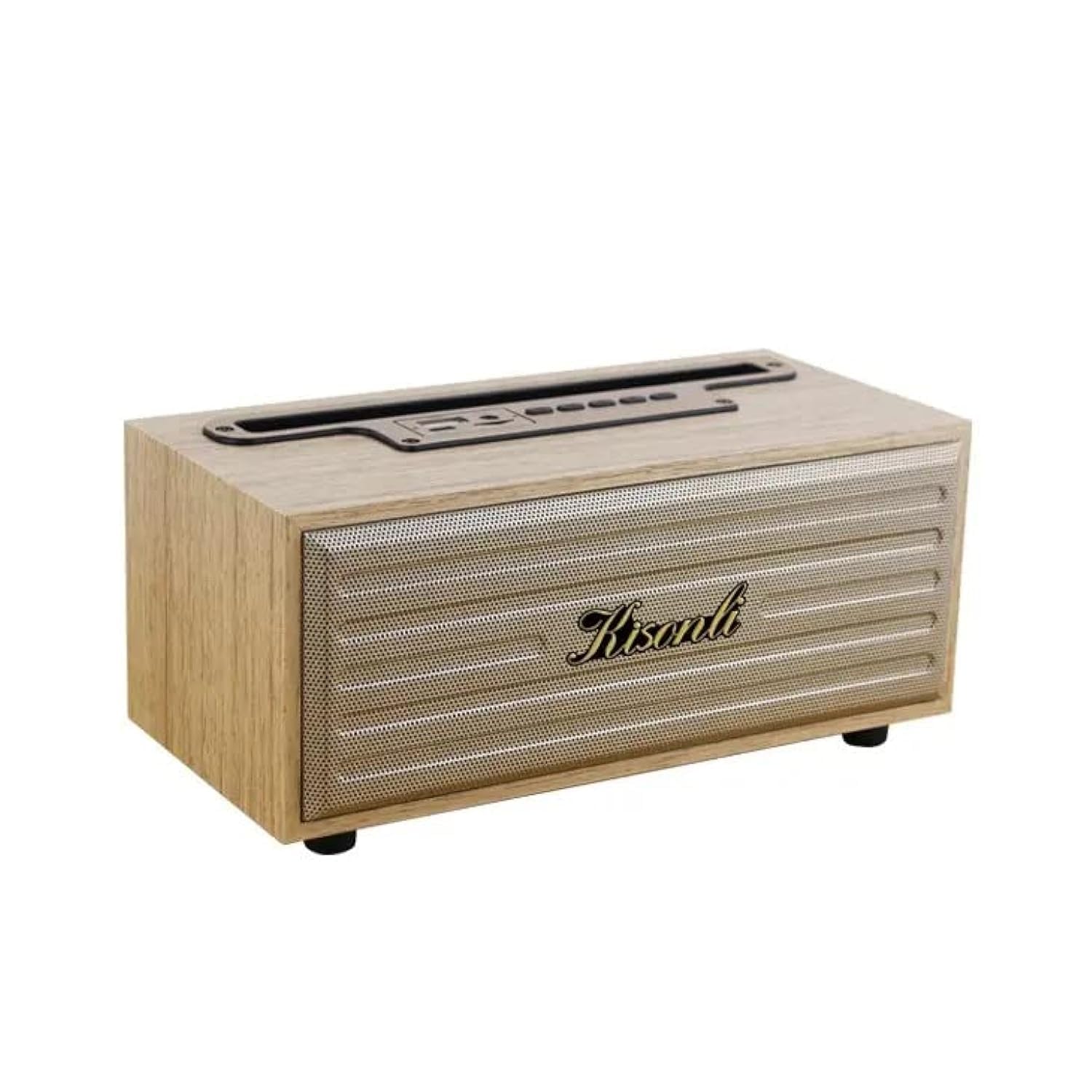
Image: The Kisonli G12A speaker, showcasing its wooden finish and retro design, with a smartphone placed in its integrated holder.
Safety Information
- Do not expose the speaker to extreme temperatures, direct sunlight, or high humidity.
- Avoid dropping or subjecting the speaker to strong impacts.
- Do not disassemble or attempt to repair the speaker yourself. Contact qualified service personnel.
- Keep the speaker away from water and other liquids, despite its water-resistant rating, to prevent damage.
- Use only the specified charging voltage (DC 5V) to prevent damage to the battery and speaker.
Package Contents
Please check the package for the following items:
- Kisonli G12A Bluetooth Speaker
- USB Charging Cable
- AUX Cable
- User Manual (this document)

Image: The retail packaging box for the Kisonli G12A speaker, showing the product image and brand logo.
Product Overview
Familiarize yourself with the various parts and controls of your Kisonli G12A speaker.

Image: A detailed view of the speaker's top panel, highlighting the control buttons and ports including USB, AUX, ON/OFF, volume controls, play/pause, mode switch, TF card slot, and DC 5V charging port.
Control Panel and Ports:
- USB Port: For USB disk playback.
- AUX Port: For wired audio input.
- ON/OFF Switch: Powers the speaker on or off.
- Volume Down / Previous Track: Short press for previous track, long press to decrease volume.
- Play/Pause: Controls audio playback.
- Volume Up / Next Track: Short press for next track, long press to increase volume.
- Mode Switch: Cycles through Bluetooth, TF Card, USB, and AUX modes.
- TF Card Slot: For TF (MicroSD) card playback.
- DC 5V Port: For charging the speaker.
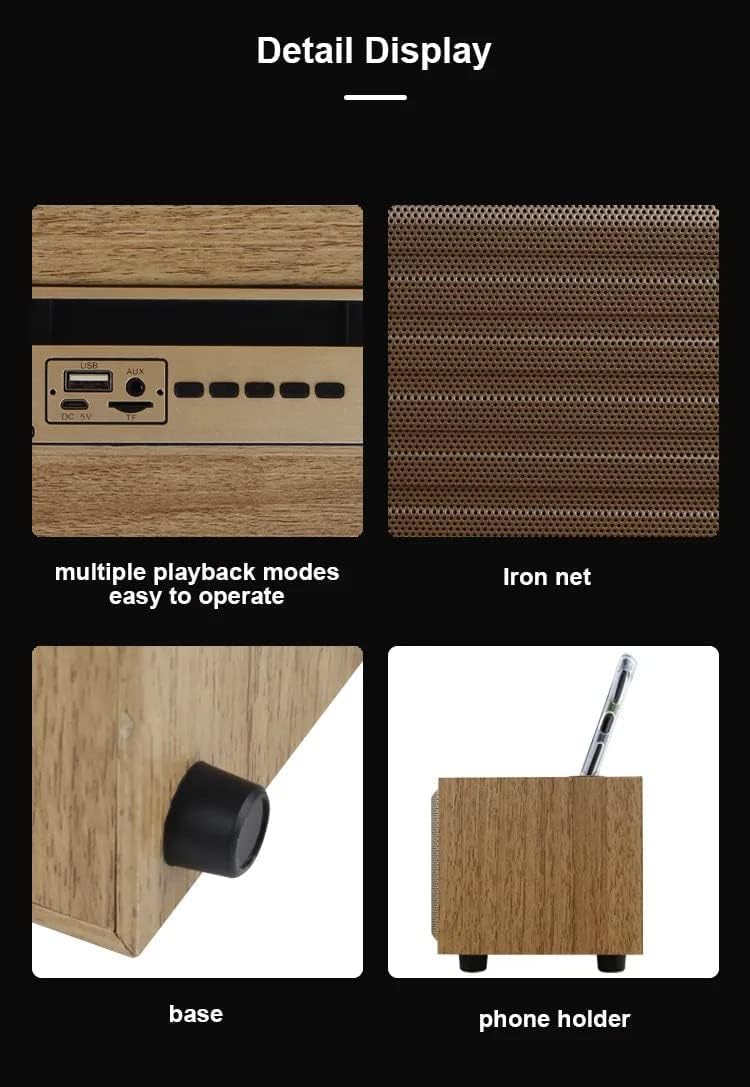
Image: A composite image showing close-ups of the speaker's features: the control panel with multiple playback modes, the metallic iron net grille, the anti-slip base, and the integrated phone holder slot.
Setup
1. Charging the Speaker
- Connect the provided USB charging cable to the DC 5V port on the speaker.
- Connect the other end of the USB cable to a compatible USB power adapter (DC 5V, not included) or a computer's USB port.
- The LED indicator will illuminate to show charging status. Once fully charged, the indicator may change color or turn off.
- A full charge typically takes a few hours and provides 2-10 hours of playtime, depending on volume and usage.
2. Powering On/Off
- To power on, slide the ON/OFF switch to the 'ON' position. You will hear an audible prompt.
- To power off, slide the ON/OFF switch to the 'OFF' position.
Operating Instructions
1. Bluetooth Pairing
- Ensure the speaker is powered on and in Bluetooth mode. If not, press the 'Mode Switch' button until you hear the Bluetooth mode prompt. The LED indicator will flash, indicating it's ready for pairing.
- On your mobile device (smartphone, tablet, laptop), enable Bluetooth and search for available devices.
- Select "Kisonli G12A" from the list of devices.
- Once paired, the speaker will confirm with an audible prompt, and the LED indicator will stop flashing and remain solid.
- You can now play audio from your device through the speaker.

Image: The Kisonli G12A speaker in a home setting, demonstrating its phone holder functionality with a device docked, and illustrating wireless Bluetooth playback from another smartphone up to 10 meters away.
2. TF Card / USB Disk Playback
- Insert a TF (MicroSD) card or a USB disk into the corresponding slot/port on the speaker.
- The speaker will automatically switch to TF Card or USB Disk mode and begin playing audio files. If not, press the 'Mode Switch' button to select the correct mode.
3. AUX Mode
- Connect one end of the provided AUX cable to the AUX port on the speaker.
- Connect the other end of the AUX cable to the audio output jack of your external device (e.g., MP3 player, computer).
- Press the 'Mode Switch' button until you hear the AUX mode prompt.
- Audio will now play through the speaker from your connected device.
4. Hands-Free Calling
- When connected via Bluetooth to a smartphone, incoming calls will be routed through the speaker.
- Press the 'Play/Pause' button to answer an incoming call.
- Press the 'Play/Pause' button again to end the call.
5. True Wireless Stereo (TWS) Function
The TWS function allows you to pair two Kisonli G12A speakers together for a stereo sound experience. (Requires two G12A speakers).
- Ensure both speakers are powered on and in Bluetooth pairing mode (LED flashing).
- On one of the speakers, long press the 'Mode Switch' button until you hear a pairing tone. The two speakers will attempt to connect to each other.
- Once successfully paired, you will hear a confirmation tone, and the LED on one speaker will remain solid while the other continues to flash (or both become solid, depending on the specific model's indicator behavior).
- Now, connect your mobile device to the primary speaker via Bluetooth as described in step 1. Both speakers will play audio in stereo.
Maintenance
- Clean the speaker with a soft, dry cloth. Do not use abrasive cleaners or solvents.
- Avoid blocking the speaker grille to ensure proper airflow and sound quality.
- Store the speaker in a cool, dry place when not in use for extended periods.
Troubleshooting
| Problem | Possible Solution |
|---|---|
| Speaker does not power on. | Ensure the battery is charged. Connect the speaker to a power source using the USB cable. |
| Cannot pair via Bluetooth. | Ensure the speaker is in Bluetooth pairing mode (flashing LED). Turn off and on Bluetooth on your device. Move the speaker closer to your device. |
| No sound from speaker. | Check volume levels on both the speaker and your connected device. Ensure the correct mode (Bluetooth, AUX, TF, USB) is selected. |
| Poor sound quality. | Ensure the speaker is within Bluetooth range. Check for interference from other wireless devices. For AUX mode, ensure the cable is fully inserted and not damaged. |
Specifications
| Feature | Detail |
|---|---|
| Brand | Kisonli |
| Model Number | G12A |
| Bluetooth Version | 5.0 |
| Playtime | 2-10 hours |
| Charging Voltage | DC 5V |
| Battery Capacity | 1200 mAh |
| Frequency Range | 20 Hz - 20 KHz |
| Output Power | 5 Watt |
| Product Weight | 415 grams (approx. 1.32 lbs) |
| Product Dimensions (D x W x H) | 10 cm x 20 cm x 9 cm |
| Material | Wood |
| Color | Wood (Brown) |
| Connectivity Technology | Bluetooth, USB, Auxiliary |
| Control Method | Buttons |
| Water Resistant | Yes |
| Compatible Devices | Tablet, Laptop, Smartphone |
| Audio Output Mode | Stereo |
| Mounting Type | Tabletop |

Image: The Kisonli G12A speaker with its physical dimensions clearly marked: 9cm height, 10cm depth, and 20cm width.
Warranty and Support
This product comes with a standard manufacturer's warranty. For detailed warranty information, please refer to the warranty card included in your package or contact Kisonli customer support. If you encounter any issues or have questions not covered in this manual, please reach out to the retailer or Kisonli customer service for assistance.