
1. Introduction
Thank you for purchasing the Hoco BS55 Wireless Outdoor Speaker. This manual provides important information regarding the setup, operation, and maintenance of your speaker. Please read it carefully before using the product to ensure proper function and to extend its lifespan. Keep this manual for future reference.
2. Product Overview
2.1 Package Contents
- Hoco BS55 Wireless Outdoor Speaker
- Charging Cable
- Audio Cable (AUX)
- Wired Microphone (may vary by package)
- Instruction Manual
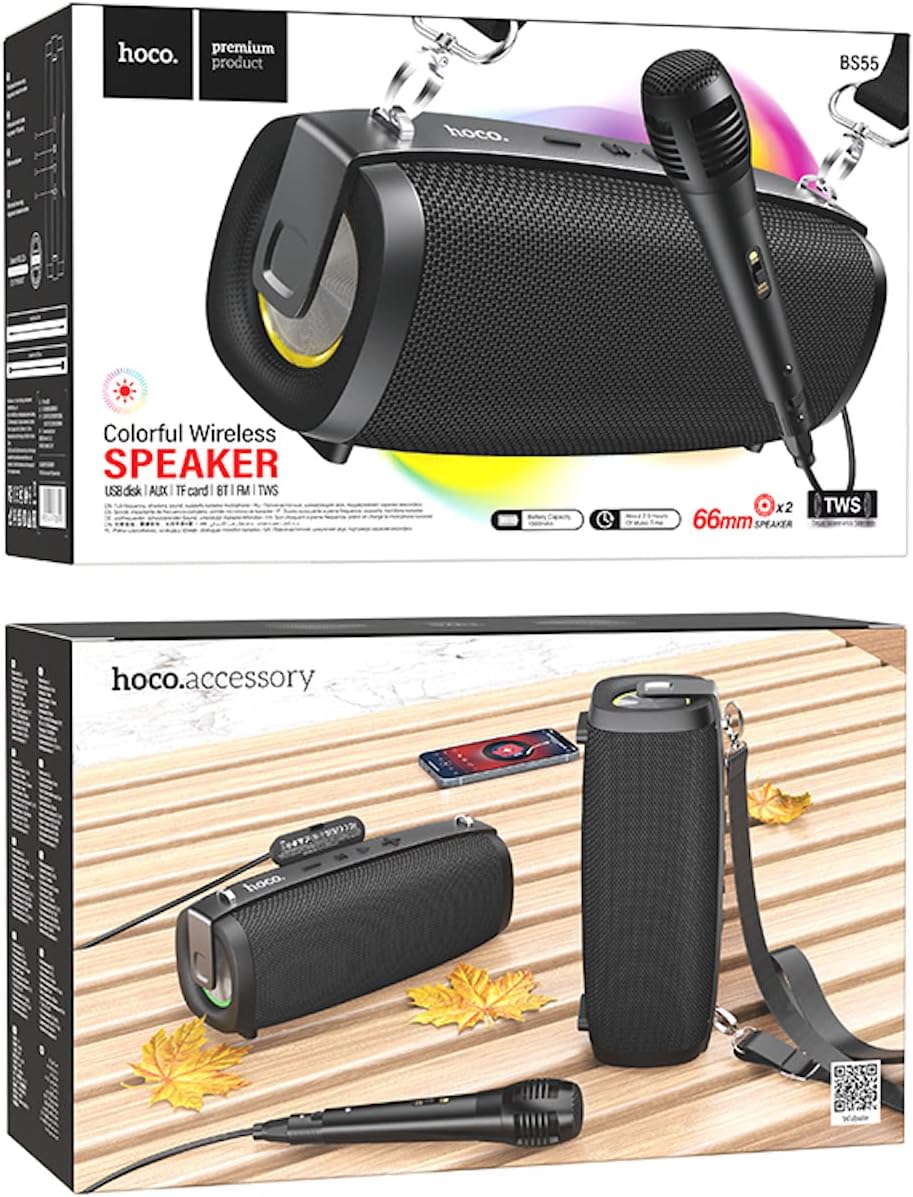
Image: Hoco BS55 Speaker packaging, illustrating the speaker, a wired microphone, and connecting cables.
2.2 Speaker Components and Controls

Image: The Hoco BS55 speaker, highlighting its control panel with buttons and various input ports.
- Power Button: Press and hold to turn the speaker ON/OFF. Short press to switch between modes.
- '-' Button: Short press for previous track. Long press to decrease volume.
- 'M' (Mode) Button: Short press to cycle through input modes (Bluetooth, FM Radio, TF Card, AUX, USB).
- '>' (Play/Pause) Button: Short press to play or pause music.
- '+' Button: Short press for next track. Long press to increase volume.
- USB Port: For USB flash disk playback.
- TF Card Slot: For TF (MicroSD) card playback.
- AUX Input: For connecting external audio devices via 3.5mm audio cable.
- Microphone Input: For connecting a wired microphone.
- Charging Port: For charging the speaker's internal battery.
3. Setup
3.1 Charging the Speaker
Before first use, fully charge the speaker. Connect the charging cable to the speaker's charging port and the other end to a USB power adapter (not included) or a computer's USB port. The charging indicator light will illuminate during charging and turn off when fully charged. Charging time is approximately 2 hours.
3.2 Powering On/Off
Press and hold the Power Button for a few seconds to turn the speaker ON. You will hear an audible prompt. To turn OFF, press and hold the Power Button again.
4. Operating Instructions
4.1 Bluetooth Mode
- Turn on the speaker. It will automatically enter Bluetooth pairing mode, indicated by a flashing light and an audible prompt.
- Enable Bluetooth on your mobile device (smartphone, tablet, etc.).
- Search for "Hoco BS55" in the list of available Bluetooth devices and select it to pair.
- Once successfully paired, you will hear a confirmation sound. You can now play audio from your device through the speaker.
- Use the '+' and '-' buttons for volume control, and the '>' button for play/pause. Short press '+' or '-' for next/previous track.
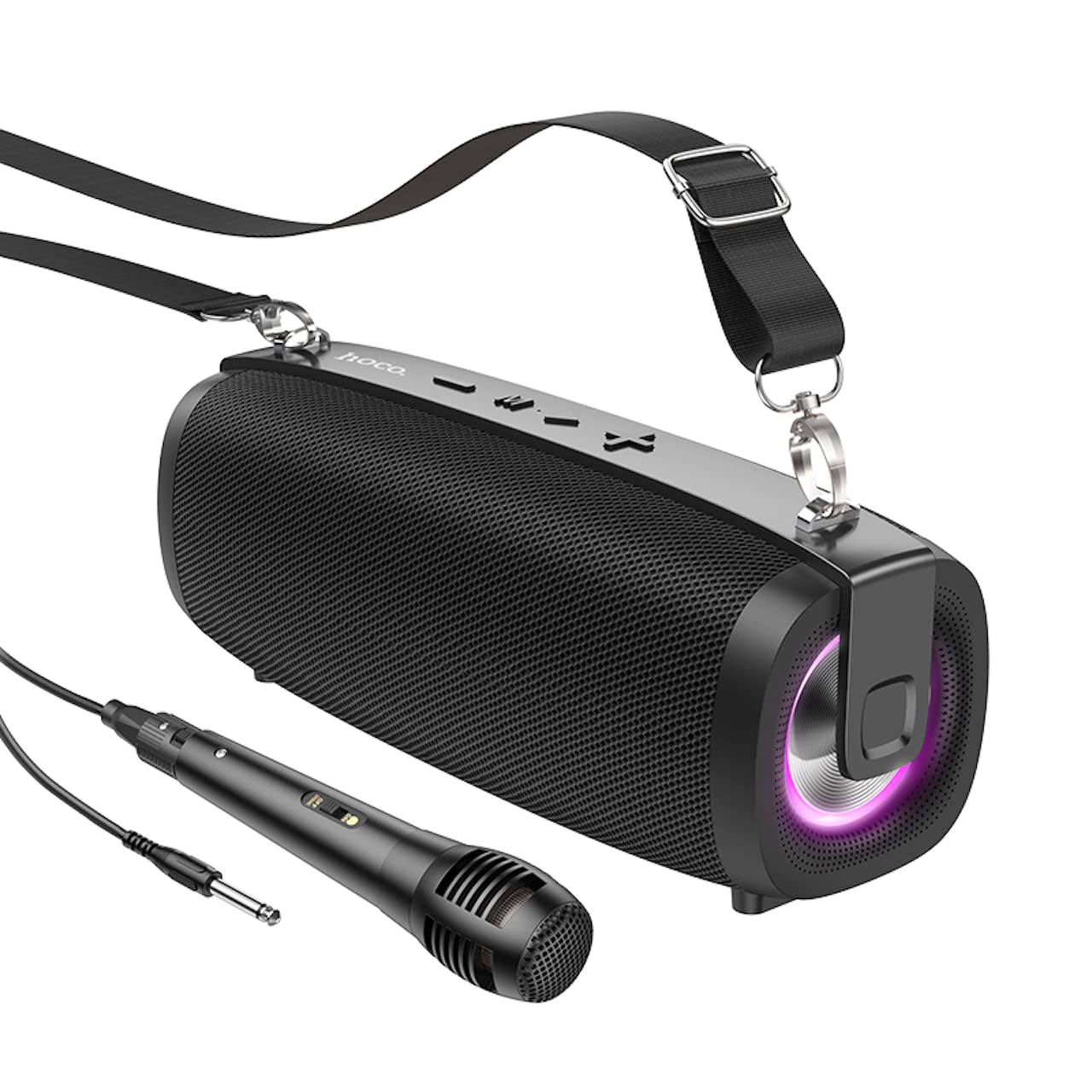
Image: The Hoco BS55 Wireless Outdoor Speaker, ready for use.
4.2 FM Radio Mode
- Short press the 'M' (Mode) Button until you hear the FM radio prompt.
- To auto-scan and save available stations, long press the '>' (Play/Pause) Button. The speaker will scan and store stations automatically.
- Short press the '+' or '-' buttons to switch between saved FM stations.
4.3 TF Card / USB Flash Disk Mode
- Insert a TF (MicroSD) card or a USB flash disk into the corresponding slot.
- The speaker will automatically switch to TF Card or USB mode and begin playing audio files. If it doesn't, short press the 'M' (Mode) Button to select the correct mode.
- Use the '+' and '-' buttons for volume control, and short press them for next/previous track. Use the '>' button for play/pause.
4.4 AUX Input Mode
- Connect one end of the 3.5mm audio cable to the speaker's AUX input port and the other end to the audio output of your external device (e.g., MP3 player, computer).
- Short press the 'M' (Mode) Button until you hear the AUX mode prompt.
- Control playback and volume primarily from your external device. The speaker's volume buttons will also function.
4.5 TWS (True Wireless Stereo) Function
The TWS function allows you to pair two Hoco BS55 speakers together for a stereo sound experience.
- Ensure both BS55 speakers are turned ON and are not connected to any Bluetooth device.
- On one of the speakers (this will be the primary speaker), long press the 'M' (Mode) Button until you hear a pairing tone.
- The two speakers will automatically search and pair with each other. Once connected, you will hear a confirmation sound.
- Now, connect your mobile device to the primary speaker via Bluetooth as described in section 4.1. Both speakers will play audio in stereo.
4.6 Wired Microphone Usage
If your package includes a wired microphone, connect it to the speaker's dedicated microphone input port. The speaker will automatically detect the microphone. Adjust the volume as needed using the speaker's volume controls or your connected device.
5. Maintenance
- Cleaning: Use a soft, dry cloth to clean the speaker. Do not use abrasive cleaners or solvents.
- Storage: Store the speaker in a cool, dry place away from direct sunlight and extreme temperatures.
- Battery Care: To prolong battery life, charge the speaker regularly, even if not in use. Avoid fully discharging the battery frequently.
- Water Resistance: The Hoco BS55 speaker is not water resistant. Avoid exposing it to water, rain, or excessive moisture to prevent damage.
- Avoid Impact: Do not drop or subject the speaker to strong impacts.
6. Troubleshooting
| Problem | Solution |
|---|---|
| Speaker does not turn on. | Ensure the speaker is charged. Connect it to a power source and try again. |
| No sound. | Check the volume level on both the speaker and your connected device. Ensure the correct input mode is selected. |
| Cannot pair via Bluetooth. | Make sure the speaker is in Bluetooth pairing mode. Disable and re-enable Bluetooth on your device. Move the speaker closer to your device. Ensure no other devices are connected to the speaker. |
| FM radio reception is poor. | Try repositioning the speaker. Perform an auto-scan again. |
| TWS pairing fails. | Ensure both speakers are not connected to any other Bluetooth device. Try restarting both speakers and repeating the TWS pairing process. |
7. Specifications
| Feature | Specification |
|---|---|
| Model | BS55 |
| Dimensions (L x W x H) | 202 x 89.5 x 71.4 mm (20.2 x 7.1 x 9 cm) |
| Weight | 810 g |
| Bluetooth Version | 5.3 |
| Bluetooth Chip | JLAC6965E |
| Battery Capacity | 1500mAh |
| Charging Time | Approximately 2 hours |
| Music Playback Time | Up to 2.5 hours |
| Speaker Unit Size | 66mm * 2 |
| Output Power | 5W * 2 (Total 10W) |
| Connectivity Options | Bluetooth, FM Radio, TF Card, AUX, USB Flash Disk, TWS |
| Microphone Support | Wired microphone input |
| Water Resistance | Not water resistant |
| Color | Black |
8. Warranty and Support
Hoco products are designed and manufactured to the highest quality standards. For warranty information and customer support, please refer to the warranty card included with your purchase or contact your local Hoco distributor or retailer. Keep your proof of purchase for any warranty claims.