
1. Introduction
Thank you for choosing the Hoco BS47 Uno Sports Wireless Bluetooth Speaker. This manual provides essential information for the safe and efficient use of your new speaker. Please read it thoroughly before operation and retain it for future reference.
2. Product Overview
Key Features
- Bluetooth 5.0 for stable wireless connection.
- Compact and portable design with a convenient lanyard.
- Supports multiple playback modes: Bluetooth, FM Radio, TF Card, and TWS (True Wireless Stereo).
- 52mm speaker unit delivering 5W of power.
- Built-in 1200mAh battery for extended music playback.
- Water-resistant design for outdoor activities.
Package Contents
- Hoco BS47 Wireless Bluetooth Speaker
- Charging Cable
- User Manual
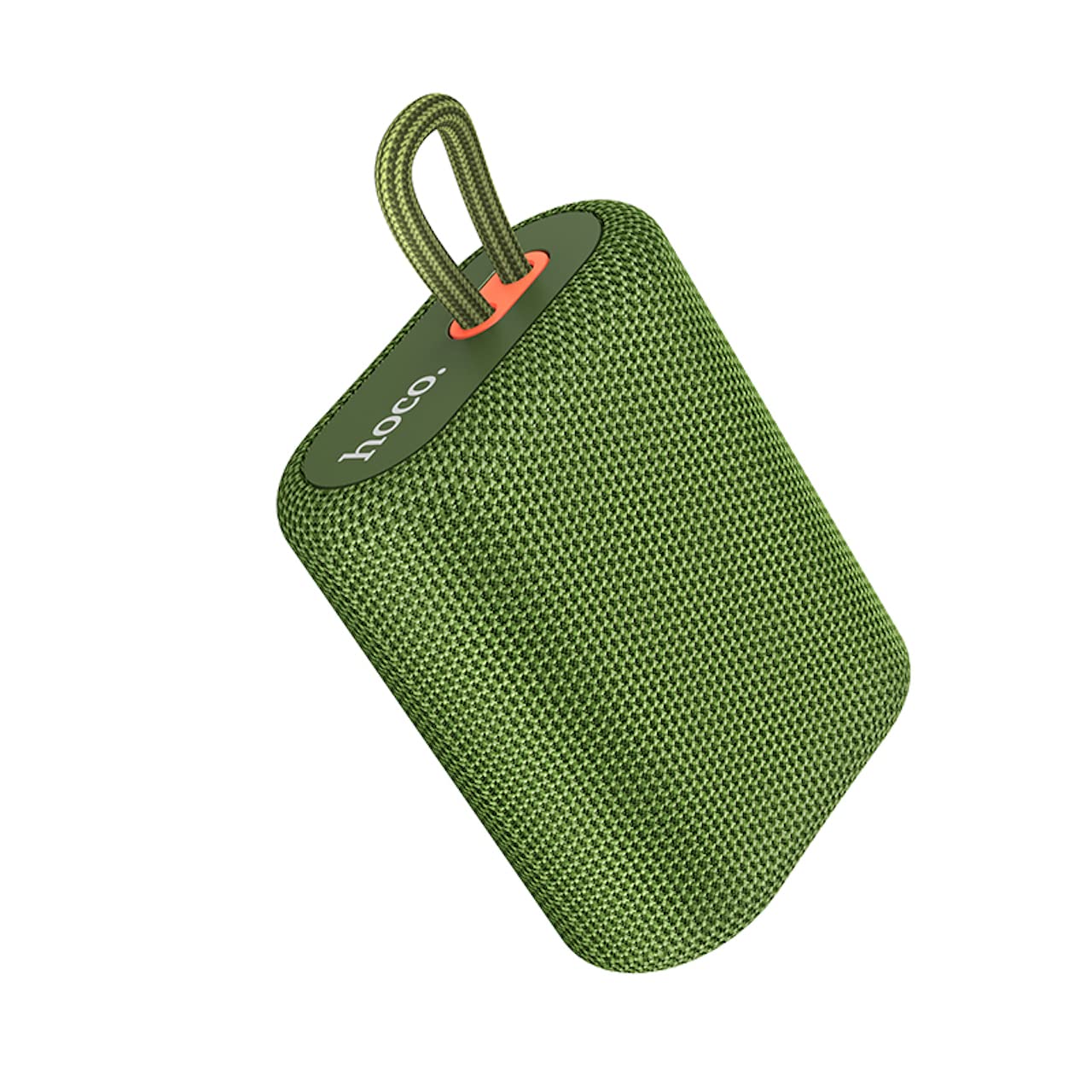
Image 2.1: The Hoco BS47 Uno Sports Wireless Bluetooth Speaker, showcasing its compact design and integrated lanyard.

Image 2.2: A hand holding the Hoco BS47 speaker, demonstrating its ergonomic and portable design for easy one-handed grasp.
3. Setup
3.1 Charging the Speaker
- Connect the provided charging cable to the speaker's charging port.
- Connect the other end of the cable to a USB power adapter (not included) or a computer's USB port.
- The charging indicator light will illuminate. It takes approximately 2.5 hours for a full charge.
- Once fully charged, the indicator light may change or turn off. Disconnect the charging cable.
3.2 Powering On/Off
- To Power On: Press and hold the Power button for a few seconds until you hear an audible prompt or see the indicator light flash.
- To Power Off: Press and hold the Power button again for a few seconds until you hear an audible prompt or the indicator light turns off.
3.3 Bluetooth Pairing
- Ensure the speaker is powered on and in Bluetooth pairing mode (the indicator light will usually flash rapidly).
- On your mobile device (smartphone, tablet, etc.), enable Bluetooth.
- Search for available Bluetooth devices. You should see "Hoco BS47" in the list.
- Select "Hoco BS47" to connect. Once connected, you will hear a confirmation sound, and the indicator light will stop flashing and remain solid.
- If prompted for a password, enter "0000".
3.4 TWS (True Wireless Stereo) Pairing
TWS allows you to connect two Hoco BS47 speakers together for a stereo sound experience.
- Ensure both Hoco BS47 speakers are powered on and not connected to any other Bluetooth device.
- On one of the speakers (this will be the primary speaker), double-press the TWS button (refer to the speaker's button layout if unsure).
- The speakers will automatically search for and pair with each other. You will hear a confirmation tone once connected.
- Now, connect your mobile device to the primary speaker via Bluetooth as described in section 3.3. Both speakers will play audio in stereo.

Image 3.1: Two Hoco BS47 speakers demonstrating TWS interconnection for stereo sound.
4. Operating Instructions
4.1 Button Functions
The Hoco BS47 speaker features intuitive controls. Please refer to the product diagram for exact button locations.
- Power Button: Press and hold to power on/off. Short press to play/pause music or answer/end calls.
- Volume Up (+): Short press to increase volume. Long press for next track.
- Volume Down (-): Short press to decrease volume. Long press for previous track.
- Mode Button (M): Short press to switch between Bluetooth, FM Radio, and TF Card modes.
- TWS Button: Double-press to initiate TWS pairing (see section 3.4).
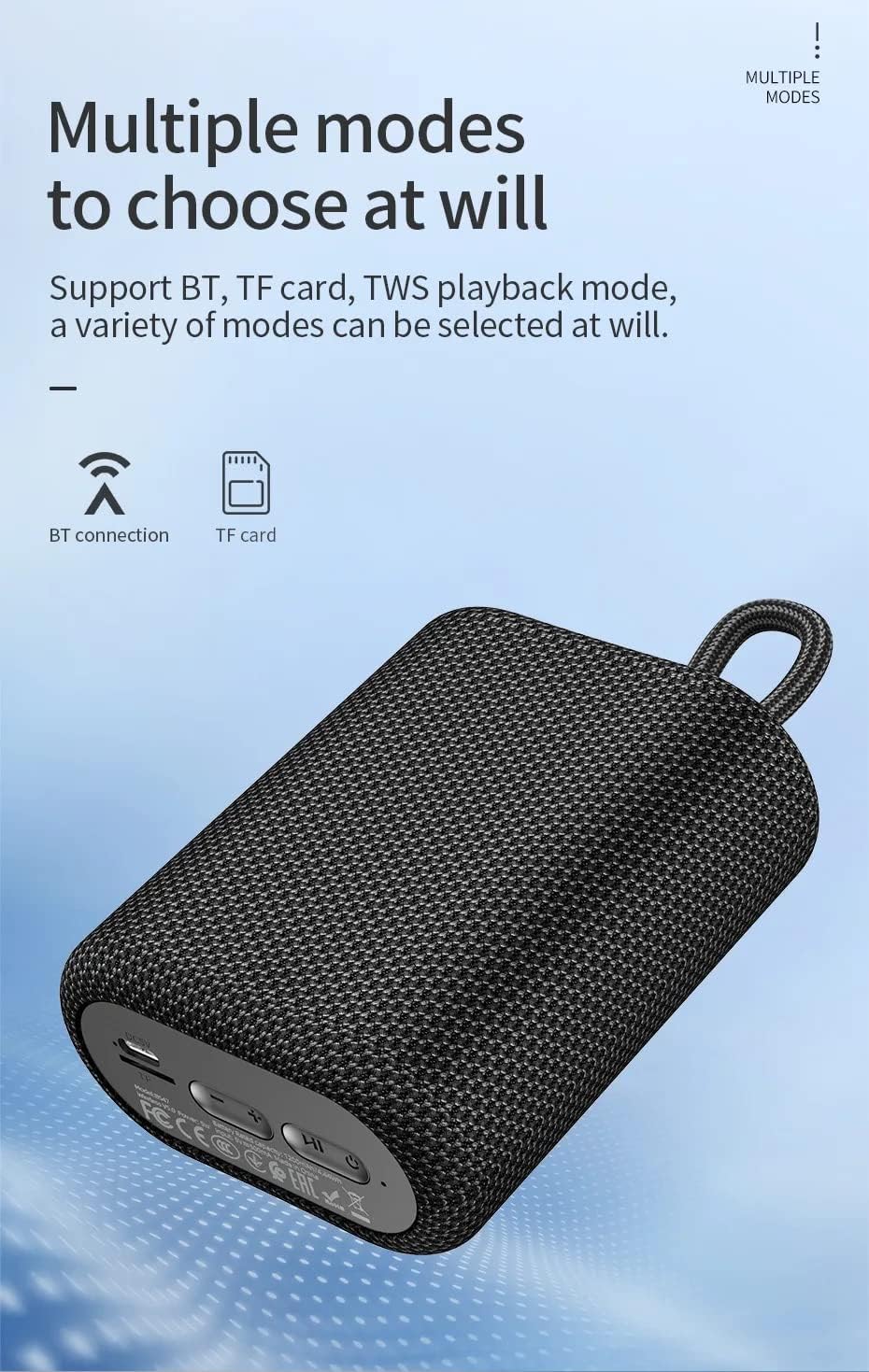
Image 4.1: Bottom view of the Hoco BS47 speaker, highlighting the charging port, TF card slot, and control buttons for various modes.
4.2 Bluetooth Playback
After successful Bluetooth pairing (Section 3.3), you can play audio from your connected device. Use the speaker's volume buttons or your device's volume controls to adjust the sound level.
4.3 FM Radio Mode
- Press the Mode (M) button to switch to FM Radio mode.
- Press and hold the Power button (or a dedicated scan button if available) to automatically scan and save available FM stations.
- Use the Volume Up (+) and Volume Down (-) buttons (short press) to navigate between saved stations.
4.4 TF Card Playback
- Insert a TF (MicroSD) card with MP3 audio files into the TF card slot.
- Press the Mode (M) button to switch to TF Card mode. The speaker will automatically begin playing music from the card.
- Use the Volume Up (+) and Volume Down (-) buttons (long press) to skip tracks.
4.5 Call Functions
- Answer Call: Short press the Power button when an incoming call rings.
- End Call: Short press the Power button during a call.
- Reject Call: Press and hold the Power button when an incoming call rings.
5. Maintenance
5.1 Cleaning
- Wipe the speaker with a soft, dry cloth.
- Do not use abrasive cleaners, alcohol, or chemical solvents, as these may damage the surface.
5.2 Storage
- Store the speaker in a cool, dry place away from direct sunlight and extreme temperatures.
- If storing for an extended period, charge the battery at least once every three months to prolong its lifespan.
5.3 Water Resistance
The Hoco BS47 is designed to be water-resistant. However, it is not fully waterproof. Avoid submerging the speaker in water or exposing it to heavy rain for prolonged periods. Ensure the charging port cover is securely closed to maintain water resistance.
6. Troubleshooting
| Problem | Possible Cause | Solution |
|---|---|---|
| Speaker does not power on. | Battery is depleted. | Charge the speaker for at least 30 minutes. |
| Cannot pair via Bluetooth. | Speaker is not in pairing mode or already connected to another device. | Ensure the speaker is in pairing mode (flashing indicator). Disconnect from other devices. Restart both speaker and device. |
| No sound or low volume. | Volume too low on speaker or device. Device not connected. | Increase volume on both speaker and connected device. Re-establish Bluetooth connection. |
| FM radio reception is poor. | Weak signal. | Move the speaker to an open area. The charging cable can sometimes act as an antenna; try connecting it. |
| TWS pairing fails. | Speakers are too far apart or already connected to other devices. | Ensure both speakers are close to each other and not connected to any other Bluetooth devices. Try restarting both speakers. |
7. Specifications

Image 7.1: Detailed product information table for the Hoco BS47 speaker.
| Feature | Detail |
|---|---|
| Model | BS47 |
| Dimensions (L x W x H) | 114 x 93 x 51 mm |
| Weight | 283 g |
| Bluetooth Version | 5.1 (Chip: Blue trum AB5365A) |
| Bluetooth Protocols | A2DP, AVRCP, HFP |
| Transmission Range | 10 meters |
| Transmission Frequency | 2.4GHz |
| Speaker Unit | 52mm x 1 |
| Power Output | 5W |
| Frequency Response | 100Hz-18KHz |
| Signal-to-Noise Ratio (S/N) | ≥75dB |
| Distortion (THD) | ≤5% |
| Battery Capacity | 1200 mAh |
| Charging Voltage | DC 5V |
| Charging Time | Approx. 2.5 hours |
| Music/Talk Time | 3 hours |
| Supported Modes | Bluetooth, FM Radio, TF Card, TWS |
| Water Resistance | Yes |
| Compatible Devices | Smartphones, Tablets, Laptops, MP3 Players |
8. Warranty and Support
8.1 Warranty Information
Hoco products are manufactured to the highest quality standards. This product is covered by a standard manufacturer's warranty against defects in materials and workmanship from the date of purchase. Please retain your proof of purchase for warranty claims.
The warranty does not cover damage caused by:
- Accident, abuse, misuse, or improper operation.
- Unauthorized repair or modification.
- Failure to follow the instructions in this manual.
- Normal wear and tear.
8.2 Customer Support
For technical support, warranty service, or general inquiries, please contact your local Hoco distributor or the retailer where you purchased the product. You may also visit the official Hoco website for more information and support resources.


