Introduction
This manual provides detailed instructions for the safe and efficient use of your Hoco HC8 Pulsating Colorful Luminous Wireless Speaker. Please read this manual thoroughly before operating the device and retain it for future reference.
Package Contents
Upon opening the package, please verify that all items listed below are present and in good condition:
- Hoco HC8 Wireless Speaker
- Charging Cable (USB-C)
- User Manual (this document)
- Auxiliary Audio Cable (if applicable)

Image: The retail packaging of the Hoco HC8 speaker, showing the product and its key features on the box.
Product Features
- Bluetooth 5.0: Advanced wireless connectivity for stable and efficient audio streaming.
- Powerful Audio Output: Equipped with a 57mm speaker unit, delivering 10W of power.
- Long Battery Life: 1800mAh battery capacity providing up to 4 hours of music playback/talk time.
- Versatile Playback Modes: Supports Bluetooth, FM radio, TF card, U disk, TWS (True Wireless Stereo), and AUX input.
- Dynamic LED Lighting: Features 360° surrounding LED atmosphere light with 8 lighting modes, including 2 modes that synchronize with music rhythm.

Image: The Hoco HC8 speaker displaying its vibrant, pulsating colorful LED lights, highlighting its aesthetic feature.
Setup
Charging the Speaker
Before first use, fully charge the speaker. Connect the provided charging cable to the speaker's charging port and the other end to a USB power adapter (not included). The charging time is approximately 2.5 hours.
Powering On/Off
- To power on, press and hold the Power button until the indicator light illuminates.
- To power off, press and hold the Power button again until the indicator light turns off.
Operating Instructions
Bluetooth Pairing
- Ensure the speaker is powered on and in Bluetooth pairing mode (indicated by a flashing blue light).
- On your device (smartphone, tablet, etc.), enable Bluetooth and search for available devices.
- Select "Hoco HC8" from the list of devices.
- Once paired, the speaker will emit a confirmation sound, and the indicator light will turn solid blue.
Music Playback
- Play/Pause: Press the Play/Pause button.
- Next Track: Press the "+" button.
- Previous Track: Press the "-" button.
- Volume Up: Press and hold the "+" button.
- Volume Down: Press and hold the "-" button.
Mode Switching
Press the "M" (Mode) button to cycle through available modes: Bluetooth, FM Radio, TF Card, U Disk, AUX.
FM Radio Operation
- Switch to FM mode using the "M" button.
- Press the Play/Pause button to auto-scan and save available FM stations.
- Use the "+" and "-" buttons to navigate between saved stations.
LED Lighting Modes
Press the dedicated light button (often indicated by a sun or star icon) to cycle through the 8 different LED lighting modes. Two of these modes will pulsate in rhythm with the music.
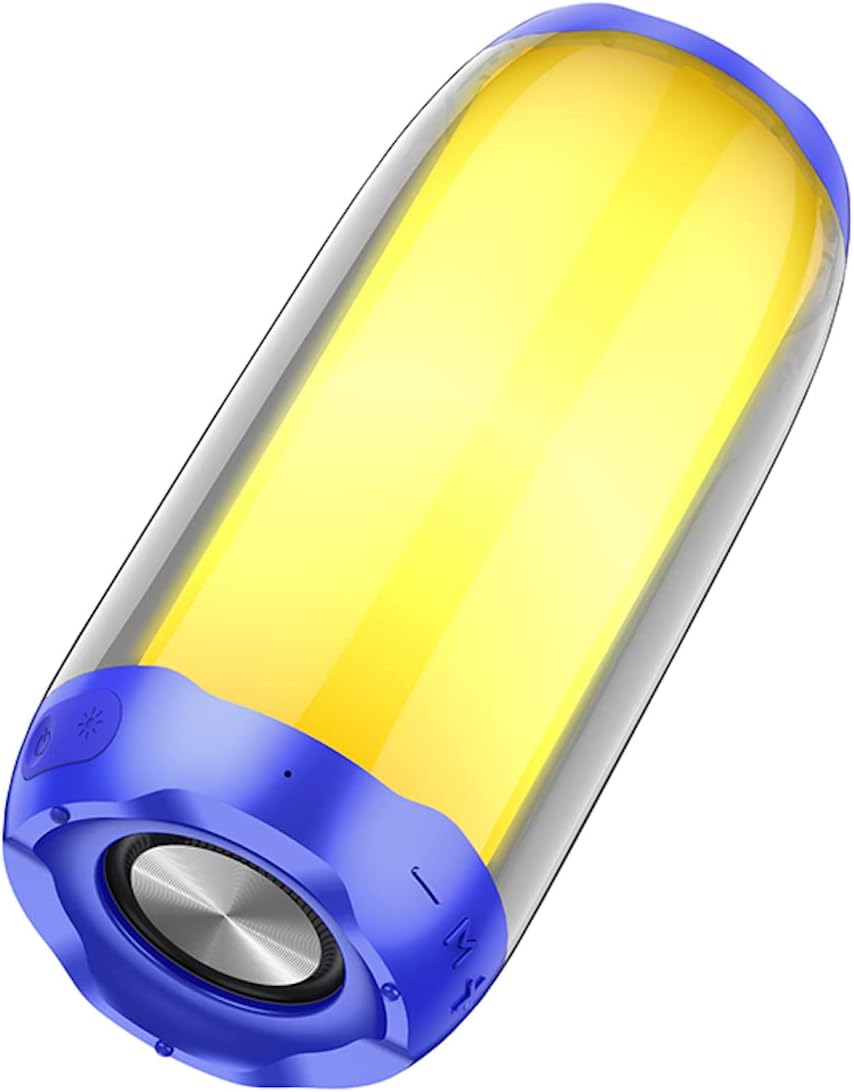
Image: The Hoco HC8 speaker illuminated with a solid yellow light, demonstrating one of its many atmospheric lighting options.

Image: The Hoco HC8 speaker placed on a wooden table in a home environment, showcasing its design and how it fits into a living space.
Maintenance
- Clean the speaker with a soft, dry cloth. Do not use abrasive cleaners or solvents.
- Keep the speaker away from water, moisture, and extreme temperatures.
- Store the speaker in a cool, dry place when not in use for extended periods.
- Avoid dropping the speaker or subjecting it to strong impacts.
Troubleshooting
| Problem | Possible Cause | Solution |
|---|---|---|
| Speaker does not power on. | Low battery. | Charge the speaker fully. |
| No sound. | Volume too low; Not paired; Incorrect mode. | Increase volume; Re-pair Bluetooth; Switch to correct input mode. |
| Bluetooth connection unstable. | Too far from device; Interference. | Move speaker closer to device; Avoid obstacles or other wireless devices. |
| LED lights not working. | Light mode off; Malfunction. | Press the light button to activate/cycle modes. If issue persists, contact support. |
Specifications
| Feature | Detail |
|---|---|
| Model | HC8 |
| Dimensions | 210 x 95 x 95 mm |
| Weight | 760 g |
| Bluetooth Version | 5.0 (JL chip) |
| Battery Capacity | 1800mAh |
| Charging Time | Approximately 2.5 hours |
| Music/Talk Time | Up to 4 hours |
| Speaker Unit | 57mm x 1 |
| Power Output | 10W x 1 |
| Supported Modes | Bluetooth, FM, TF card, U disk, TWS, AUX |
| LED Lighting | 360° Surrounding LED Atmosphere Light, 8 lighting modes (2 music rhythm sync) |
Warranty and Support
For warranty information and technical support, please refer to the warranty card included with your product or visit the official HOCO website. Please retain your proof of purchase for any warranty claims.


