
Introduction
This manual provides detailed instructions for the operation and maintenance of your Hoco HC9 Dazzling Pulse Sports Wireless Speaker. Please read this manual carefully before use to ensure proper functionality and extend the product's lifespan.
Safety Information
- Do not expose the speaker to extreme temperatures, humidity, or direct sunlight.
- Avoid dropping or subjecting the speaker to strong impacts.
- Do not disassemble, repair, or modify the speaker yourself. Refer to qualified service personnel.
- Keep out of reach of children.
- Use only the specified charging voltage and current.
Package Contents
- Hoco HC9 Wireless Speaker
- Charging Cable (USB)
- User Manual
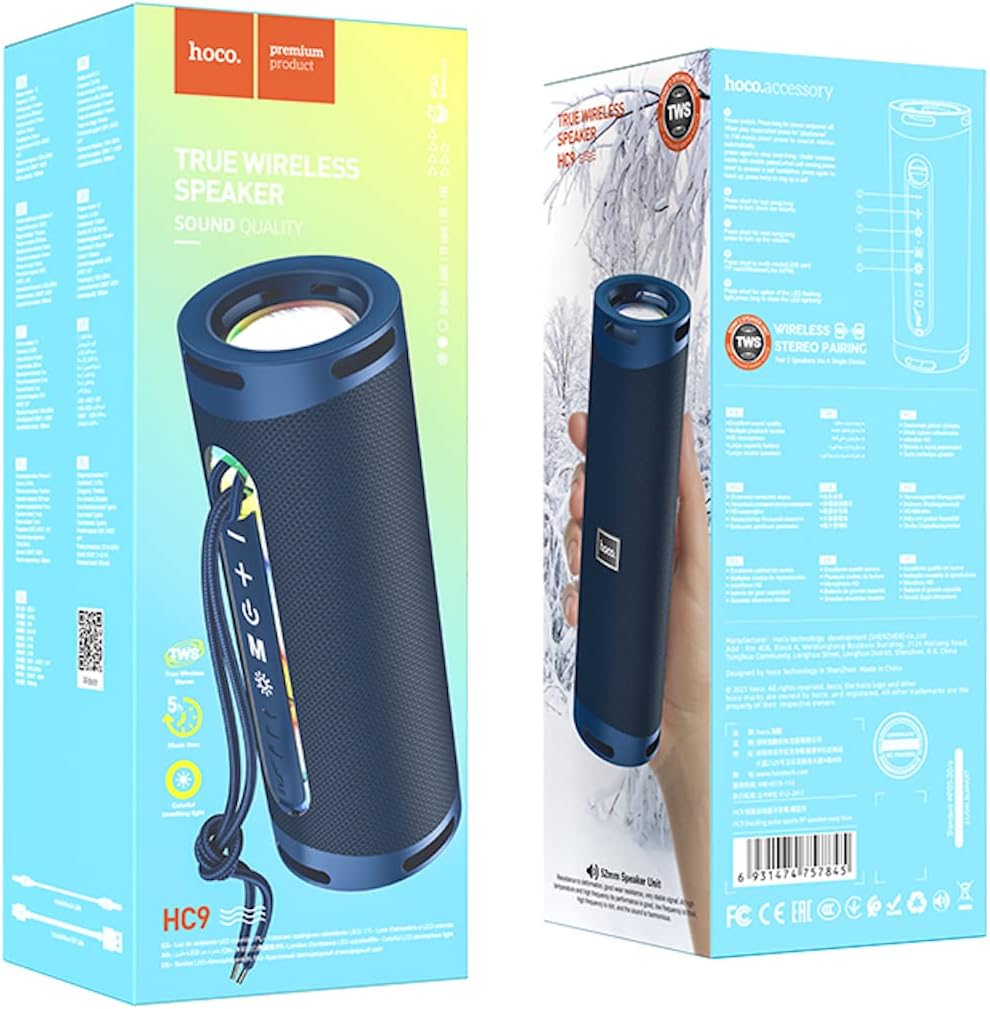
Image: The retail packaging of the Hoco HC9 speaker, illustrating the speaker itself, the included charging cable, and the user manual.
Product Overview
Familiarize yourself with the speaker's components and controls.
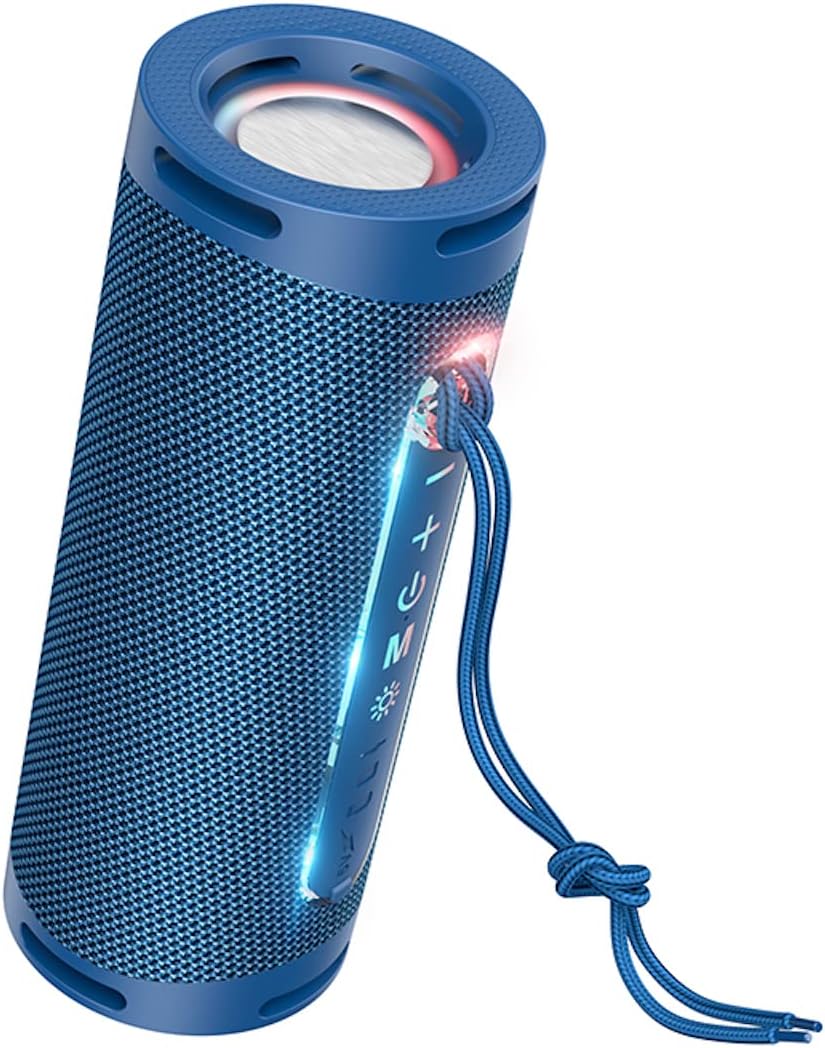
Image: A detailed view of the Hoco HC9 speaker, highlighting its control panel with buttons for power, volume, mode, and playback, along with visible ports.
Controls and Ports
- Power Button: Press and hold to turn on/off.
- Play/Pause Button: Press to play or pause music.
- Volume Up / Next Track Button: Short press for volume up, long press for next track.
- Volume Down / Previous Track Button: Short press for volume down, long press for previous track.
- Mode Button (M): Press to switch between Bluetooth, TF card, USB, and AUX modes.
- Charging Port: For connecting the USB charging cable.
- TF Card Slot: For MicroSD cards.
- USB Flash Drive Port: For USB drives.
- AUX Port: For wired audio connection.
- LED Indicator: Shows power, charging, and connection status.
Setup
Initial Charging
Before first use, fully charge the speaker.
- Connect the provided USB charging cable to the speaker's charging port.
- Connect the other end of the cable to a USB power adapter (5V/1A recommended) or a computer's USB port.
- The LED indicator will show charging status (e.g., red light while charging, off when fully charged).
- Charging time is approximately 3 hours.
Power On/Off
Press and hold the Power button for 3 seconds to turn the speaker on or off. A prompt sound will indicate the status.
Operating Instructions
Bluetooth Pairing
- Turn on the speaker. It will automatically enter Bluetooth pairing mode, indicated by a flashing LED.
- On your device (smartphone, tablet, etc.), enable Bluetooth and search for available devices.
- Select "Hoco HC9" from the list of found devices.
- Once paired, the LED indicator will stop flashing and a confirmation sound will play.
- The speaker will automatically connect to the last paired device when turned on, if within range.
TF Card Mode
Insert a TF (MicroSD) card with MP3 audio files into the TF card slot. The speaker will automatically switch to TF card mode and begin playback.
USB Flash Drive Mode
Insert a USB flash drive with MP3 audio files into the USB port. The speaker will automatically switch to USB mode and begin playback.
AUX Mode
Connect one end of a 3.5mm audio cable (not included) to the speaker's AUX port and the other end to the audio output of your device. The speaker will automatically switch to AUX mode.
TWS (True Wireless Stereo) Function
The TWS function allows you to pair two Hoco HC9 speakers together for a stereo sound experience.
- Ensure both Hoco HC9 speakers are turned off.
- Turn on both speakers. They should both be in Bluetooth pairing mode.
- On one of the speakers (this will be the primary speaker), double-press the Mode (M) button. You will hear a prompt sound indicating TWS pairing mode.
- The two speakers will automatically connect to each other. Once connected, the primary speaker's LED will flash, and the secondary speaker's LED will be solid.
- Now, connect your device to the primary speaker via Bluetooth as described in the "Bluetooth Pairing" section.
- Audio will now play in stereo through both speakers.

Image: Two Hoco HC9 speakers, one in navy blue and another in white, positioned on a wooden table, illustrating the True Wireless Stereo (TWS) capability.
Maintenance
Cleaning
Use a soft, dry cloth to clean the speaker's surface. Do not use abrasive cleaners, alcohol, or chemical solvents.
Storage
When not in use for extended periods, store the speaker in a cool, dry place away from direct sunlight and extreme temperatures.
Troubleshooting
- No Power: Ensure the speaker is charged. Connect to a power source and try again.
- No Sound: Check the volume level on both the speaker and your connected device. Ensure the correct mode (Bluetooth, AUX, etc.) is selected.
- Cannot Pair Bluetooth: Ensure the speaker is in pairing mode. Turn off and on the Bluetooth on your device. Clear previous pairings on your device and try again. Ensure no other devices are connected to the speaker.
- Poor Sound Quality: Move the speaker closer to your Bluetooth device. Check for interference from other electronic devices. Try a different audio source.
- TWS Pairing Failure: Ensure both speakers are Hoco HC9 models. Make sure both are in Bluetooth pairing mode before initiating TWS pairing. Try resetting both speakers.
Specifications
- Model: HC9
- Dimensions: 196 x 74 x 74 mm
- Weight: 487g
- Bluetooth Version: 5.1
- Bluetooth Chip: JL AC6965E
- Battery Capacity: 1800mAh
- Charging Time: Approximately 3 hours
- Music/Talk Time: Up to 5 hours
- Speaker Unit: 52mm * 2
- Power Output: 5W * 2 (Total 10W)
- Supported Modes: Bluetooth, TF card, USB flash drive, AUX, TWS
- Special Features: Built-in colorful ambient light
Warranty and Support
For warranty information and technical support, please refer to the official HOCO website or contact your local distributor. Keep your purchase receipt as proof of purchase.

