
1. Product Overview
The LIORQUE Visual Timer is a 60-minute countdown tool designed for children and adults. Its silent operation and clear visual display make it an effective time management aid for various activities, including cooking, classroom tasks, meetings, and personal routines. The unique rainbow design helps engage users and provides an intuitive understanding of elapsed time.

Figure 1: LIORQUE Visual Timer (Blue model)
2. Safety Information
- Keep the device away from water and excessive moisture.
- Do not expose to extreme temperatures or direct sunlight.
- Use only AAA batteries as specified. Ensure correct polarity when inserting batteries.
- Do not mix old and new batteries, or different types of batteries.
- Remove batteries if the device will not be used for an extended period.
- Keep out of reach of small children to prevent choking hazards from small parts or batteries.
- Do not attempt to disassemble or repair the device yourself.
3. Package Contents
- 1 x LIORQUE Visual Timer (Model: TM021)
- 2 x AAA Batteries
- 1 x User Manual (this document)
4. Setup
4.1 Battery Installation
- Locate the battery compartment on the back of the timer.
- Open the battery cover by sliding it downwards.
- Insert two AAA batteries, ensuring the correct positive (+) and negative (-) polarity as indicated inside the compartment.
- Close the battery cover securely.

Figure 2: Battery Installation and Alarm Settings
4.2 Alarm Settings
On the back of the timer, within the battery compartment area, you will find two switches to customize the alarm:
- Alarm Duration: Select between 3 seconds or 60 seconds for the alarm sound.
- Alarm Volume: Choose between active (sound on) or silent (sound off) mode.
Adjust these switches to your preferred settings before closing the battery cover.
5. Operating Instructions
5.1 Setting the Timer
- To set the desired time, rotate the central knob clockwise to increase the time. The red (or rainbow) visual disk will expand, indicating the set duration.
- To decrease the time, rotate the central knob counter-clockwise.
- The timer will begin counting down immediately once the knob is released. The visual disk will gradually disappear as time elapses.

Figure 3: Setting the Timer
5.2 Stopping the Alarm
When the set time has elapsed, the alarm will sound (if activated). To stop the alarm:
- Gently turn the knob clockwise a small amount, then immediately turn it back counter-clockwise to the zero position. This action will silence the alarm.
Video 1: Demonstrating how to set and stop the alarm on the LIORQUE Visual Timer.
6. Key Features
- Visual Countdown: The colorful rainbow disk provides a clear visual representation of time remaining, making it easy for all ages to understand.
- Silent Operation: The timer operates without a ticking sound, ensuring no distractions during focused activities.
- Adjustable Alarm: Customize the alarm duration (3 or 60 seconds) and volume (active or silent) to suit your environment and needs.
- Easy to Use: Simple twist-and-set operation for quick and intuitive time management.
- Durable Design: Constructed with robust materials for long-lasting use.

Figure 4: Visual representation of key features
7. Applications and Usage Scenarios
The LIORQUE Visual Timer is versatile and suitable for a wide range of activities and environments:
- Classroom: Ideal for managing activity transitions, test times, or quiet reading periods.
- Kitchen: Perfect for cooking, baking, or steeping tea.
- Home: Useful for homework sessions, chore completion, screen time limits, or playtime.
- Work/Meetings: Helps keep presentations or discussions on track.
- Personal Care: Great for beauty routines, meditation, or yoga sessions.

Figure 5: Diverse applications of the visual timer
8. Maintenance
- Clean the timer with a soft, dry cloth. Do not use abrasive cleaners or immerse in water.
- If the timer is not functioning correctly, first check the batteries and ensure they are inserted with correct polarity.
- Store the timer in a cool, dry place when not in use.
9. Troubleshooting
| Problem | Possible Cause | Solution |
|---|---|---|
| Timer does not start or visual disk does not move. | Batteries are dead or incorrectly inserted. | Replace batteries or re-insert them with correct polarity. |
| Alarm does not sound. | Alarm volume switch is set to silent. | Adjust the alarm volume switch on the back of the timer to "Active". |
| Alarm sounds continuously. | Alarm was not reset after sounding. | Turn the knob slightly clockwise and then immediately back to zero to reset the alarm. |
10. Specifications
| Feature | Detail |
|---|---|
| Brand | LIORQUE |
| Model Number | TM021 |
| Color | Blue |
| Dimensions (L x W x H) | 7.6 x 7.6 x 4.5 cm (approx. 2.99 x 2.99 x 1.77 inches) |
| Item Weight | 100 grams (approx. 3.53 ounces) |
| Power Source | 2 x AAA Batteries (included) |
| Max Time Setting | 60 Minutes |
| Display Type | Analog Visual Disk |
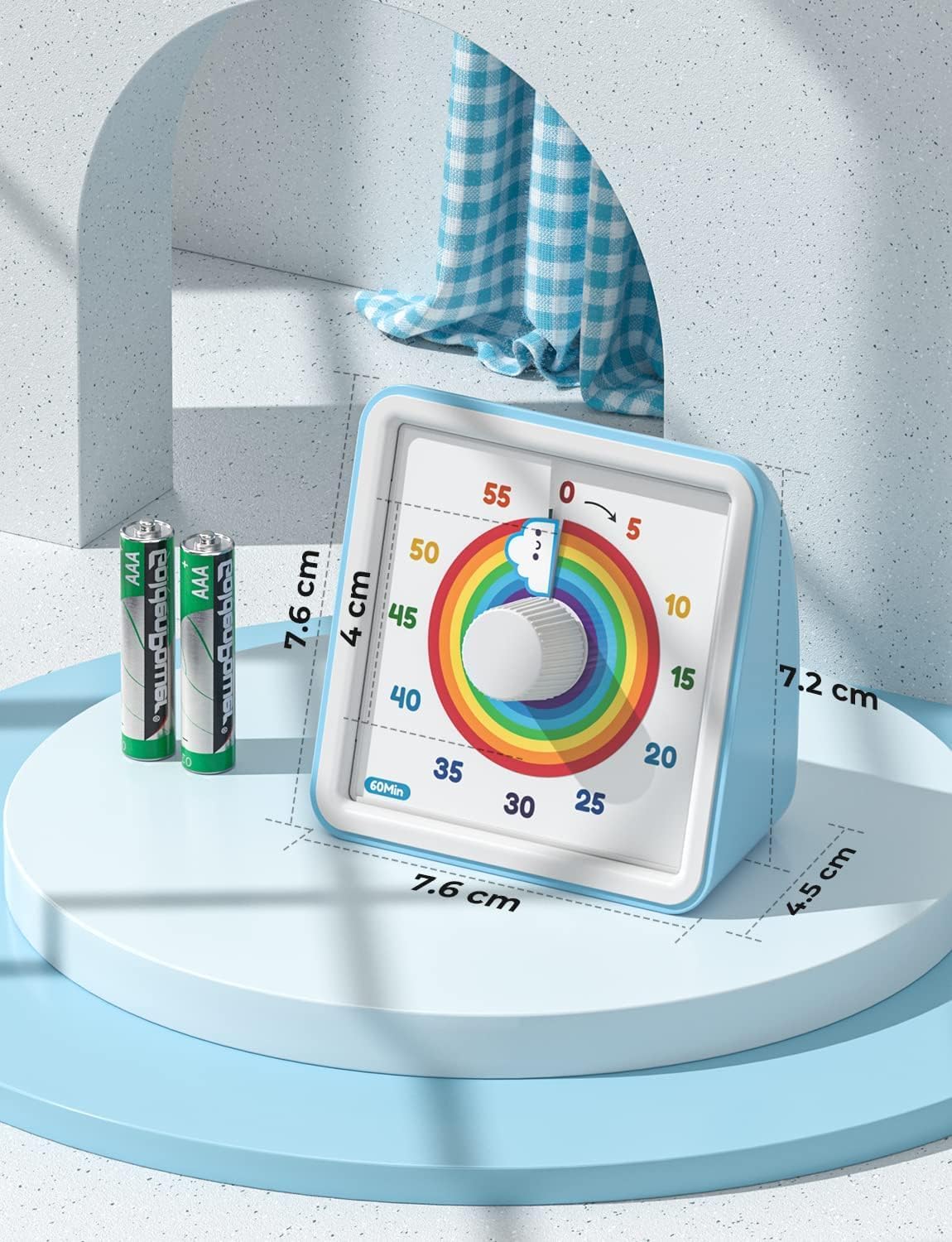
Figure 6: Product Dimensions
11. Warranty and Support
For warranty information or technical support, please refer to the contact details provided on the product packaging or visit the official LIORQUE website. Keep your purchase receipt for warranty claims.


