
1. Setup
1.1 What's in the Box
Your Motorola Moto G 5G (2023) package includes the following items:
- Moto G 5G (2023) Smartphone
- 10W Rapid Charger
- USB Cable
- Guides (Quick Start Guide, Safety Information)
- SIM Tool
1.2 SIM Card and Initial Power On
Before using your device, you will need to insert a SIM card. Use the provided SIM tool to open the SIM tray. Insert your nano-SIM card into the tray, ensuring it is correctly oriented. This device is unlocked and compatible with major U.S. carriers including Verizon, AT&T, T-Mobile, and prepaid carriers like Cricket Wireless, Metro by T-Mobile, Simple Mobile, Total Wireless, Tracfone, Net10, Mint, and H2O.
After inserting the SIM card, press and hold the power button located on the side of the device until the Motorola logo appears. Follow the on-screen prompts to complete the initial setup, including language selection, Wi-Fi connection, and Google account setup.
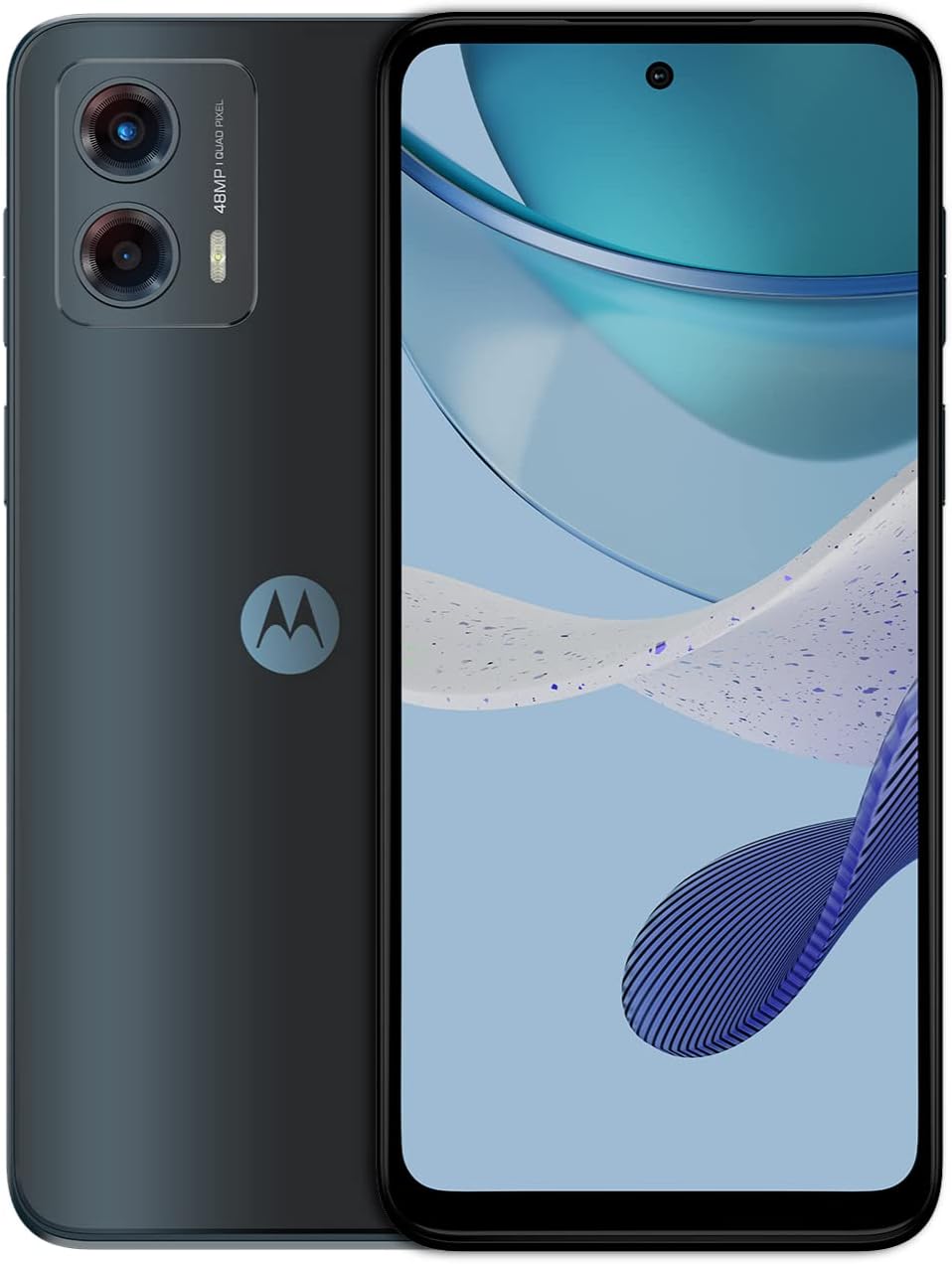
Image 1.1: Front and back view of the Motorola Moto G 5G (2023) smartphone.
2. Operating Your Device
2.1 Overview of Controls and Ports
Familiarize yourself with the physical layout of your Moto G 5G (2023).
- Power Button: Located on the right side, used to turn the device on/off, lock/unlock the screen.
- Volume Buttons: Located above the power button, used to adjust media and call volume.
- USB-C Port: Located at the bottom, used for charging and data transfer.
- 3.5mm Audio Jack: Located at the bottom, for connecting wired headphones.
- Speaker: Located at the bottom, providing audio output.
- Camera Module: Located on the rear, housing the main and macro cameras.

Image 2.1: Bottom view of the device, highlighting the USB-C port and 3.5mm audio jack.
2.2 Display and Navigation
The device features a 6.5-inch 120Hz display, offering smooth scrolling and responsive touch interactions. Navigate the interface using gestures or the traditional three-button navigation bar, configurable in the device settings.

Image 2.2: The 120Hz display showcasing a colorful image.
2.3 Camera Features and Usage
The Moto G 5G (2023) is equipped with an advanced 48MP camera system with Quad Pixel technology for detailed photos in various lighting conditions. It also includes a dedicated Macro Vision lens for close-up photography.
- Standard Photography: Open the Camera app and tap the shutter button to capture photos.
- Macro Vision: Select the Macro mode within the camera app to capture extreme close-ups with fine detail.
- Low Light Photography: The Quad Pixel technology enhances low-light performance, combining four pixels into one large pixel for brighter, clearer images.

Image 2.3: Close-up of the 48MP camera system on the rear of the device.
2.4 Audio and Sound Settings
Experience immersive audio with Dolby Atmos and stereo speakers. Adjust sound profiles and equalizer settings through the device's sound settings to optimize for music, movies, or calls.

Image 2.4: Device illustrating Dolby Atmos sound experience with stereo speakers.
2.5 Connectivity
The device supports 5G connectivity for fast data speeds. It also features Wi-Fi (2.4 GHz and 5 GHz) and Bluetooth for wireless connections. You can enable a mobile hotspot to share your device's internet connection with other devices.
2.6 Moto Actions
Motorola devices often include intuitive gestures called Moto Actions. Common actions include:
- Quick Capture: Twist your wrist twice quickly to open the camera.
- Fast Flashlight: Make a chopping motion twice to turn the flashlight on or off.
These actions can be customized or disabled in the Moto app.
3. Maintenance and Care
3.1 Battery Management
The Moto G 5G (2023) is equipped with a 5000mAh battery designed to last more than a full day on a single charge. To maximize battery life:
- Avoid extreme temperatures.
- Use the provided 10W rapid charger.
- Manage background app usage and screen brightness.
3.2 Software Updates
Regularly check for and install software updates to ensure your device has the latest features, security patches, and performance improvements. You can usually find this option in the device's Settings menu under "System" or "About phone."
3.3 Cleaning Your Device
To clean your device, use a soft, lint-free cloth. Avoid using harsh chemicals or abrasive materials, which can damage the screen or finish. For stubborn smudges, slightly dampen the cloth with water or a screen cleaner designed for electronics.
4. Troubleshooting
4.1 Common Issues and Solutions
- Device Not Powering On: Ensure the battery is charged. Connect the device to the charger for at least 15 minutes, then try powering it on again.
- App Crashes or Slow Performance: Close unnecessary background applications. Clear app caches or reinstall problematic apps. While the device has 4GB RAM (expandable to 8GB virtually), heavy multitasking with demanding apps may still impact performance.
- Blurry Camera Photos: Ensure the camera lens is clean. Hold the device steady when taking photos. In some conditions, a slight delay between pressing the shutter and image capture can lead to blur if the device moves.
- Network Connectivity Issues: Check if your SIM card is properly inserted. Restart the device. Verify your network settings and contact your service provider if problems persist.
4.2 Factory Reset
If you encounter persistent software issues, a factory reset may resolve them. Warning: A factory reset will erase all data from your device. Back up important data before proceeding. To perform a factory reset, go to Settings > System > Reset options > Erase all data (factory reset).
5. Specifications
| Feature | Detail |
|---|---|
| Model Name | Moto G 5G (2023) |
| Item Model Number | PAXD0009US |
| Operating System | Android 13.0 |
| CPU Model | Snapdragon (480 plus 5G processor) |
| CPU Speed | 2.2 GHz |
| RAM | 4 GB (expandable to 6 GB virtual RAM) |
| Memory Storage Capacity | 128 GB |
| Screen Size | 6.5 Inches |
| Resolution | 1600 x 720 |
| Refresh Rate | 120 Hz |
| Rear Camera | 48 MP (with Quad Pixel technology) |
| Battery Capacity | 5000 Milliamp Hours |
| Product Dimensions | 6.45 x 2.95 x 0.33 inches |
| Item Weight | 6.7 ounces (189 Grams) |
| Connectivity Technologies | Bluetooth, USB Type C, Wi-Fi (2.4 GHz, 5 GHz) |
| Special Features | Built-In GPS, Expandable Memory, Mobile Hotspot Capability, Stereo Speakers |
| Audio Jack | 3.5 mm |
| Color | Ink Blue |
6. Warranty and Support
6.1 Product Warranty
Your Motorola Moto G 5G (2023) is covered by a manufacturer's warranty. Please refer to the warranty card included in your product packaging for specific terms and conditions. For returns, a 30-day refund/replacement policy typically applies from the date of purchase.
6.2 Customer Support
For further assistance, technical support, or warranty claims, please visit the official Motorola support website or contact their customer service. You may also find additional resources and FAQs on the Motorola Store on Amazon.
Optional protection plans, such as a 2-Year Protection Plan or Complete Protect, may be available for purchase separately to extend coverage beyond the standard warranty.


