
1. Introduction
The ATTACK SHARK G6 Gaming Mouse is a versatile peripheral designed for both gaming and daily productivity. It offers three distinct connection modes: wired, 2.4G wireless, and Bluetooth, ensuring reliable and accurate transmission across various devices. Its ergonomic design, adjustable DPI settings, and customizable RGB lighting provide a tailored user experience.

Figure 1: The ATTACK SHARK G6 Gaming Mouse (Blue/White) with its USB receiver.
2. Features
- Tri-Mode Connectivity: Seamlessly switch between wired (USB-C), 2.4G wireless (via USB receiver), and Bluetooth connections for maximum flexibility.
- Adjustable DPI: Features 5 adjustable DPI levels (1200/1600/2000/2400/4000) for precise control and responsiveness, suitable for various tasks from detailed work to fast-paced gaming.
- 11 Chroma RGB Lighting Modes: Customize your setup with 11 distinct RGB lighting effects, enhancing your gaming atmosphere.
- 10 Programmable Buttons: Equipped with 10 function buttons, strategically placed for easy access, allowing for quick actions like light changes, one-click web access, and navigation.
- Ergonomic Design: Specifically designed for right-hand users with a comfortable thumb rest, reducing fatigue during extended use.
- Silent Click Buttons: Left and right buttons feature a silent click design, minimizing noise and preventing disturbance to others.
- Rechargeable Battery: Built-in 500mAh lithium battery, rechargeable via Type-C, providing long-lasting use on a single charge (approx. 3-4 hours for full charge).
- Wide Compatibility: Compatible with Windows, Mac, Android, and other operating systems, ensuring broad usability.

Figure 2: Overview of the 10 programmable buttons and ergonomic finger rests.
3. Package Contents
Please check the package contents upon unboxing to ensure all items are present:
- ATTACK SHARK G6 Gaming Mouse
- USB 2.4G Wireless Receiver
- USB-C Charging Cable
- User Manual (this document)
4. Setup
4.1. Charging the Mouse
Before first use, it is recommended to fully charge the mouse. Connect the supplied USB-C charging cable to the mouse's Type-C port and the other end to a USB power source (e.g., computer USB port, USB wall adapter). The charging indicator will show status (refer to LED indicator section for details). A full charge typically takes 3-4 hours.

Figure 3: Charging the G6 Gaming Mouse via its Type-C port.
4.2. Connection Modes
The G6 mouse supports three connection methods:
- 2.4G Wireless Mode:
- Locate the USB 2.4G wireless receiver, usually stored in a compartment on the underside of the mouse.
- Plug the receiver into an available USB port on your computer.
- Turn on the mouse using the power switch on its underside. The mouse should automatically connect.
- Bluetooth Mode:
- Turn on the mouse and switch it to Bluetooth mode (refer to the switch on the underside).
- On your device (computer, tablet, phone), go to Bluetooth settings and search for new devices.
- Select "ATTACK SHARK G6" (or similar name) from the list to pair.
- Wired Mode:
- Connect the supplied USB-C cable to the mouse's Type-C port.
- Connect the other end of the cable to a USB port on your computer.
- The mouse will function immediately in wired mode and will also charge simultaneously.
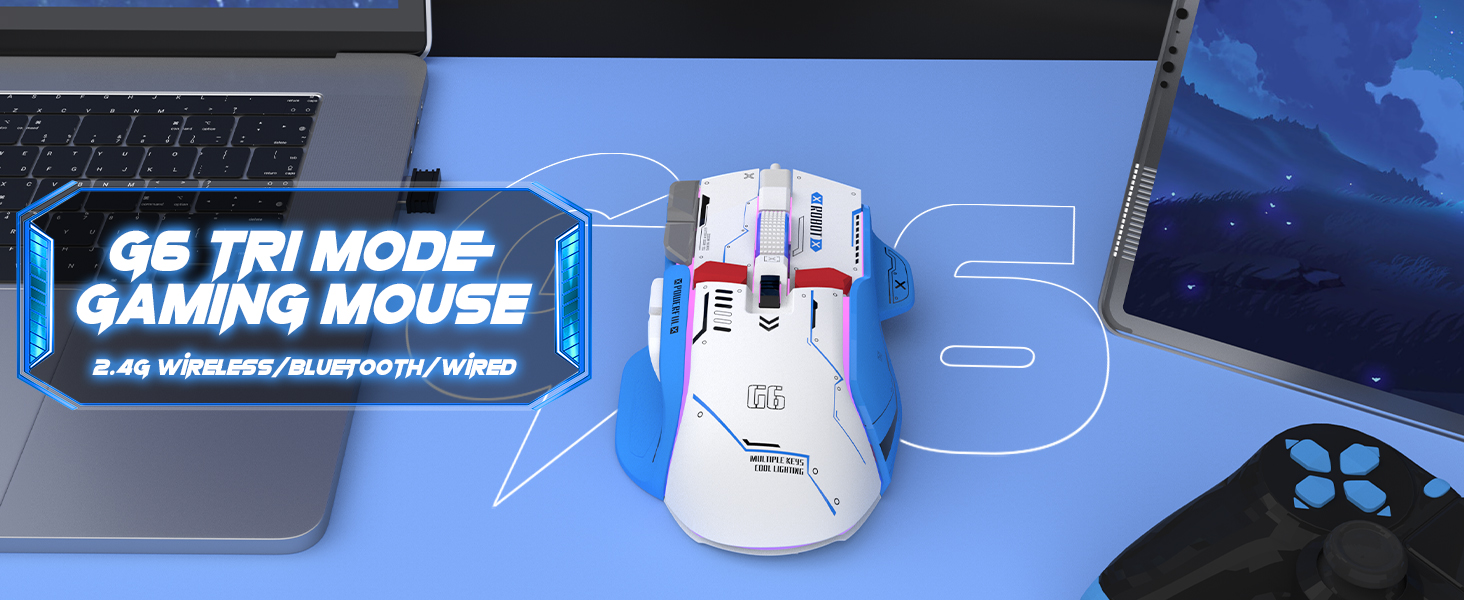
Figure 4: The G6 mouse supports 2.4G wireless, Bluetooth, and wired connections.
5. Operating Instructions
5.1. DPI Adjustment
The G6 mouse features a dedicated DPI button (refer to Figure 2 for location) to cycle through 5 adjustable DPI levels: 1200, 1600, 2000, 2400, and 4000. Press the DPI button to switch between sensitivity settings to match your preference or game requirements.
5.2. RGB Lighting Control
The mouse offers 11 Chroma RGB lighting modes. Use the dedicated Light Control button (refer to Figure 2) to cycle through the different lighting effects. To turn off the RGB lighting, continue pressing the button until the lights are off, or refer to the software if available for more advanced control.

Figure 5: The G6 mouse features 11 kinds of RGB backlight modes.
5.3. Button Functions
The G6 mouse has 10 function buttons. Their default functions are:
- Left Click: Standard left mouse button.
- Right Click: Standard right mouse button (silent click).
- Scroll Wheel: Scroll up/down, middle click.
- DPI Button: Cycles through DPI settings.
- Light Control Button: Cycles through RGB lighting modes.
- Forward Button: Navigates forward in web browsers/folders.
- Backward Button: Navigates backward in web browsers/folders.
- Fire Button: Rapid fire function (default, may be programmable).
- Desktop Button: One-click access to desktop.
- Webpage Button: One-click access to web browser.

Figure 6: Detailed view of key features including finger rests and Type-C port.

Figure 7: The silent click feature ensures quiet operation, ideal for shared spaces.
6. Maintenance
To ensure the longevity and optimal performance of your ATTACK SHARK G6 Gaming Mouse, follow these maintenance guidelines:
- Cleaning: Use a soft, dry cloth to wipe the mouse surface. For stubborn dirt, a slightly damp cloth with mild soap can be used, but ensure no liquid enters the mouse. Do not use harsh chemicals or abrasive materials.
- Storage: Store the mouse in a cool, dry place away from direct sunlight and extreme temperatures.
- Avoid Drops: Protect the mouse from drops and impacts, which can damage internal components.
- Cable Care: When using wired mode or charging, handle the USB-C cable carefully to prevent bending or fraying.
7. Troubleshooting
If you encounter issues with your ATTACK SHARK G6 Gaming Mouse, please refer to the following common solutions:
| Problem | Possible Solution |
|---|---|
| Mouse not responding (Wireless/Bluetooth) |
|
| DPI settings not changing |
|
| RGB lighting not working or stuck |
|
| Lag or intermittent connection |
|
7.1. Product Video Guide
For a visual guide on the mouse's features and operation, please watch the official product video:
Video: G6 Wireless/wired/bluetooth gaming mouse. This video demonstrates the RGB lighting effects and general appearance of the G6 gaming mouse in different colors.
8. Specifications
| Feature | Detail |
|---|---|
| Brand | ATTACK SHARK |
| Model Number | G6 |
| Connectivity Technology | Bluetooth, Wired, Wireless (2.4G) |
| Movement Detection Technology | Optical |
| Adjustable DPI Levels | 1200/1600/2000/2400/4000 |
| RGB Modes | 11 Chroma RGB modes |
| Number of Buttons | 10 |
| Battery Capacity | 500mAh Rechargeable Lithium Battery |
| Charging Port | Type-C |
| Item Weight | 7.4 ounces (approx. 210 grams) |
| Package Dimensions | 6.38 x 5.43 x 2.13 inches |
| Compatibility | Windows, Mac, Android, iOS |
9. Warranty and Support
ATTACK SHARK products are designed and manufactured to the highest quality standards. This product is covered by a limited warranty from the date of purchase. For detailed warranty terms, technical support, or customer service inquiries, please contact your retailer or visit the official ATTACK SHARK website.
Online Support: Visit the ATTACK SHARK Store on Amazon


