
LOVELEDI i6 Pro
LOVELEDI 15000mAh Portable Power Bank User Manual
Model: i6 Pro
Product Overview
The LOVELEDI 15000mAh Portable Power Bank (Model: i6 Pro) is a compact and versatile battery pack designed to provide on-the-go charging for a wide range of electronic devices. Featuring built-in Type-C and iOS output cables, it eliminates the need to carry extra cords. The power bank supports fast charging and includes an LED display for accurate real-time power indication, ensuring you always know your remaining battery level. Its high-density lithium polymer cells offer a large capacity in a small form factor, making it an ideal companion for travel and daily use.

Image: The LOVELEDI 15000mAh Portable Power Bank, showcasing its compact design and integrated LED display, held comfortably in a hand.
Key Features
- Built-in Cables: Includes integrated Type-C and iOS cables for convenient charging without external cords.
- Fast Charging: Built-in Type-C cable and USB port support PD30W fast charging. Built-in iOS cable supports 20W fast charging.
- Simultaneous Charging: Capable of charging up to 3 devices concurrently.
- High Capacity: 15000mAh high-density A-grade lithium polymer battery cells in a compact size.
- LED Display: Equipped with an LED percentage display screen to show remaining power accurately in real-time.
- Multiple Security Protection: Features over charging protection, short circuit protection, pocket size, and built-in cable for safe and convenient use.

Image: The power bank highlighting its two built-in charging cables, one Type-C and one iOS, ready for use.

Image: A detailed view of the power bank's LED display, showing a precise battery percentage, indicating its accuracy.
Setup and Initial Use
- Unboxing: Carefully remove the power bank from its packaging.
- Initial Charge: Before first use, fully charge the power bank. Connect the power bank to a suitable power adapter using its built-in Type-C cable (note: Type-C cable is for input only for the power bank itself, and also for output to devices). The LED display will show the charging progress.
- Check Battery Level: Press the power button once to activate the LED display and check the current battery percentage.

Image: The power bank's Type-C input port, demonstrating its 30W power delivery capability for recharging the unit.
Operating Instructions
- Charging a Device:
- For iOS devices: Pull out the built-in iOS cable and connect it directly to your device.
- For Type-C devices: Pull out the built-in Type-C cable and connect it directly to your device.
- For other devices: Use your device's original USB cable and connect it to the USB-A output port on the power bank.
- Initiate Charging: The power bank should automatically begin charging your device. If not, press the power button once to activate charging.
- Monitor Charging: The LED display will show the power bank's remaining battery percentage during charging.
- Simultaneous Charging: You can charge up to three devices at once using the built-in cables and the USB-A output port.

Image: The power bank directly connected to a smartphone, illustrating the ease of "plug and play" charging without extra cables.
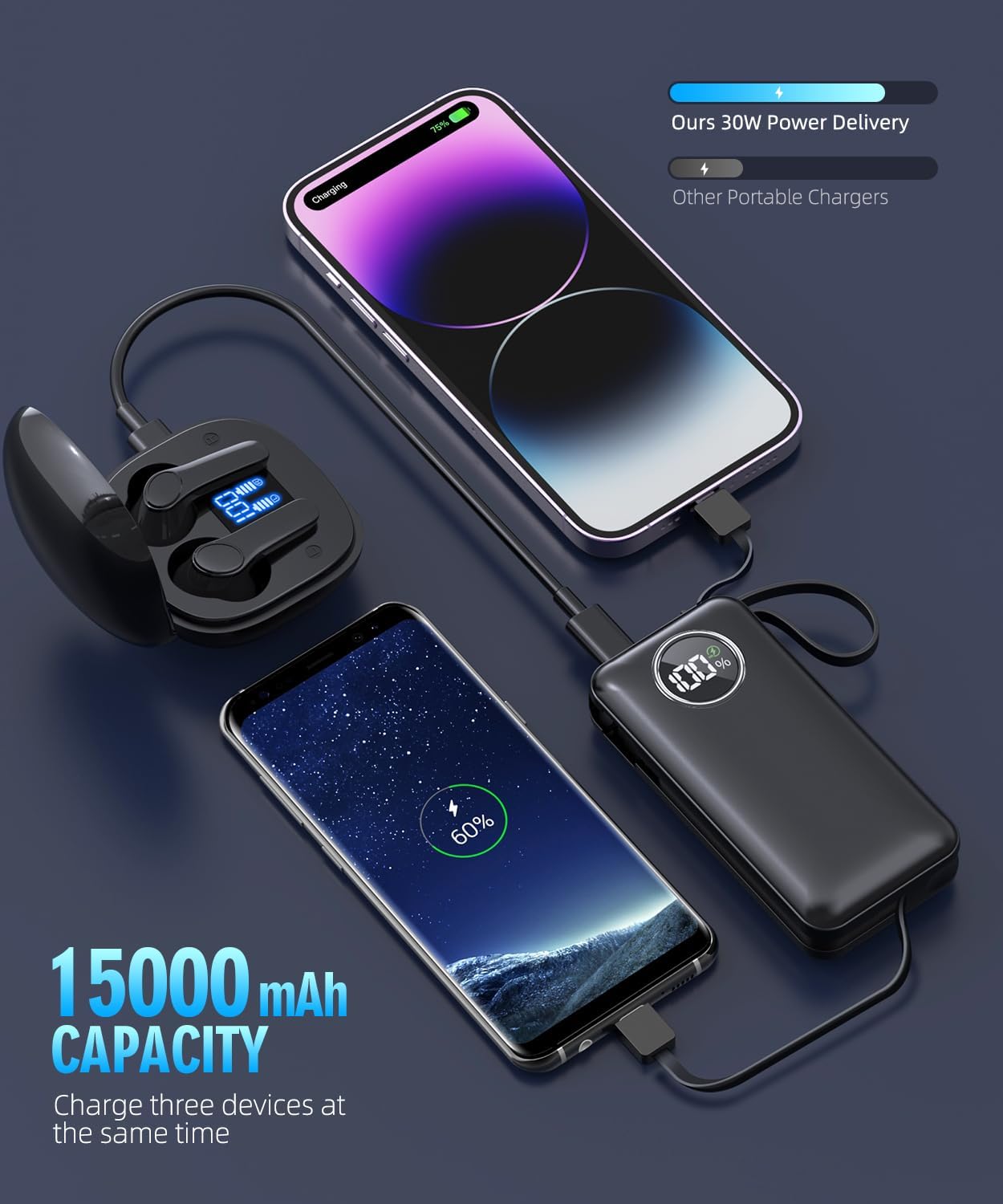
Image: The power bank actively charging three different devices at once, demonstrating its 15000mAh capacity and multi-device charging capability.
Maintenance and Care
- Storage: Store the power bank in a cool, dry place away from direct sunlight and extreme temperatures.
- Cleaning: Use a soft, dry cloth to clean the surface of the power bank. Do not use liquid cleaners or abrasive materials.
- Battery Health: For optimal battery life, fully charge and discharge the power bank at least once every three months if not in regular use.
- Avoid Drops: Protect the device from drops and impacts, which can damage internal components.
Troubleshooting
- Power Bank Not Charging:
- Ensure the charging cable is securely connected to both the power bank's Type-C input port and the power adapter.
- Verify that the power adapter is functioning correctly and plugged into a live power outlet.
- Try using a different Type-C cable or power adapter.
- Device Not Charging from Power Bank:
- Press the power button on the power bank to ensure it is activated.
- Check if the power bank has sufficient charge (refer to the LED display).
- Ensure the built-in cables or your external USB cable are securely connected to both the power bank and your device.
- Try using a different cable or port on the power bank.
- Confirm your device is compatible with the power bank's output specifications.
- Slow Charging:
- Ensure you are using the correct fast-charging cables and adapters for both the power bank and your device.
- Charging multiple devices simultaneously may reduce individual charging speeds.
- Check for any debris in the charging ports that might obstruct proper connection.

Image: An exploded view diagram illustrating the various built-in security protections of the power bank, such as short circuit, overcharge, and temperature safeguards.
Specifications
| Brand | LOVELEDI |
| Model Number | i6 Pro |
| Capacity | 15000mAh |
| Product Dimensions | 4.2 x 2 x 1 inches |
| Item Weight | 7.8 ounces |
| Battery Type | Lithium Polymer |
| Special Features | Over Charging Protection, Short Circuit Protection, Pocket Size, Built-in Cable, Fast Charging |
| Color | Deep Black |
| Manufacturer | Guangzhou Belief new enegry technology co.,ltd |
| Date First Available | April 12, 2023 |
Warranty and Support
For any product inquiries, technical support, or warranty claims, please contact LOVELEDI customer service through the retailer's platform or refer to the official product page for contact information. Please retain your proof of purchase for warranty validation.
An additional User Manual (PDF) is available for download: Download User Manual
Note: Official product videos from the seller are not available at this time. The provided videos are from customer reviews and are not official instructional content.
Related documentsi6 Pro


Ask a question about this manual
Ask about setup, troubleshooting, compatibility, parts, safety, or missing instructions. Manuals+ will review the question and use this page’s manual context to help answer it.