
1. Important Safety Instructions
Please read and understand all safety instructions before operating this product. Failure to follow these instructions may result in electric shock, fire, or serious injury.
- Do not disassemble, repair, or modify the unit.
- Keep the unit away from fire, water, and high temperatures.
- Do not expose the unit to direct sunlight for prolonged periods.
- Use only the provided or approved accessories for charging and operation.
- Ensure proper ventilation during use to prevent overheating.
- Keep out of reach of children.
- This device is intended for small electronic devices. Do not connect appliances exceeding 65W AC output.
2. Package Contents
Verify that all items are present upon opening the package:
- 1x powkey 24000mAh AC Portable Power Station (Model: HP500S)
- 1x DC15V/2A (30W) Input Charger (AC Home Charger)
- 1x Car Charger
- 1x Cigarette Lighter Adapter
- 1x User Manual
3. Product Overview
Familiarize yourself with the components and ports of your power station.

Image: Front view of the powkey Portable Power Station HP500S.

Image: Detailed view of the power station's ports and controls, including DC 12V Output, QC 3.0 USB Output, ON/OFF button, 15V Input, and AC Switch.
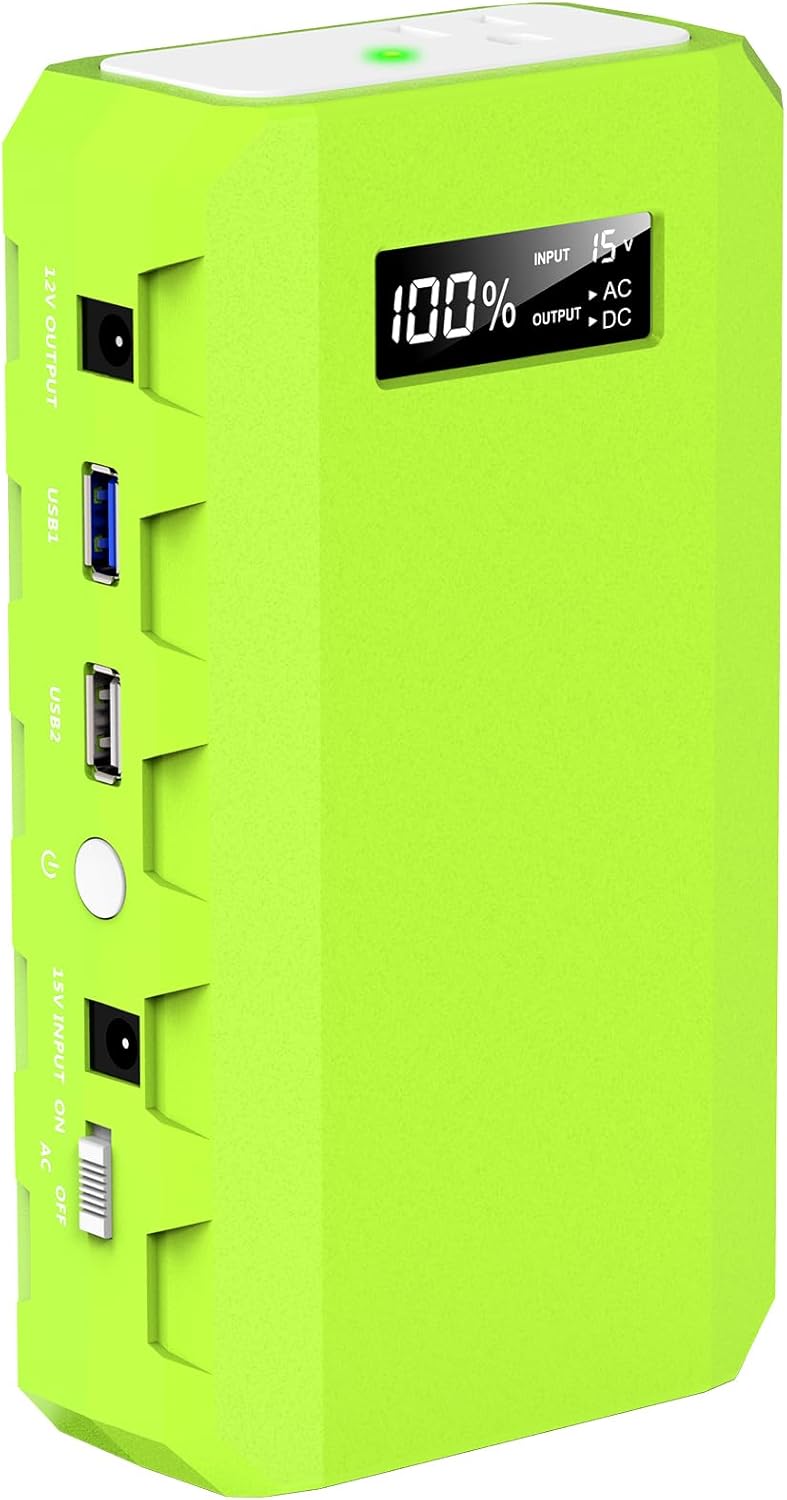
Image: Side view of the power station, highlighting the AC outlet and LED light panel.
Ports and Indicators:
- AC Output: 110V/65W AC outlet for standard appliances.
- DC Output: 9~12.6V/10A (Max) for DC-powered devices.
- USB Outputs: QC3.0 (9V/2A, 5V/3A) and 5V/3A for fast charging smartphones, tablets, etc.
- 15V Input: DC 15V/2A (30W) for recharging the power station.
- LED Display: Shows battery level percentage and output status (AC/DC).
- LED Light: Integrated flashlight with multiple modes.
4. Setup & Charging
4.1 Charging the Power Station
Before first use, fully charge the power station. It can be recharged via three methods:
- AC Wall Outlet: Connect the provided DC15V/2A (30W) input charger to the 15V Input port and plug it into a standard wall outlet. Full charge takes less than 4 hours.
- 12V Car Charger: Use the provided car charger and cigarette lighter adapter to recharge the unit from your vehicle's 12V cigarette lighter socket.
- Solar Panel (Optional): The unit can be recharged using a compatible solar panel (not included). A solar panel with 13V-16V output is required. Connect the solar panel to the 15V Input port.

Image: The power station being charged via AC wall adapter, car charger, and a solar panel (solar panel not included).
4.2 Charging External Devices
The power station offers multiple output options to charge your electronic devices:
- AC Output: Flip the AC switch to the ON position. The LED display will show 'AC Output'. Plug your device (max 65W) into the 110V AC outlet.
- USB Outputs: Press the main power button to activate the USB ports. Connect your USB-powered devices to the QC3.0 or 5V/3A USB ports.
- DC Output: Press the main power button to activate the DC output. Connect your 9~12.6V/10A (Max) DC-powered devices.
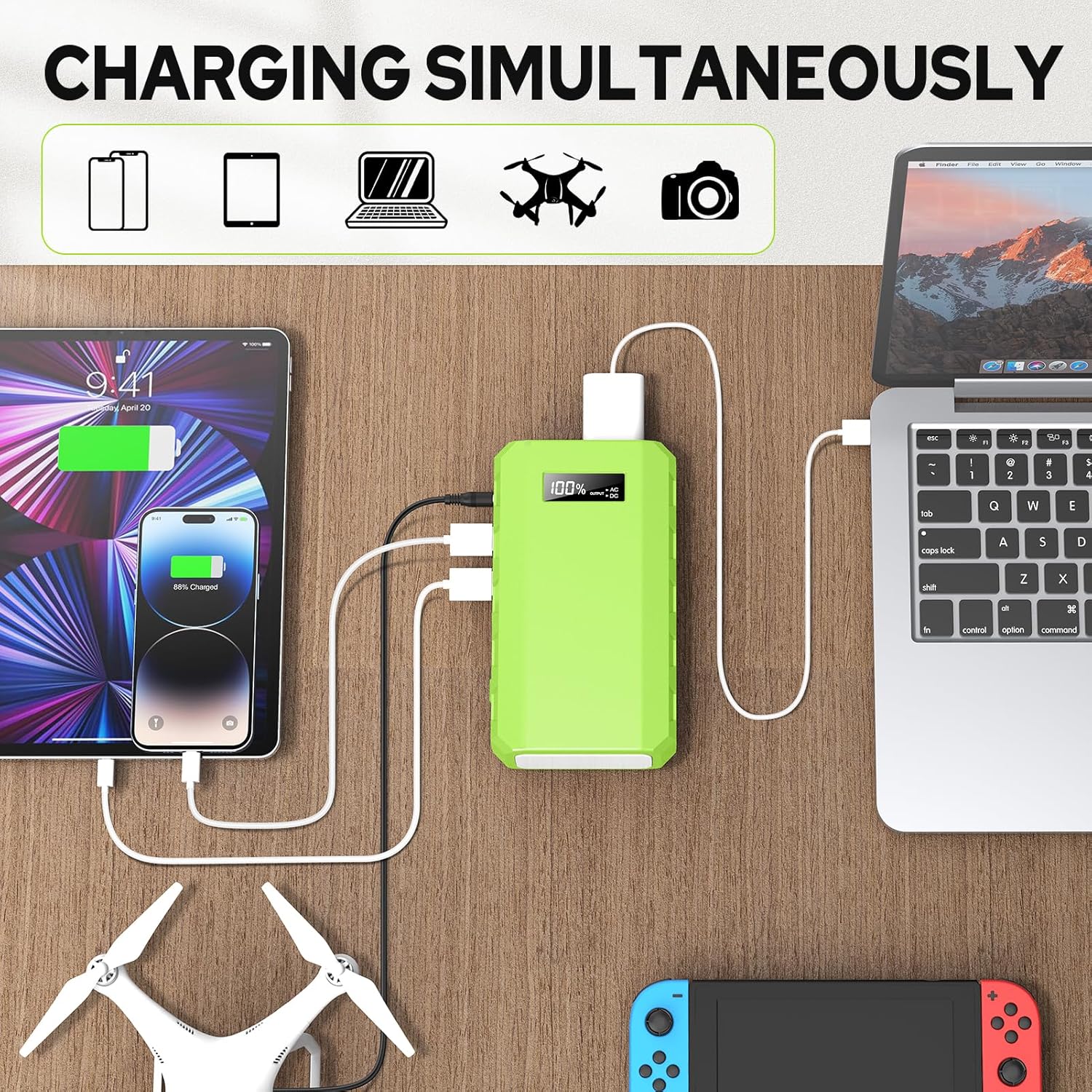
Image: The power station simultaneously charging a tablet, smartphone, laptop, drone, and camera.
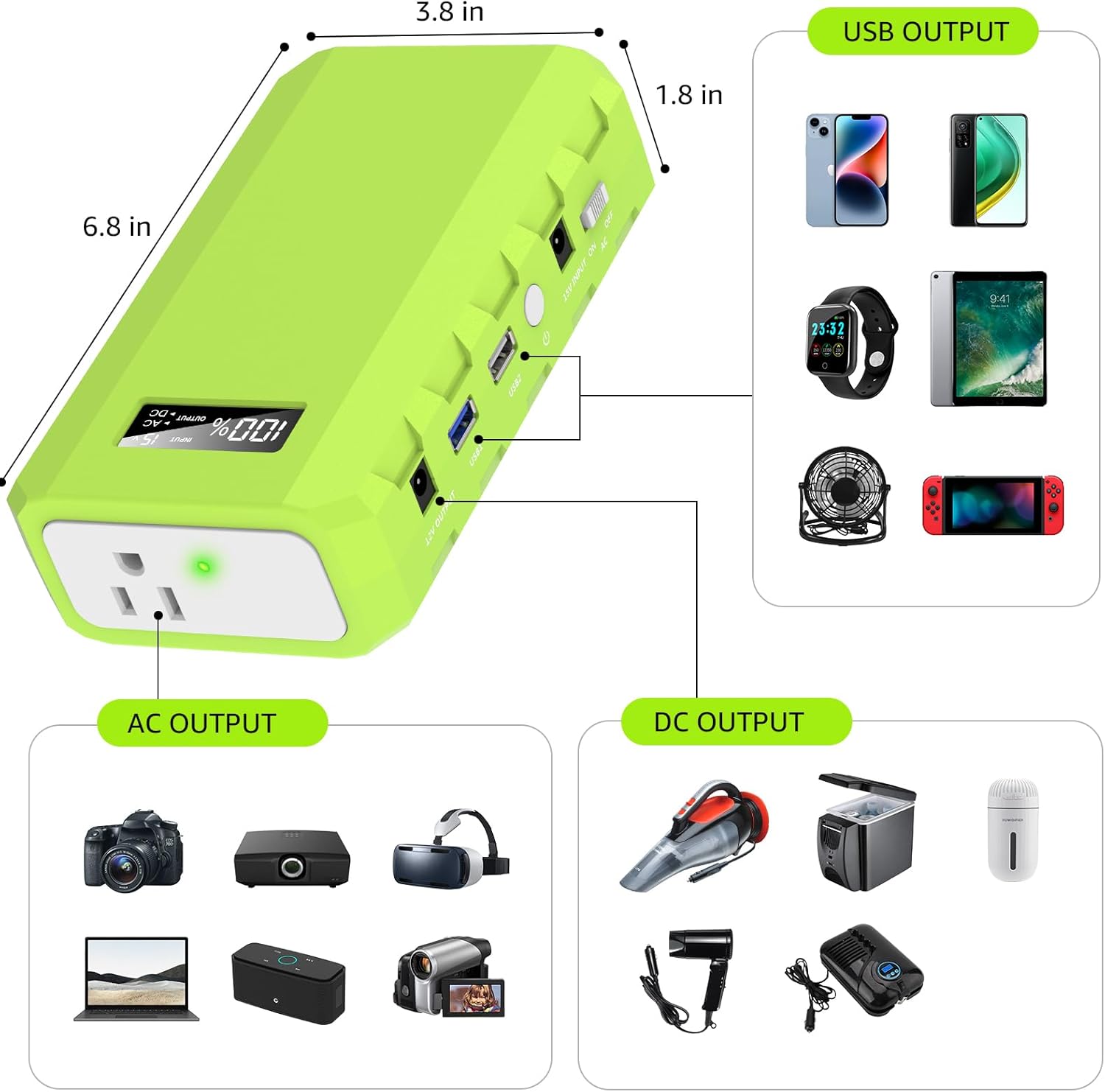
Image: Diagram showing various devices that can be charged via USB, AC, and DC outputs, along with product dimensions.
5. Operating Instructions
5.1 Powering On/Off
Press the main power button once to turn on the unit and activate the USB and DC outputs. The LED display will show the battery percentage. Press and hold the power button for a few seconds to turn off the unit.
5.2 Using the AC Output
To use the AC outlet, ensure the unit is powered on, then slide the AC switch to the 'ON' position. The LED display will indicate AC output is active. Remember, the maximum AC output is 65W.
5.3 LED Flashlight Functions
The power station includes an integrated LED flashlight. Double-press the main power button to turn the flashlight on/off. Some models may offer different light modes (e.g., solid, strobe, SOS) by pressing the button repeatedly.
Video: Official product video demonstrating the portable power station's features, including its AC outlet and various ports.
6. Maintenance & Storage
To ensure optimal performance and longevity of your powkey Portable Power Station:
- Battery Level: Always keep the battery charge level at or above 30% (2 bars on the display).
- Regular Recharging: Recharge the unit at least once every 3 months, even if not in use, to prevent battery degradation.
- Storage: Store the power station in a cool, dry place away from direct sunlight and extreme temperatures.
- Cleaning: Use a dry, soft cloth to clean the unit. Do not use liquids or abrasive cleaners.
7. Troubleshooting
If you encounter issues with your power station, consider the following:
- Unit Not Turning On: Ensure the battery has sufficient charge. Recharge the unit if the battery level is low.
- Device Not Charging: Check if the correct output (AC, USB, DC) is activated. Verify that the device's power requirements do not exceed the power station's output limits (e.g., AC output max 65W). Try a different cable or port.
- Overload Protection: If an appliance draws more than 65W from the AC outlet, the unit may automatically shut down to protect itself. Unplug the device and restart the power station.
- Slow Charging: Ensure you are using the appropriate fast-charging ports (QC3.0 USB) for compatible devices.
8. Specifications
| Feature | Detail |
|---|---|
| Model Number | HP500S |
| Battery Capacity | 24000mAh / 88.8Wh |
| AC Output | 110V / 65W (Max) |
| DC Output | 9~12.6V / 10A (Max) |
| USB Output 1 (QC3.0) | 9V/2A, 5V/3A |
| USB Output 2 | 5V/3A |
| DC Input | DC 15V/2A (30W) |
| Dimensions | 6.9 x 3.9 x 1.9 inches |
| Item Weight | 1.4 pounds |
| Battery Type | Lithium Ion |
| Display | LCD |
9. Warranty & Support
powkey provides the following support for your product:
- 12-Month Quality Reply: Enjoy 12 months of quality assurance and customer service after your purchase.
- 30-Day Free Return: Benefit from a 30-day free return policy.
- Long-Term Technical Support: Access long-term technical assistance for any product-related inquiries.
- Customer Service: For any issues or questions, please contact us via Amazon's message service.
