
Byron DBY-23452BS
Byron DBY-23452BS Wireless Doorbell Set User Manual
Model: DBY-23452BS
Introduction
Thank you for choosing the Byron DBY-23452BS Wireless Doorbell Set. This innovative doorbell system operates on kinetic energy, eliminating the need for batteries in the bell push. It offers a convenient and environmentally friendly solution for your home or office. This manual provides detailed instructions for setup, operation, and maintenance to ensure optimal performance and longevity of your doorbell.

Image: The Byron DBY-23452BS Wireless Doorbell Set, featuring the black plug-in chime unit on the left and the kinetic bell push on the right. Both units are sleek and black, designed for modern homes.
Setup
Follow these steps to set up your Byron Wireless Doorbell.
1. Bell Push Installation
The bell push is self-powered by kinetic energy, meaning it does not require batteries.
- Adhesive Mounting: For quick and easy installation, use the supplied double-sided adhesive tape. Clean the desired surface thoroughly before applying the tape to ensure a strong bond. Press the bell push firmly onto the surface.
- Screw Mounting: For a more permanent installation, the bell push can be screwed into place. (Tools not included). Ensure the mounting location is suitable for drilling.

Image: An illustration showing the bell push mounted on a door frame outdoors and the chime unit plugged into an electrical socket indoors, demonstrating typical installation locations.
2. Chime Unit Installation
Plug the chime unit into any standard electrical socket within range of the bell push.
- Select a socket in a central location within your home to ensure the chime is audible throughout.
- The doorbell communicates via 433 MHz radio frequencies, with a range of up to 100 meters in open field conditions. Walls and other obstructions may reduce this range.
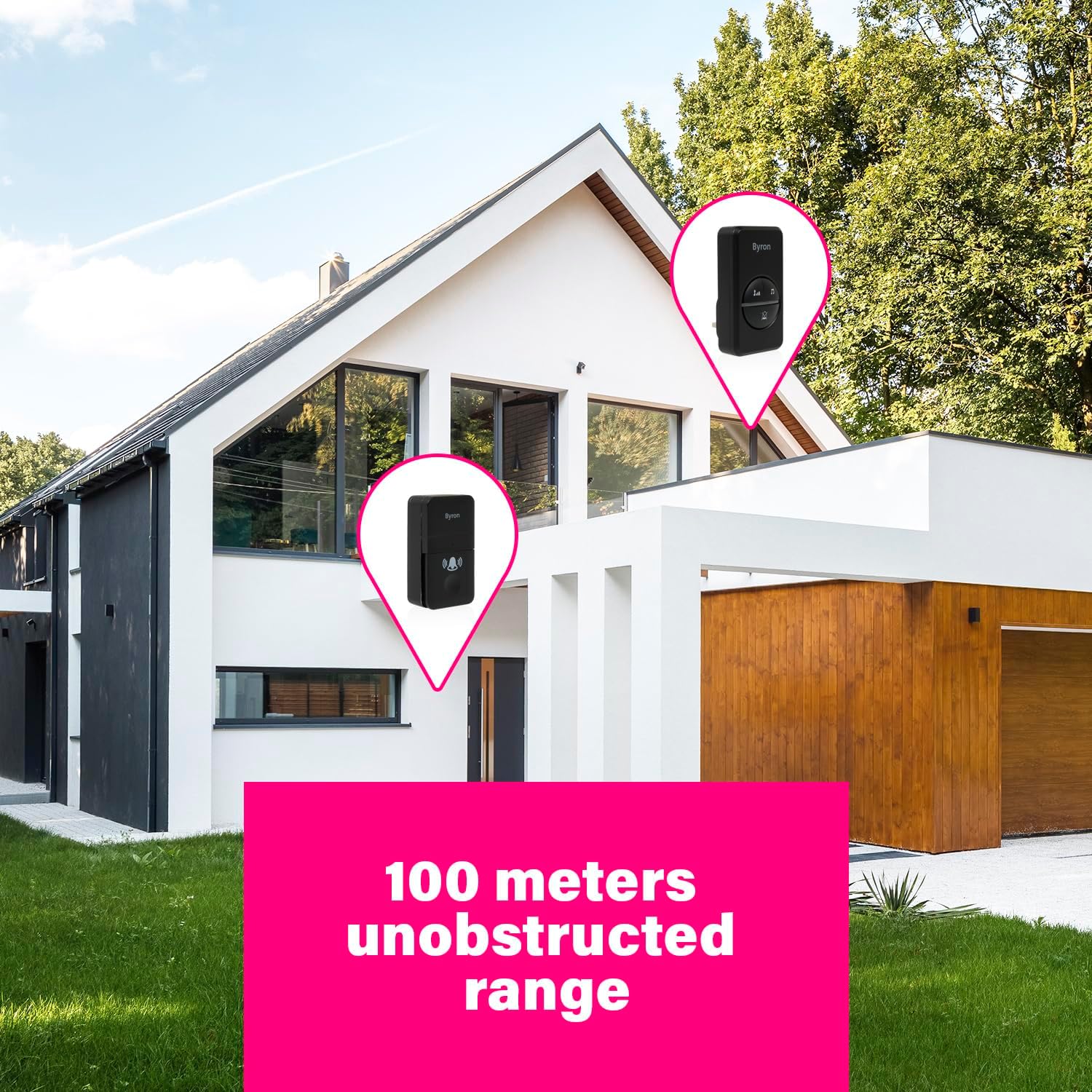
Image: A visual representation of the doorbell's wireless range, showing the bell push and chime unit positioned at a distance from each other, highlighting the 100-meter unobstructed range capability.
3. Pairing (if necessary)
Your doorbell set should be pre-paired from the factory. If the chime does not ring when the bell push is pressed, you may need to re-pair the units. Refer to the specific pairing instructions included in your product packaging, as this process can vary slightly. Typically, it involves pressing a pairing button on the chime unit and then activating the bell push within a short timeframe.
Operating Instructions
The Byron Wireless Doorbell offers customizable settings for your convenience.
Melody Selection
The chime unit features 16 selectable melodies. To change the melody, locate the music note button on the chime unit and press it repeatedly until you find your preferred tune.
Volume Adjustment
Adjust the volume to one of 4 levels (maximum 85 dB) using the volume control button on the chime unit. This allows you to set the chime loudness according to your environment.
Silent Mode
For times when you do not wish to be disturbed, such as during a baby's nap, activate the silent mode. In this mode, the light ring on the chime unit will still signal a visitor without producing any sound.

Image: Close-up of the chime unit's control panel, highlighting the silent function, maximum volume level (80 dB), and the melody selection feature.
Maintenance
The Byron Wireless Doorbell is designed for low maintenance.
Cleaning
Wipe the units with a soft, dry or slightly damp cloth. Do not use abrasive cleaners or solvents, as these may damage the surface. Ensure the bell push is kept clear of excessive dirt or debris to maintain optimal kinetic energy generation.
Environmental Considerations
This product is designed with environmental responsibility in mind. The housings of both the bell push and the chime unit are made from recycled plastic. The packaging is also plastic-free. Please dispose of the product responsibly at the end of its life cycle according to local regulations.

Image: A graphic illustrating the eco-friendly features of the doorbell, including plastic-free packaging, recycled plastic housing, battery-free operation, and wireless connectivity.
Troubleshooting
If you encounter any issues with your Byron Wireless Doorbell, please refer to the following common problems and solutions:
| Problem | Possible Cause | Solution |
|---|---|---|
| Chime does not ring when bell push is pressed. |
|
|
| Chime rings intermittently or has poor range. |
|
|
| Sound quality is poor or distorted. |
|
|
If the problem persists after trying these solutions, please contact Byron customer support or your retailer for further assistance.
Specifications
| Feature | Detail |
|---|---|
| Model Number | DBY-23452BS |
| Brand | Byron |
| Colour | BLACK |
| Style | SINGLE UNIT |
| Power Source | Kinetic Energy (Bell Push), 240 Volts (Chime Unit) |
| Wireless Frequency | 433 MHz |
| Range | Up to 100 meters (unobstructed) |
| Melodies | 16 selectable melodies |
| Volume Levels | 4 levels (Max. 85 dB) |
| Product Dimensions | 7.5 x 9.5 x 15 cm (overall package); 180 g (item weight) |
| Included Components | Bell push, plug-in doorbell, double-sided tape, manual |
| Batteries Required | No |
| Housing Material | Recycled plastic |

Image: A diagram showing the physical dimensions of both the chime unit and the bell push, providing precise measurements for installation planning.
Warranty and Support
For information regarding the product warranty, please refer to the warranty card included in your product packaging or consult the retailer from whom you purchased the Byron DBY-23452BS Wireless Doorbell Set.
If you require technical support or have further questions not covered in this manual, please visit the official Byron website or contact their customer service department. Contact details are typically available on the manufacturer's website or in the product packaging.
Related documentsDBY-23452BS


Ask a question about this manual
Ask about setup, troubleshooting, compatibility, parts, safety, or missing instructions. Manuals+ will review the question and use this page’s manual context to help answer it.