Blackview Rugged Smartphone BV8900-Black

Blackview BV8900 Rugged Smartphone User Manual

Model: Rugged Smartphone BV8900-Black | Brand: Blackview

1. Introduction

The Blackview BV8900 is a robust and versatile rugged smartphone designed for demanding environments. It features an integrated FLIR thermal camera, a large 10000mAh battery, and a durable construction meeting IP68/IP69K and MIL-STD-810H standards. This manual provides essential information for setting up, operating, maintaining, and troubleshooting your device.

Blackview BV8900 Rugged Smartphone with thermal imaging display

Figure 1.1: Blackview BV8900 Rugged Smartphone showcasing its thermal imaging capabilities.

2. Getting Started

2.1 What's in the Box

  • Blackview BV8900 Rugged Smartphone
  • USB Cable

2.2 SIM Card & Micro SD Card Installation

The BV8900 supports two Nano SIM cards and one Micro SD/TF card for expandable storage up to 1TB. Locate the SIM tray on the side of the device. Use the provided SIM ejector tool to open the tray. Carefully place your Nano SIM cards and Micro SD card into their respective slots, ensuring correct orientation. Close the tray securely to maintain water and dust resistance.

Blackview BV8900 SIM card tray

Figure 2.1: Proper insertion of SIM and Micro SD cards into the Blackview BV8900.

2.3 Initial Charging & Power On

Before first use, it is recommended to fully charge your BV8900. Connect the provided USB cable to the phone's charging port and plug the other end into a compatible 33W fast charger (not included). The device features a 10000mAh battery, offering extended usage. To power on, press and hold the power button until the Blackview logo appears. To power off, press and hold the power button, then select 'Power off' from the options.
Blackview BV8900 battery and charging features

Figure 2.2: The 10000mAh battery and 33W fast charging capability of the BV8900.

3. Operating Your Device

3.1 FLIR Thermal Camera

The BV8900 integrates a FLIR Lepton thermal camera, allowing you to visualize heat signatures. This is useful for identifying hot spots, assessing risks, and tracking temperatures in various applications, from home inspections to outdoor exploration. The camera offers 9 palettes and 4x spatial zoom for enhanced detail.

Blackview BV8900 thermal camera specifications and features

Figure 3.1: Detailed specifications and shooting modes of the FLIR thermal camera.

Video 3.1: An overview of the Blackview BV8900 Rugged Smartphone, highlighting its key features including the thermal camera and durability.

3.2 Display

The device features a 6.5-inch 2.4K FHD+ display with a resolution of 1080x2388 pixels and 500 nits brightness, protected by Corning Gorilla Glass 5. This provides a clear and vibrant viewing experience for all your content.
Blackview BV8900 6.5-inch 2.4K FHD+ display details

Figure 3.2: Specifications of the BV8900's 6.5-inch FHD+ display.

3.3 Performance

Powered by the MediaTek Helio P90 octa-core processor, the BV8900 ensures smooth and lag-free operation. It comes with 16GB of RAM (8GB physical + 8GB virtual) and 256GB of internal storage, expandable up to 1TB with a Micro SD card, providing ample space for applications and media.

Blackview BV8900 RAM, ROM, and processor details

Figure 3.3: Details on the BV8900's memory, storage, and Helio P90 processor.

3.4 Camera System

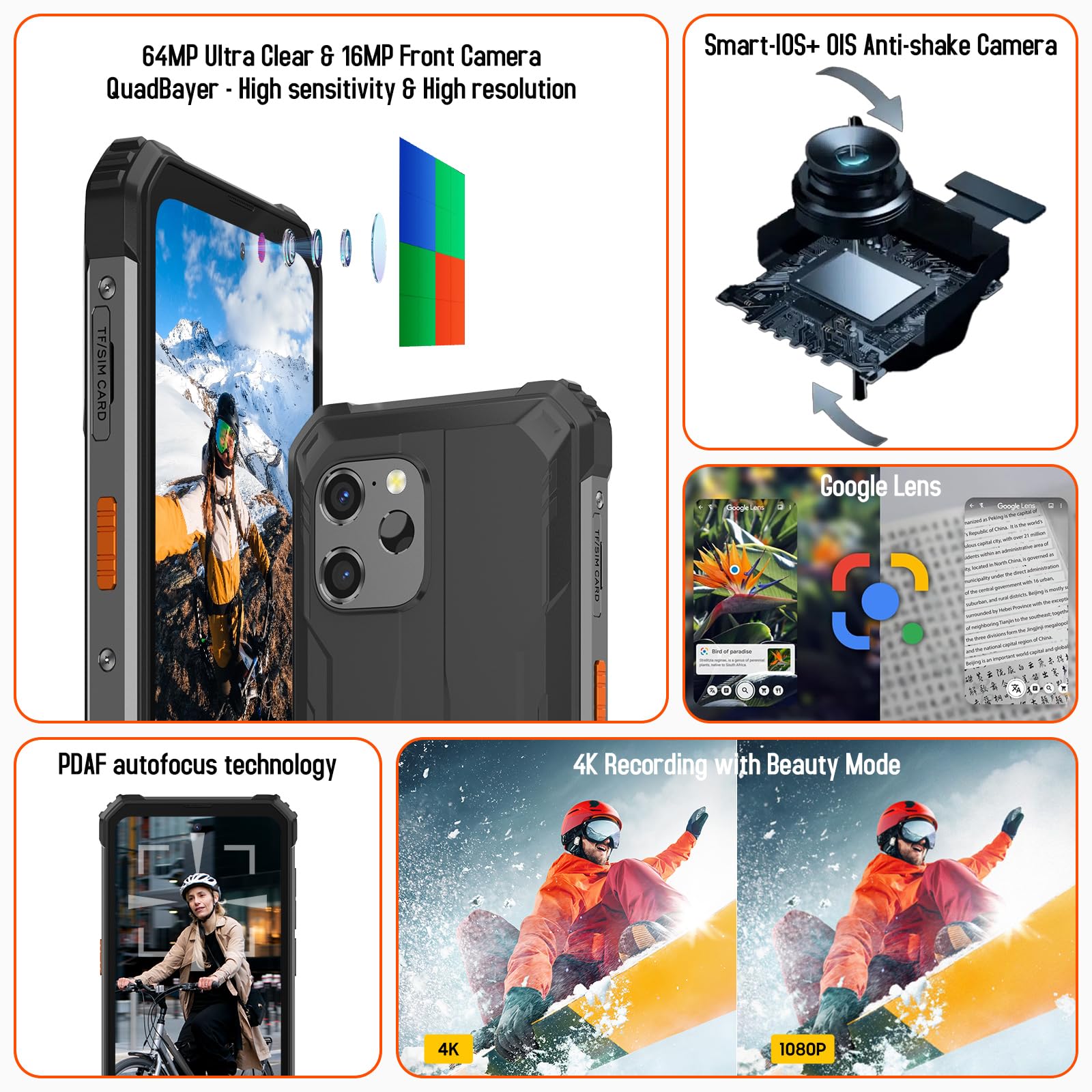
The BV8900 features a 64MP OIS Anti-shake main camera, a 5MP FLIR thermal imaging camera, and a 16MP front camera. Optical Image Stabilization (OIS) helps reduce blur in photos and videos. The device also includes Google Smart Lens for instant tasks like text translation and object identification through the camera.

Blackview BV8900 camera features including OIS and Google Lens

Figure 3.4: Overview of the BV8900's camera system and Google Lens integration.

3.5 Rugged Design & Durability

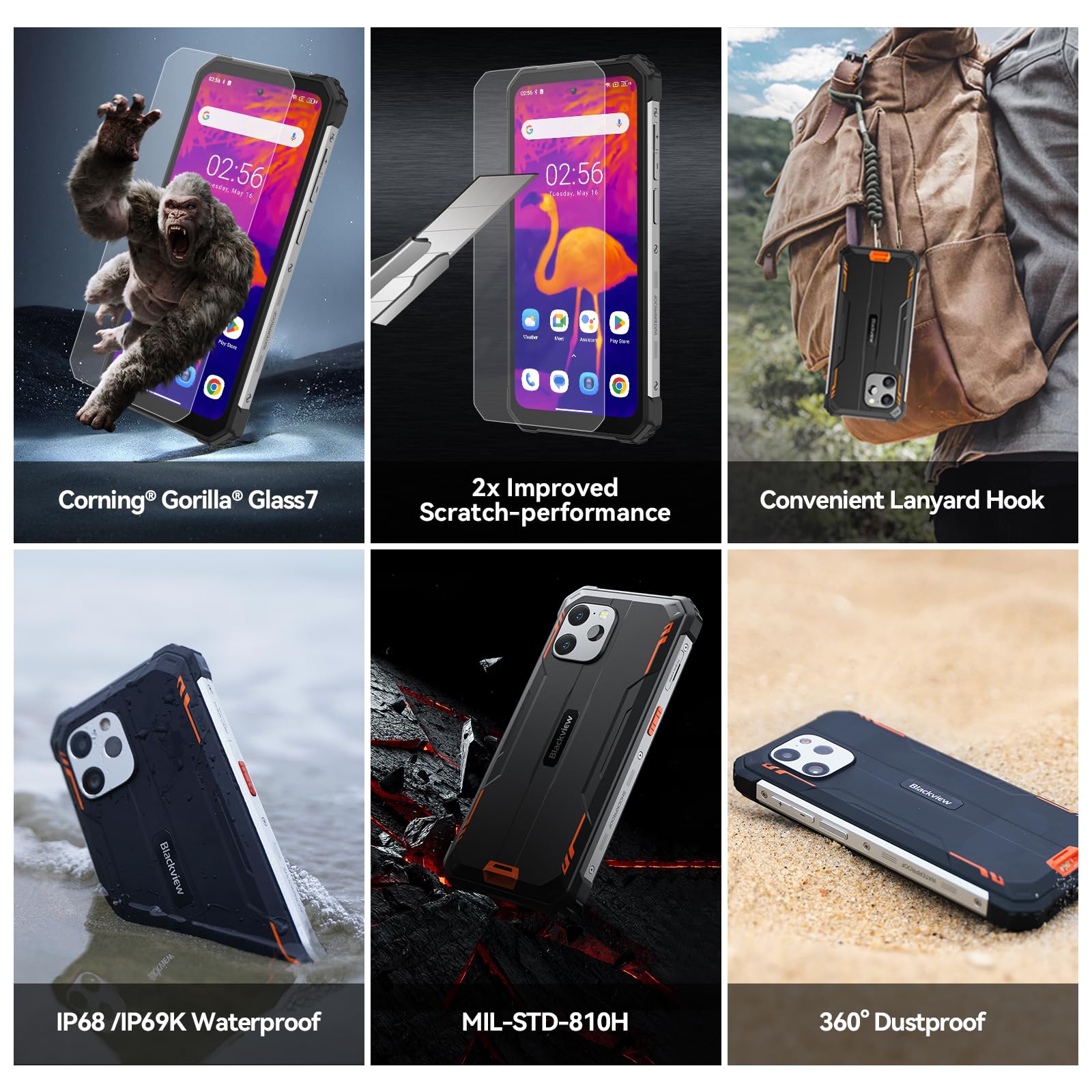
Built to withstand harsh conditions, the BV8900 is IP68/IP69K waterproof and MIL-STD-810H shockproof. It can endure drops from 1.2 meters, submersion in 1.5 meters of water for 30 minutes, and is dustproof. The display is protected by Corning Gorilla Glass 5 for enhanced scratch resistance.
Blackview BV8900 durability features: Gorilla Glass, IP68/IP69K, MIL-STD-810H

Figure 3.5: Visual representation of the BV8900's robust build and protective features.

3.6 Operating System & Smart Features

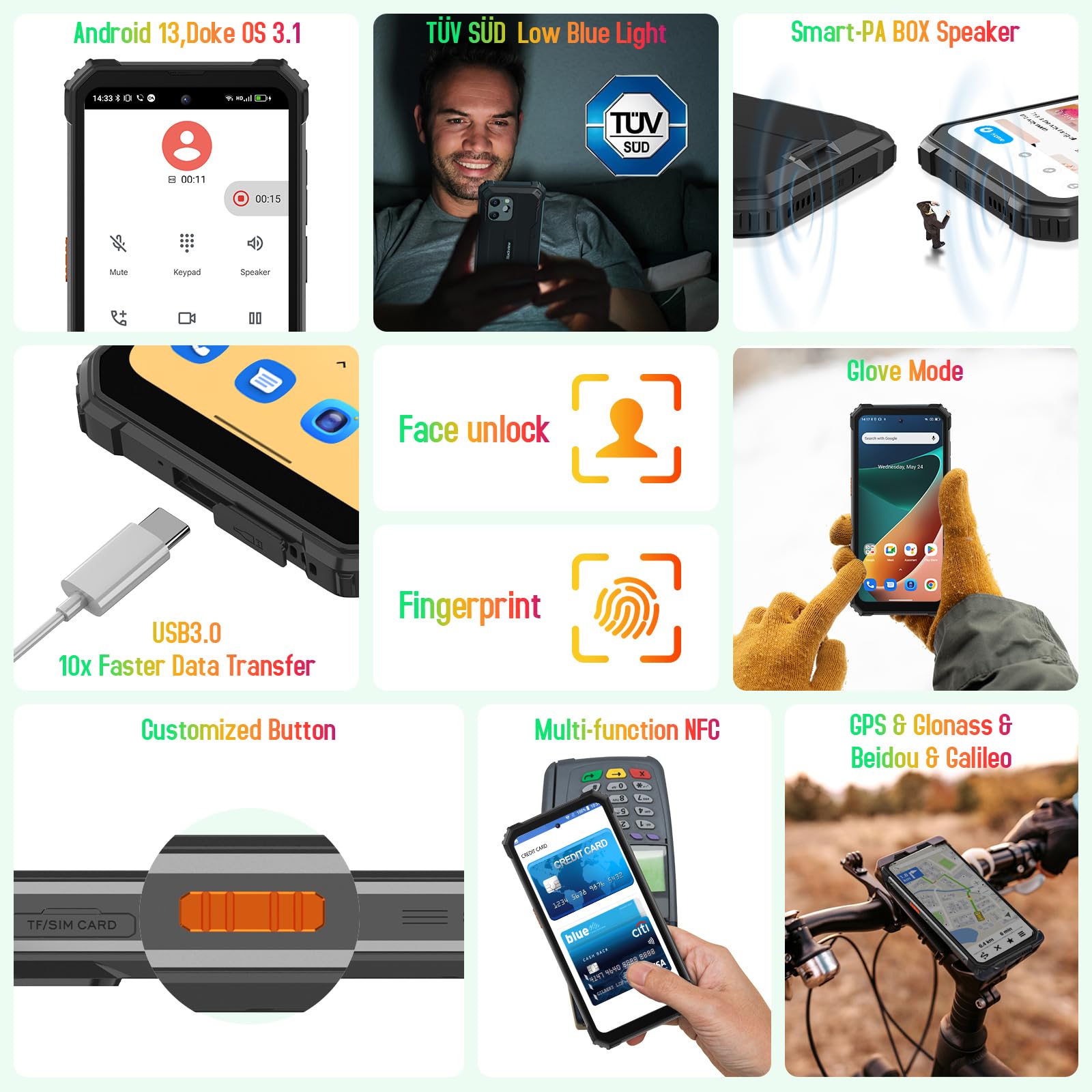
The BV8900 runs on the latest Android 13 operating system, offering enhanced privacy and security features. It includes a 1227 Smart-PA Box speaker for clear audio, NFC for quick payments, and supports GPS+BeiDou+GLONASS+Galileo for precise navigation. Unlock options include fingerprint recognition and Face ID.

4. Maintenance

To ensure the longevity and optimal performance of your Blackview BV8900, follow these maintenance guidelines:

  • Cleaning: Use a soft, lint-free cloth to clean the screen and body. For stubborn dirt, a slightly damp cloth can be used. Avoid harsh chemicals or abrasive materials.
  • Water & Dust Resistance: While the device is highly resistant, ensure all port covers (USB, SIM tray) are securely closed before exposing it to water or dust. Do not intentionally submerge the device in corrosive liquids.
  • Temperature: Avoid exposing the phone to extreme temperatures (below -30°C or above 60°C) for prolonged periods, as this can affect battery life and internal components.
  • Software Updates: Regularly check for and install system updates to benefit from the latest features, security patches, and performance improvements.

5. Troubleshooting

If you encounter issues with your Blackview BV8900, try the following common troubleshooting steps:

  • Device Not Turning On: Ensure the battery is sufficiently charged. Connect the phone to a charger for at least 30 minutes before attempting to power it on again.
  • Screen Unresponsive: Try restarting the device by holding the power button for about 10-15 seconds until it reboots.
  • App Crashing/Freezing: Close the problematic app and reopen it. If the issue persists, clear the app's cache and data in Settings > Apps. As a last resort, uninstall and reinstall the app.
  • Poor Network Connectivity: Check if airplane mode is off. Restart the phone. Verify your SIM card is properly inserted. If issues persist, contact your network carrier.
  • Thermal Camera Not Working: Ensure the camera lens is clean and unobstructed. Check for any software updates for the thermal camera application.
  • Battery Draining Quickly: Reduce screen brightness, disable unnecessary background apps, turn off Wi-Fi/Bluetooth/GPS when not in use. Check battery usage in Settings to identify power-hungry apps.
  • Slow Performance: Close unused apps, clear cache, and ensure sufficient storage space. Consider a factory reset if performance remains poor (back up your data first).

For more complex issues, refer to the official Blackview support resources or contact customer service.

6. Specifications

FeatureDetail
Product Dimensions6.78 x 3.24 x 0.79 inches
Item Weight1.73 pounds
Item Model NumberRugged Smartphone BV8900-Black
Batteries1 Lithium Polymer batteries required. (included)
OSAndroid 13.0
Wireless Communication TechnologiesCellular, NFC
Connectivity TechnologiesWireless
GPSGPS+BeiDou+GLONASS+ Galileo
Special Features10000mAh Long-Lasting Battery & 33W Fast Charge, 4G T-Mobile LTE/fingerprint recognition or Face ID unlock/NFC, 64 MP OIS Anti-shake Camera, Android 13 System, FLIR Thermal Camera
Human Interface InputTouchscreen
Scanner Resolution2400 x 1080
Other Camera FeaturesFLIR Thermal Camera, Rear
Form FactorSmartphone
ColorBlack
Battery Power Rating10000 Milliamp Hours
Phone Talk Time70 Hours
Whats in the boxUSB Cable
ManufacturerBlackview
Date First AvailableMarch 31, 2023
Memory Storage Capacity16 GB
Standing Screen Display Size6.5 Inches
Ram Memory Installed Size16 GB
Battery Capacity10000 Milliamp Hours
BrandBlackview
Operating SystemAndroid 13.0
CPU Speed2.2E+3 MHz
Screen Size6.5 Inches
Resolution2400 x 1080
Refresh Rate120 Hz
Model NameRugged Smartphone BV8900-Black
Wireless CarrierT-Mobile

7. Warranty and Support

Blackview offers a 24-month guarantee on all Blackview phones. This warranty covers manufacturing defects and ensures product reliability. For any issues or inquiries, please contact Blackview customer support for prompt assistance.

You can also refer to the official User Manual (PDF) available for download for more detailed information:

Download User Manual (PDF)

© 2024 Blackview. All rights reserved.

Ask a question about this manual

Ask about setup, troubleshooting, compatibility, parts, safety, or missing instructions. Manuals+ will review the question and use this page’s manual context to help answer it.

After a successful submission, we securely hash the supplied account or form email before sending it to Microsoft Advertising for conversion attribution. Privacy details.