
Product Overview
The Moen Essie MotionSense Wave One-Handle Touchless Kitchen Faucet offers advanced convenience and functionality for your kitchen. It features a Wave Sensor for hands-free operation, a traditional lever handle for manual control, and a pulldown sprayer with Power Clean technology. This faucet is designed for ease of use, efficient cleaning, and a modern aesthetic.
Key Features:
- MotionSense Wave Technology: Allows touchless activation with a simple hand wave.
- Power Clean Spray: Provides 50% more spray power for efficient cleaning.
- Reflex System: Ensures smooth operation and secure docking of the pulldown spray head.
- Duralock Quick Connect: Simplifies installation without the need for specialized tools.
- Spot Resist Stainless Finish: Resists fingerprints and water spots for a cleaner look.
- Integrated Soap Dispenser: Matching dispenser for a cohesive kitchen design.
- ADA Compliant: Meets accessibility standards.
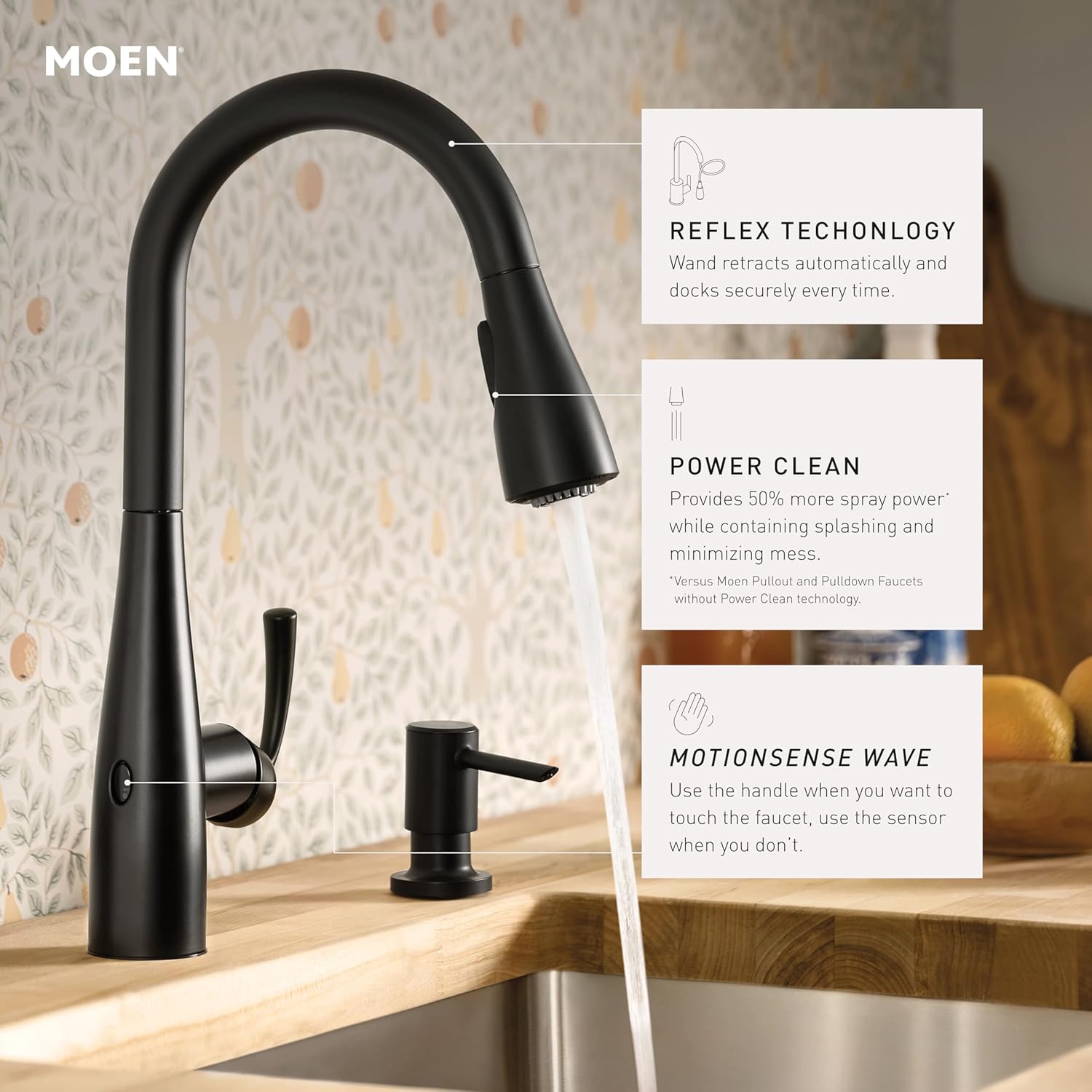
Figure 1: Key features of the Moen Essie MotionSense Wave Faucet.
Setup and Installation
The Moen Essie faucet is designed for straightforward installation, featuring the Duralock Quick Connect system. Ensure all necessary components are present before beginning installation.
Included Components:
- Faucet body
- Pulldown Sprayer
- Soap Dispenser
- Deck Plate (optional)
- Installation Hardware
- 6 AA Batteries
- Instruction Manual
Installation Steps (Summary):
- Prepare the sink area and ensure water supply is turned off.
- Mount the faucet body and optional deck plate to the sink or countertop.
- Connect the water supply lines using the Duralock Quick Connect system. This system allows for easy, tool-free connections.
- Install the pulldown sprayer hose and weight. The Reflex system ensures smooth retraction.
- Install the matching soap dispenser.
- Insert the 6 AA batteries into the battery pack to power the MotionSense Wave feature.
- Turn on the water supply and check for leaks.

Figure 2: Duralock Quick Connect system for easy installation.
Operating Instructions
MotionSense Wave Activation:
To activate water flow hands-free, simply wave your hand in front of the sensor located on the faucet body. Wave again to turn off the water. The sensor provides convenient operation when your hands are full or messy.
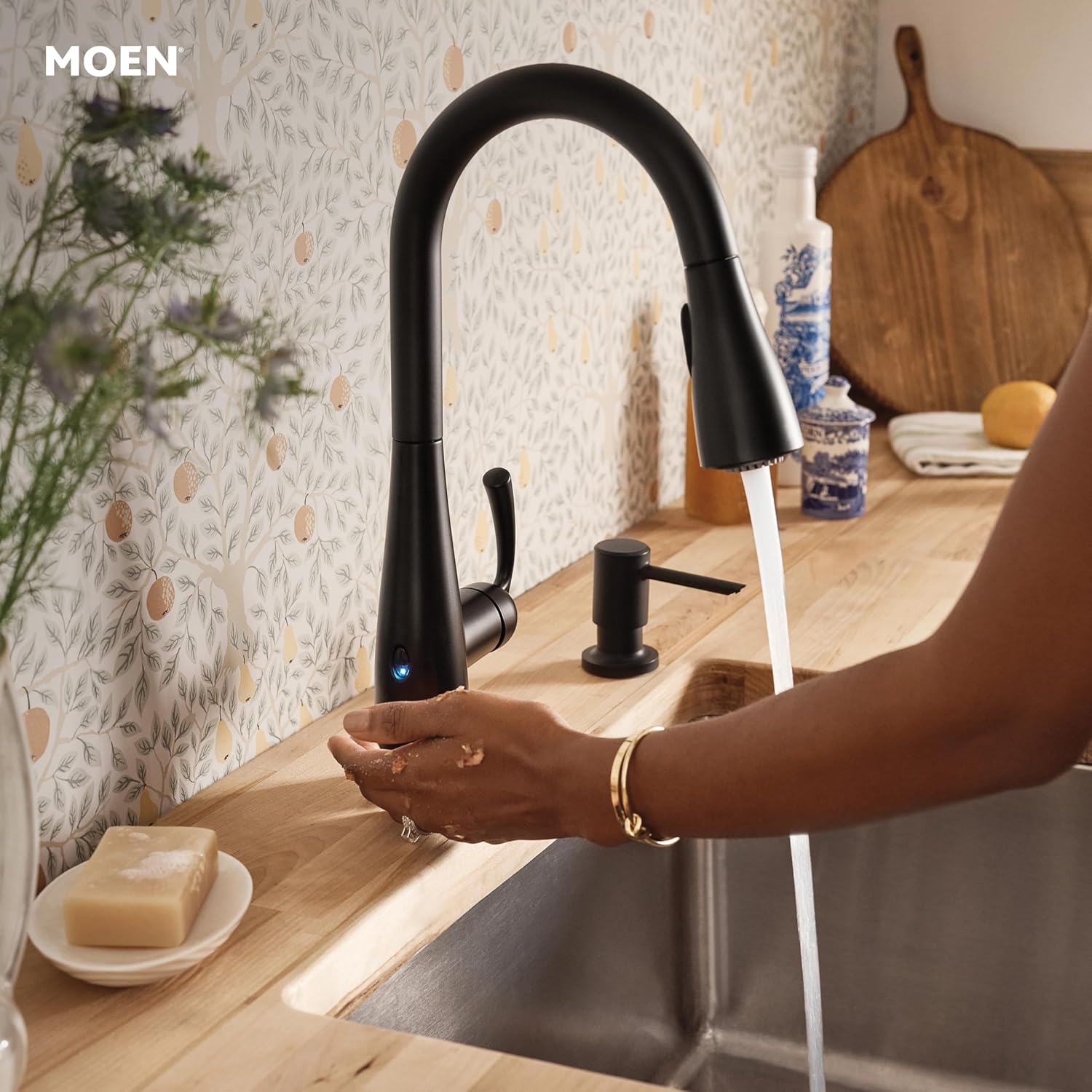
Figure 3: Activating the MotionSense Wave feature.
Manual Handle Operation:
The faucet also features a traditional lever handle for manual control of water flow and temperature. Lift the handle to turn on the water and move it left or right to adjust the temperature. Push the handle down to turn off the water.
Pulldown Sprayer Functions:
The pulldown sprayer offers versatile cleaning options. Pull the spray head down from the spout for extended reach. Use the buttons on the spray head to switch between different spray modes, including a powerful spray for heavy-duty cleaning and a steady stream for filling. The Reflex system ensures the spray head retracts smoothly and docks securely after use.

Figure 4: Using the pulldown sprayer for extended reach.
Video Demonstration:
Video 1: Demonstration of the Moen Essie Faucet's MotionSense and spray features.
Maintenance
Regular maintenance ensures the longevity and optimal performance of your Moen Essie faucet.
Cleaning the Finish:
The Matte Black finish is designed to resist fingerprints and water spots. To clean, simply wipe with a soft, damp cloth. Avoid abrasive cleaners, harsh chemicals, or scouring pads, as these can damage the finish.

Figure 5: The Matte Black finish is easy to maintain.
Battery Replacement:
The MotionSense Wave feature is powered by 6 AA batteries (included). When the sensor light begins flashing, it indicates that the batteries are low and should be replaced soon. Refer to the detailed installation manual for specific instructions on accessing and replacing the battery pack.
Sprayer Head Care:
Periodically check the sprayer head for mineral buildup, especially if you have hard water. Clean the nozzles by gently rubbing them with your finger or a soft brush to dislodge any deposits. This ensures optimal spray performance.
Troubleshooting
- No Water Flow (Sensor): Check if the batteries are properly installed and charged. Replace batteries if the sensor light is flashing. Ensure the manual handle is in the "on" position.
- Weak Water Pressure: Verify that the main water supply valves are fully open. Check the sprayer head for mineral buildup and clean if necessary.
- Sprayer Head Not Retracting: Ensure the hose weight under the sink is not obstructed and can move freely.
- Leaks: Check all connections, especially those made with the Duralock Quick Connect system, to ensure they are secure. If leaks persist, consult a qualified plumber.
Specifications
| Brand | Moen |
| Model Name | Essie MotionSense Wave |
| Part Number | 87014EWBL |
| Color | Matte Black |
| Finish Type | Matte |
| Material | Metal |
| Mounting Type | Deck Mount |
| Number of Handles | 1 |
| Hole Count | 4 |
| Maximum Flow Rate | 1.5 Gallons Per Minute |
| Spout Height | 15.86 Inches |
| Spout Reach | 7.84 Inches |
| Hose Length | 68 Inches |
| Power Source | 6 AA Alkaline Batteries (Included) |
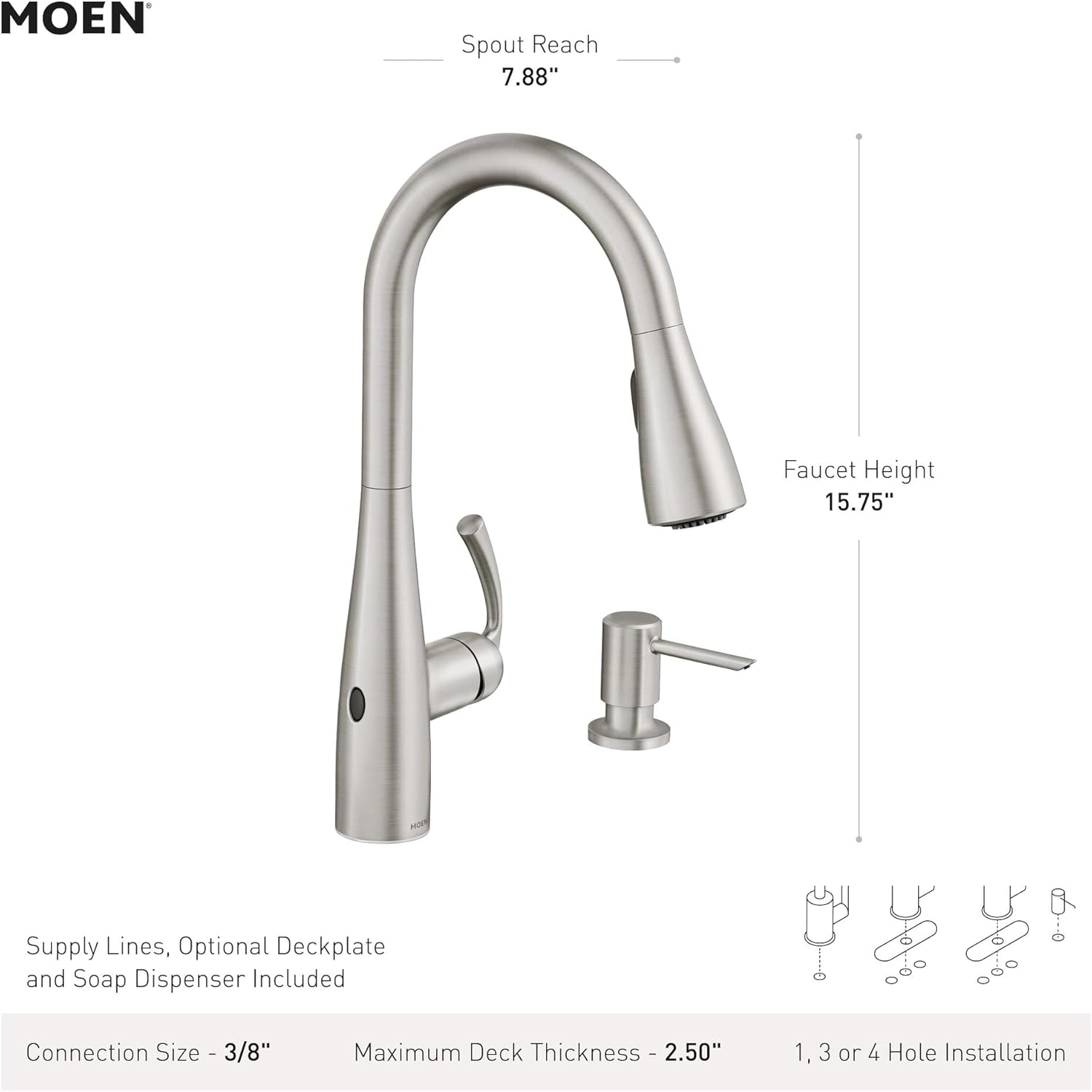
Figure 6: Moen Essie Faucet dimensions.
Warranty and Support
The Moen Essie MotionSense Wave Faucet is backed by Moen's commitment to quality.
- Digital Components: 5-year warranty.
- Trim: Limited lifetime warranty.
For further assistance, technical support, or warranty claims, please refer to the contact information provided in your product packaging or visit the official Moen website.


