
VEGER V0556
VEGER Portable Charger User Manual
Model: V0556
Introduction
Thank you for choosing the VEGER Portable Charger. This compact and powerful 5000mAh mini battery pack is designed for fast charging your USB-C compatible Android phones and other devices. Please read this manual carefully to ensure proper use and maintenance of your device.
Product Overview

Figure 1: VEGER Portable Charger connected to a smartphone via its integrated USB-C connector.

Figure 2: The VEGER Portable Charger is specifically designed for Android phones with USB-C ports, offering a direct plug-in solution.
The VEGER Portable Charger (Model V0556) is a compact 5000mAh power bank featuring a built-in USB-C connector for direct charging of compatible devices. It supports 20W PD fast charging and is designed for portability and convenience.
Setup
Initial Charging of the Power Bank
Before first use, it is recommended to fully charge your VEGER Portable Charger.
- Locate the USB-C input port on the power bank.
- Connect a USB-C charging cable (not included) to the power bank's input port.
- Connect the other end of the cable to a compatible 9V-2A (18W) power adapter.
- Plug the power adapter into a wall outlet.
- The indicator lights on the power bank will illuminate to show charging progress. All lights will be solid when fully charged. A full recharge typically takes about 1.5 hours with an 18W adapter.
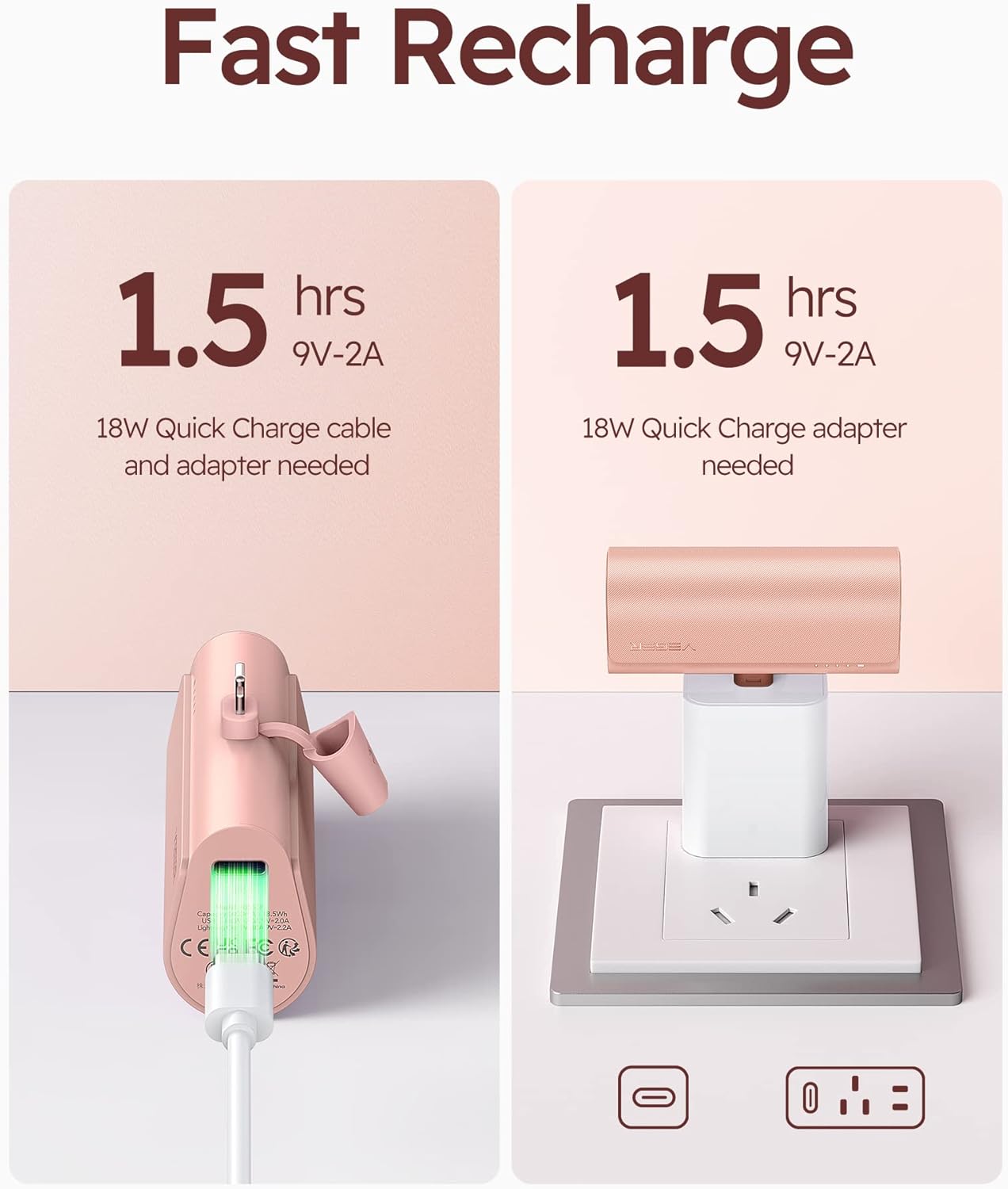
Figure 3: Recharging the VEGER Portable Charger. An 18W Quick Charge cable and adapter are needed for optimal charging speed.
Operating Instructions
Charging Your Device
The VEGER Portable Charger is designed for direct plug-in charging of USB-C compatible devices.
- Ensure your device has a USB-C charging port.
- Remove the protective cap from the power bank's integrated USB-C connector.
- Carefully insert the power bank's USB-C connector directly into your device's USB-C charging port. Ensure a secure connection.
- The power bank will automatically begin charging your device. The indicator lights on the power bank will show its remaining charge level.
- To stop charging, simply disconnect the power bank from your device.

Figure 4: Direct plug-in charging of a smartphone using the VEGER Portable Charger. This eliminates the need for extra cables.
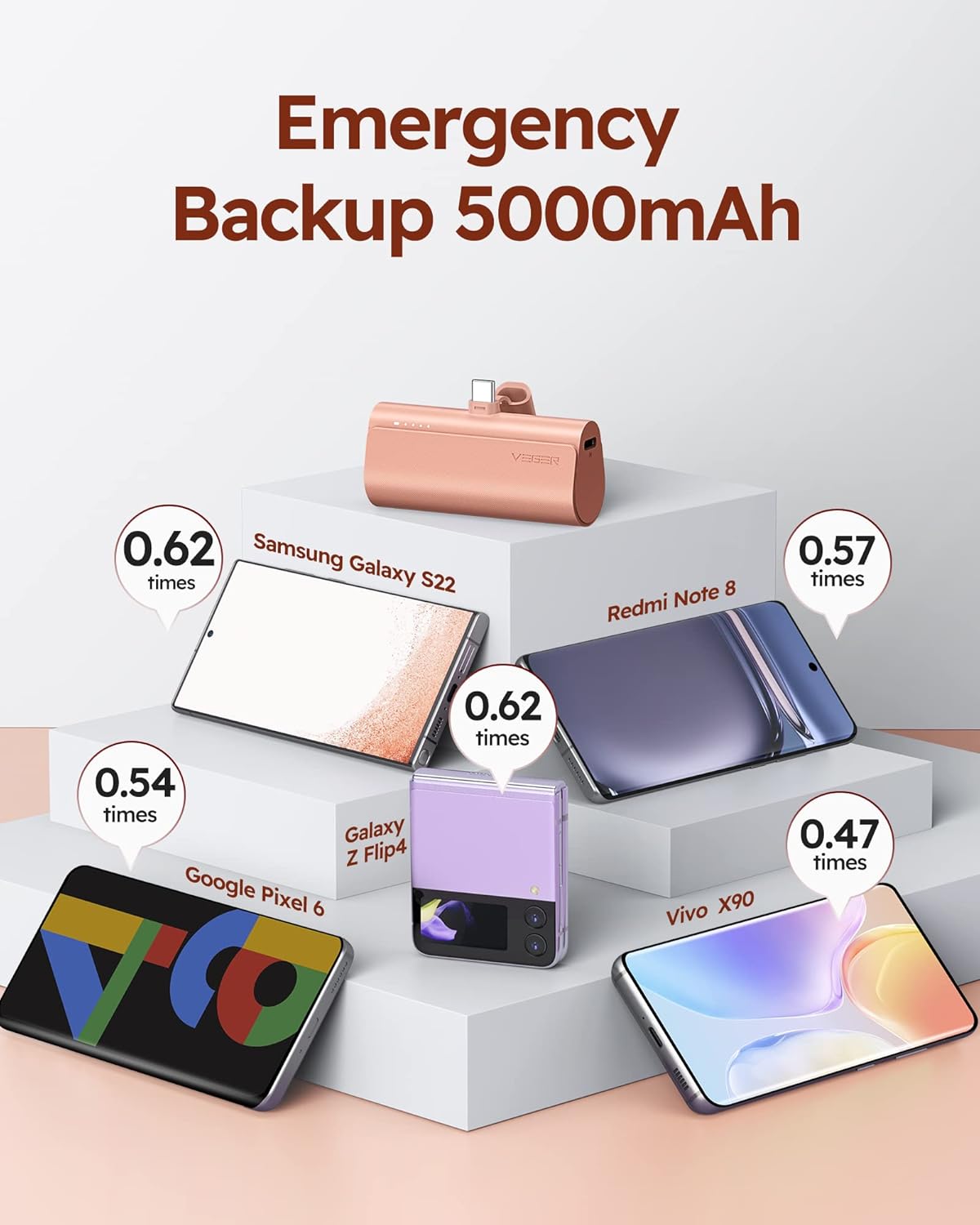
Figure 5: The power bank supports pass-through charging, allowing it to be recharged while simultaneously charging a connected device.
Pass-Through Charging
The VEGER Portable Charger supports pass-through charging, meaning you can recharge the power bank while it is simultaneously charging your device.
- Connect the power bank to your device as described above.
- Connect a USB-C charging cable to the power bank's input port.
- Connect the other end of the cable to a power adapter and plug it into a wall outlet.
- Both the power bank and your connected device will charge.
Maintenance and Care
- Cleaning: Use a soft, dry cloth to clean the surface of the power bank. Do not use liquid cleaners or aerosols.
- Storage: Store the power bank in a cool, dry place away from direct sunlight and extreme temperatures.
- Battery Life: To prolong battery life, avoid fully discharging the power bank frequently. Recharge it when the charge indicator lights are low.
- Handling: Do not drop, disassemble, or attempt to repair the power bank yourself. This can void the warranty and cause damage.
- Water Exposure: Keep the power bank away from water and high humidity.
Troubleshooting
| Problem | Possible Cause | Solution |
|---|---|---|
| Power bank not charging. | Charging cable or adapter is faulty; power bank is already full; poor connection. | Try a different USB-C cable and adapter. Ensure the cable is securely connected to both the power bank and the power source. Check indicator lights. |
| Device not charging from power bank. | Power bank is discharged; poor connection; device is not USB-C compatible; device case interference. | Recharge the power bank. Ensure the power bank's USB-C connector is fully inserted into your device. Verify your device uses a USB-C port. If using a phone case, ensure it does not obstruct the connection (the power bank is designed for cases up to 4mm thick). |
| Slow charging. | Power bank or device does not support fast charging protocol; cable/adapter not fast charge compatible. | Ensure both the power bank and your device support fast charging protocols (PD, QC3.0). Use an 18W or 20W fast charging adapter and a compatible cable for recharging the power bank. |
| Power bank gets warm during use. | Normal operation during charging/discharging. | This is normal. If it becomes excessively hot, disconnect immediately and contact customer support. |
Specifications
- Model: V0556
- Battery Capacity: 5000mAh (3.7V)
- Input (USB-C): 18W (9V-2A)
- Output (USB-C): 20W (PD, QC3.0, FCP, MTK PE1.1/2.0, AFC)
- Dimensions: 3.04 x 1.38 x 0.97 inches (77.2 x 35.0 x 24.7 mm)
- Weight: 3.2 ounces (90.7 grams)
- Battery Type: Lithium Polymer
- Color: Pink
Warranty and Support
For warranty information or technical support, please contact VEGER customer service through the retailer where you purchased the product or visit the official VEGER website. Please retain your proof of purchase for warranty claims.
Manufacturer: VEGER
Date First Available: March 29, 2023