
Introduction
The Altec Lansing SoundRover Wireless Trolley Bluetooth Speaker is a versatile and portable audio system designed for various events, including parties and karaoke. It features Bluetooth connectivity, a built-in microphone, LED lights, and a USB port for smartphone charging. This manual provides essential information for setting up, operating, and maintaining your SoundRover speaker.

Front view of the Altec Lansing SoundRover speaker, showcasing its main speaker grill and circular LED light ring. The speaker is black with white accents on the sides and a retractable handle visible at the top.
Designed for on-the-go entertainment, the SoundRover features a trolley handle and wheels for easy transport, making it ideal for outdoor gatherings, beach parties, or any event where powerful, portable sound is desired.
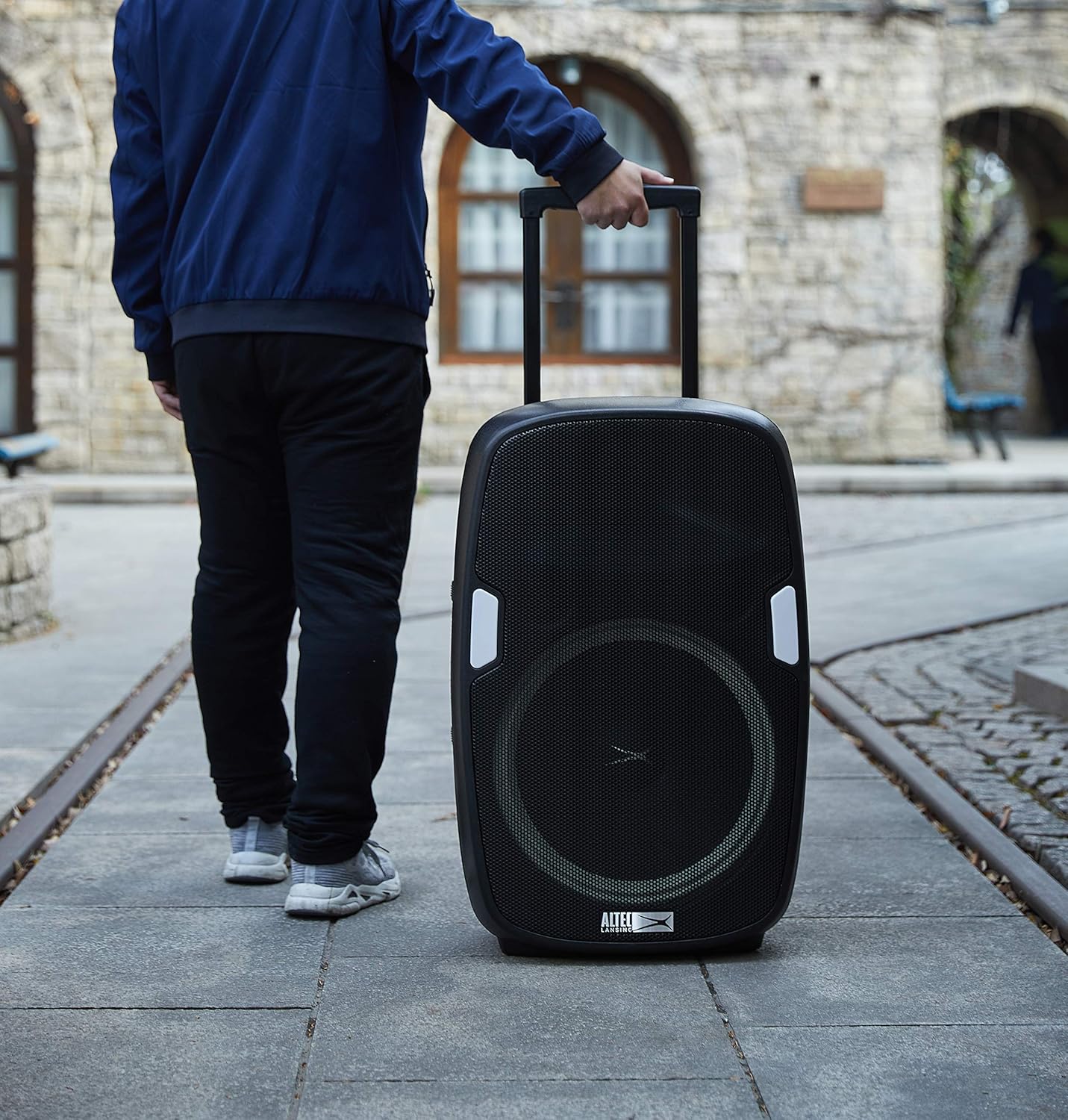
A person easily transporting the SoundRover speaker using its retractable trolley handle and built-in wheels, demonstrating its portability.

The SoundRover speaker positioned on a sandy beach, providing music for a group of people playing volleyball, highlighting its suitability for outdoor events.
What's in the Box
Upon unpacking your Altec Lansing SoundRover speaker, please ensure all the following components are present:
- Altec Lansing SoundRover Speaker
- Microphone
- USB Smartphone Charger (integrated into speaker)
- Charger (AC power cable)

The included black wired microphone, featuring the Altec Lansing logo and an on/off switch, designed for use with the SoundRover speaker.
Setup Guide
Powering On/Off and Charging
- Initial Charge: Before first use, fully charge the speaker using the provided AC power cable. Connect the cable to the AC INPUT port on the rear panel and plug it into a standard wall outlet.
- Power On: Locate the POWER switch on the rear panel and slide it to the "ON" position. The display will illuminate.
- Power Off: Slide the POWER switch to the "OFF" position when not in use to conserve battery life.
Connecting Devices
- Bluetooth Pairing:
- Ensure the speaker is powered on and in Bluetooth mode (indicated on the display).
- On your smartphone or Bluetooth-enabled device, search for "SoundRover" in the Bluetooth settings.
- Select "SoundRover" to pair. A confirmation tone will sound upon successful connection.
- Microphone Connection:
- Plug the microphone cable into the "MIC IN" port on the rear panel.
- Adjust the "MIC LEVEL" knob to control the microphone volume.
- Auxiliary Input: For non-Bluetooth devices, connect an audio cable (not included) from your device's headphone jack to the "AUX IN" port on the rear panel.
- USB Charging: Connect your smartphone or other USB-powered device to the "USB POWER OUT 5V 1A" port on the rear panel for charging.

Detailed view of the rear control panel of the SoundRover speaker, showing various inputs and controls including power switch, AC input, microphone input, auxiliary input, USB power out, and knobs for mic level, bass, treble, and volume.
Operating Instructions
Audio Controls
- Volume: Use the "VOLUME" knob on the rear panel to adjust the overall sound output.
- Bass & Treble: Use the "BASS" and "TREBLE" knobs to fine-tune the audio equalization to your preference.
- Microphone Level: The "MIC LEVEL" knob controls the volume of the connected microphone.
Playback Controls
The top panel features buttons for media playback:
- Play/Pause: Press the Play/Pause button to start or pause audio playback.
- Previous/Next Track: Use the Previous and Next track buttons to navigate through your playlist.
- Mode Button: Press to switch between Bluetooth, FM Radio, and Auxiliary input modes.
LED Light Modes
The SoundRover speaker features dynamic LED lights around the main speaker. Use the dedicated light control button on the top panel to cycle through different light modes or turn them off.

An infographic showing the Altec Lansing SoundRover speaker with callouts for its key features, including 180W peak power, up to 6 hours play time, easy portability, true wireless pairing, built-in smartphone charger, multi-light party modes, and included microphone.
Maintenance
- Cleaning: Use a soft, dry cloth to clean the exterior of the speaker. Do not use abrasive cleaners or solvents.
- Storage: Store the speaker in a cool, dry place away from direct sunlight and extreme temperatures.
- Battery Care: To prolong battery life, avoid fully discharging the speaker frequently. Recharge the battery regularly, even if the speaker is not in constant use.
Troubleshooting
| Problem | Possible Cause | Solution |
|---|---|---|
| No power | Battery is drained; Power switch is OFF; AC cable not connected properly. | Charge the speaker; Slide power switch to ON; Ensure AC cable is securely connected. |
| No sound | Volume is too low; Incorrect input mode selected; Device not paired (Bluetooth); Audio cable not connected (AUX). | Increase volume; Press Mode button to select correct input; Re-pair Bluetooth device; Check AUX cable connection. |
| Bluetooth not connecting | Speaker is too far from device; Speaker is already connected to another device; Bluetooth mode not active. | Move device closer to speaker; Disconnect from other devices; Ensure speaker is in Bluetooth mode. |
| Microphone not working | Microphone not plugged in; MIC LEVEL too low; Microphone switch is OFF. | Ensure microphone is securely plugged into MIC IN port; Increase MIC LEVEL; Turn on microphone switch. |
Specifications
| Model Name | SoundRover |
| Brand | Altec Lansing |
| Manufacturer | Sakar International Inc |
| Speaker Type | Portable Speaker |
| Mounting Type | Floor Standing |
| Speaker Maximum Output Power | 180 Watts |
| Audio Output Mode | Stereo |
| Frequency Response | 40 Hz |
| Power Source | Battery Powered |
| Wireless Communication Technology | Bluetooth, FM |
| Bluetooth Range | 10 Meters |
| Connectivity Technology | Bluetooth, USB |
| Compatible Devices | Smartphone |
| Number of Microphones | 1 |
| Control Method | Touch, Button |
| Product Dimensions | 19.69 x 30.71 x 15.75 inches |
| Item Weight | 32.6 pounds |
| UPC | 657768368981 |
Warranty and Support
The Altec Lansing SoundRover speaker comes with a Limited Warranty. For specific details regarding warranty coverage, duration, and terms, please refer to the warranty information provided with your product packaging or contact Sakar International Inc., the manufacturer.
For technical support, troubleshooting assistance beyond this manual, or warranty claims, please contact the manufacturer directly. Keep your proof of purchase for warranty validation.


