
1. Introduction
Thank you for choosing the Thamtu G-Max Robot Vacuum and Mop Combo. This device is designed to provide efficient and convenient cleaning for your home, combining powerful vacuuming with effective mopping. Please read this manual thoroughly before use to ensure proper operation and maintenance.
2. Important Safety Instructions
To reduce the risk of injury or damage, read these safety instructions carefully and keep them for future reference.
- This appliance can be used by children aged 8 years and above and persons with reduced physical, sensory or mental capabilities or lack of experience and knowledge if they have been given supervision or instruction concerning use of the appliance in a safe way and understand the hazards involved.
- Children should be supervised to ensure that they do not play with the appliance.
- Cleaning and user maintenance shall not be made by children without supervision.
- Only use the power adapter supplied by the manufacturer.
- Do not use the appliance in extremely hot or cold environments (above 40°C or below 0°C).
- Do not use the appliance on wet surfaces or surfaces with standing water.
- Remove power cords and small objects from the floor before cleaning to prevent entanglement.
- Ensure the main power switch is turned on before operating the robot vacuum. If the robot stops immediately after leaving the charging dock, check the main power switch.
3. Package Contents
Verify that all components are present in the package:
- Thamtu G-Max Robot Vacuum Cleaner
- Charging Dock
- Power Adapter
- Remote Control
- Side Brushes
- High-Efficiency Filter
- Water Tank and Mopping Pad
- Cleaning Tool
- User Manual
4. Product Overview
Familiarize yourself with the main components of your robot vacuum.

Figure 1: Top view of the Thamtu G-Max Robot Vacuum Cleaner, showing its sleek black design and control buttons.

Figure 2: Underside view of the robot vacuum, highlighting the dual edge brushes and solid roller brush for effective cleaning.
5. Setup
5.1 Charging the Robot
- Place the charging dock against a wall in an open, uncluttered area. Ensure there is at least 0.5 meters (1.6 feet) of clear space on either side and 1.5 meters (4.9 feet) in front of the dock.
- Connect the power adapter to the charging dock and plug the other end into a wall outlet.
- Place the robot vacuum onto the charging dock. Ensure the charging pins on the robot align with those on the dock. The indicator light on the robot will show charging status.
5.2 App Connection
Control your Thamtu G-Max with the Smart Life App for advanced features and scheduling.
- Download and install the "Smart Life" App from your app store or by scanning the QR code in the product packaging.
- Activate Robot Wi-Fi: Power on the robot. Press and hold the HOME + START buttons together for 3 seconds until you hear a beep and the Wi-Fi indicator blinks.
- Add Device: Open the Smart Life App, log in, and tap "Add Device".
- Connect to Home Wi-Fi: Enter your home Wi-Fi name and password (supports 2.4GHz Wi-Fi only).
- Finalize Connection: Select your robot vacuum and follow the in-app prompts.

Figure 3: Visual guide for connecting the robot vacuum to the Smart Life App. For more details, visit smartapp.tuya.com/smartlife.
5.3 Preparing the Cleaning Area
- Remove power cords, small objects, and loose rugs from the floor to prevent entanglement.
- Use magnetic boundary strips (if included or purchased separately) to block off areas you do not want the robot to enter.
- Ensure doors to rooms you want cleaned are open.
6. Operating Instructions
6.1 Power On/Off
Press the power button on the robot or use the app/remote control to start or stop cleaning.
6.2 Cleaning Modes
The Thamtu G-Max offers multiple cleaning modes to suit different needs:
- Automatic Cleaning: The robot intelligently navigates and cleans your home.
- Timed Cleaning: Schedule cleaning sessions via the app.
- Spot Cleaning: Focuses on a specific dirty area for a deeper clean.
- Edge Cleaning: Cleans along walls and furniture edges.

Figure 4: The Smart Life App provides options for automatic, timed, spot, and edge cleaning, along with suction power adjustment.
6.3 Vacuuming and Mopping
The 2-in-1 design allows for simultaneous vacuuming and mopping.
- Vacuuming: Equipped with 3000Pa strong suction, it effectively picks up dust, pet hair, and debris from hard floors and low-pile carpets.
- Mopping: The built-in water tank and mopping pad provide a deep cleaning finish on hard floors. Ensure the water tank is filled and the mopping pad is attached before mopping.

Figure 5: The robot vacuum demonstrates its strong suction by cleaning scattered debris on a hard floor.
6.4 Smart Features
- Auto-Recharge: The robot automatically returns to its charging dock when the battery is low or cleaning is complete.
- Voice Control: Compatible with Alexa and Google Assistant for hands-free operation.
- Obstacle Avoidance: Built-in sensors detect and avoid obstacles, ensuring safe and efficient cleaning.
- Anti-Drop Technology: Sensors prevent the robot from falling down stairs or off ledges.
- Slim Body Design: At 2.8 inches tall, it easily glides under furniture.
- Auto-Boost Technology: Automatically increases suction power when detecting carpets.

Figure 6: The slim design of the robot vacuum allows it to clean effectively under low-clearance furniture like beds.

Figure 7: The robot vacuum uses anti-drop technology to detect and avoid falling from elevated surfaces like stairs.
Video 1: An overview of the Thamtu G10 Max Robot Vacuum, demonstrating its smart features like app control, voice control, obstacle avoidance, and carpet boost technology.
7. Maintenance
Regular maintenance ensures optimal performance of your robot vacuum.
7.1 Dustbin and Filter
- Press the release button to remove the dustbin.
- Empty the dustbin after each cleaning cycle.
- Remove the filter and tap it gently to remove dust. Rinse the filter with water if necessary, and allow it to air dry completely before reinserting.
7.2 Brushes
- Remove the side brushes and main brush.
- Use the cleaning tool to cut and remove any hair or debris tangled around the brushes.
- Reattach the brushes securely.
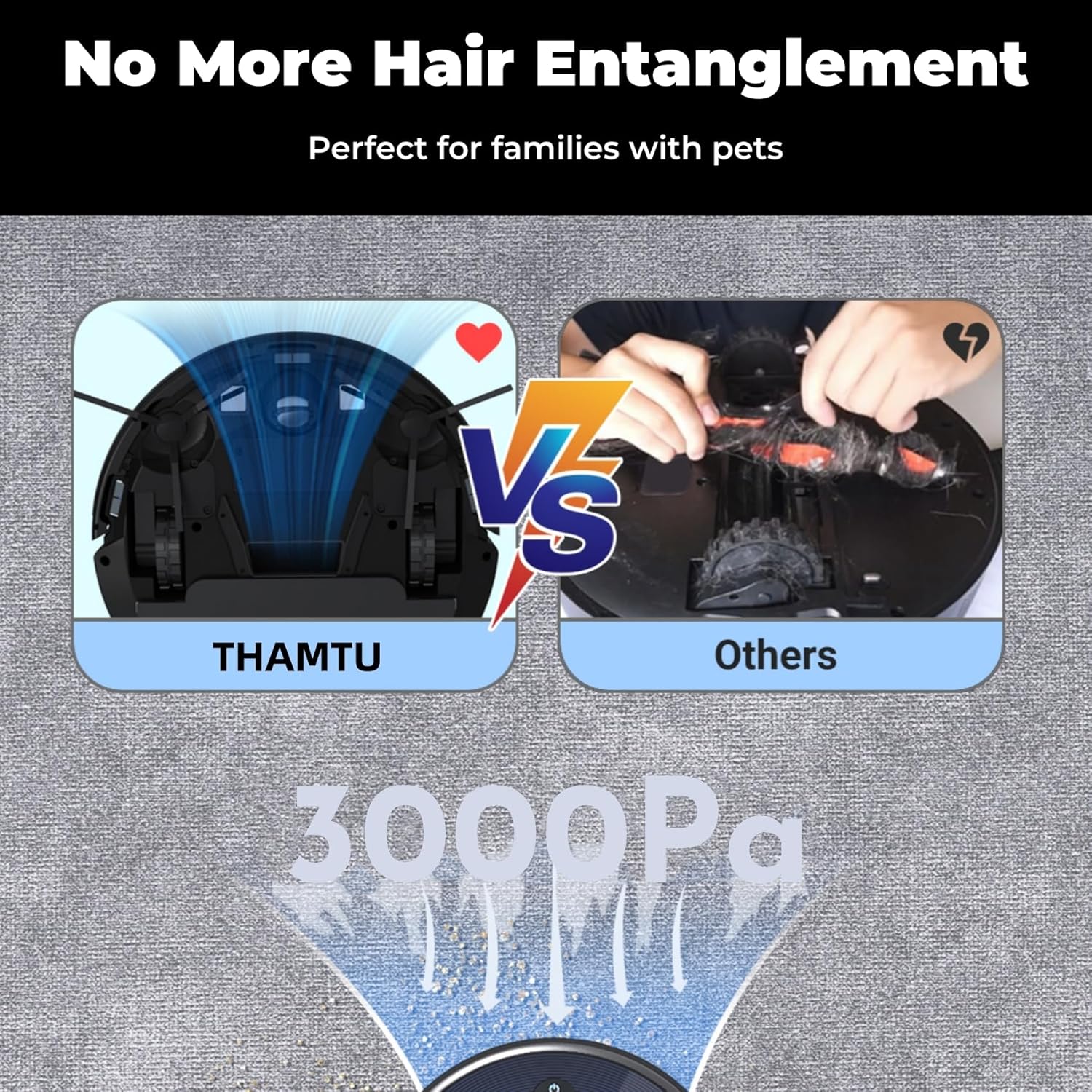
Figure 8: The powerful brushless suction port is designed to prevent hair tangles, making maintenance easier, especially for pet owners.
7.3 Water Tank and Mopping Pad
- Remove the water tank and mopping pad after each mopping session.
- Empty any remaining water from the tank.
- Wash the mopping pad with water and mild detergent. Allow it to air dry completely before reuse.
7.4 Sensors
Wipe all sensors (anti-drop sensors, anti-collision sensors) with a clean, dry cloth to ensure proper function.
8. Troubleshooting
If your robot vacuum encounters an issue, refer to the following common problems and solutions:
| Problem | Possible Cause | Solution |
|---|---|---|
| Robot does not start or stops immediately after leaving the dock. | Main power switch is off. | Turn on the main power switch located on the robot. |
| Robot gets stuck frequently. | Obstacles (cords, small items, thick carpets) or wheels are tangled. | Clear the cleaning area of obstacles. Clean the main and side brushes for tangled hair. |
| Poor cleaning performance. | Dustbin is full, filter is clogged, or brushes are worn. | Empty the dustbin. Clean or replace the filter. Clean or replace the brushes. |
| Robot cannot connect to Wi-Fi. | Incorrect Wi-Fi password, 5GHz network, or robot too far from router. | Ensure correct 2.4GHz Wi-Fi password. Move robot closer to the router. Reset Wi-Fi on the robot and try again. |
| Robot does not return to charging dock. | Charging dock is obstructed or too far. | Ensure the charging dock is in an open area with no obstructions. Manually place the robot on the dock if needed. |
9. Specifications
| Feature | Detail |
|---|---|
| Brand | Thamtu |
| Model Name | G-Max |
| Suction Power | 3000Pa |
| Battery Life | Up to 120 minutes |
| Battery Type | Lithium Ion |
| Control Method | App, Remote, Button Control |
| Compatible Devices | Amazon Echo, Google Home |
| Item Dimensions (L x W x H) | 12.6"L x 12.6"W x 2.99"H |
| Surface Recommendation | Hard Floors & Low-Pile Carpets |
| Special Features | Anti-Fall, Auto-Docking, 2-in-1 Vacuum & Mop |
10. Warranty and Support
The Thamtu G-Max Robot Vacuum and Mop Combo comes with a standard manufacturer's warranty. Please refer to the warranty card included in your product packaging for specific terms and conditions. For technical support, service inquiries, or to purchase replacement parts, please contact Thamtu customer service through their official website or the contact information provided in your product documentation.