
1. Introduction
The 8Bitdo Lite 2 is a compact and fully-featured Bluetooth controller designed for portability and versatile gaming. It includes joysticks, shaped trigger buttons, motion sensors, and linear motors to enhance your gaming experience across multiple platforms.

Front view of the 8Bitdo Lite 2 Bluetooth Controller in turquoise.
2. Key Features
- Ultra Portable: Designed to be very thin and lightweight (approx. 82.73g), making it easy to carry and play anywhere.
- Fully Featured: Equipped with joysticks, shaped trigger buttons, motion sensor, and linear motors for a complete gaming experience.
- Motion Controls: Built-in 6-axis gyro somatosensory for improved shooting and driving game control.
- Linear Motors: Provides accurate simulated vibration feedback for enhanced immersion.
- Broad Compatibility: Supports Switch/Switch 2, Switch OLED, Switch Lite, Android devices, and Raspberry Pi.
- Long Battery Life: Offers up to 18 hours of play time with a 1-2 hour charging duration.
- Additional Features: Customizable Turbo function, firmware update capability, and both wireless Bluetooth and wired USB-C connection options.
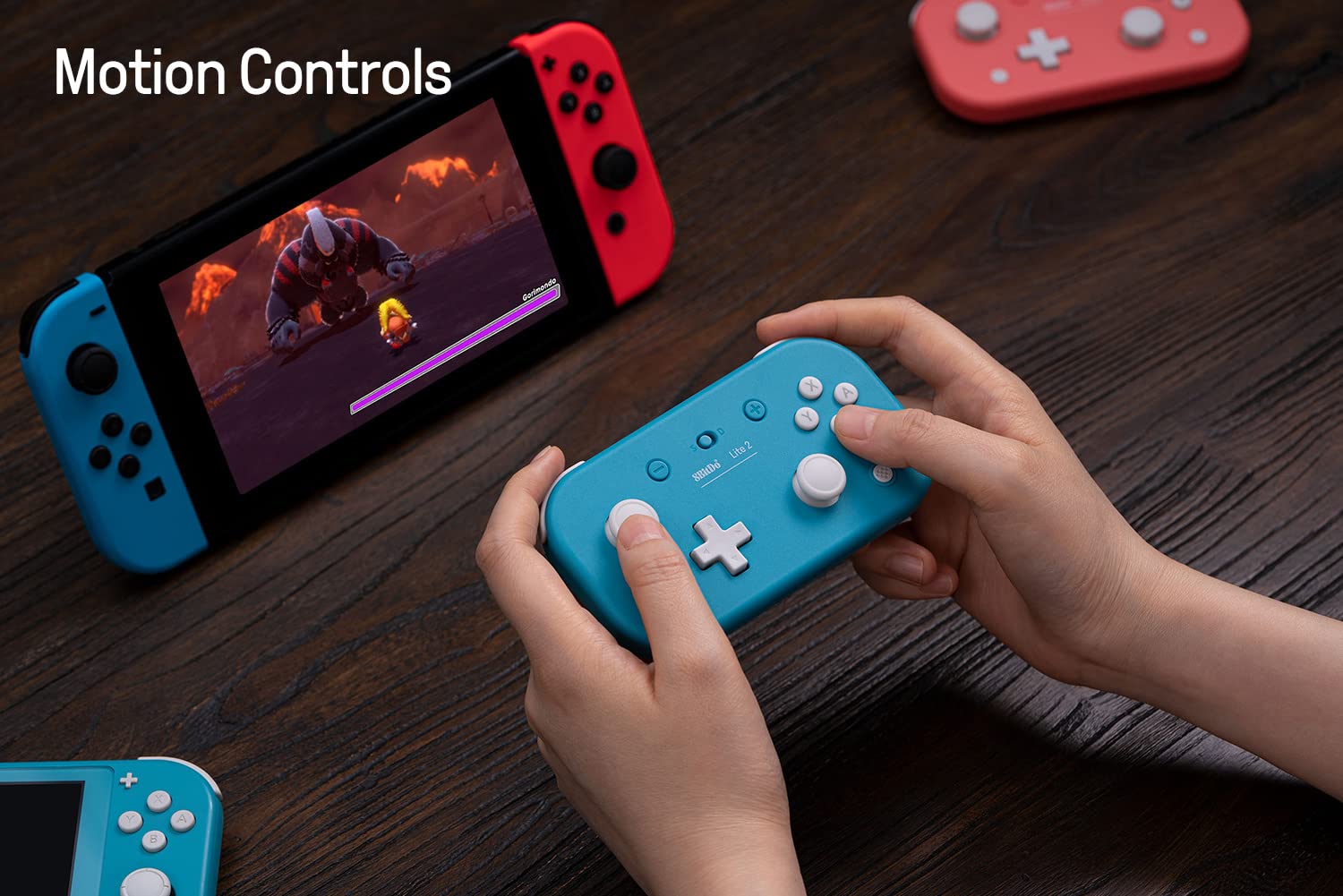
The 8Bitdo Lite 2 controller supports motion controls for an immersive gaming experience.

Experience enhanced feedback with the controller's built-in linear motors.

The 8Bitdo Lite 2 offers broad compatibility with various gaming platforms.
3. Setup
3.1 Charging the Controller
Before first use, fully charge the controller. Connect the included USB-C cable to the controller's USB-C port and the other end to a USB power source (e.g., computer, USB wall adapter). The LED indicator will show charging status and turn off when fully charged.
3.2 Pairing via Bluetooth
The 8Bitdo Lite 2 supports different modes for various systems. Ensure the mode switch (S/D) on the top of the controller is set correctly for your device.

The S/D switch allows you to select the appropriate mode for your device.
- For Nintendo Switch: Set the mode switch to 'S'. Press and hold the Pair button on the top of the controller for 3 seconds until the LEDs start blinking rapidly. On your Switch, go to System Settings > Controllers and Sensors > Change Grip/Order. The controller should appear and connect.
- For Android: Set the mode switch to 'D'. Press and hold the Pair button for 3 seconds. On your Android device, go to Bluetooth settings and select '8Bitdo Lite 2' from the available devices.
- For Raspberry Pi: Set the mode switch to 'D'. Press and hold the Pair button for 3 seconds. Follow your Raspberry Pi's specific instructions for Bluetooth device pairing.
3.3 Wired Connection
You can also connect the controller directly to your device using a USB-C cable. This provides a stable connection and charges the controller simultaneously.

The USB-C port is located on the top edge of the controller for charging and wired connection.
4. Operating the Controller
4.1 Button Layout
The 8Bitdo Lite 2 features a standard button layout including two analog joysticks, a D-pad, A/B/X/Y buttons, shoulder buttons (L/R), and trigger buttons (L2/R2).

The controller features a comprehensive button layout for various gaming needs.
4.2 Turbo Function
The controller supports a customizable Turbo function. To activate, press the button you wish to set to Turbo, then press the Star button. To deactivate, repeat the process.
4.3 Motion Controls and Vibration
The built-in 6-axis gyro provides precise motion control for compatible games. The linear motors offer accurate vibration feedback, enhancing the realism of your gameplay.
Official video demonstrating the features of the 8Bitdo Lite 2 Bluetooth Controller, including its portability, full features, motion controls, and vibration capabilities.
5. Maintenance
- Cleaning: Use a soft, dry cloth to clean the controller. Avoid using harsh chemicals or abrasive materials.
- Storage: Store the controller in a cool, dry place away from direct sunlight and extreme temperatures.
- Battery Care: To prolong battery life, avoid fully discharging the controller frequently. Charge it regularly, even if not in use for extended periods.
6. Troubleshooting
- Controller not connecting: Ensure the controller is charged and the mode switch (S/D) is set to the correct position for your device. Try re-pairing the controller.
- Input lag or disconnection: Ensure there are no significant obstructions between the controller and your device. Reduce interference from other wireless devices if possible.
- Buttons or joysticks not responding correctly: Try resetting the controller. If issues persist, a firmware update may resolve the problem.
- Not charging: Try a different USB-C cable and power source. Ensure the cable is fully inserted into the controller's port.
6.1 Firmware Updates
8Bitdo frequently releases firmware updates to improve performance, add features, and fix bugs. It is recommended to check for and install the latest firmware from the official 8Bitdo support website to ensure optimal performance and compatibility.
7. Specifications
| Feature | Detail |
|---|---|
| Model | Lite 2 |
| Connectivity | Bluetooth, USB-C Wired |
| Compatibility | Nintendo Switch/Switch 2/Switch OLED/Switch Lite, Android, Raspberry Pi |
| Dimensions | 120 x 65.95 x 35.45 mm (approx. 4.72 x 2.60 x 1.40 inches) |
| Weight | 82.73g (approx. 2.92 ounces) |
| Battery Type | Lithium Polymer (included) |
| Battery Life | Up to 18 hours |
| Charging Time | 1-2 hours |
| Special Features | Motion Controls (6-axis gyro), Linear Motors (Vibration), Customizable Turbo Function |
8. Warranty and Support
The 8Bitdo Lite 2 Bluetooth Controller comes with a manufacturer's warranty. For detailed warranty information, technical support, and the latest firmware updates, please visit the official 8Bitdo website. Keep your proof of purchase for warranty claims.
For further assistance, you may also refer to the support section on the retailer's website where the product was purchased.


