
Miady HYD025
Miady PD Portable Charger User Manual
Model: HYD025
Introduction
Thank you for choosing the Miady PD Portable Charger. This 20000mAh power bank is designed to provide fast and reliable charging for a wide range of devices, including smartphones, tablets, and compatible laptops. With its 65W USB-C Power Delivery and additional USB-A output, it ensures your devices stay powered on the go. This manual provides essential information on setup, operation, maintenance, and troubleshooting to help you get the most out of your power bank.

Image: Miady PD Portable Charger, showcasing its sleek black design and port layout.
Product Features
- 65W USB-C PD + 20W USB-A Synchronous Output: The power bank features a 65W USB-C PD fast charging capability that quickly recharges your phone. It also includes a 20W USB-A output for charging an additional device simultaneously, with the USB-C port maintaining its 65W output.
- High-Capacity 20000mAh Battery: With a 20000mAh battery capacity, this power bank can charge your devices multiple times before requiring a recharge, ideal for situations where a power source is not readily available.
- Wide Compatibility: Compatible with a broad range of devices, including smartphones, tablets, and laptops (ensure 65W is sufficient for your laptop's power requirements).
- Advanced Safety Features: Equipped with built-in safety mechanisms such as overcharge protection, overcurrent protection, and short-circuit protection to safeguard your devices and the power bank itself.
- Compact and Portable Design: Designed for easy transport, making it suitable for travel and daily use.
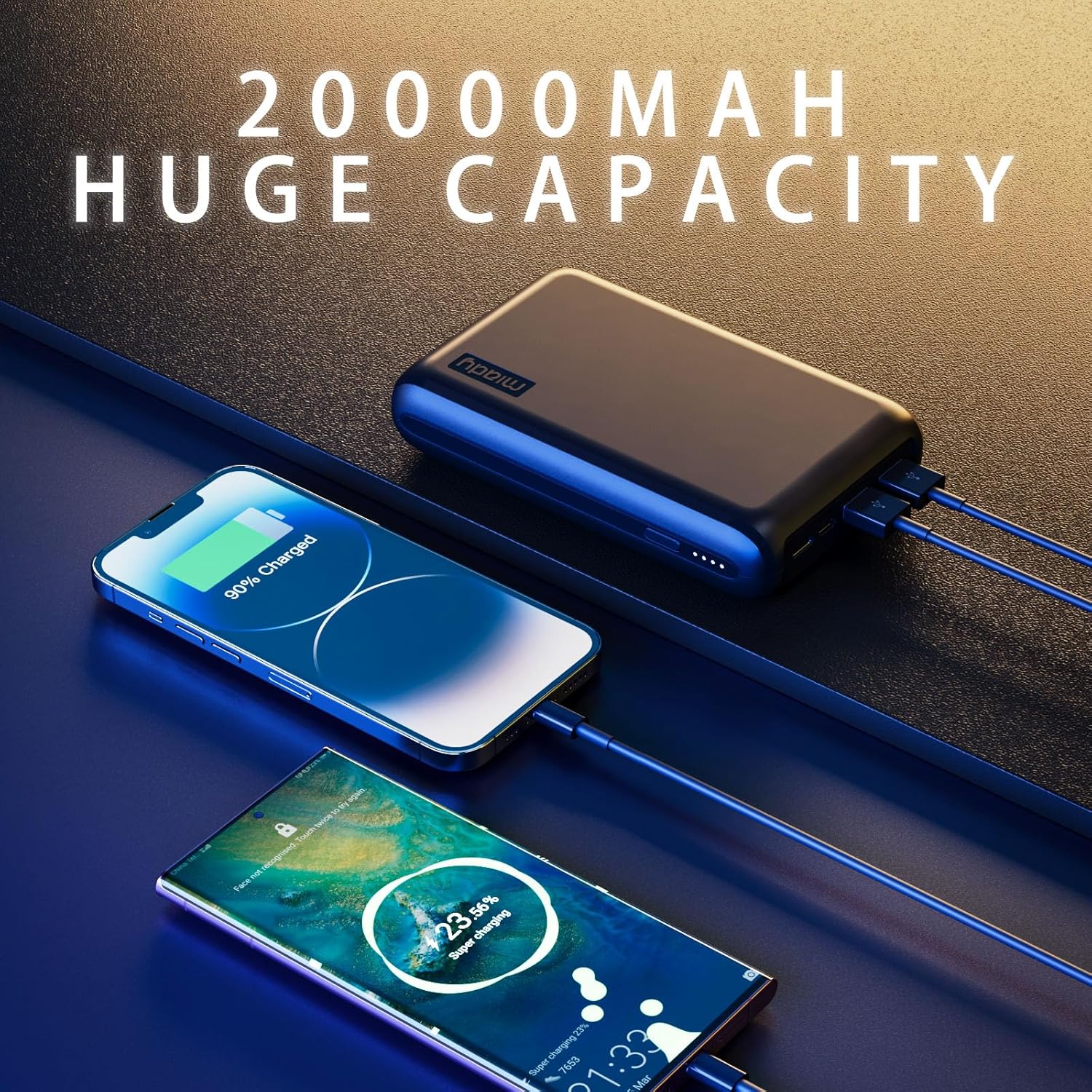
Image: The Miady power bank simultaneously charging two smartphones, highlighting its 20000mAh capacity.
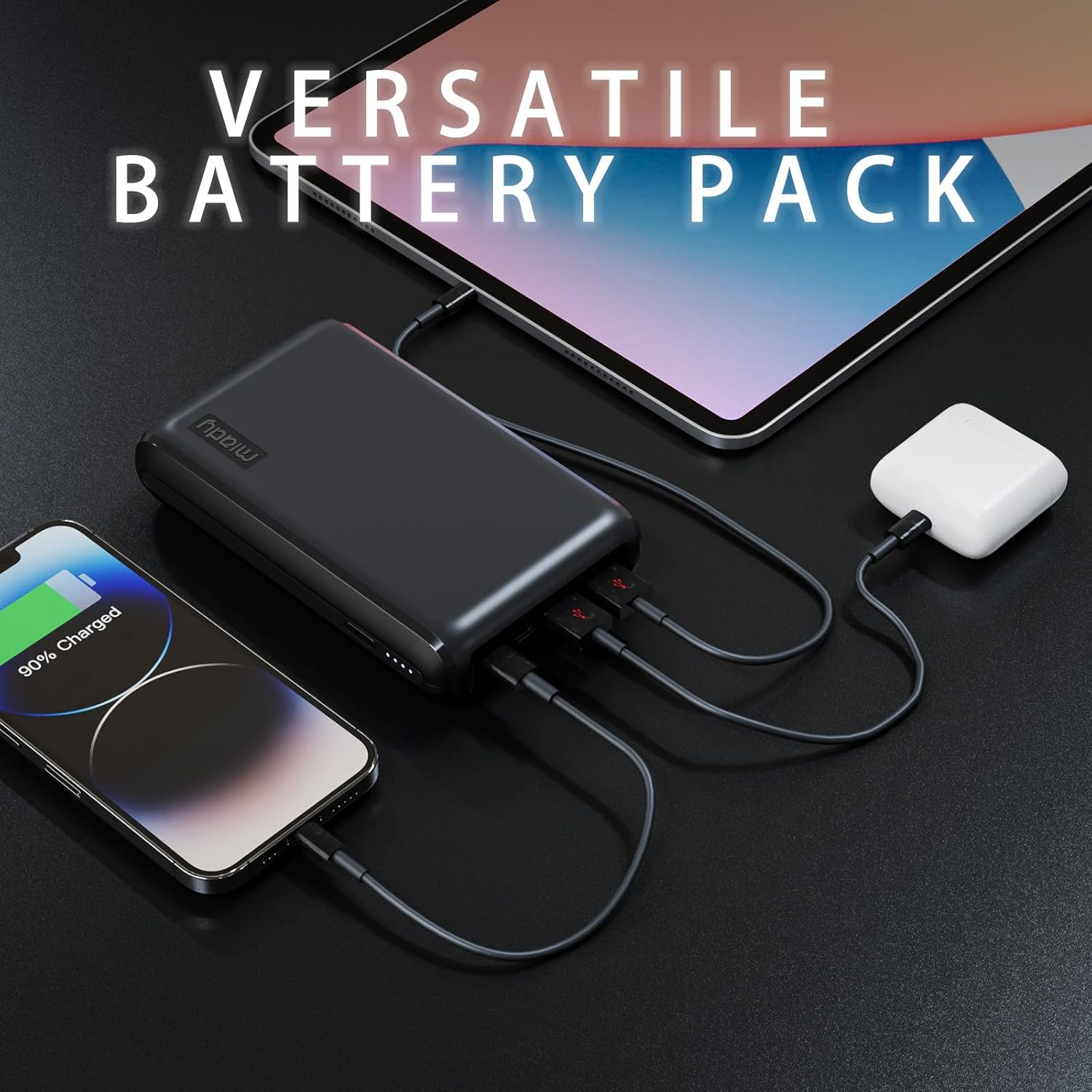
Image: The Miady power bank connected to a smartphone, a tablet, and wireless earbuds, demonstrating its versatile charging capabilities for multiple devices.
Setup and Initial Use
Charging the Power Bank
Before first use, it is recommended to fully charge your Miady power bank. This ensures optimal performance and battery longevity.
- Locate the USB-C input port on the power bank.
- Connect one end of the provided USB-C cable to the power bank's USB-C port.
- Connect the other end of the USB-C cable to a compatible USB-C wall charger (not included) with a minimum output of 18W, preferably 60W or 65W for fastest charging.
- The LED indicator lights on the power bank will illuminate to show the charging status. When all lights are solid, the power bank is fully charged.
A full charge may take several hours depending on the power adapter used.
Operating Instructions
Charging Your Devices
The Miady power bank offers both USB-C Power Delivery (PD) and USB-A outputs for charging your electronic devices.
- Using the USB-C PD Port (65W Max Output):
- Connect one end of a USB-C to USB-C cable (or USB-C to Lightning for Apple devices) to the power bank's USB-C output port.
- Connect the other end of the cable to your device's charging port.
- The power bank will automatically begin charging your device. The LED indicators will show the remaining battery level.
- Using the USB-A Ports (20W Max Output):
- Connect one end of a standard USB-A cable to one of the power bank's USB-A output ports.
- Connect the other end of the cable to your device's charging port.
- Charging will commence automatically.
- Simultaneous Charging: You can charge multiple devices at once using a combination of the USB-C and USB-A ports. The USB-C port will maintain its 65W output even when a USB-A port is in use.

Image: A detailed diagram illustrating the input and output capabilities of the Miady power bank, including single, dual, and triple output configurations with their respective maximum wattage.
Checking Battery Level
Press the power button once to check the remaining battery level indicated by the LED lights. Each light typically represents a percentage of the total capacity.
Maintenance and Care
- Keep the power bank away from extreme temperatures (hot or cold), direct sunlight, and humid environments.
- Do not expose the power bank to water or other liquids.
- Avoid dropping or subjecting the power bank to strong impacts.
- Clean the power bank with a dry, soft cloth. Do not use harsh chemicals or abrasive materials.
- If storing for an extended period, charge the power bank to approximately 50-75% every three months to preserve battery health.
Troubleshooting
| Problem | Possible Cause | Solution |
|---|---|---|
| Power bank not charging. | Cable issue, adapter issue, power bank fault. | Try a different USB-C cable and/or wall adapter. Ensure the adapter meets the power bank's input requirements. |
| Device not charging from power bank. | Cable issue, device compatibility, power bank low on charge. | Ensure the power bank is charged. Try a different charging cable. Verify your device is compatible with the power bank's output specifications. |
| Slow charging. | Cable quality, device input limit, multiple devices charging. | Use a high-quality cable. Some devices may limit charging speed. Charging multiple devices simultaneously may distribute power. |
| Power bank automatically shuts off. | Low battery, overcurrent/short-circuit protection activated. | Recharge the power bank. Disconnect and reconnect the device. Ensure the device is not drawing excessive power or has a short circuit. |
If the problem persists after trying these solutions, please contact Miady customer support.
Specifications
| Feature | Detail |
|---|---|
| Model Number | HYD025 |
| Battery Capacity | 20000mAh |
| USB-C Output (PD) | 65W Max |
| USB-A Output | 20W Max (when USB-C is also used, total output is 85W) |
| Input (USB-C) | 65W Max |
| Product Dimensions | 5.2 x 3.2 x 1.04 inches |
| Item Weight | 14.4 ounces |
| Color | Black |
| Special Features | Auto Shut-Off, Fast Charging, LED Indicator Lights, Over Charging Protection, Short Circuit Protection |

Image: The Miady power bank shown with its physical dimensions (5.2 inches length, 3.2 inches width, 1.0 inches thickness) and weight (12.5 oz) indicated.

Image: The Miady power bank depicted against a cloudy sky, indicating its airline-approved status for travel.
Warranty and Support
Miady provides an 18-month warranty for this product, covering manufacturing defects from the date of purchase. This warranty does not cover damage caused by misuse, accidents, unauthorized modifications, or normal wear and tear.
For customer support, technical assistance, or warranty claims, please contact Miady directly. We offer 24/7 friendly customer support to assist you with any inquiries.
Please refer to the contact information provided in your product packaging or visit the official Miady website for the most up-to-date support details.
Related documentsHYD025

Ask a question about this manual
Ask about setup, troubleshooting, compatibility, parts, safety, or missing instructions. Manuals+ will review the question and use this page’s manual context to help answer it.