1. Introduction
Thank you for choosing the WYBOT Robotic Pool Cleaner Model WY1103-1. This cordless device is designed to provide efficient and convenient cleaning for various pool types. This manual provides essential information for safe operation, setup, maintenance, and troubleshooting to ensure optimal performance and longevity of your cleaner.
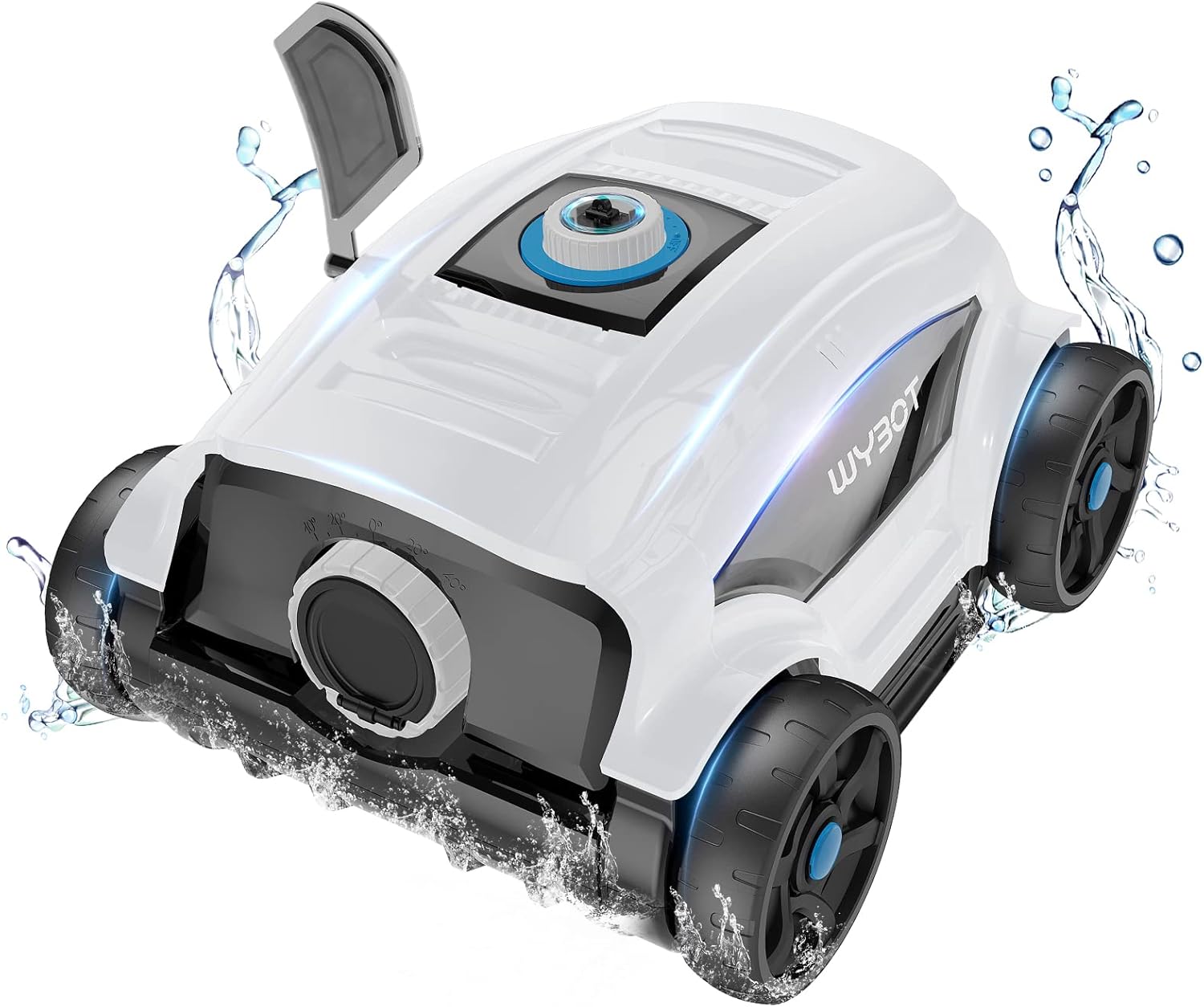
Figure 1: WYBOT WY1103-1 Robotic Pool Cleaner.
2. Safety Instructions
Please read all safety warnings and instructions carefully before operating the appliance. Failure to follow these instructions may result in electric shock, fire, or serious injury.
- Ensure the power adapter is disconnected from the power outlet before performing any maintenance or cleaning.
- Do not operate the cleaner if the power cord or plug is damaged.
- Only use the original power adapter provided by the manufacturer.
- Do not allow children to play with the cleaner. Supervise children when the cleaner is in use.
- Keep the cleaner away from heat sources and direct sunlight.
- Do not use the cleaner to clean anything other than swimming pool water.
- Ensure the pool water temperature is within the recommended operating range (typically 10°C to 35°C / 50°F to 95°F).
- Do not operate the cleaner if there are people or animals in the pool.
- Always retrieve the cleaner from the pool after the cleaning cycle is complete or when the battery is low.
3. Product Overview
3.1 Key Features
- Cordless Design: Eliminates tangled hoses and cords for hassle-free operation.
- Powerful Suction: Equipped with dual brushless motors and two lower suction ports, capable of capturing sand, dirt, leaves, twigs, dust, and debris.
- Long Battery Life: Features a 6600mAh high-density lithium polymer battery, providing up to 130 minutes of cleaning on a single charge.
- Extensive Coverage: Cleans pools up to 1300 square feet (approximately 66 x 20 ft rectangular or 43 ft diameter round pools).
- Smart Navigation: Automatically reverses direction upon encountering a wall. The system guides the robot closer to the shore when the battery is low for easy retrieval.
- Versatile Pool Compatibility: Suitable for above-ground and in-ground pools with flat bottoms (maximum slope less than 15 degrees). Compatible with various liners including PVC, tile, vinyl, or gunite, and shapes such as round, rectangular, or oval.
- Advanced Filtration: Efficiently filters debris from the pool water.
- Smart Protection Systems: Includes over-voltage, overcurrent, over-discharge, recovery, and short circuit protection for enhanced safety and durability.
- Lightweight and Compact: Designed for easy handling and removal from the water.

Figure 2: Cordless design with 6600mAh battery, 130 minutes runtime, and IPX8 waterproof rating.

Figure 3: Cleaning area capacity of 1300 sq.ft with 6600mAh battery for 130 minutes of operation.

Figure 4: Demonstrating strong suction power, with WYBOT achieving 2642 GPH filtration capacity.

Figure 5: Overview of the smart protection systems including over-voltage, overcurrent, and short circuit protection.

Figure 6: The advanced filtration system on the underside of the cleaner.

Figure 7: Smart sensor technology allows the cleaner to operate effectively on slopes up to 25 degrees.
4. Setup
4.1 Unpacking and Initial Inspection
Carefully remove all components from the packaging. Verify that all items listed in the packaging list are present and undamaged. If any items are missing or damaged, contact customer support.

Figure 8: Packaging contents include the cleaner body, charger, user manual, brush, floating handle, swing plate, and quick guide.
4.2 Charging the Cleaner
Before first use, fully charge the robotic pool cleaner. The charging process is indicated by an LED light.
- Ensure the cleaner is dry before charging.
- Connect the charger to the charging port on the cleaner.
- Plug the charger into a standard electrical outlet.
- A red indicator light signifies that the cleaner is charging.
- A green indicator light indicates that charging is complete.
- Disconnect the charger once the battery is fully charged.

Figure 9: The cleaner connected to its charger, showing red (charging) and green (charged) LED indicators.
5. Operating Instructions
5.1 Placing the Cleaner in the Pool
- Ensure the cleaner is fully charged.
- Gently lower the cleaner into the pool. It will sink to the bottom.
- Ensure there are no air bubbles trapped inside the cleaner. If bubbles are present, gently tilt the cleaner to release them.
5.2 Starting a Cleaning Cycle
The cleaner typically starts automatically once submerged and activated. Refer to the quick guide for specific activation steps if not automatic.
5.3 Retrieving the Cleaner
When the cleaning cycle is complete or the battery is low, the cleaner will automatically move closer to the edge of the pool for easy retrieval.
- Use the provided floating handle or a pool hook to gently lift the cleaner out of the water.
- Allow excess water to drain from the cleaner before removing it completely from the pool.
- Do not pull the cleaner out of the water by its power cord (if applicable) or any other part not designed for lifting.

Figure 10: The lightweight design makes the cleaner easy to lift and retrieve from the pool.
6. Maintenance
6.1 Cleaning the Filter
Regularly clean the filter to maintain optimal suction and cleaning performance.
- Remove the cleaner from the pool and ensure it is powered off.
- Locate and open the filter compartment.
- Remove the filter basket or trays.
- Rinse the filter thoroughly with a garden hose until all debris is removed.
- Inspect the filter for any damage. Replace if necessary.
- Reinsert the clean filter into the compartment and securely close it.

Figure 11: The filter tray can be easily removed and rinsed with a garden hose for effortless maintenance.
6.2 General Care and Storage
- After each use, rinse the exterior of the cleaner with fresh water to remove any chlorine or chemical residue.
- Store the cleaner in a cool, dry place, away from direct sunlight and extreme temperatures.
- Ensure the battery is charged to at least 50% before long-term storage to preserve battery health.
7. Troubleshooting
If you encounter issues with your WYBOT Robotic Pool Cleaner, refer to the following common problems and solutions:
| Problem | Possible Cause | Solution |
|---|---|---|
| Cleaner does not turn on or operate. | Low battery; Power switch off; Obstruction in motor. | Charge the battery fully; Ensure power switch is on; Check for and remove any obstructions. |
| Reduced suction or poor cleaning performance. | Clogged filter; Impeller obstruction; Worn brushes. | Clean the filter thoroughly; Check and clear the impeller; Inspect and replace brushes if worn. |
| Cleaner does not cover the entire pool. | Low battery; Pool shape/obstacles; Incorrect setting (if applicable). | Ensure full charge; Remove large obstacles; Verify cleaner is suitable for pool shape and size. |
| Battery does not charge. | Faulty charger; Damaged battery; Poor connection. | Check charger and connections; Contact customer support for battery issues. |
| Cleaner gets stuck. | Obstacles in pool; Uneven pool surface. | Remove toys, ladders, or other obstacles; Ensure pool bottom is within slope specifications. |
8. Specifications
| Feature | Detail |
|---|---|
| Model Name | WY1103-1 |
| Product Dimensions | 14.21 x 9.29 x 15.59 inches |
| Item Weight | 18.16 pounds |
| Material | Plastic |
| Power Source | Battery Powered |
| Battery Type | Lithium Ion |
| Battery Capacity | 6600mAh (73.26 Watt Hours) |
| Number of Lithium-ion Cells | 9 |
| Runtime | Up to 130 minutes |
| Max Pool Area | 1300 sq.ft |
| Installation Type | Robotic |
| Special Feature | Cordless |
| Assembly Required | No |
| Warranty Type | Limited |
9. Warranty and Support
The WYBOT Robotic Pool Cleaner Model WY1103-1 comes with a limited warranty. Please refer to the warranty card included in your packaging for specific terms and conditions. For technical support, replacement parts, or warranty claims, please contact WYBOT customer service through their official website or the contact information provided in your product documentation.


