
PlayBetter Shot Scope X5
Shot Scope X5 Golf GPS Watch
User Manual
Introduction
Welcome to the user manual for your new PlayBetter Shot Scope X5 Golf GPS Watch. This guide provides detailed instructions on setting up, operating, and maintaining your device to help you enhance your golf game with advanced GPS and performance tracking capabilities. The Shot Scope X5 is designed to provide accurate distances, track your shots, and offer comprehensive statistical analysis to improve your performance on the course.
What's in the Box
Your Shot Scope X5 package includes the following items:
- Shot Scope X5 Watch
- 16 x 2nd Generation Shot Tracking Tags
- USB Charger
- PlayBetter Wall Adapter
- Protective Hard Case

Image: The complete Shot Scope X5 gift box bundle, showcasing the watch, 16 shot tracking tags, USB charger, PlayBetter wall adapter, and a protective hard case.
Key Features
The Shot Scope X5 is equipped with a range of features designed to provide comprehensive support for your golf game:
- Dynamic Yardages: Provides accurate front, middle, and back distances to the green.
- Green View & Pin Placement: Offers a bird's eye view of the green, allowing you to precisely pinpoint the flag location for exact yardages.
- Hazard & Layup Points: Displays distances to water hazards, bunkers, and key layup points on each hole.
- Automatic Performance Tracking: Records your shots and collects over 100 statistics, including Strokes Gained and handicap benchmarking.
- Preloaded Courses: Comes with over 36,000 golf courses worldwide, eliminating the need for downloads.
- Touchscreen Display: Features a clear, bright 1.2-inch touchscreen for easy navigation and interaction.
- Digital Scorecard: Allows for quick recording and editing of your score during a round.
- Long Battery Life: Designed to last for 2+ rounds on a single charge.
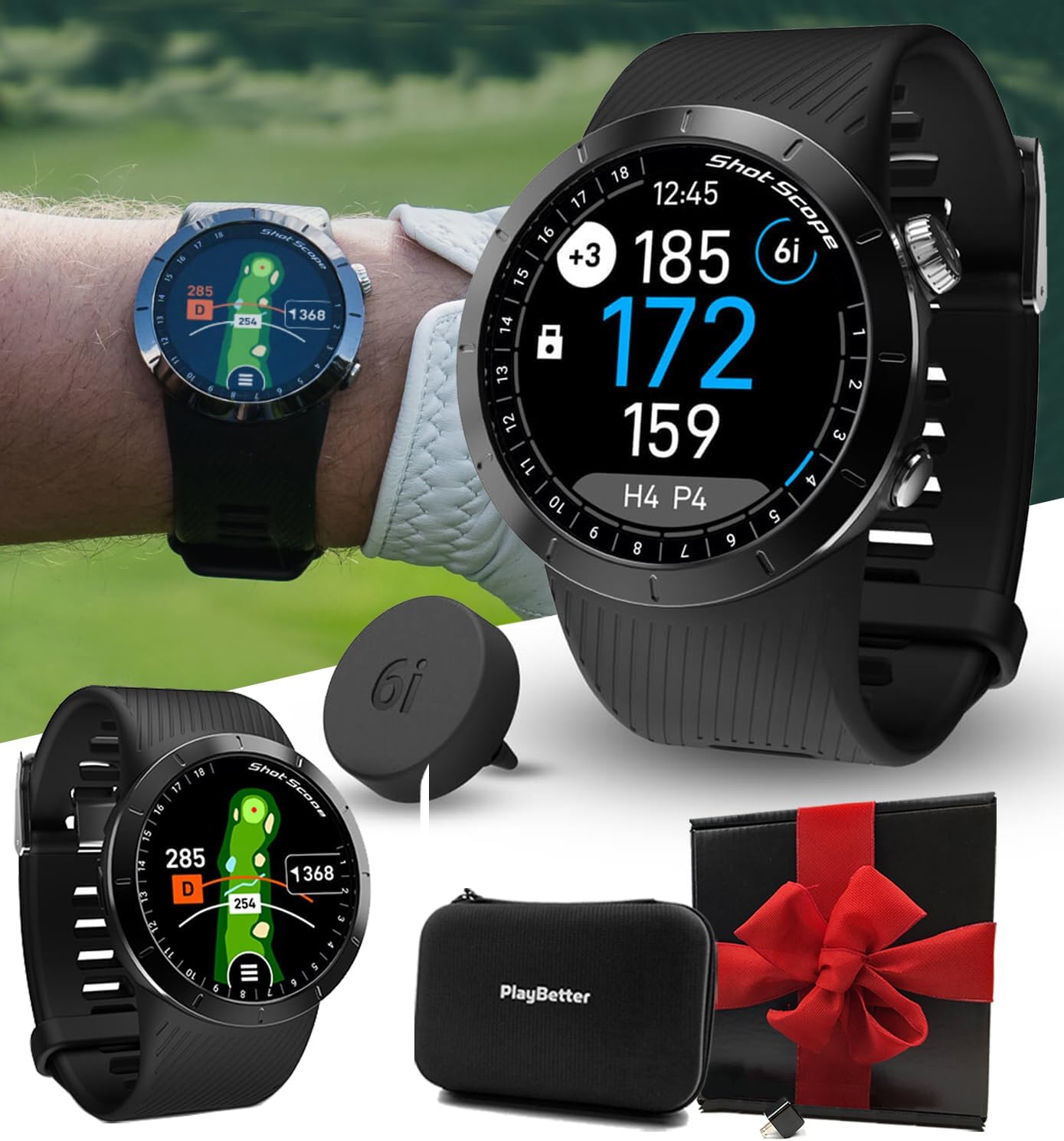
Image: The Shot Scope X5 watch on a golfer's wrist, showing precise yardages to the green, highlighting its primary function.

Image: A close-up of the Shot Scope X5 watch face, illustrating the Green View feature with adjustable pin placement for accurate yardages.

Image: The Shot Scope X5 watch on a golfer's wrist, showing the Hazards & Layups feature, providing distances to obstacles and strategic points.
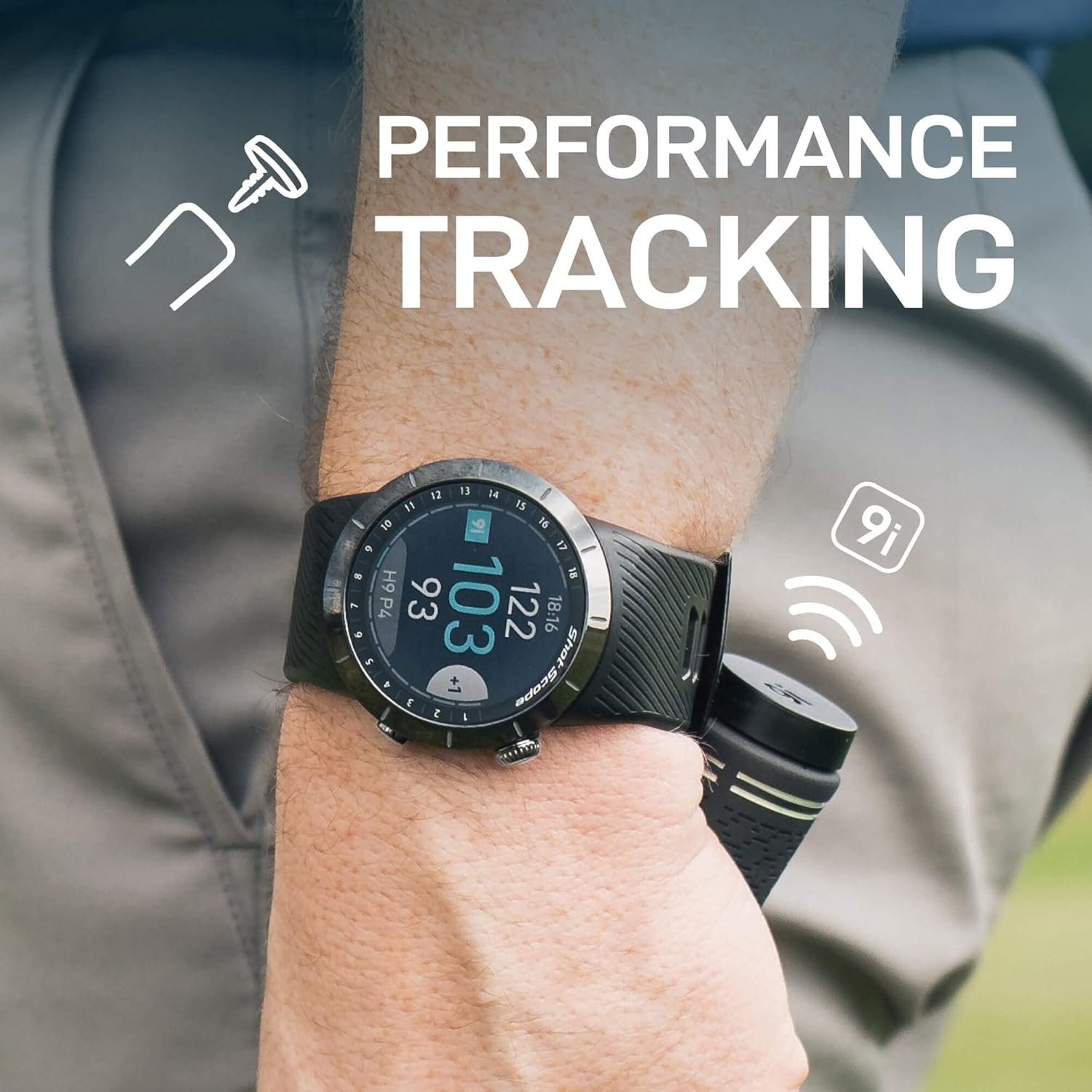
Image: A golfer wearing the Shot Scope X5 watch, with a shot tracking tag visible, demonstrating the automatic performance tracking capability.

Image: A golfer on a course, illustrating the vast database of over 36,000 preloaded courses available on the Shot Scope X5.
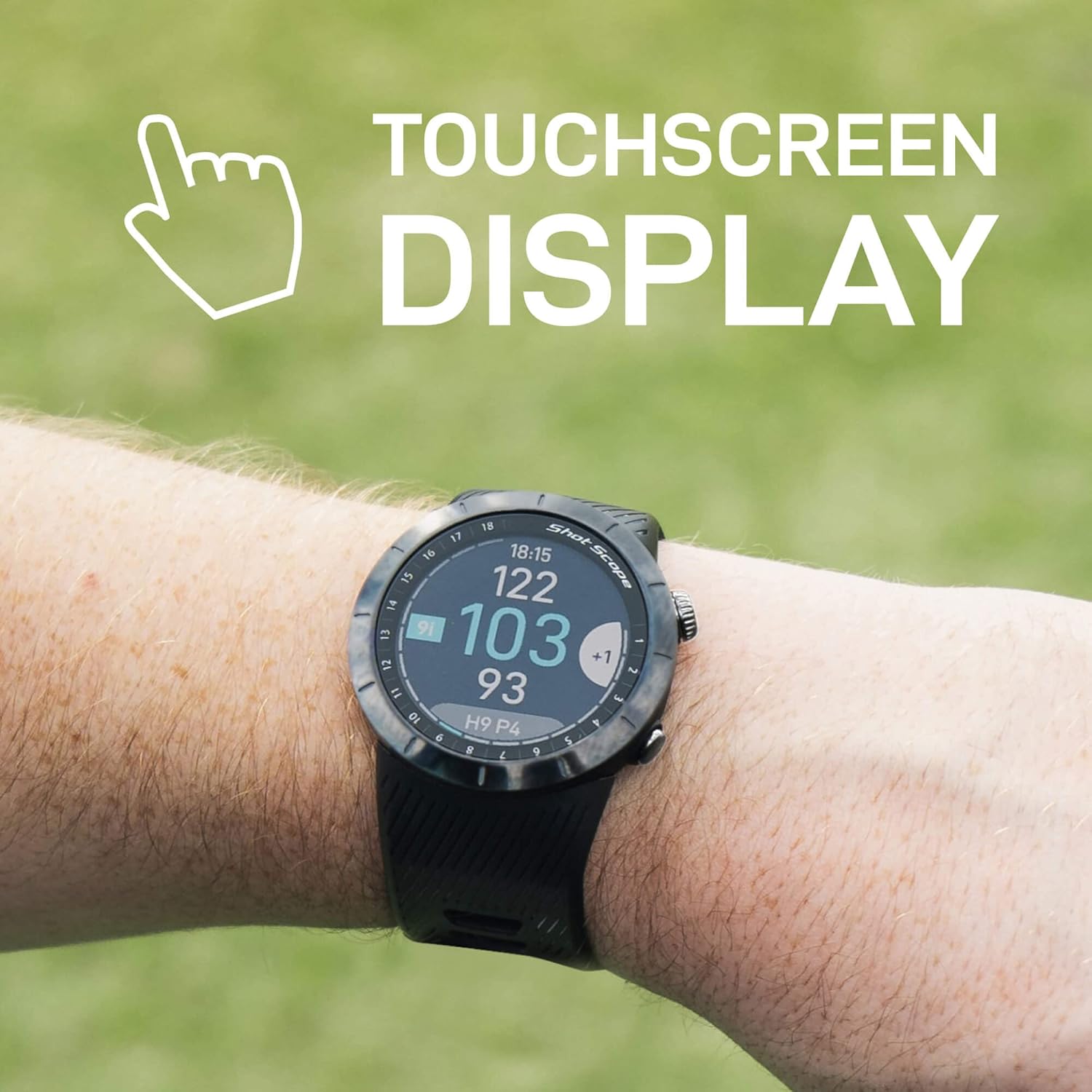
Image: A hand interacting with the Shot Scope X5's touchscreen display, emphasizing its ease of use.

Image: Multiple screenshots of the Shot Scope mobile application, demonstrating the detailed round overview, hole tracking, and performance statistics available.
Setup Guide
- Charge Your Device: Before first use, fully charge your Shot Scope X5 watch using the provided USB charger and PlayBetter wall adapter. Connect the USB cable to the watch and the adapter, then plug into a power outlet.
- Download the App: Download the Shot Scope mobile application from your device's app store (available on iOS and Android).
- Create an Account: Open the app and follow the on-screen instructions to create your Shot Scope account.
- Pair Your Watch: In the app, navigate to the device pairing section and follow the prompts to connect your Shot Scope X5 watch via Bluetooth. Ensure Bluetooth is enabled on your smartphone.
- Attach Tracking Tags: Screw the 16 performance tracking tags into the grip end of your golf clubs. Each tag is uniquely identified for specific clubs (e.g., D for Driver, P for Putter, 6i for 6 Iron).
- Course Selection: The Shot Scope X5 comes preloaded with over 36,000 courses. When you arrive at a golf course, the watch will automatically detect your location and prompt you to select the correct course.
Operating Instructions
On-Course Play:
- Starting a Round: From the main screen, select "Play Golf". The watch will use GPS to find nearby courses. Select your course and tee.
- Viewing Distances: The watch automatically displays front, middle, and back distances to the green.
- Green View & Pin Placement: Tap the screen to access the Green View. You can drag the pin icon on the touchscreen to its exact location for precise yardages.
- Hazard & Layup Distances: Swipe on the watch face to view distances to various hazards (water, bunkers) and layup points.
- Shot Tracking: Before each shot, tap the top of your club's grip (with the tracking tag) against the watch face. The watch will vibrate to confirm the tag has been read. This automatically records the shot location and club used.
- Digital Scorecard: At the end of each hole, the watch will prompt you to enter your score. Use the touchscreen to adjust your score and putts.
Post-Round Analysis:
- Syncing Data: After your round, ensure your watch is connected to the Shot Scope app via Bluetooth. The data will automatically sync.
- Reviewing Statistics: Open the Shot Scope app to access detailed statistics, including Strokes Gained, club performance, putting analysis, and more. Over 100 data points are available to help you understand and improve your game.
- Editing Shots: If a shot was missed or incorrectly recorded, you can easily edit your round within the app to ensure accuracy.
Maintenance
- Cleaning: Wipe the watch and tracking tags with a soft, damp cloth after each use to remove dirt and sweat. Avoid using harsh chemicals or abrasive materials.
- Charging: Charge the watch regularly, especially before a round, to ensure sufficient battery life. Avoid overcharging for extended periods.
- Storage: Store your Shot Scope X5 in a cool, dry place, away from direct sunlight and extreme temperatures. The provided protective hard case is ideal for storage and transport.
- Software Updates: Periodically check the Shot Scope app for firmware updates for your watch. Updates often include performance improvements and new features.
Troubleshooting
| Problem | Possible Solution |
|---|---|
| Watch not turning on. | Ensure the watch is fully charged. Connect to the charger and wait a few minutes before attempting to power on. |
| GPS not acquiring signal. | Ensure you are outdoors with a clear view of the sky. Wait a few minutes for the watch to establish a GPS lock. Try restarting the watch. |
| Shot tracking not working. | Ensure the tracking tags are securely screwed into the club grips. Make sure you are tapping the tag firmly against the watch face before each shot and waiting for the vibration confirmation. Check if the tags are correctly assigned to clubs in the app. |
| Data not syncing to app. | Verify Bluetooth is enabled on both your watch and smartphone. Ensure the Shot Scope app is open and running in the foreground. Try restarting both devices. |
| Touchscreen unresponsive. | Try restarting the watch. Ensure the screen is clean and dry. If the issue persists, contact customer support. |
Specifications
| Feature | Detail |
|---|---|
| Model Name | Shot Scope X5 |
| Display Size | 1.2 Inches |
| Display Resolution | 240x240 |
| Control Interface | Buttons, Touchscreen |
| Connectivity Technology | Bluetooth |
| Map Type | Worldwide (36,000+ preloaded courses) |
| Battery Type | 1 Lithium Ion battery (included) |
| Manufacturer | PlayBetter |
Warranty and Support
For information regarding your product's warranty, please refer to the warranty card included in your original packaging or visit the official PlayBetter website. For technical support, troubleshooting assistance, or any other inquiries, please contact PlayBetter customer service through their official support channels. Keep your purchase receipt as proof of purchase for warranty claims.
You can also find additional resources and FAQs on the Shot Scope website or within the Shot Scope mobile application.
Related documentsShot Scope X5


Ask a question about this manual
Ask about setup, troubleshooting, compatibility, parts, safety, or missing instructions. Manuals+ will review the question and use this page’s manual context to help answer it.