
1. Introduction
Thank you for choosing the Vamav Sync 15 Professional Amplified Speaker. This manual provides essential information for the safe and efficient operation of your device. Please read it thoroughly before use and retain it for future reference.
2. Safety Instructions
- Power Source: Ensure the speaker is connected to a power source that matches the voltage specified on the device.
- Ventilation: Do not block ventilation openings. Maintain adequate space around the speaker for proper airflow.
- Water and Moisture: Keep the speaker away from water, rain, and excessive humidity. Do not operate with wet hands.
- Heat: Avoid placing the speaker near heat sources such as radiators, heat registers, stoves, or other heat-producing appliances.
- Cleaning: Disconnect from power before cleaning. Use a dry, soft cloth. Do not use liquid cleaners or aerosols.
- Servicing: Do not attempt to service this product yourself. Refer all servicing to qualified service personnel.
- Placement: Place the speaker on a stable, flat surface to prevent it from falling.
3. Package Contents
Verify that all items are present in the package:
- Vamav Sync 15 Amplified Speaker
- Power Cable
- User Manual (this document)
4. Product Overview
Familiarize yourself with the various components of your Vamav Sync 15 speaker.
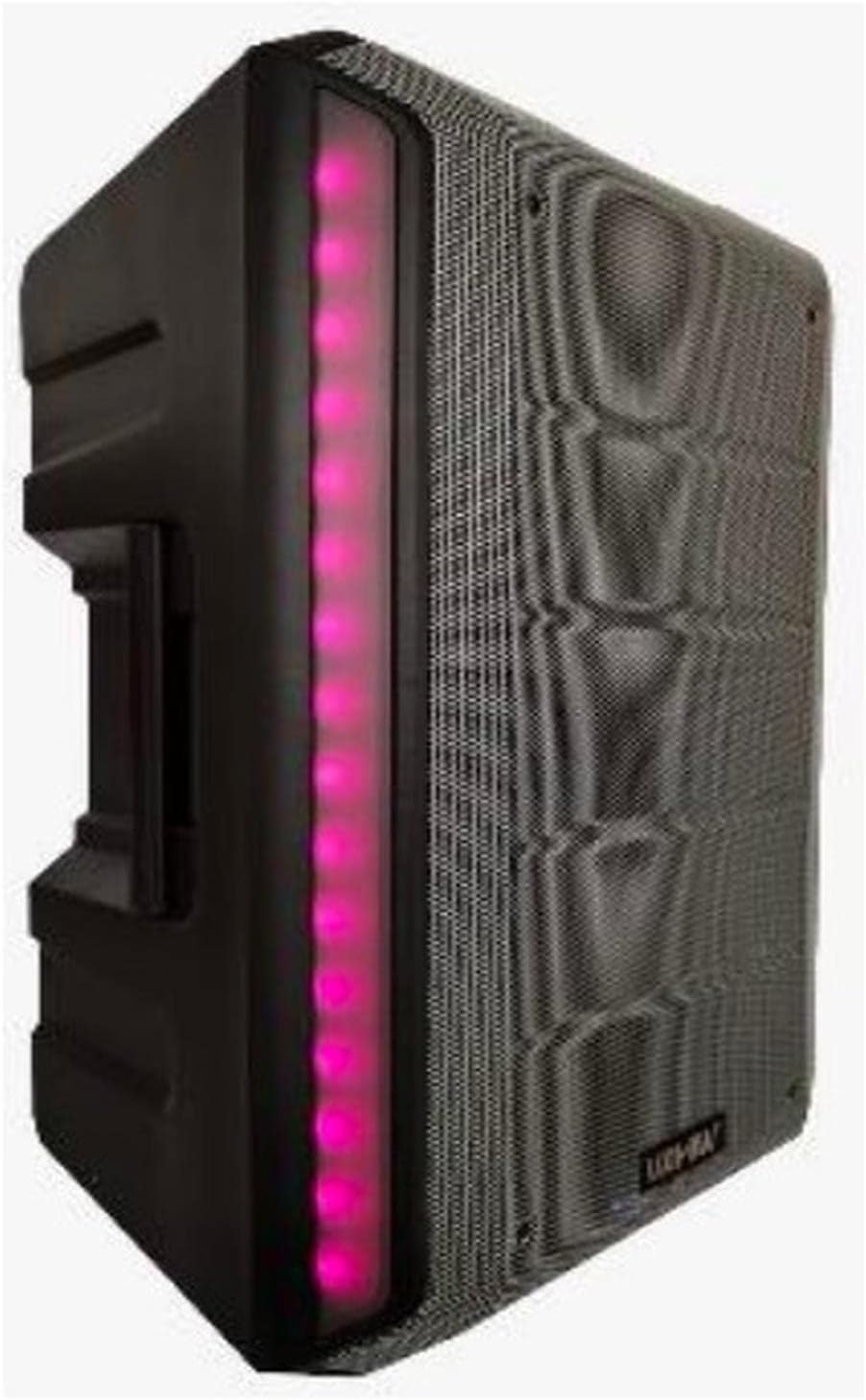
Figure 4.1: Front View. This image displays the front of the Vamav Sync 15 speaker, featuring a protective grille over the speaker cone and an illuminated LED strip along the side, indicating power and operational status.
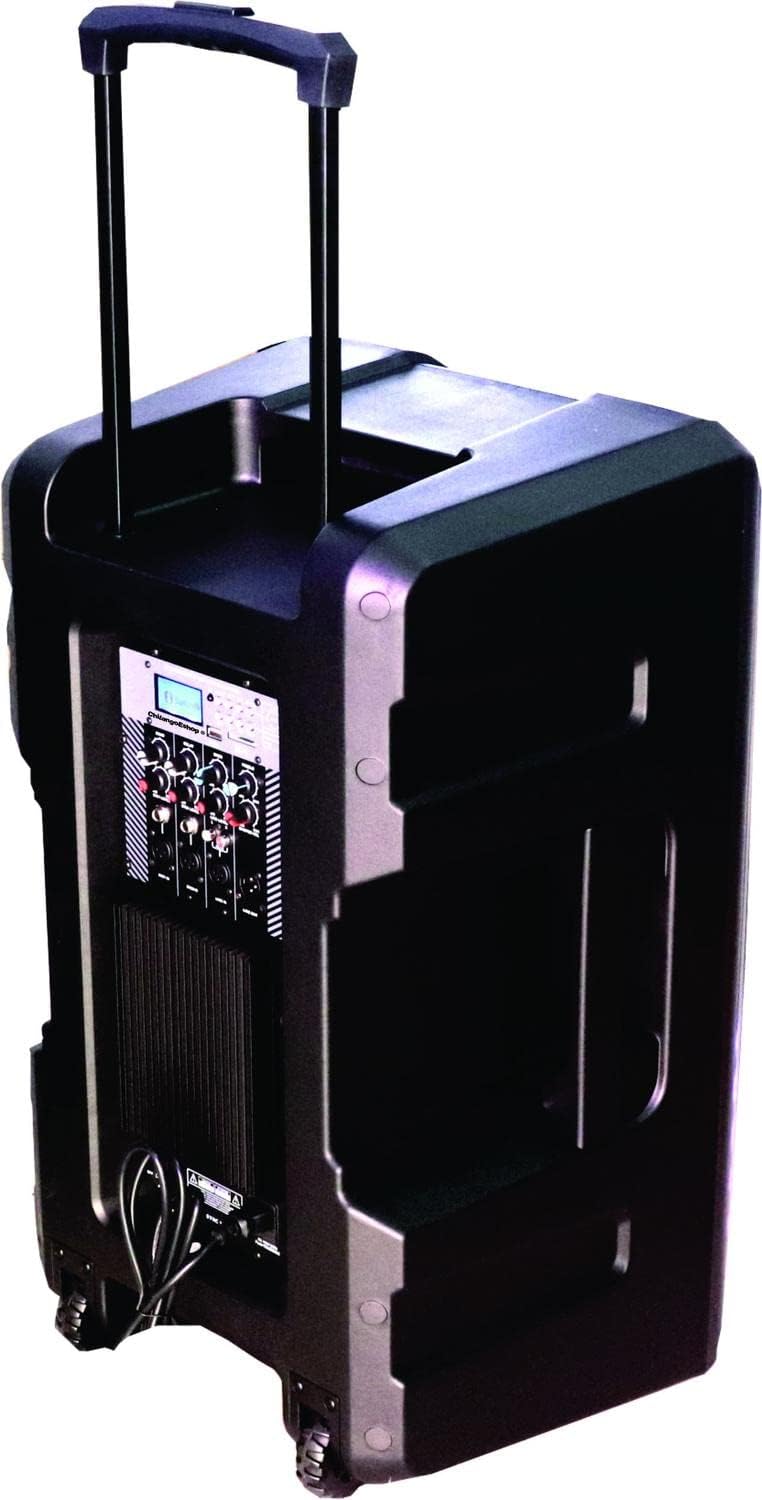
Figure 4.2: Rear View. The rear of the speaker is shown, highlighting the retractable handle for portability and integrated wheels at the base, designed for easy transport.

Figure 4.3: Control Panel. A detailed view of the control panel, featuring an MP3 digital display, Bluetooth connectivity indicator, USB and SD card slots, various input ports (XLR, 6.3mm Jack, RCA), and control knobs for Echo, Delay, Bass, Treble, Microphone Levels, Line Level, and Master Volume.

Figure 4.4: Bottom View. This image illustrates the bottom of the speaker, showing the robust wheels for mobility and a central socket designed for mounting the speaker on a stand.

Figure 4.5: Speaker Dimensions. An illustration indicating the approximate dimensions of the Vamav Sync 15 speaker: 70 cm in height, 35 cm in depth, and 40 cm in width.
5. Setup
- Unpacking: Carefully remove the speaker and all accessories from the packaging.
- Placement: Position the speaker on a stable, flat surface or mount it on a compatible speaker stand using the bottom pole mount socket. Ensure adequate space for ventilation.
- Power Connection: Connect the provided power cable to the speaker's power input and then to a suitable electrical outlet.
- Initial Power On: Turn the Master Volume knob to its minimum setting before powering on the unit to avoid sudden loud sounds. Press the power switch to turn on the speaker.
6. Operating Instructions
6.1. Power On/Off
- To power on, ensure the Master Volume is low, then flip the power switch located on the control panel.
- To power off, turn the Master Volume to minimum, then flip the power switch.
6.2. Bluetooth Connection
- Turn on the speaker. The display will show the current mode.
- Press the 'MODE' button on the control panel until 'Bluetooth' is selected. The Bluetooth indicator will flash, signifying it is ready for pairing.
- On your mobile device (smartphone, tablet, etc.), enable Bluetooth and search for available devices.
- Select 'CHSYNC 15' from the list of devices. Once connected, the Bluetooth indicator will stop flashing and remain solid.
- You can now play audio from your device through the speaker. The effective Bluetooth range is approximately 10 meters.
6.3. USB/SD Card Playback
- Insert a USB flash drive or SD card into the respective slot on the control panel.
- The speaker will automatically switch to USB/SD mode and begin playing audio files. If not, press the 'MODE' button to select USB or SD.
- Use the playback controls (Play/Pause, Next, Previous) on the control panel to manage your audio.
6.4. Connecting Microphones and Line-in Devices
- Microphones: Connect microphones to the 'MIC 1 IN' or 'MIC 2 IN' XLR or 6.3mm Jack inputs. Adjust individual microphone levels using the 'MIC 1 LEVEL' and 'MIC 2 LEVEL' knobs.
- Line-in Devices: Connect external audio sources (e.g., mixer, CD player) to the 'LINE IN' RCA inputs or the 6.3mm Jack input. Adjust the input level using the 'LINE LEVEL' knob.
- Line Out: Use the 'LINE OUT' 6.3mm Jack to connect to another amplified speaker or recording device.
6.5. Audio Controls
- ECHO: Adjusts the echo effect for microphones.
- DELAY: Controls the delay time of the echo effect.
- BASS: Adjusts the low-frequency audio output.
- TREBLE: Adjusts the high-frequency audio output.
- MASTER VOL: Controls the overall output volume of the speaker.
7. Maintenance
- Cleaning: Regularly wipe the speaker's exterior with a soft, dry cloth. Do not use abrasive cleaners or solvents.
- Storage: When not in use for extended periods, store the speaker in a cool, dry place, away from direct sunlight and extreme temperatures.
- Cable Care: Inspect power and audio cables periodically for damage. Replace any frayed or damaged cables immediately.
8. Troubleshooting
| Problem | Possible Cause | Solution |
|---|---|---|
| No power | Power cable not connected; Power outlet faulty; Power switch off. | Ensure power cable is securely connected; Test outlet with another device; Turn power switch on. |
| No sound output | Master Volume too low; Input source not selected; Input device not connected or faulty; Mute activated. | Increase Master Volume; Select correct input mode (Bluetooth, USB, Line In); Check connections of input device; Ensure no mute function is active. |
| Bluetooth not connecting | Speaker not in Bluetooth mode; Device too far; Bluetooth not enabled on source device; Already connected to another device. | Press MODE button to select Bluetooth; Move device closer (within 10m); Enable Bluetooth on your device; Disconnect from other devices. |
| USB/SD card not playing | Incorrect file format; USB/SD card faulty or improperly inserted; Speaker not in USB/SD mode. | Ensure audio files are compatible (e.g., MP3); Reinsert USB/SD card; Press MODE button to select USB/SD. |
9. Specifications
| Feature | Specification |
|---|---|
| Model Name | CHSYNC 15 |
| Speaker Type | Monitor, Amplified (Active) |
| Speaker Size | 15 Inches |
| System | Two-way system |
| Voice Coil | 2" KSV |
| Driver | 34mm |
| RMS Power Output | 150 Watts |
| Wireless Technology | Bluetooth (10 meters distance) |
| Connectivity Technology | Bluetooth, USB |
| Media Playback | USB port, SD card slot |
| Audio Controls | Bass, Treble, Echo, Delay, Master Volume, Mic Levels, Line Level |
| Inputs | XLR, 6.3mm Jack (x1), RCA |
| Output | 6.3mm Jack |
| Power Source | Battery |
| Control Method | Tactile |
| Material | Plastic |
| Color | Black |
| Product Dimensions | 13.8"D x 15.8"W x 27.6"H (35cm D x 40cm W x 70cm H) |
| Compatible Devices | Desktop computer, Laptop, Projector, MP3 player, Smartphone, Tablet, Television, Video game console |
10. Warranty and Support
For warranty information and technical support, please refer to the documentation provided at the time of purchase or contact your retailer. Keep your proof of purchase for any warranty claims.