
Baseus PPQD060202
Baseus Qpow Pro Digital Display Power Bank User Manual
Model: PPQD060202
1. Introduction
Thank you for choosing the Baseus Qpow Pro Digital Display Power Bank. This high-capacity portable charger is designed to provide reliable and fast charging for a wide range of electronic devices, including smartphones, tablets, and laptops. Featuring a 20000mAh battery, 22.5W fast charging output, and a convenient digital display, it ensures your devices stay powered on the go. This manual provides essential information for safe and efficient use of your power bank.
2. Safety Information
Please read all safety warnings and instructions before using this product to ensure safe operation and prevent damage.
- Do not expose the power bank to extreme temperatures (above 60°C/140°F) or direct sunlight.
- Avoid dropping, disassembling, or attempting to repair the device yourself.
- Keep away from water, moisture, and flammable materials.
- Use only certified charging cables and adapters.
- Keep out of reach of children.
- Dispose of the power bank responsibly according to local regulations.
3. Product Overview
The Baseus Qpow Pro Power Bank is equipped with multiple features for optimal performance and convenience.

Figure 3.1: Front view of the Baseus Qpow Pro Power Bank, displaying the digital battery percentage and 20W output indicator. It features a sleek white casing with a built-in cable.
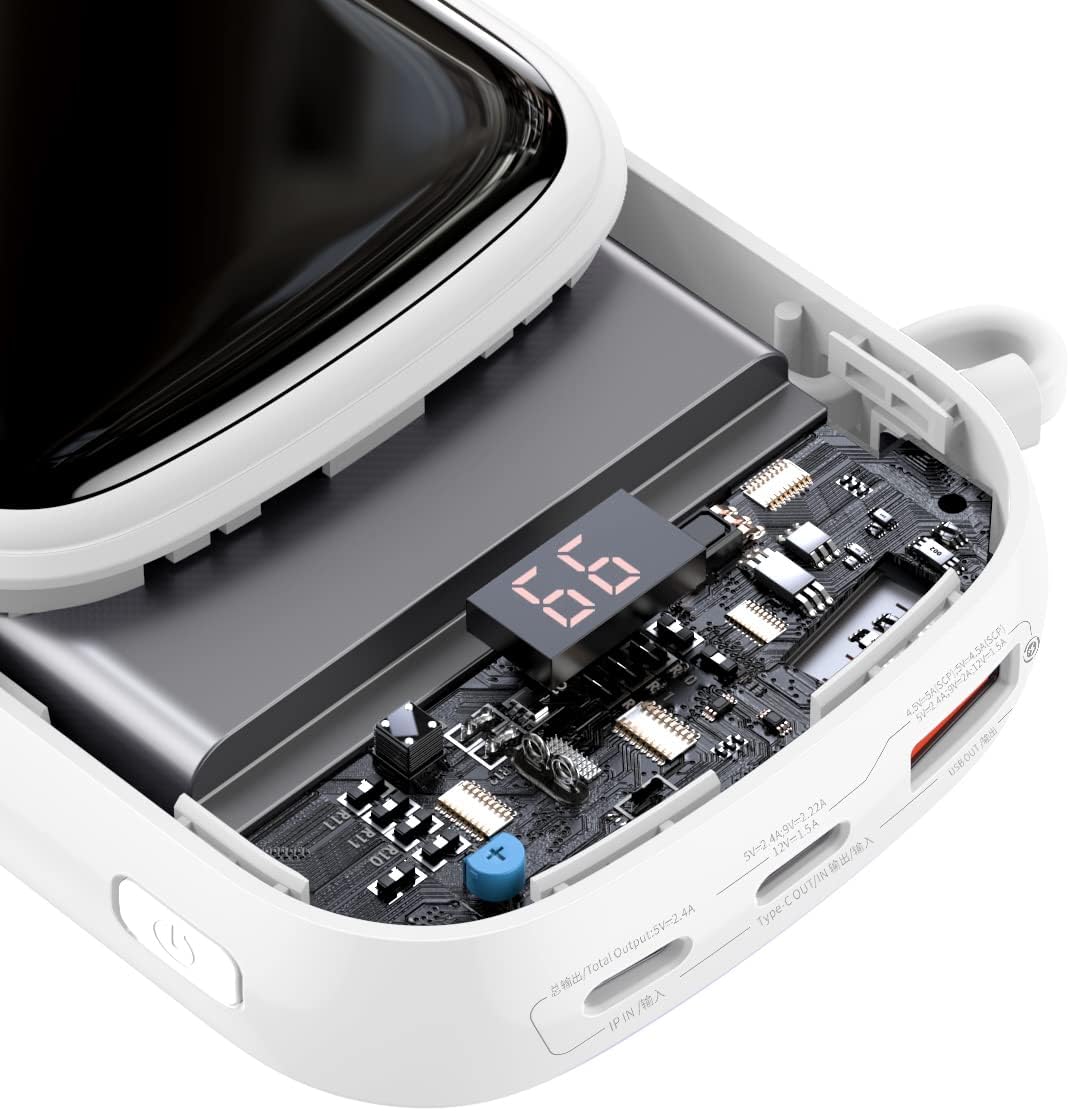
Figure 3.2: An internal view of the power bank, highlighting the advanced circuitry and the digital display module. This illustrates the quality components used for efficient power management and safety.

Figure 3.3: This image emphasizes the "Nine Security Protection" features, showcasing the high-quality polymer lithium battery and internal components designed for safe power storage and discharge.

Figure 3.4: Detail of the power bank showing the integrated cable neatly stored within a hidden compartment, emphasizing its break-proof and durable design. The cable length is approximately 19cm.
Key Features:
- 20000mAh High Capacity: Provides multiple charges for various devices.
- 22.5W Fast Charging: Supports rapid charging for compatible devices.
- Digital Display: Real-time battery percentage indicator.
- Built-in Type-C Cable: Convenient integrated cable for charging and recharging.
- Dual Port Design: Offers versatile charging options.
- Compact and Portable: Slim and lightweight for easy carrying.
4. Setup
4.1 Initial Charging
Before first use, it is recommended to fully charge your Baseus Qpow Pro Power Bank.
- Connect the integrated Type-C cable or a separate USB-C cable to the power bank's input port.
- Connect the other end of the cable to a compatible USB wall adapter (not included).
- The digital display will show the charging progress. The power bank is fully charged when the display shows "100".
4.2 Checking Battery Level
To check the current battery level, simply press the power button once. The digital display will illuminate and show the remaining percentage.
5. Operating Instructions
5.1 Charging Your Devices
The Baseus Qpow Pro Power Bank can charge various devices using its integrated cable or external ports.
- Using the Integrated Cable:
- Pull out the integrated Type-C cable from its storage slot.
- Connect the Type-C connector to your device's charging port.
- The power bank will automatically begin charging your device.

Figure 5.1: The power bank connected to an Apple iPhone 13, demonstrating fast charging capabilities. The image indicates a 50% charge in 30 minutes for Apple 13 (20W).
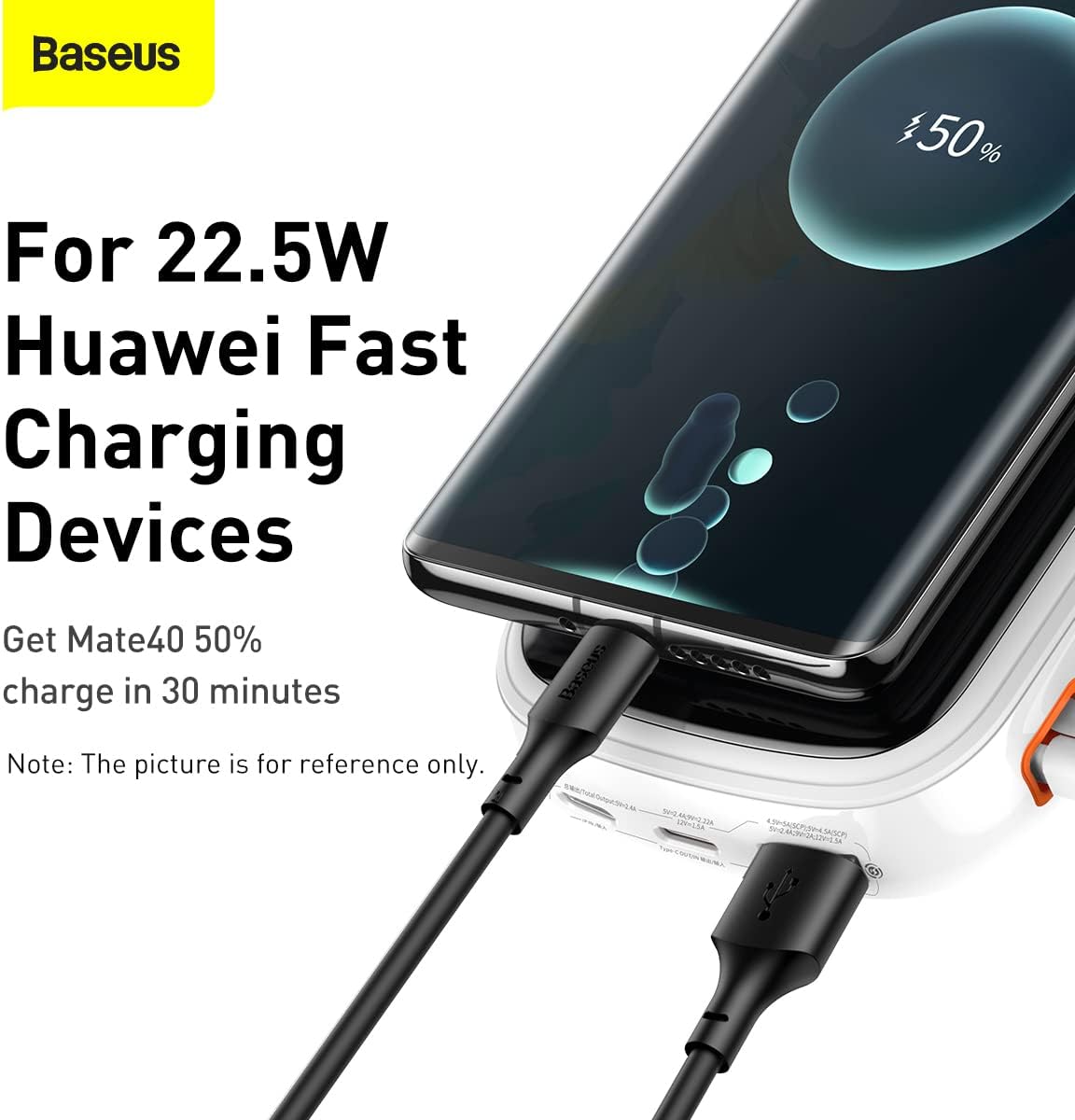
Figure 5.2: The power bank connected to a Huawei device, illustrating its compatibility with 22.5W Huawei Fast Charging. A Mate40 can achieve 50% charge in 30 minutes.
- Using External Ports:
- Connect your device's charging cable to one of the power bank's output ports (USB-A or USB-C).
- Connect the other end of the cable to your device.
- The power bank will automatically begin charging.
The digital display will show the charging status and remaining battery. Once your device is fully charged, disconnect it from the power bank.

Figure 5.3: The power bank shown alongside a smartphone, highlighting the inclusion of a 22.5W 5A fast charging cable for efficient power delivery.

Figure 5.4: A visual comparison illustrating the convenience of the Baseus Qpow Pro's integrated cable ("Plug and Charge") compared to conventional power banks that require a separate cable.
6. Maintenance
6.1 Cleaning
To maintain the appearance and functionality of your power bank:
- Wipe the surface with a soft, dry cloth.
- Do not use harsh chemicals, abrasive cleaners, or immerse the device in water.
6.2 Storage
When not in use for extended periods, store the power bank in a cool, dry place, away from direct sunlight and extreme temperatures. It is recommended to charge the power bank to about 50-70% before long-term storage to preserve battery health.
7. Troubleshooting
| Problem | Possible Cause | Solution |
|---|---|---|
| Power bank not charging. | Cable not connected properly; faulty cable/adapter; power bank battery depleted. | Ensure cables are securely connected. Try a different cable or wall adapter. Allow the power bank to charge for a few minutes. |
| Device not charging from power bank. | Power bank battery depleted; incorrect cable; device not compatible; power bank in standby. | Check power bank battery level. Ensure correct cable is used. Press the power button to activate output. |
| Slow charging. | Cable not supporting fast charging; device not supporting fast charging; multiple devices charging simultaneously. | Use a fast-charging compatible cable. Ensure your device supports fast charging. Charge one device at a time for maximum speed. |
| Digital display not working. | Power bank off; internal issue. | Press the power button to activate the display. If it remains off, contact customer support. |
8. Specifications
| Feature | Detail |
|---|---|
| Model Number | PPQD060202 |
| Battery Capacity | 20000mAh |
| Output Power | Up to 22.5W |
| Input Type | USB Type-C |
| Output Ports | USB Type-C (integrated cable), USB-A |
| Special Features | Digital Display, Integrated Type-C Cable |
| Color | White |
| Item Weight | 430 g |
9. Warranty and Support
Baseus products come with a standard manufacturer's warranty. For detailed warranty information, please refer to the warranty card included with your product or visit the official Baseus website. If you encounter any issues not covered in this manual or require further assistance, please contact Baseus customer support.
Baseus Official Website: www.baseus.com
Related documentsPPQD060202


Ask a question about this manual
Ask about setup, troubleshooting, compatibility, parts, safety, or missing instructions. Manuals+ will review the question and use this page’s manual context to help answer it.