
1. Overview
The Lutron Sunnata On/Off Accessory Switch (model ST-AS-IV) is designed to expand the functionality of your existing Sunnata LED+ dimmers (STCL-153MH-xx only). This accessory switch enables 3-way and multi-location lighting control, allowing you to manage a single light from two or more locations. It provides on/off switching control, while the main Sunnata dimmer (sold separately) handles dimming. The switch features a smooth fade on and fade off for comfortable light adjustment and a 30-second delayed fade-to-off function.
Key Features:
- Accessory Switch: For use exclusively with Sunnata LED+ dimmers (STCL-153M-WH, sold separately). Not for standalone use.
- 3-Way Control: Control lights from two locations when paired with a Sunnata LED+ dimmer.
- Multi-Location Control: Expand control to up to 10 locations by adding up to nine additional Sunnata accessory switches with one Sunnata dimmer.
- Intuitive Operation: Single tap for a preset favorite light level, double tap for full brightness, and push-and-hold for a 30-second delayed fade-to-off.
- No Neutral Wire Required: Compatible with existing wiring in homes of any age.
- Aesthetic Match: Designed to match the look and feel of Sunnata LED+ dimmers.
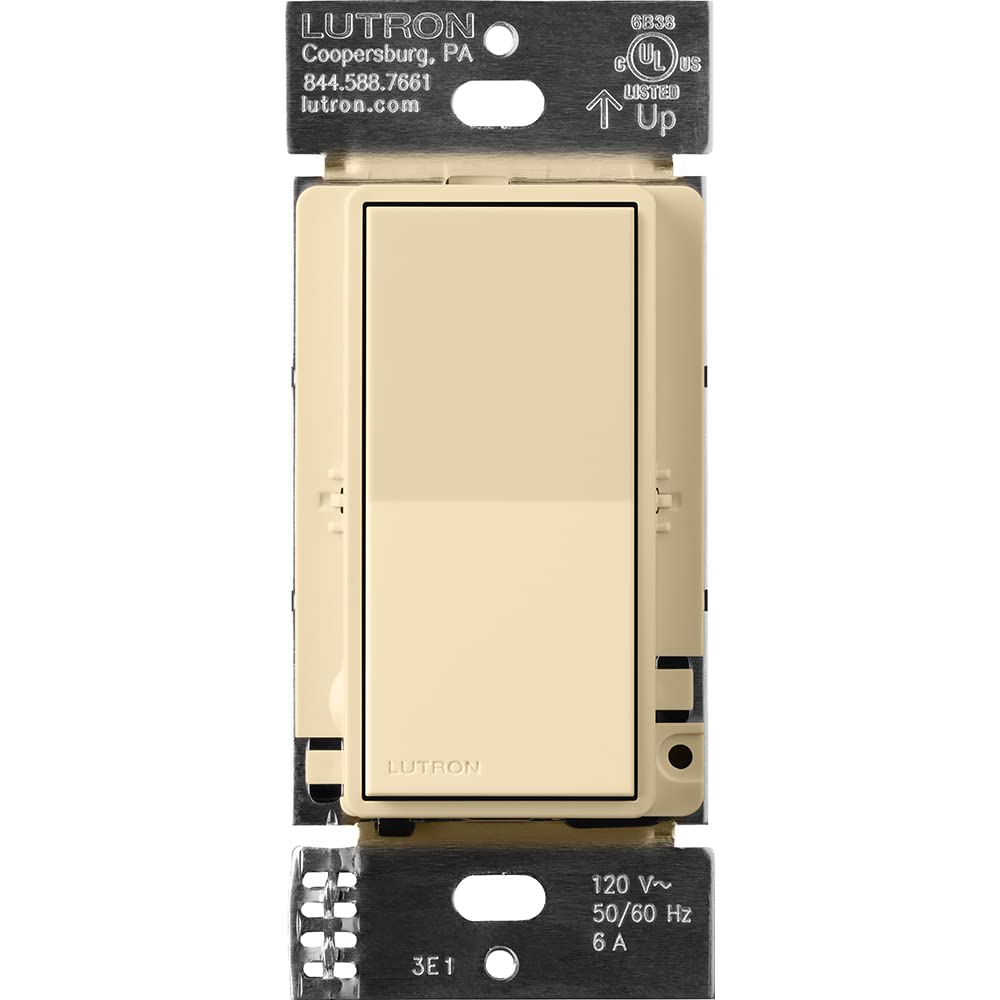
Figure 1: Lutron Sunnata On/Off Accessory Switch in Ivory.

Figure 2: The Ivory Sunnata Accessory Switch and available color options.
2. Important Safety Information
Please read and understand all instructions before installing or using this product. Improper installation can result in serious injury or death. Always consult a qualified electrician if you are unsure about any part of the installation process.
General Safety Precautions:
- WARNING: SHOCK HAZARD. May result in serious injury or death. Turn off power at the circuit breaker or fuse box before installation.
- Install in accordance with all national and local electrical codes.
- Use only with compatible Lutron Sunnata LED+ dimmers (STCL-153MH-xx).
- Do not use with standard on/off switches or other dimmer types.
- Ensure the wiring connections are secure and properly insulated.
- Operating temperature range: 32°F to 104°F (0°C to 40°C).
3. Installation and Setup
The Sunnata accessory switch is designed for easy installation and works with existing wiring, requiring no neutral wire. It must be used in conjunction with a compatible Sunnata LED+ dimmer.
Wiring Overview:
The accessory switch connects to the main dimmer using traveler wires. Ensure power is off at the circuit breaker before beginning any wiring. Follow the detailed wiring instructions provided in the product packaging or consult the Lutron Wiring Wizard online.
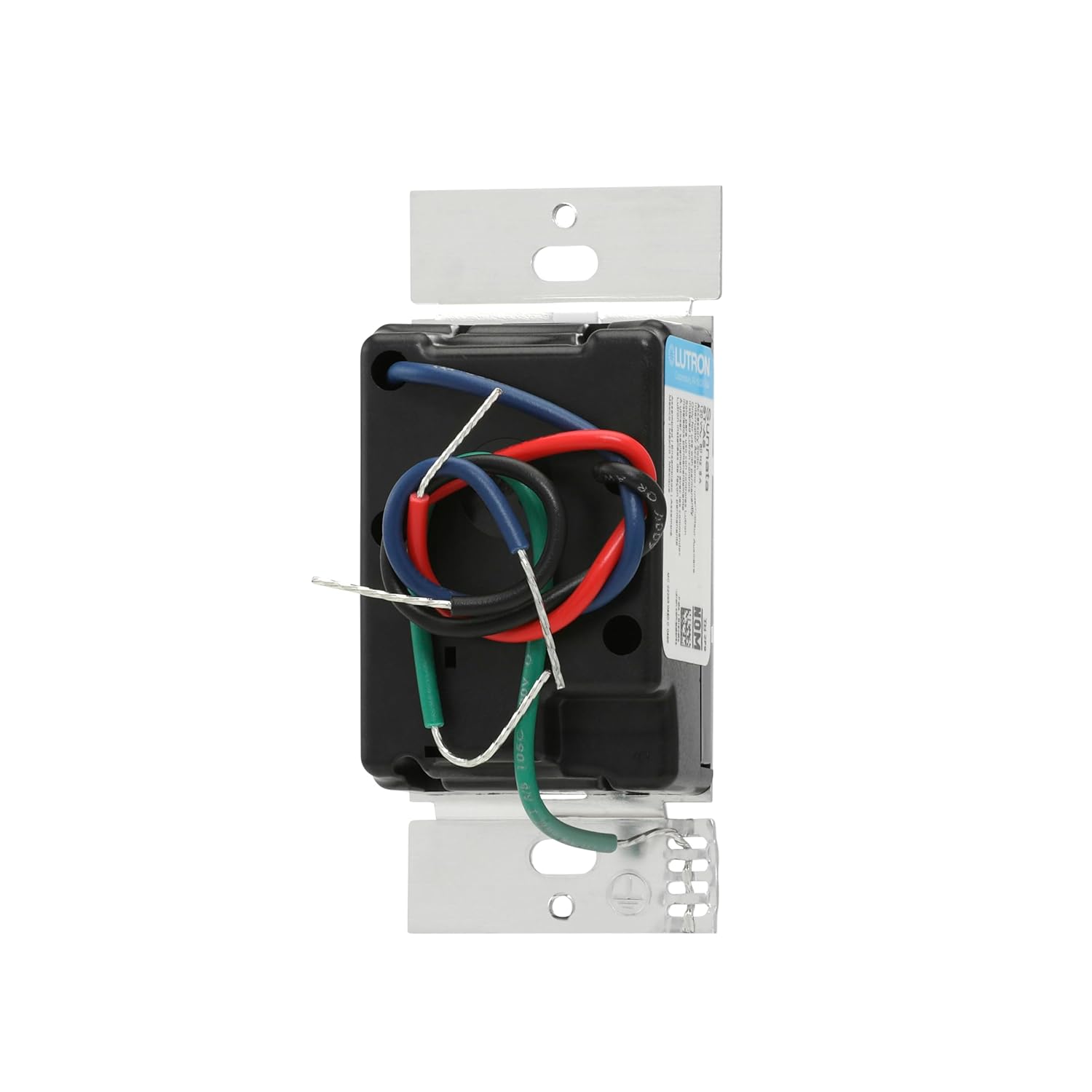
Figure 3: Rear view of the accessory switch with wiring terminals.
3-Way and Multi-Location Applications:
This accessory switch allows for control of a single light from multiple points. In a 3-way setup, one dimmer and one accessory switch control the light. For multi-location control, up to nine accessory switches can be added to a single dimmer.

Figure 4: Example of a 3-way wiring configuration.

Figure 5: Example of a multi-location wiring configuration.
Installation Videos:
Video 1: A closer look at the light switch, including its components and basic wiring considerations.
Video 2: Additional information on the light switch, including wiring details for installation.
Video 3: Important considerations before purchasing and installing the switch, including wiring.
4. Operating Instructions
The Sunnata accessory switch provides intuitive control for your lighting system when paired with a Sunnata LED+ dimmer.
Basic Operation:
- Turn On/Off: Tap the top or bottom of the switch to turn lights on or off.
- Favorite Light Level: Tap the switch once to recall your favorite preset light level, which is set on the main Sunnata dimmer.
- Full Brightness: Double tap the switch to bring lights to full brightness.
- Delayed Fade-to-Off: Push and hold the switch for 30 seconds to activate a delayed fade-to-off, allowing you time to exit the room before lights extinguish.
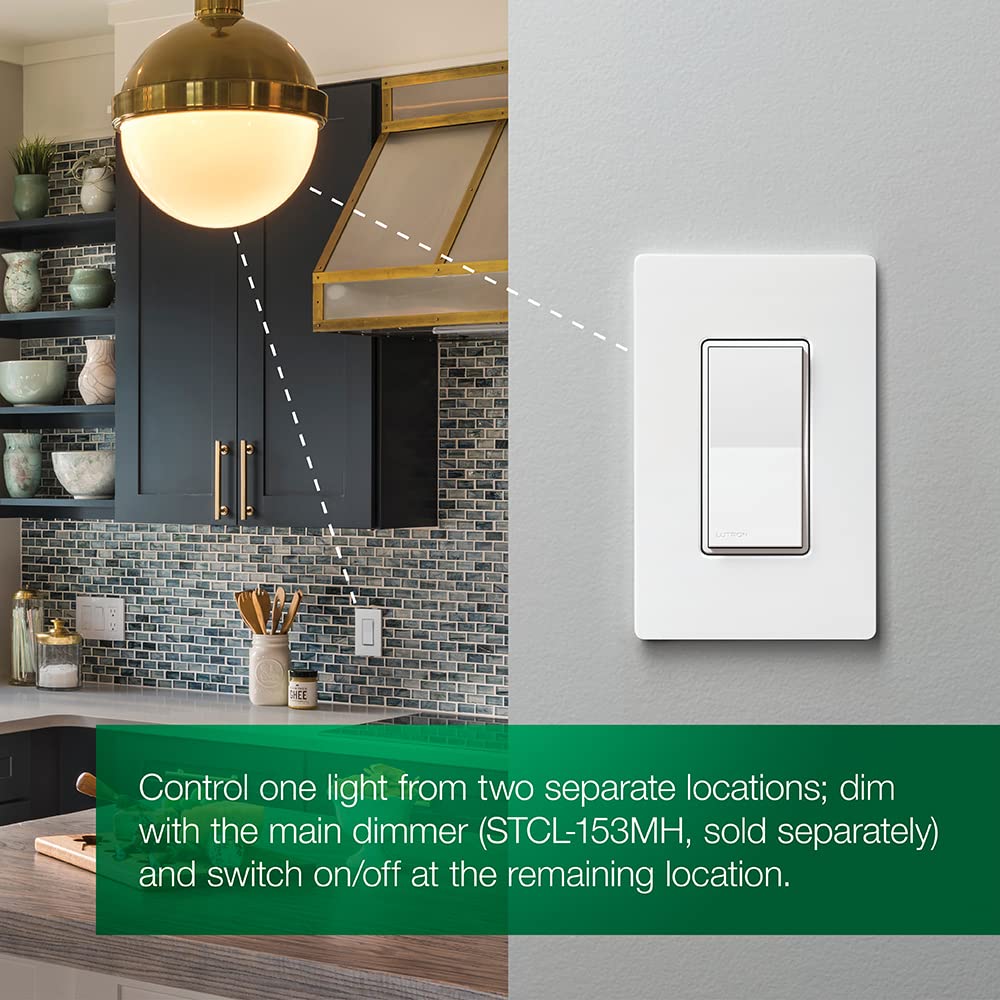
Figure 6: Touch controls on the Sunnata Accessory Switch.
Operation Videos:
Video 4: Demonstration of the touch dimmer's basic on/off and dimming functions.
Video 5: A detailed review and demonstration of the Lutron Sunnata Touch Dimmer Switch, showcasing its features.
Video 6: A demonstration and review of the Sunnata Dimmer Switch, highlighting its operational aspects.
5. Care and Maintenance
To ensure the longevity and proper functioning of your Lutron Sunnata On/Off Accessory Switch, follow these simple care and maintenance guidelines:
- Cleaning: Clean the switch with a soft, damp cloth. Do not use abrasive cleaners, solvents, or harsh chemicals, as these can damage the finish or internal components.
- Avoid Over-tightening: When installing or re-installing the wallplate, do not overtighten screws, which can cause cracking or damage.
- Environmental Conditions: Ensure the switch is installed in an environment within its specified operating temperature and humidity ranges.
6. Troubleshooting
If you experience issues with your Sunnata On/Off Accessory Switch, refer to the following common troubleshooting steps:
- Lights Not Responding: Ensure power is supplied to the circuit. Verify that the accessory switch is correctly wired to a compatible Sunnata LED+ dimmer.
- Intermittent Operation: Check all wiring connections for tightness and proper insulation. Ensure no wires are pinched or damaged.
- Accessory Switch Not Controlling Lights: Confirm that the main Sunnata LED+ dimmer is functioning correctly. The accessory switch relies on the dimmer for primary control.
- Flickering Lights: This may indicate an incompatibility with the connected LED bulbs or an issue with the main dimmer. Refer to the dimmer's manual or Lutron's LED compatibility tool.
For further assistance, please contact Lutron Customer Support.
7. Technical Specifications
| Specification | Value |
|---|---|
| Operation Mode | ON-OFF-ON |
| Current Rating | 1.25 Amps |
| Operating Voltage | 120 Volts |
| Contact Type | Normally Open |
| Connector Type | Clamp |
| Brand | Lutron |
| Switch Type | Paddle |
| Terminal | Through Hole |
| Material | Metal, Plastic |
| Item dimensions L x W x H | 1.5 x 2.25 x 4.13 inches |
| Circuit Type | 3-way |
| Mounting Type | Wall Mount |
| Actuator Type | Push Button |
| Number of Positions | 1 |
| Lower Temperature Rating | 32 Degrees Fahrenheit |
| Upper Temperature Rating | 104 Degrees Fahrenheit |
| Control Method | Touch |
| Connectivity Protocol | Wi-Fi |
| Wattage | 996 watts |
| Color | Ivory |
| Unit Count | 1.0 Count |
| Number of Items | 1 |
| Contact Material | Copper |
| International Protection Rating | IP54 |
| Specification Met | UL |
| Model | ST-AS-IV |
| Manufacturer | Lutron |
| UPC | 784276811040 |
| Included Components | (1) Sunnata accessory switch (not for standalone use) |
8. Warranty Information
The Lutron Sunnata On/Off Accessory Switch (ST-AS-IV) comes with a 1-year limited warranty. For specific terms and conditions, please refer to the warranty documentation included with your product or visit the official Lutron website.
9. Customer Support
Lutron is committed to providing excellent customer service. We offer 24/7, U.S.-based lifetime technical support for any troubleshooting issues or questions you may have regarding your Sunnata On/Off Accessory Switch.
Contact Information:
- Phone: 844-588-7661 (24/7 Support)
- Website: www.lutron.com
Video 7: Lutron's commitment to 24/7 customer support for all your needs.


