
1. Introduction
Thank you for choosing the Naroote KWS 066C USB C Power Tester. This device is designed to accurately measure voltage, current, power, energy, resistance, and temperature for USB-C power delivery systems. It is suitable for testing laptops, tablets, wall chargers, and USB-C cables to ensure optimal performance and identify potential issues. Please read this manual thoroughly before using the product to ensure safe and correct operation.
2. Safety Information
- Do not disassemble or modify the device. Unauthorized modifications may result in damage or injury.
- Keep the device away from water, moisture, and extreme temperatures.
- Avoid dropping or subjecting the device to strong impacts.
- Use the device within its specified operating voltage (4-30V) and current (0-6.5A) ranges. Exceeding these limits can damage the device and connected equipment.
- Ensure proper connection before applying power.
3. Product Overview
The Naroote KWS 066C USB C Power Tester features a compact design with a clear digital display. It includes a male USB-C connector for input and a female USB-C port for output, allowing for inline measurement.

Figure 3.1: Front view of the KWS 066C USB C Power Tester, displaying various electrical parameters.
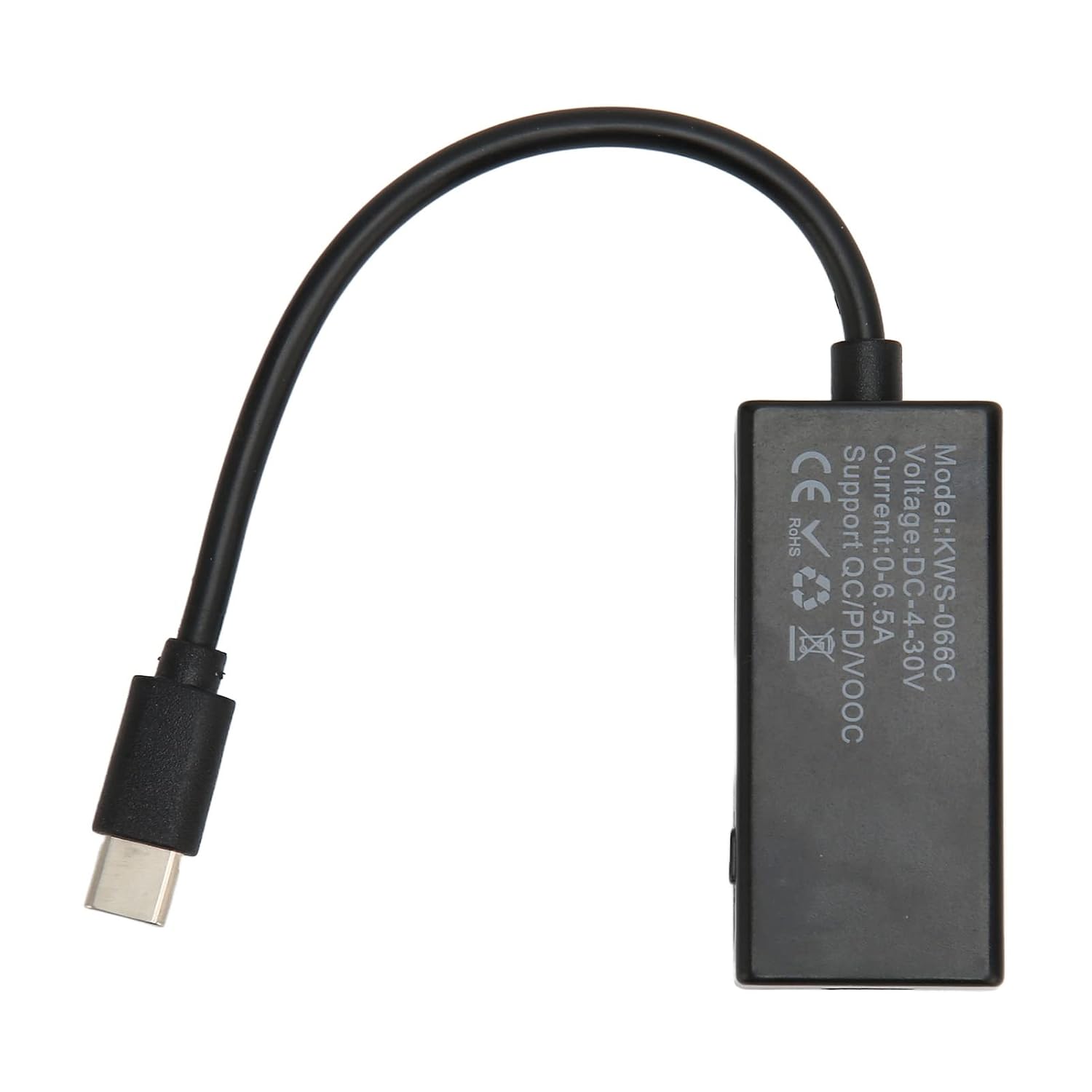
Figure 3.2: Back view of the KWS 066C USB C Power Tester, indicating model number and supported charging protocols.
Display Information:
- Voltage (V): Displays the current voltage in Volts.
- Current (A): Displays the current flow in Amperes.
- Power (W): Displays the real-time power consumption in Watts.
- Time (T): Shows the elapsed measurement time.
- Capacity (mAh): Accumulates the charge transferred in milliampere-hours.
- Energy (mWh): Accumulates the energy transferred in milliwatt-hours.
- Resistance (Ω): Calculates the load resistance.
- Temperature (°C): Displays the internal temperature of the device.
4. Setup
Setting up the KWS 066C USB C Power Tester is straightforward. It operates as an inline measurement device.
- Identify the power source (e.g., wall charger, power bank) and the device to be charged/tested (e.g., laptop, tablet, smartphone).
- Connect the male USB-C connector of the KWS 066C tester to the USB-C output port of your power source.
- Connect your device's USB-C charging cable to the female USB-C port on the KWS 066C tester.
- Once connected, the tester's display will automatically illuminate and begin showing real-time measurements.

Figure 4.1: Male USB-C connector for connecting to the power source.

Figure 4.2: The tester connected in-line, measuring power delivery to a smartphone.
5. Operating Instructions
The KWS 066C operates automatically once connected. The display provides a comprehensive view of the power delivery status.

Figure 5.1: Detailed view of the tester's display with various measurement parameters.
Reading the Display:
- The display shows multiple parameters simultaneously. Voltage (V) and Current (A) are typically prominent.
- Observe the Power (W) reading to understand the real-time power consumption of your device.
- The accumulated Capacity (mAh) and Energy (mWh) readings are useful for evaluating battery charging efficiency or power bank capacity over time. These values will reset when the power is disconnected.
- The Time (T) counter starts when the device is connected and receiving power.
- The Resistance (Ω) value indicates the calculated load resistance, which can help identify faulty cables or devices.
- The Temperature (°C) provides an internal temperature reading of the tester.
Button Functionality:
The device may include a small button on the side. This button is typically used to cycle through different display modes or to reset accumulated data (mAh, mWh). Refer to the specific product packaging or a quick start guide for exact button functions if available. A long press usually resets the accumulated data.
6. Maintenance
- Cleaning: Use a soft, dry cloth to clean the device. Do not use liquid cleaners or solvents.
- Storage: Store the tester in a cool, dry place away from direct sunlight and extreme temperatures.
- Handling: Handle the connectors carefully to prevent bending or damage.
7. Troubleshooting
| Problem | Possible Cause | Solution |
|---|---|---|
| Display is blank. | No power supply or incorrect connection. | Ensure the tester is correctly connected between a functioning power source and a device. Check if the power source is active. |
| Readings are 0.00V or 0.00A. | No load connected or device is not drawing power. | Connect a device that is actively drawing power (e.g., a charging phone). Ensure the device is turned on or in a charging state. |
| Inaccurate readings. | Faulty cable or power source. | Try using a different USB-C cable or a different power source to isolate the issue. |
| Device gets warm during use. | Normal operation under high load. | Slight warming is normal, especially when measuring high power. If it becomes excessively hot, disconnect immediately and contact support. |
8. Specifications
| Parameter | Value |
|---|---|
| Model | KWS 066C |
| Voltage Measurement Range | DC 4V - 30V |
| Current Measurement Range | 0A - 6.5A |
| Power Measurement Range | 0W - 195W (Calculated from V*A) |
| Capacity Measurement Range | 0 - 99999mAh |
| Energy Measurement Range | 0 - 99999mWh |
| Time Measurement Range | 0 - 999 hours |
| Resistance Measurement Range | 0 - 9999.9Ω |
| Temperature Measurement Range | -9°C to 99°C |
| Connector Type | USB-C Male (Input), USB-C Female (Output) |
| Supported Protocols | QC, PD, VOOC (as indicated on product) |
9. Warranty and Support
Naroote products are manufactured to high-quality standards. For warranty information or technical support, please refer to the contact details provided with your purchase or visit the official Naroote website. Keep your proof of purchase for warranty claims.