
Introduction
This manual provides instructions for the installation, operation, and maintenance of your OWON PC321-TY 3 Phase WiFi Smart Home Energy Monitor. This device is designed to help you monitor your home's electricity consumption in real-time, offering insights into voltage, current, and power factor.
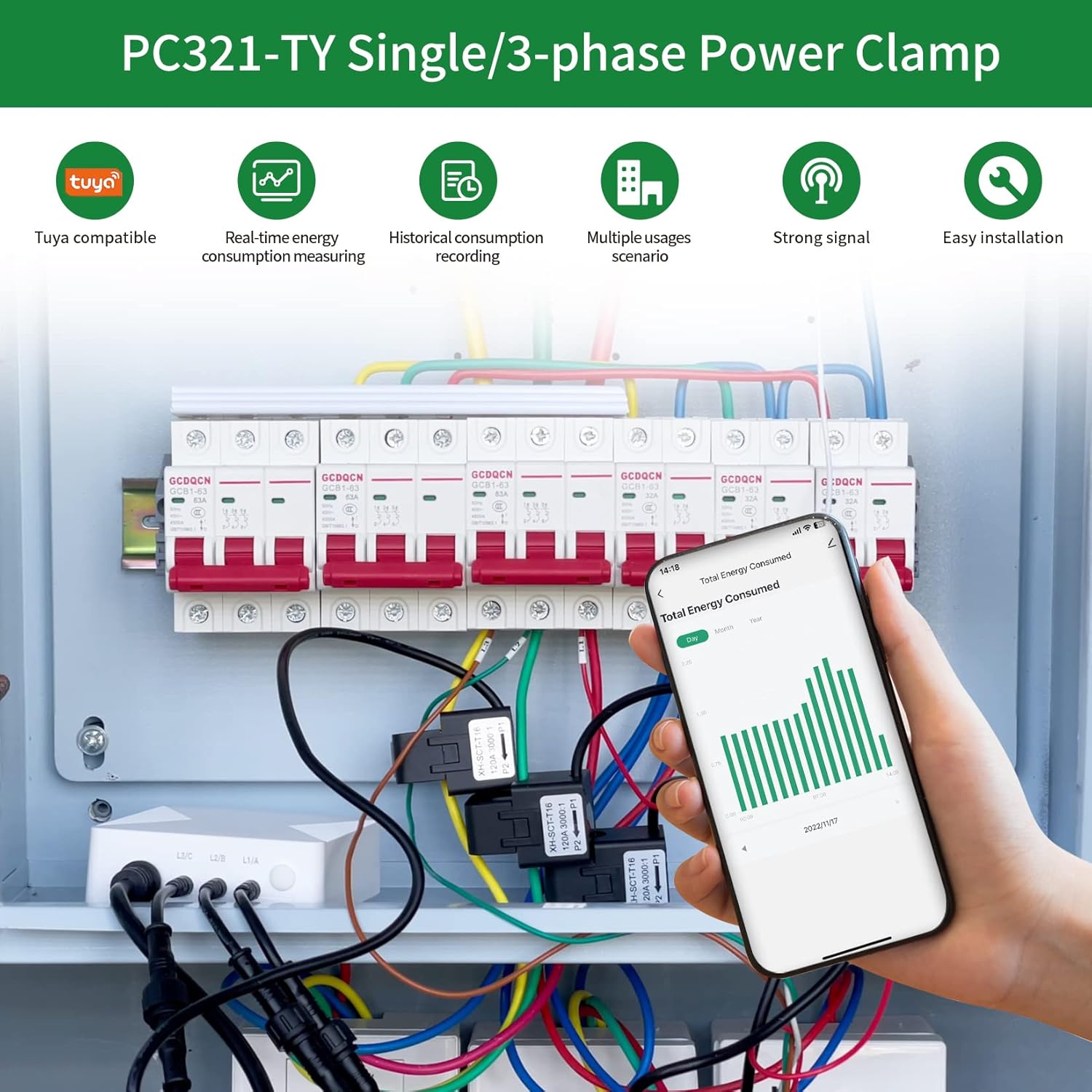

Important Safety Information
WARNING: The power clamp must be installed and serviced only by a qualified professional. Do not touch the terminals of the device during testing. Turn off all power supply to this equipment before installation to ensure safety.
Product Features
- Energy Monitoring: Real-time monitoring of power consumption, voltage, current, and power factor.
- Real-Time Data: Provides 2-second data updates with an accuracy of ±2% via a 2.4 GHz WiFi connection.
- Appliance Monitoring: Includes three 80A sensors for monitoring individual appliances like air conditioners, furnaces, water heaters, washers, and dryers.
- SmartLife App Integration: Compatible with the 'SmartLife' application for convenient monitoring and control.
- Easy Installation: Lightweight design for straightforward installation by clamping onto power cables.
Setup and Installation
1. Unpacking and Inspection
Verify all components are present: OWON PC321-TY main unit, three 80A current sensors (clamps), and antenna.
2. App Installation
Download and install the 'SmartLife' application on your smartphone from your device's app store. Follow the in-app instructions to create an account and add your device.
3. Current Sensor (Clamp) Installation
Important: Ensure the main power supply to the circuit you are monitoring is turned OFF before proceeding.
Connect the current sensors to the main unit. Attach the current clamps to the power cables of the circuits you wish to monitor. Ensure the arrow on each clamp points towards the load (P1→P2 or K→L) for correct current flow direction.

4. Wiring Diagrams
Single Phase Wiring
For single-phase systems, connect the main unit and clamps as shown in the diagram below.

3 Phase Wiring
For three-phase systems, ensure that each current transformer (CT) for L1, L2, and L3 corresponds to the respective phase of the circuit being measured.

5. Power On and WiFi Connection
Once all connections are secure and verified, restore power to the circuit. Follow the 'SmartLife' app instructions to connect the device to your 2.4 GHz WiFi network. An internet connection is required for real-time data monitoring.
Operating Instructions
Monitoring Energy Data
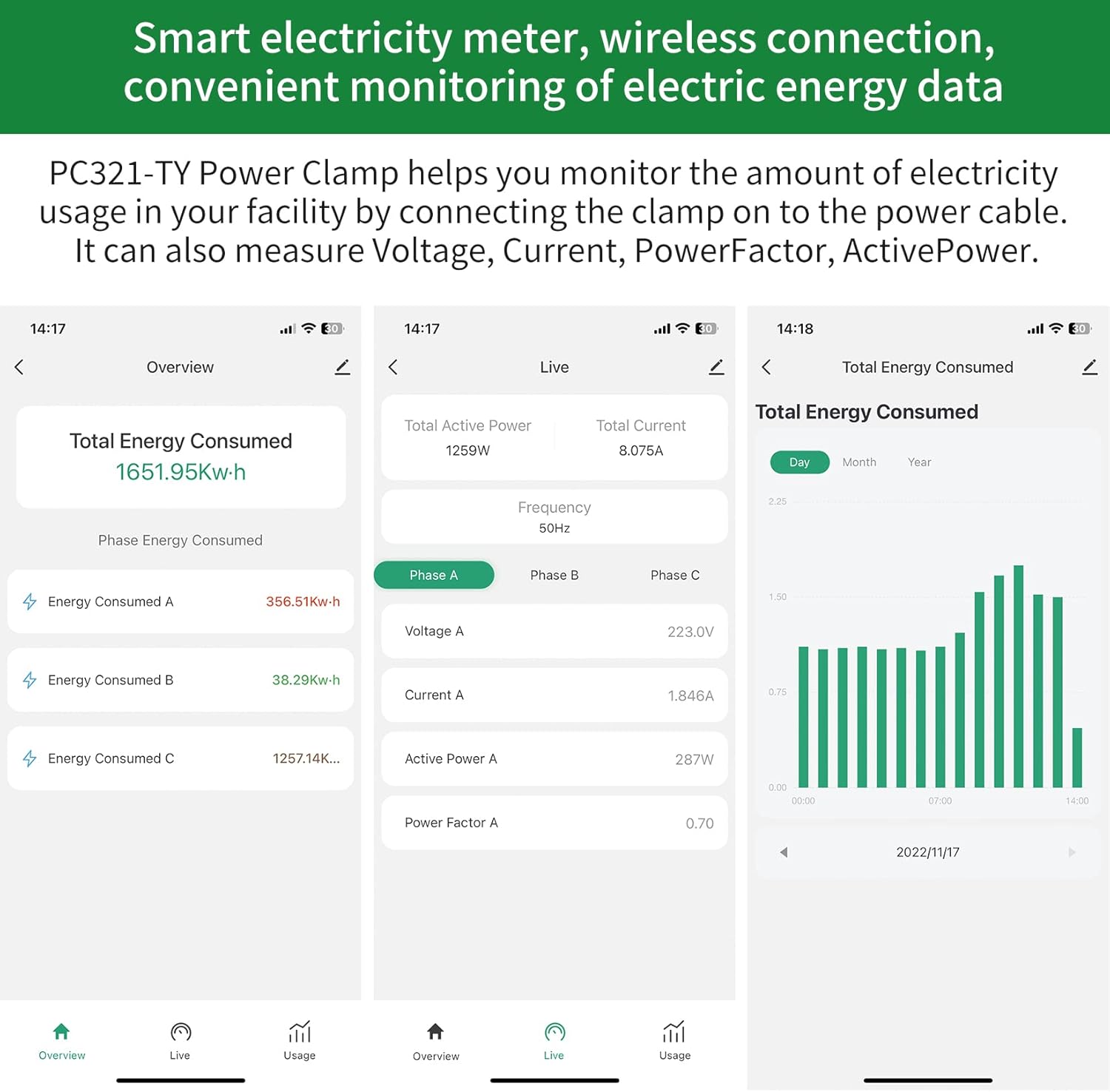
Open the 'SmartLife' app on your smartphone. The app will display real-time energy consumption data, including total energy consumed, individual phase consumption, voltage, current, active power, and power factor. The app provides data updates every 2 seconds.
Historical Data
The 'SmartLife' app allows you to view historical consumption records, enabling you to track energy usage over time (daily, monthly, yearly).
Maintenance
The OWON PC321-TY is designed for low maintenance. Periodically check all wiring connections for security and ensure the device is free from dust and moisture. No user-serviceable parts are inside the main unit.
Troubleshooting
Device Not Connecting to WiFi
- Ensure your WiFi network is 2.4 GHz. The device does not support 5 GHz networks.
- Verify the WiFi signal strength at the installation location. If weak, consider relocating the device or using a WiFi extender.
- Confirm correct WiFi password entry in the 'SmartLife' app.
- Restart your WiFi router and the OWON device, then attempt to reconnect.
Inaccurate Readings
- Check that the arrows on the current clamps are pointing in the correct direction (towards the load). Incorrect orientation will result in inaccurate readings.
- Ensure the clamps are fully closed around the power cables.
- Verify that the correct CT (current transformer) is connected to the corresponding phase (L1, L2, L3) in a 3-phase setup.
App Not Displaying Data
- Check your smartphone's internet connection.
- Ensure the OWON device is connected to WiFi and has an active internet connection.
- Try closing and reopening the 'SmartLife' app.
Physical Damage to Antenna Cable
- Handle the antenna cable with care during installation to prevent damage. A damaged antenna cable can impair WiFi connectivity.
Specifications
| Feature | Specification |
|---|---|
| Model Number | O-321-80A |
| Brand | OWON |
| Style | 3Phase/ 80A |
| Power Source | Battery Powered |
| Voltage | 240 Volts (Operating Voltage) |
| Current Sensors | 3 x 80A Clamp Sensors |
| WiFi Frequency | 2.4 GHz |
| Data Accuracy | ±2% |
| Data Update Rate | 2 seconds |
| First Available | February 15, 2023 |

Warranty and Support
For warranty information and technical support, please refer to the OWON official website or contact their customer service. Keep your purchase receipt for warranty claims.


